This guide explains how that path works, what recent plugin advisories actually said, and the practical steps that stop an upload becoming remote code. You will not need to invent exotic server rules: patch first, hide directory listings, block script execution in uploads, and review what landed there. Facts below were checked against primary sources on 6 November 2026.
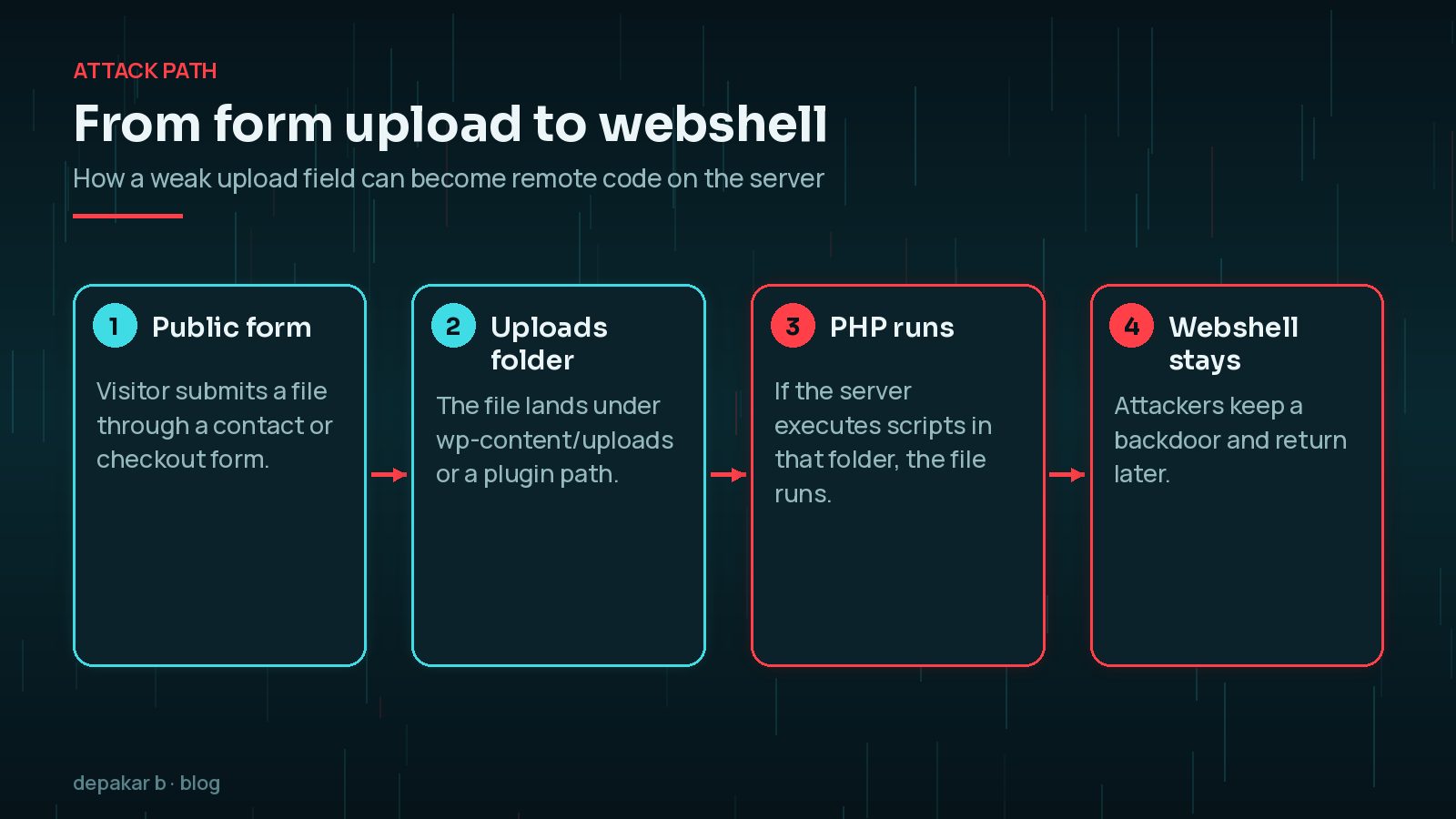
Why a File Upload Becomes a Webshell
A webshell is a small script left on the server so an attacker can send commands later. On WordPress it often arrives as a .php file, or a file the server still treats as PHP, sitting under wp-content/uploads or a plugin-specific upload path.
That outcome needs two failures at once:
- An upload feature accepts a dangerous file, or fails to strip and discard it correctly.
- The web server executes scripts from that folder instead of only serving media.
Official WordPress hardening guidance treats containment as a core idea: limit what an attacker can do even after they get a foothold. Blocking code execution in upload directories is exactly that kind of containment. WordPress also documents DISALLOW_FILE_EDIT so a compromised administrator account cannot edit plugin or theme PHP from the dashboard.
What Late October 2026 Made Clear
You need current patches more than a new theory. Three upload-related cases were public by early November 2026:
- Contact Form 7 6.2 to 6.2.3. On 29 October 2026, Rock Lobster released 6.2.4 and described an unauthenticated arbitrary file upload. Attackers could combine flaws so files that should have been blocked could be uploaded and kept after submission. Forms with file uploading fields on servers that list directory contents publicly can be a target. Reported via WPScan by Shinya Murakami and Jakub Herman; WPScan lists the same range as fixed in 6.2.4. Rock Lobster recommends 6.2.4 for all users because the enhancements apply beyond the vulnerable line.
- Checkout Files Upload for WooCommerce before 2.4.0. Wordfence Threat Intel records an unauthenticated arbitrary file upload, CVE-2026-103688, CVSS 9.8 (28 October 2026). Public write-ups describe the risk when accepted file types were left empty (“accept all files”), including PHP. BitNinja’s 3 November 2026 rules post said this issue was being exploited in the wild.
- Ultra Addons for Contact Form 7 through 3.5.54. WPSec and later Wordfence tracking describe unauthenticated stored cross-site scripting via form file uploads, fixed in 3.5.55. That is not the same as a PHP webshell, but it is another reminder that upload paths are a favourite attack surface.
Treat these as examples of a pattern, not a complete inventory. My round-up of WordPress plugin vulnerabilities from October 2026 covers other patches from the same period.

How WordPress File Upload Vulnerabilities Lead to Webshells
Most site owners meet WordPress file upload vulnerabilities through a contact form, quote request or WooCommerce checkout attachment. The visitor never needs an account. The plugin writes the file under the web root, often in a random temporary directory.
Contact Form 7’s advisory does not claim every host runs uploaded PHP. It does say directory listing makes temporary folders easier to find. If listing is on and PHP executes in that tree, the upload becomes a webshell.
“We only accept images” is not enough alone. Extension checks can be incomplete, MIME types forged, and odd encodings have broken validators before. Defence in depth means the file should still be harmless if it somehow arrives.
Updating the plugin does not remove a shell that is already there. Patching closes the door. You still need to look for unexpected files, rogue users and persistence. If you already see odd redirects, new administrators or malware warnings, start with the signs checklist and a proper clean rather than only clicking Update.
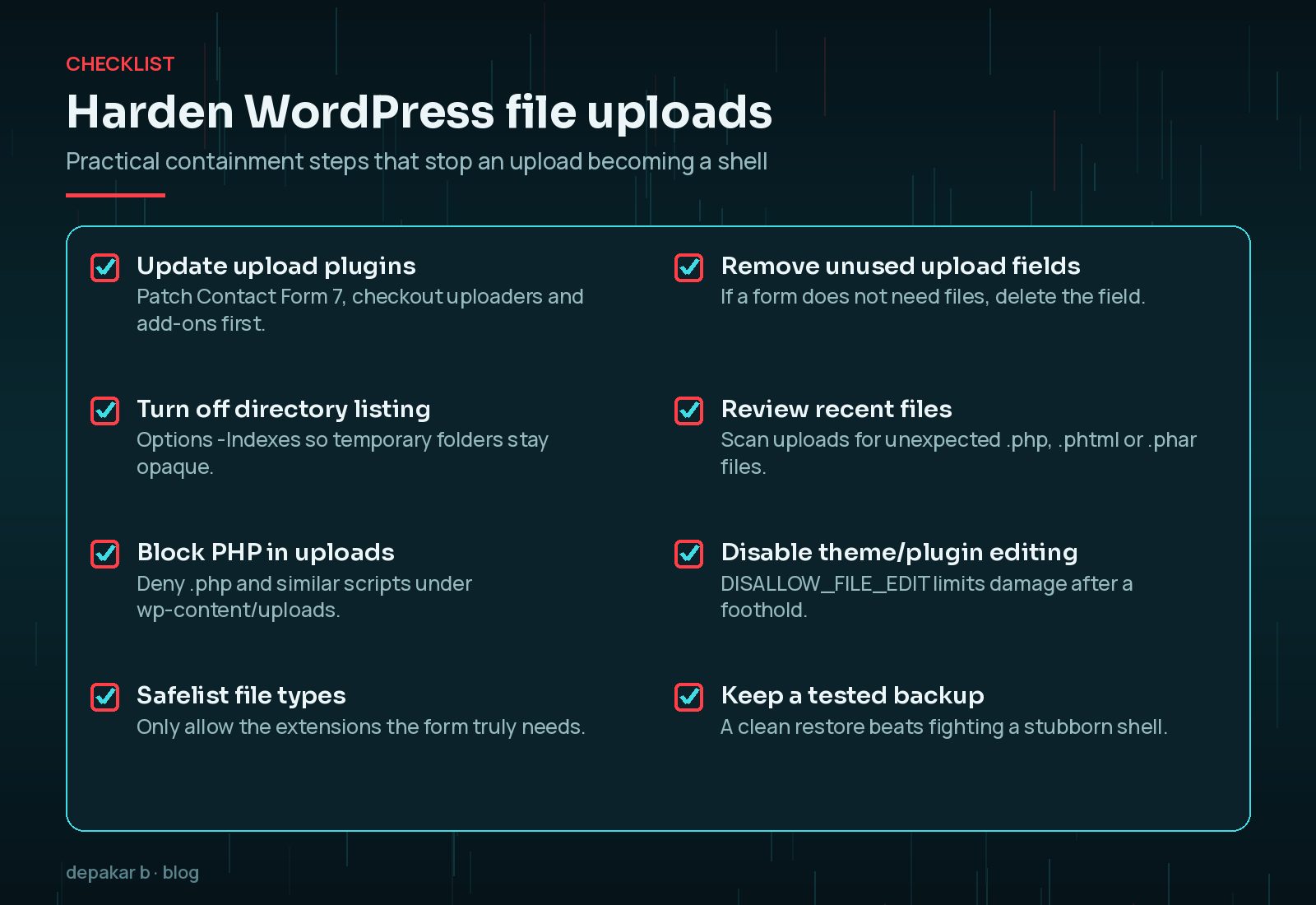
Harden the Uploads Directory First
Before you redesign every form, contain the damage an upload can do.
- Disable public directory listing for
wp-content/uploadsand plugin upload folders. On Apache this is commonlyOptions -Indexes. Contact Form 7’s advisory treats listing as part of the realistic target set. - Block PHP execution under uploads. Wordfence documents a “Disable Code Execution for Uploads directory” option that writes rules into an
.htaccessfile under uploads. Wordfence’s own system requirements note that the option relies on.htaccess, so it does not apply on Nginx the same way. On Nginx, deny PHP under/wp-content/uploads/in the server configuration. On Apache with PHP-FPM, confirm a test.phpfile in uploads returns forbidden rather than executing. - Keep uploads for media, not code. WordPress’s hardening guide stresses sensible file permissions and limiting write access. Uploads should not be a second plugins directory.
Patch Upload Plugins and Remove What You Do Not Need
Patching is still the first real fix. Move Contact Form 7 to 6.2.4 or newer (6.2.4.1 followed the same day for a regression). Confirm host requirements before updating production. Move Checkout Files Upload for WooCommerce to 2.4.0 or newer and set an explicit allow-list instead of an empty “accept all” field. Move Ultra Addons for Contact Form 7 to 3.5.55 or newer.
Then ask: does this form need an upload field? Recruitment, support and B2B quote forms often do; a simple contact form usually does not. Removing an unused field shrinks the attack surface immediately.
Prefer maintained plugins from trusted sources. See choosing a WordPress plugin safely and updating plugins without breaking the site.
Safelist Extensions, Do Not Guess
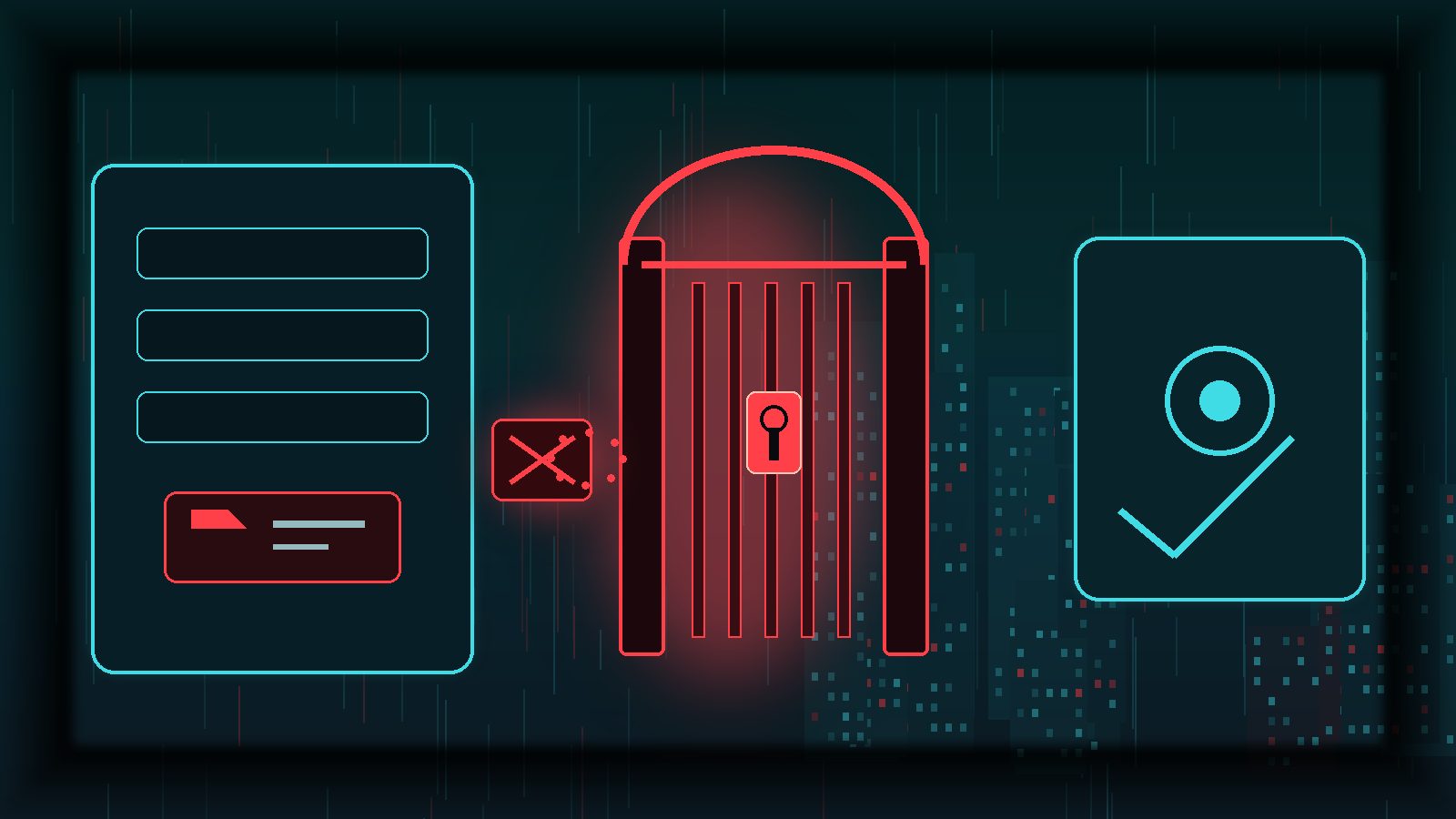
Contact Form 7 6.2.4 switched wpcf7_antiscript_file_name() from a script blocklist to an extension safelist. Anything outside the default list is rewritten to a safer alternative. The vendor documents a wpcf7_file_extension_safelist filter for extras such as zip or docx.
Copy that idea elsewhere. A short allow-list of PDF and images beats “accept everything and hope”. Add only what the process needs, test each type once, and keep the list short.
What to Check After a Suspected Upload Exploit
If a form plugin on your site sat on a vulnerable version, or BitNinja-style reports make you uneasy about a checkout uploader, do not stop at “updated”. Work through the layers:
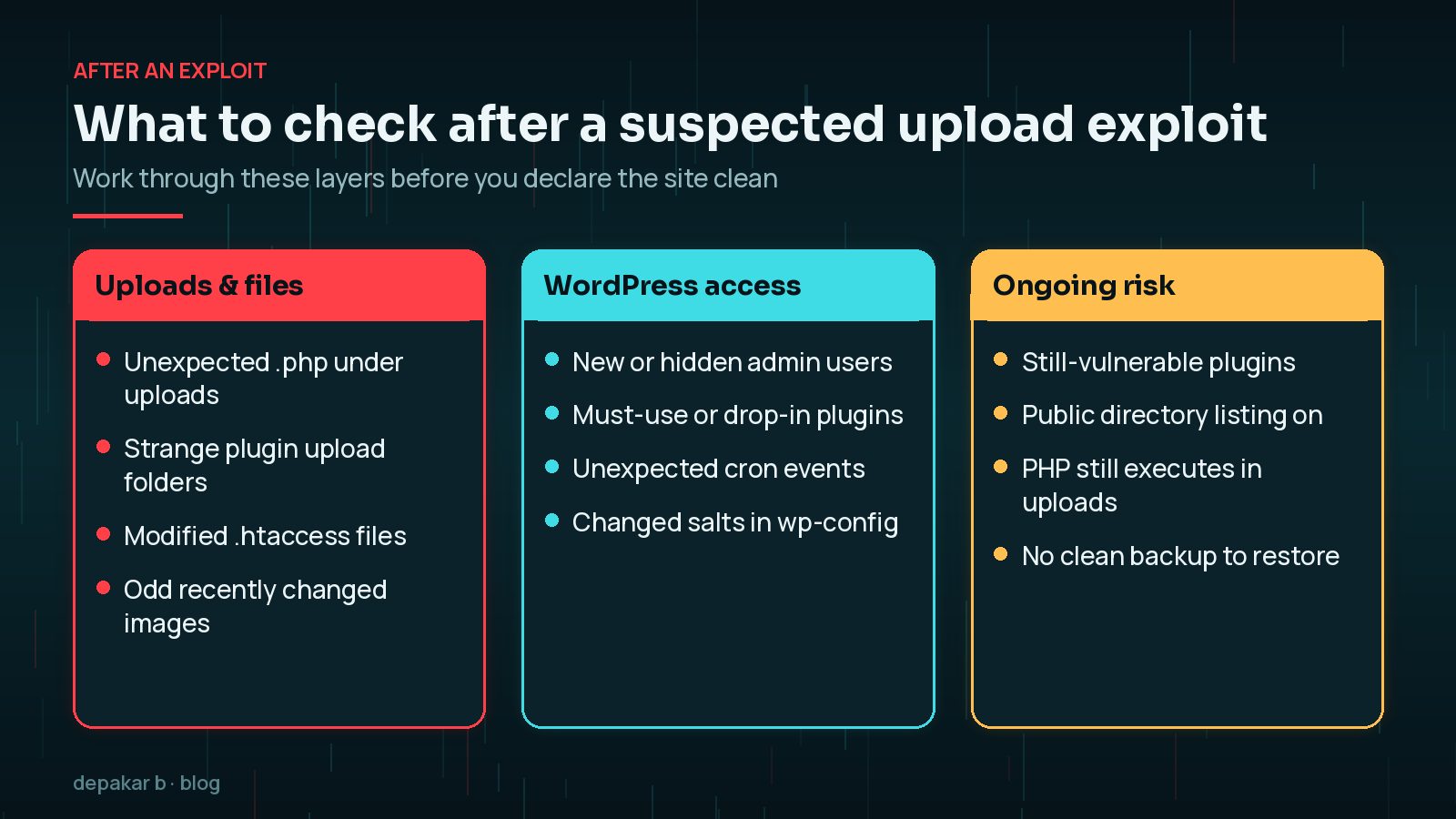
- Search
wp-content/uploadsand plugin upload directories for unexpected.php,.phtml,.pharand double-extension files. Preserve anything suspicious before you delete it. - Review administrators, must-use plugins, drop-ins and cron events. WordPress’s “My site was hacked” FAQ also reminds you to rotate secrets in
wp-config.phpwith the official key generator so lingering sessions die. - Re-check directory listing and PHP execution rules so the same path cannot be reused.
- Scan, then clean properly if you find malware. Use the signs your WordPress site is hacked guide, then how to clean a hacked WordPress site and the malware cleanup checklist.
After the clean, harden so the next plugin bug is less catastrophic. The follow-on guide to security hardening after a hack is the natural next step.
A Monthly Upload Hygiene Habit
Upload risk returns whenever you add a form, install a WooCommerce add-on or restore a staging plugin. Once a month, or after those changes:
- Confirm every form plugin that accepts files is on a current, patched release.
- Open each public form and remove upload fields you no longer need.
- Verify directory listing is off and that a harmless test PHP file in uploads does not execute.
- Skim recent files in uploads for names and extensions you do not recognise.
- Confirm you still have a recent backup you have actually restored somewhere.
That habit does not replace a firewall or scanner. It does remove the easy wins attackers rely on when the next upload advisory lands.
Frequently Asked Questions
What is a WordPress webshell?
A webshell is a malicious script stored on the server so an attacker can return and run commands. On WordPress it often appears as an unexpected PHP file under uploads or another writable directory.
Did Contact Form 7 6.2 allow unauthenticated uploads?
Rock Lobster’s 6.2.4 announcement describes an unauthenticated arbitrary file upload affecting Contact Form 7 6.2 to 6.2.3 on forms that include file uploading fields, especially where directory listing is enabled. Update to 6.2.4 or newer.
Is blocking PHP in uploads enough on its own?
No. It is strong containment, but you still need patched plugins, tight file-type rules and a review of files that may already be present. On Nginx you must set the block in server config because Wordfence’s uploads .htaccess option does not apply there.
Should I delete every upload field from my forms?
Only the ones you do not need. Keep uploads where the business process requires files, safelist the extensions, and make sure those plugins stay updated.
What if I already find a PHP file in uploads?
Treat the site as compromised until proven otherwise. Preserve the file for investigation, patch the vulnerable plugin, hunt for other persistence, rotate secrets and follow a full malware clean rather than deleting one file and hoping.
Final Thoughts
WordPress file upload vulnerabilities keep resurfacing because upload features are common, often unauthenticated and easy to leave over-permissive. The recent Contact Form 7 and checkout upload fixes are a timely reminder, not a one-off scare. Patch quickly, turn off directory listing, stop PHP in uploads, and review what is already on disk.
If you would rather have someone investigate a suspected webshell, remove malware and harden the site afterwards, my hacked site recovery service is built for exactly that work.
Official References
Sources checked on 6 November 2026:
- Contact Form 7: version 6.2.4 security release
- WPScan: Contact Form 7 plugin vulnerability history
- Wordfence Threat Intel: Checkout Files Upload for WooCommerce
- WordPress Documentation: Hardening WordPress
- WordPress Documentation: FAQ - My site was hacked
- Wordfence Help: system requirements (uploads code-execution note)
- BitNinja Blog: seven WordPress plugin vulnerability rules, 3 November 2026