
Unexpected redirects or popups
If visitors land on casino, pharma, or unrelated pages-especially on mobile only-treat it as urgent. Malware often targets phones to avoid the owner’s desktop checks.
- Test the site in a private mobile browser
- Check .htaccess and theme header/footer files
- Inspect for injected JavaScript in the page source

Some redirects only trigger for visitors arriving from a search engine, or only once per visitor, so typing your own address into a desktop browser may show nothing wrong. Test from a private window on a phone, and try clicking through from a search result for your own site name.
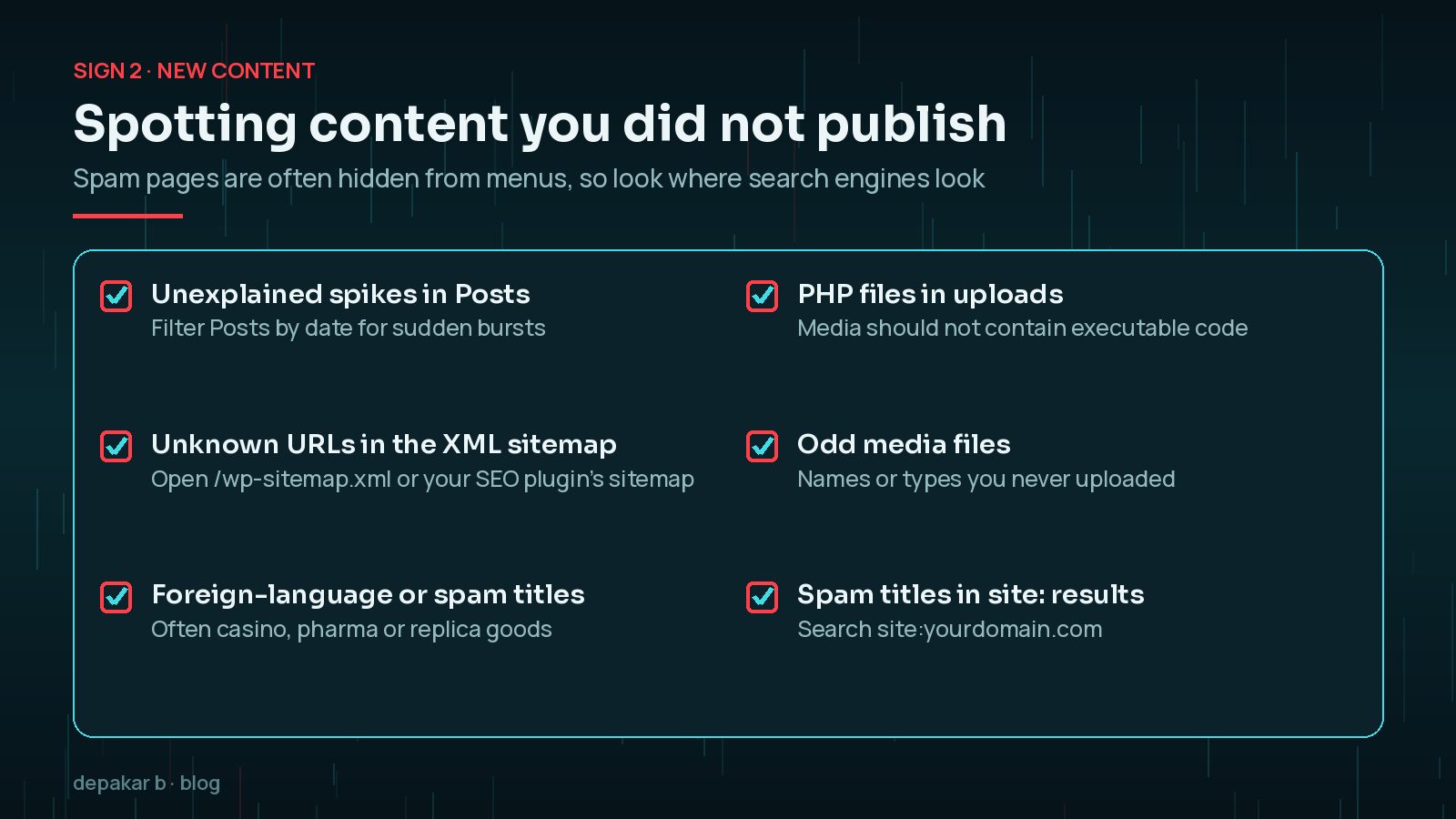
New content you did not publish
Spam posts, hidden pages, or foreign-language articles appearing in sitemaps are classic. So are odd media files in uploads.
- Review Posts → All Dates for unexplained spikes
- Open your XML sitemap for unknown URLs
- Search the media library for .php disguised as images
Spam pages are often kept out of menus and the main blog list, which is why owners rarely see them in the dashboard. Your sitemap and search results are better places to look, because that is where the attacker wants them to appear.
Unknown administrators
A new admin user is never normal. Even an old unused account that suddenly logs in is a red flag.
- Audit Users for roles you did not create
- Check hosting access logs for wp-login.php spikes
- Review application passwords and API keys
Attackers often give their accounts plausible names such as "support" or "admin2", or use an email address that looks like a hosting company. Some also hide accounts from the Users screen, so compare the count in the dashboard with what WP-CLI's wp user list --role=administrator or your database shows. My guide to finding hidden admin users in WordPress covers this in detail.

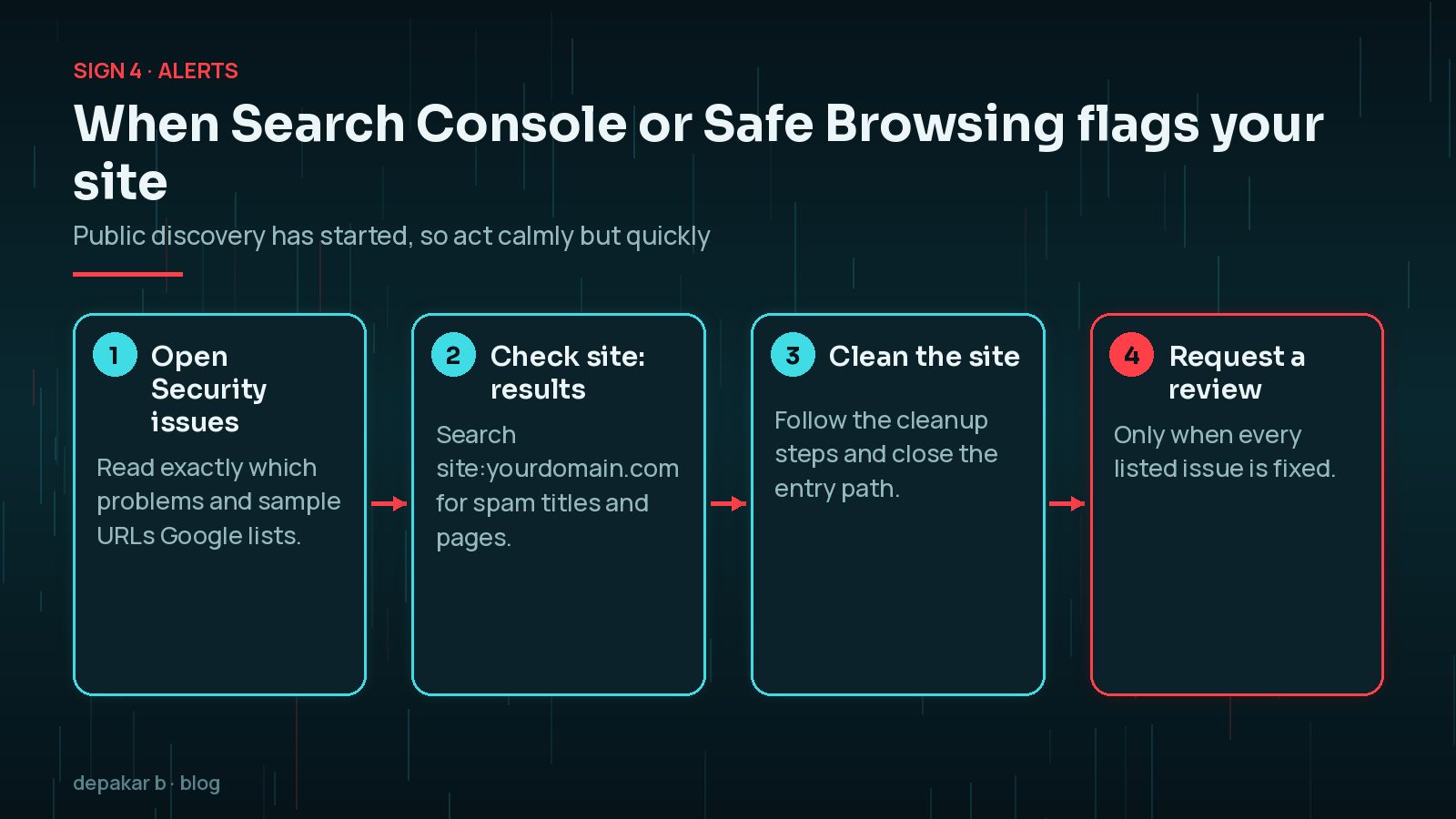
Search Console and blacklist alerts
Security issues, manual actions, or Safe Browsing warnings mean public discovery has started. Cleanup plus a review request is required.
- Open Security Issues in Search Console
- Check site:yourdomain.com for spam titles
- Compare with a clean backup if available
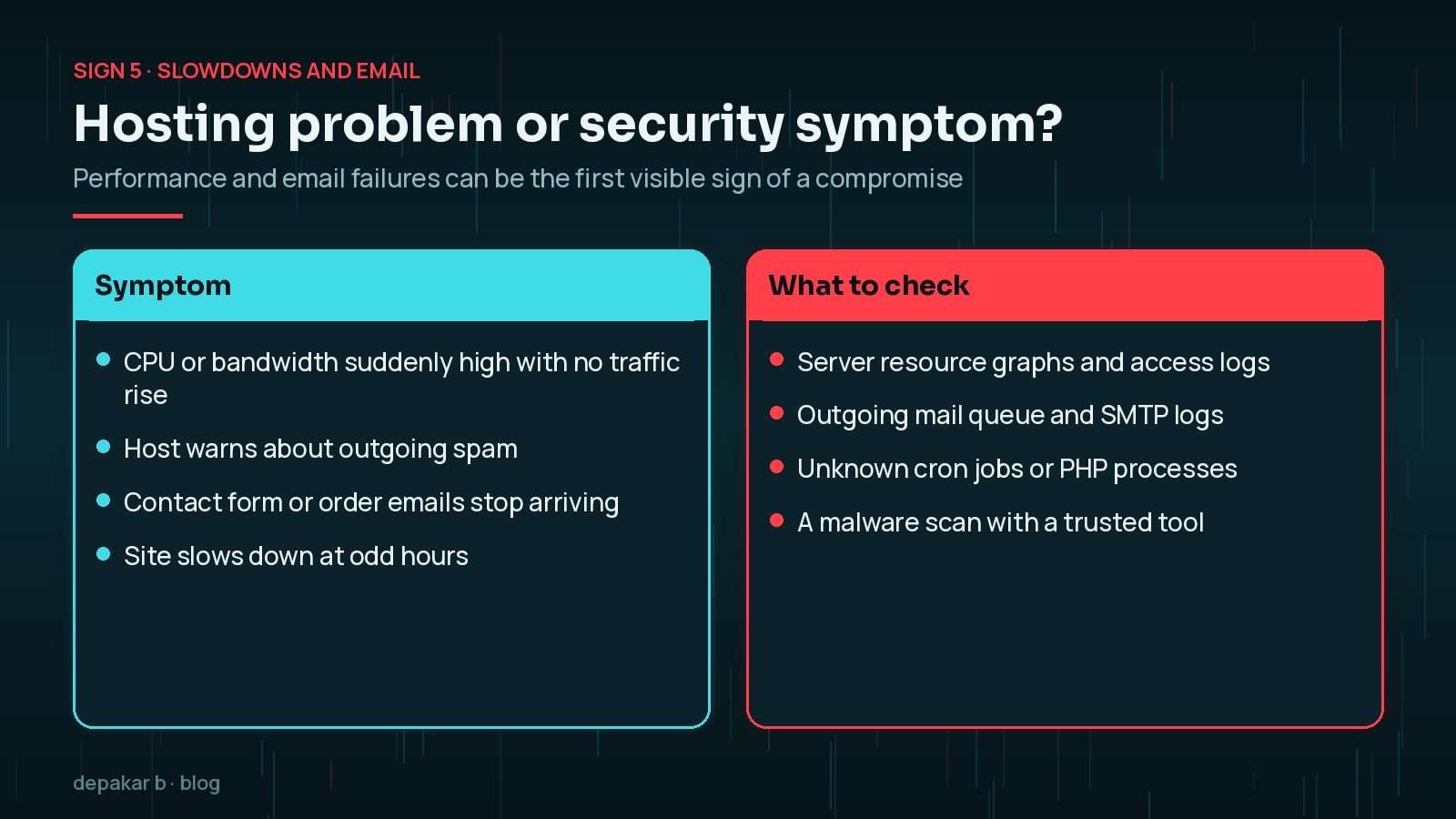
Sudden slowdowns or email failures
Infected sites often send spam, burn CPU, or break transactional email. Performance and deliverability problems can be security symptoms, not just hosting issues.
- Review server resource graphs
- Check outgoing mail queues
- Scan with a trusted malware tool
Which less obvious signs should you look for?
Not every hack announces itself with a casino redirect. The WordPress.org guidance on hacked sites lists several indicators of compromise that are easy to dismiss as coincidence:
- Your host suspends the site or sends an abuse report.
- Visitors say their antivirus software warns them about your site.
- You are told your site is being used to attack other sites or send spam.
- Behaviour nobody authorised, such as new users, changed settings or new plugins.
On the technical side, look for PHP files modified recently when nobody updated anything, unfamiliar code at the top of wp-config.php or theme files, new rules in .htaccess, scheduled tasks (cron events) with random-looking names, and files in wp-content/mu-plugins that you did not put there. Must-use plugins load automatically and do not appear in the normal Plugins list, which makes them a favourite hiding place.
Password reset emails you did not request, or a sudden rise in failed logins, do not prove a compromise on their own, but they show someone is trying. Treat them as a reason to check users and turn on multi-factor authentication.
Is it a hack or just a broken plugin?
Plenty of alarming symptoms have innocent causes. A white screen after an update, a layout that suddenly breaks, or a slow admin area are far more often plugin conflicts or hosting limits than malware. The difference is usually intent: a broken plugin makes the site fail, while malware makes the site do something new, such as sending visitors elsewhere, adding pages or creating accounts.
If you are unsure, check whether the symptom started right after an update you made. If it did, rolling that change back on a staging copy is a fair first test. If nothing changed on your side, or the behaviour benefits a third party, treat it as a security incident until you can prove otherwise.
Security scanners help here too, but read their results with care. A clean scan is reassuring, not conclusive, because new or custom malware may not match known signatures. A scan that flags a file in a plugin you have just updated may also be a false alarm. Compare the file with a fresh copy from the official source before deciding either way.
What should you do in the first hour?
Spotting a sign is the start, not the end. In the first hour, focus on protecting visitors and preserving evidence rather than fixing everything:
- Take a full backup or hosting snapshot of the site as it is now, infection included.
- Change your hosting and WordPress administrator passwords from a device you trust.
- Screenshot what you see, with times, so you can describe the problem accurately.
- Put the site into maintenance mode if visitors are being redirected or shown harmful content.
Once the site is contained, move on to the full process in how to clean a hacked WordPress site. If a popular plugin has just been compromised, such as the Rank Math PRO 3.0.123 backdoor, check the vendor's guidance as well, because supply-chain incidents need specific clean-up steps.
Frequently Asked Questions
How can I tell if my WordPress site is hacked?
Common signs are redirects to unrelated sites (often only on mobile), spam pages you did not publish, unknown administrator accounts, Search Console security warnings, and sudden slowdowns or email problems. One clear sign is enough to start checking properly.
Why does my site only redirect on mobile?
Malware often targets phones or visitors arriving from search results so that site owners, who usually check on a desktop by typing the address, do not notice. Test in a private mobile browser and by clicking through from a search result.
Can a hacked site look completely normal?
Yes. Many infections are designed to stay hidden, quietly adding spam pages, sending email or stealing data. That is why sitemaps, user lists, file changes and Search Console are worth checking even when the homepage looks fine.
Does Google warn me if my site is hacked?
Sometimes. If Google detects hacked content or malware, it can show an issue in the Search Console Security issues report and a warning to visitors. It will not catch everything, so do not rely on it as your only check.
What should I do first if I see these signs?
Take a backup of the current state, change your hosting and admin passwords, record what you see, and put the site into maintenance mode if visitors are at risk. Then follow a structured cleanup process.
Final Thoughts
The signs of a hacked WordPress site range from the obvious, such as a redirect to a spam page, to the quiet, such as an extra administrator or a mail queue that will not empty. Check the places attackers use rather than the places you look every day: mobile browsers, sitemaps, user lists, uploads and Search Console. If one sign appears, look for the others, and if several appear together, treat it as an incident and act calmly.
Need help applying this?
Seeing several of these signs? Start with the cleanup process or request hacked-site help.
Related service: Site hacked recovery · Contact · All articles
Official References
Sources checked on 29 October 2026: