
If you want to find hidden admin users in WordPress, the Users screen is not enough. On 6 October 2026, Patchstack published an analysis of a campaign that exploited stored XSS in Ninja Forms and WPC Product Bundles for WooCommerce. One of the things it planted was a fully privileged administrator that, in Patchstack's words, "does not appear in Users → All Users, does not appear in the Administrator filter, and is not counted in the totals above the list".
The same techniques can turn up after other compromises too. Here is how the hiding works, how to look past it, and how to clean up safely.
Why Can't You Trust the Users Screen?
The Users screen is not a direct view of your database. It is the result of a WordPress query, and plugins are allowed to change that query. That is a normal, useful feature, until malware uses it.
Patchstack found the campaign wrote a must-use plugin to wp-content/mu-plugins/ with a name like class-wp-query-<8 hex>.php. It hooks three places:
pre_user_query, to exclude the account from user queriesusers_list_table_query_args, to drop it from the Users listviews_users, to reduce the role counts so the totals still add up
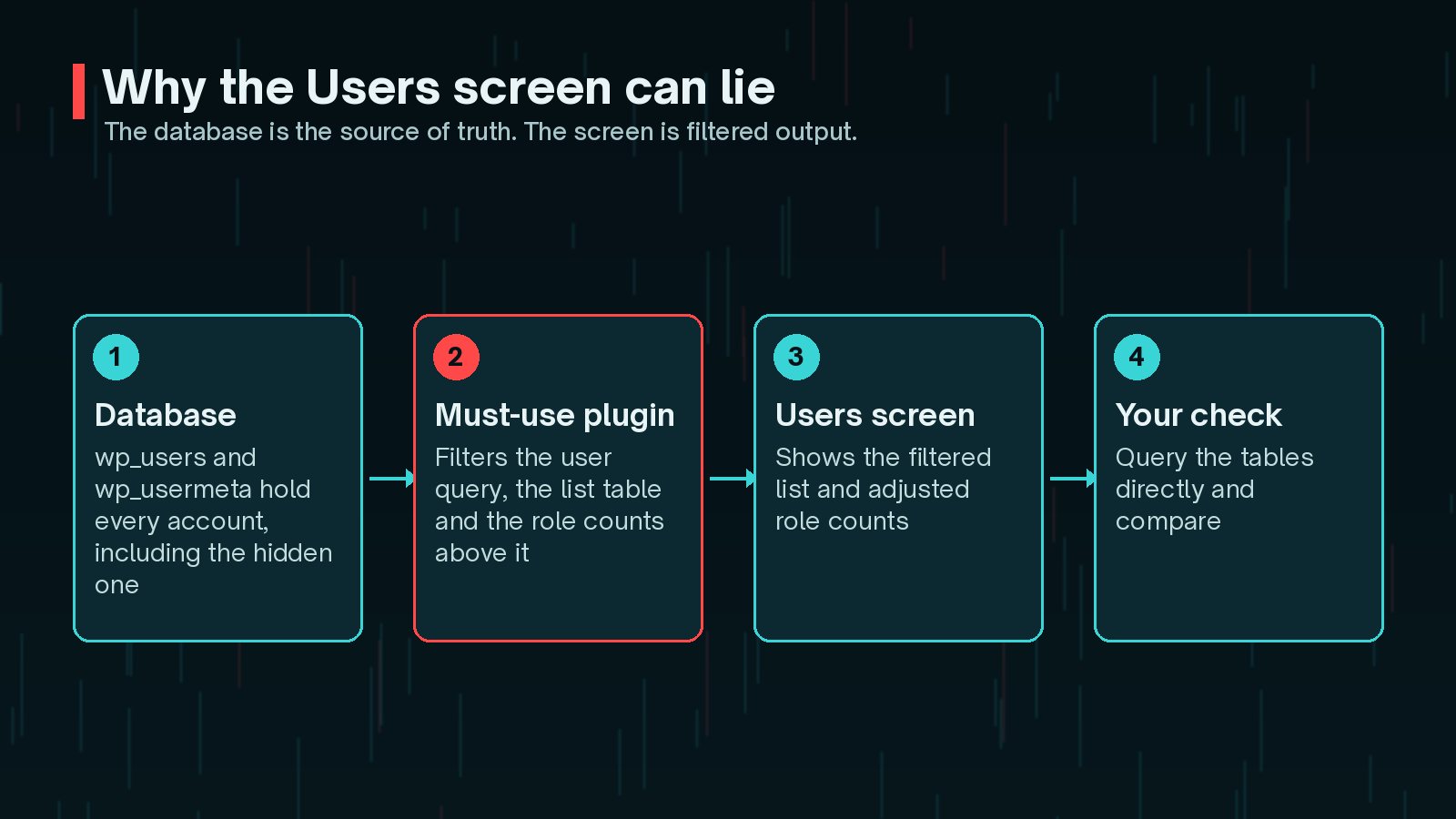
Must-use plugins load on every request and cannot be deactivated from wp-admin. WordPress only lists them in a separate Must-Use view, which many site owners never open.
What Did the October 2026 Campaign Leave Behind?
Patchstack describes "four ways back in" from a single successful run. Removing the vulnerable plugin, or even the fake one, closes none of the last three.
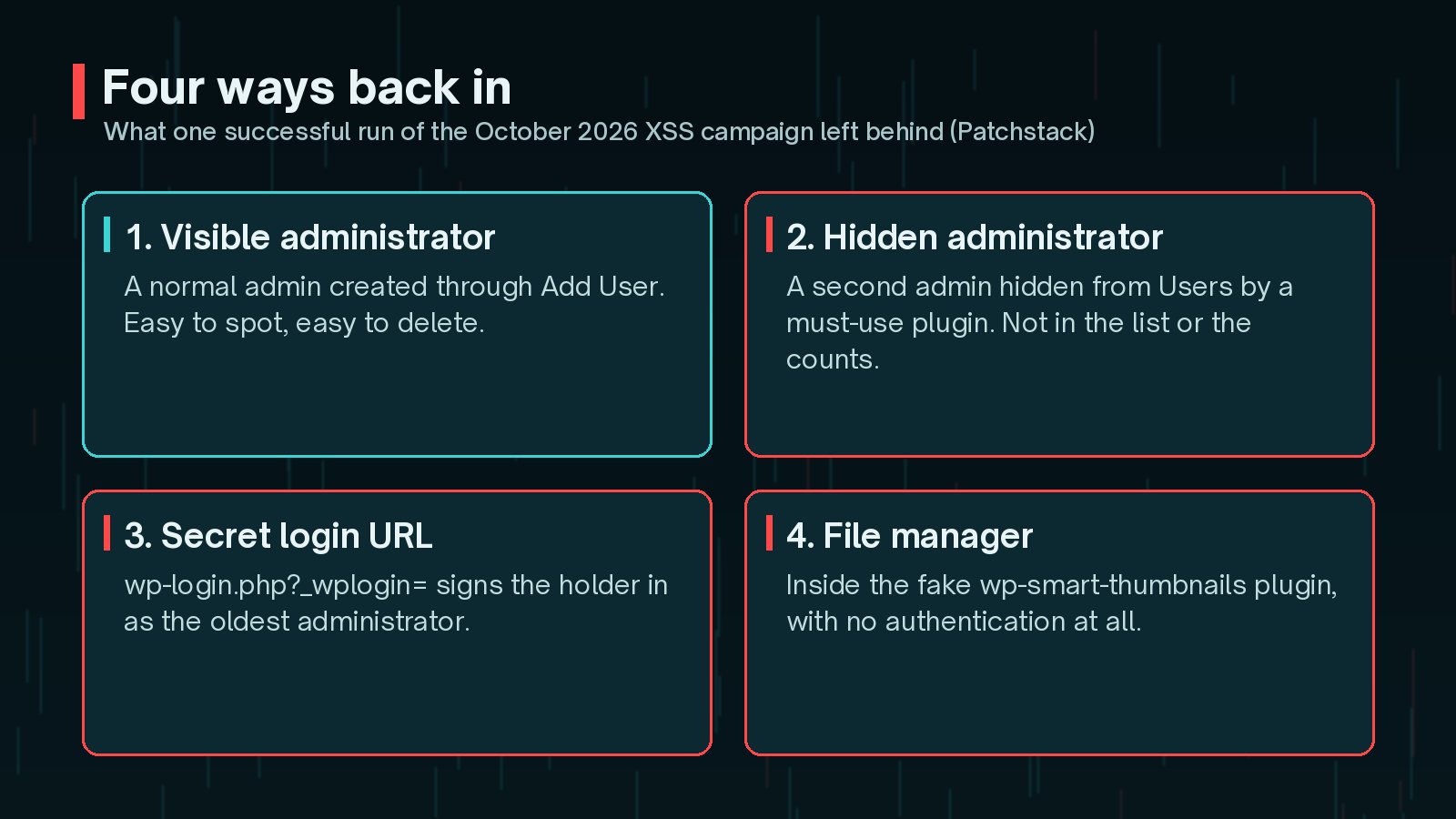
- A visible administrator, created through the normal Add User screen.
- A hidden administrator, with an ordinary-sounding username such as support, updater or maintenance and an
@wordpress.orgemail address. - A secret login URL at
/wp-login.php?_wplogin=, backed by a second must-use plugin,class-wp-token-validate.php. It signs the holder in as the site's oldest administrator. - An unauthenticated file manager inside the fake
wp-smart-thumbnailsplugin.
Different malware uses different names. In the Rank Math PRO incident, for example, the vendor warned about administrators named wpsupport_ followed by random characters, with emails ending @wp-mail.net. My Rank Math PRO backdoor guide covers that case.
How Do You List Every Administrator From the Database?
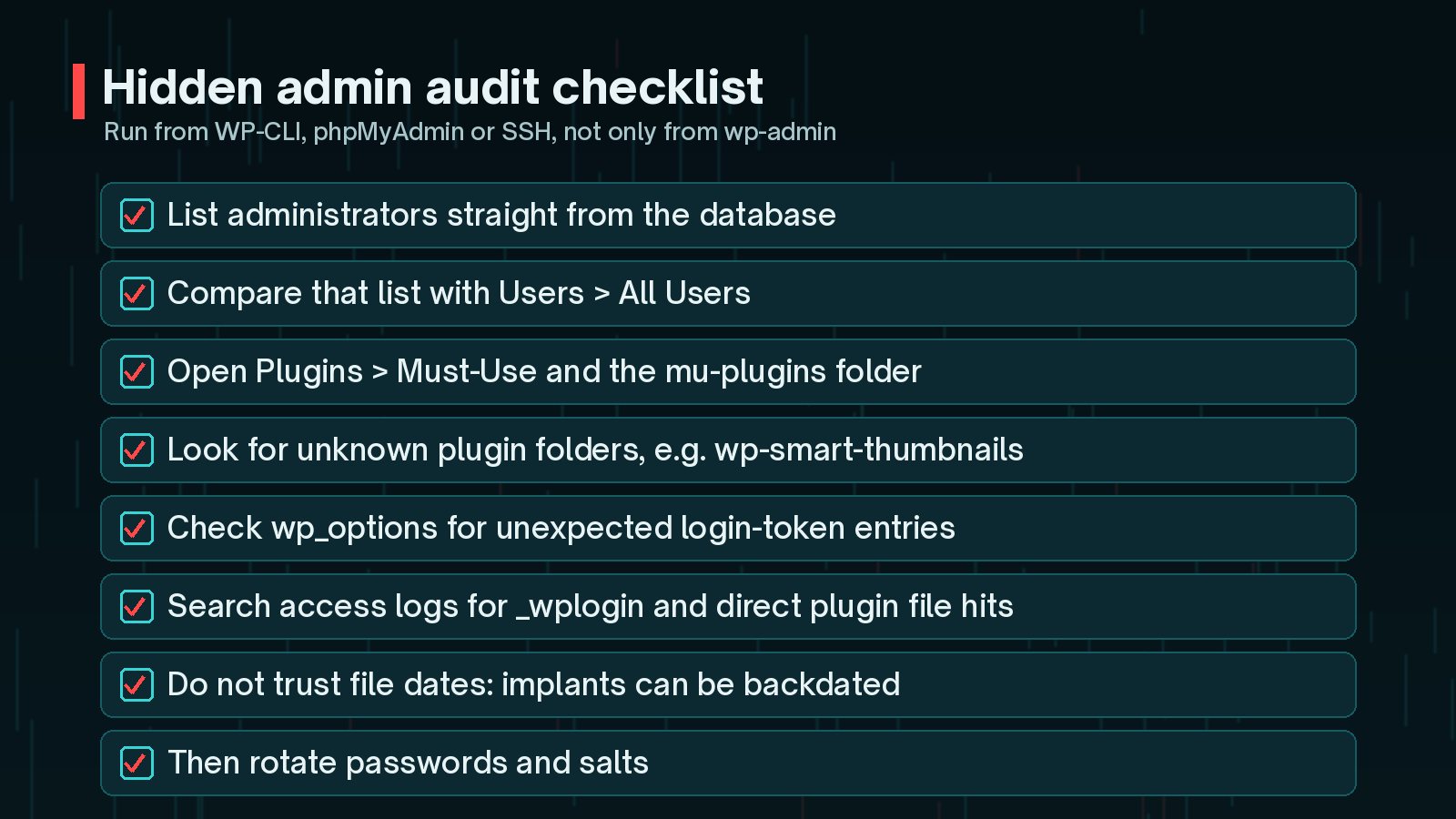
Run the check against the database itself, where no WordPress hooks apply. With WP-CLI, find your table prefix first:
wp db prefixThen list administrators directly. This example assumes the prefix is wp_; replace it in all three places if yours is different:
wp db query "SELECT u.ID, u.user_login, u.user_email, u.user_registered FROM wp_users u JOIN wp_usermeta m ON m.user_id = u.ID WHERE m.meta_key = 'wp_capabilities' AND m.meta_value LIKE '%administrator%' ORDER BY u.user_registered DESC;"Without WP-CLI, run the same SELECT in phpMyAdmin or your host's database tool. Then compare the result with Users → All Users:
- Any account in the query but not on screen is being hidden.
- Look closely at generic operational names and unexpected email domains.
- Check registration dates against times when administrators opened orders or form entries.
- On multisite, each site stores roles under its own key, such as
wp_2_capabilities, so repeat the check per site.
How Do You Find Rogue Plugins and Must-Use Plugins?
Start with the folders the Plugins screen does not emphasise:
ls -la wp-content/mu-plugins/
      wp plugin list --status=must-use
      ls -la wp-content/plugins/
For the October campaign, Patchstack lists these indicators:
wp-content/mu-plugins/class-wp-query-*.phpandwp-content/mu-plugins/class-wp-token-validate.phpwp-content/plugins/wp-smart-thumbnails/, posing as "WP Smart Thumbnails" 1.2.4 by "MediaPress Labs"- The options
fz_emer_done_v1andfz_emer_login_tokens - Requests to
wp-login.phpwith a_wploginparameter, and direct requests to the fake plugin's PHP file - References to
imgcdn1.comin logs or stored data
What Should You Do If You Find a Hidden Admin?
Order matters, because the must-use plugin keeps the account hidden and the token option keeps the login link alive.
- Back up first, and keep a copy as evidence.
- Update the vulnerable plugin so nothing new can be planted.
- Remove the rogue files: the fake plugin folder and the unknown must-use plugins.
- Delete the token options, for example with
wp option delete fz_emer_done_v1 fz_emer_login_tokens. - Delete the unknown accounts. With the must-use plugin gone, they should now appear in the Users screen.
- Rotate passwords and salts, including the oldest administrator's, then run
wp config shuffle-saltsto end existing sessions. - Check for anything else. The file manager could write files, so verify core and plugin checksums and look for PHP in uploads.
If you find several of these signs, treat it as a full compromise. My WordPress malware cleanup checklist covers the wider sweep, and signs your WordPress site is hacked lists other symptoms worth checking.
How Can You Make Hidden Admins Harder to Plant?
The October payload rode an administrator's logged-in session to upload a plugin. A few habits shrink that opportunity:
- Keep the number of administrators small, and do day-to-day order or form review in a lower role.
- If your workflow allows, add
define( 'DISALLOW_FILE_MODS', true );towp-config.php. It blocks plugin and theme installs and updates from the dashboard, so you will need to update another way, such as WP-CLI or deployments. - Check the must-use folder as part of every security review.
- Keep plugins patched quickly. The two bugs used here are covered in WordPress plugin vulnerabilities to patch in October 2026.
For a fuller post-incident checklist, see WordPress security hardening after a hack.
Frequently Asked Questions
Can WP-CLI show me hidden administrators?
Not reliably with wp user list, because WP-CLI loads WordPress, including must-use plugins, so the same filters can apply. Use wp db query with SQL instead: it sends the query straight to the database, where no WordPress hooks run.
Will changing my admin password remove the attacker?
Not on its own. In the October campaign, the secret login link signed the holder in as the oldest administrator without needing the password. Remove the must-use plugins, options and accounts first, then rotate passwords and salts.
Is every file in mu-plugins suspicious?
No. Some hosts and legitimate plugins use must-use plugins on purpose. Check each file against what you or your host installed, and ask your host before deleting anything you do not recognise but that does not match a known indicator.
Can I find the implants by looking for recently changed files?
Not for this campaign. Patchstack found the installer backdated its files to the oldest timestamp in the WordPress root, so they look older than the site. Search by file name and content instead.
Final Thoughts
A hidden administrator is unsettling because it undermines the screen you rely on. The fix is to check from a level the malware cannot filter: the database and the file system.
List administrators with SQL, open the must-use folder, look for the known file names and options, and only then rotate passwords and salts. If you would like a second pair of eyes, my hacked site recovery service includes exactly these checks.
Official References
For the primary sources behind this article, and the latest updates, see: