
Most months, WordPress plugin vulnerabilities follow a familiar pattern: a fix is released, an advisory is published and most sites update without incident. October 2026 was different. Two stored XSS flaws were actively exploited to plant hidden administrators, a page-builder add-on had an unauthenticated file upload bug rated critical, and a premium SEO plugin was briefly distributed with malware.
Below is each issue, the version to run, and what to check beyond updating. Version numbers were checked on 29 October 2026. They move quickly, so confirm against the linked advisories before acting.
Which Plugins Need Attention This Month?
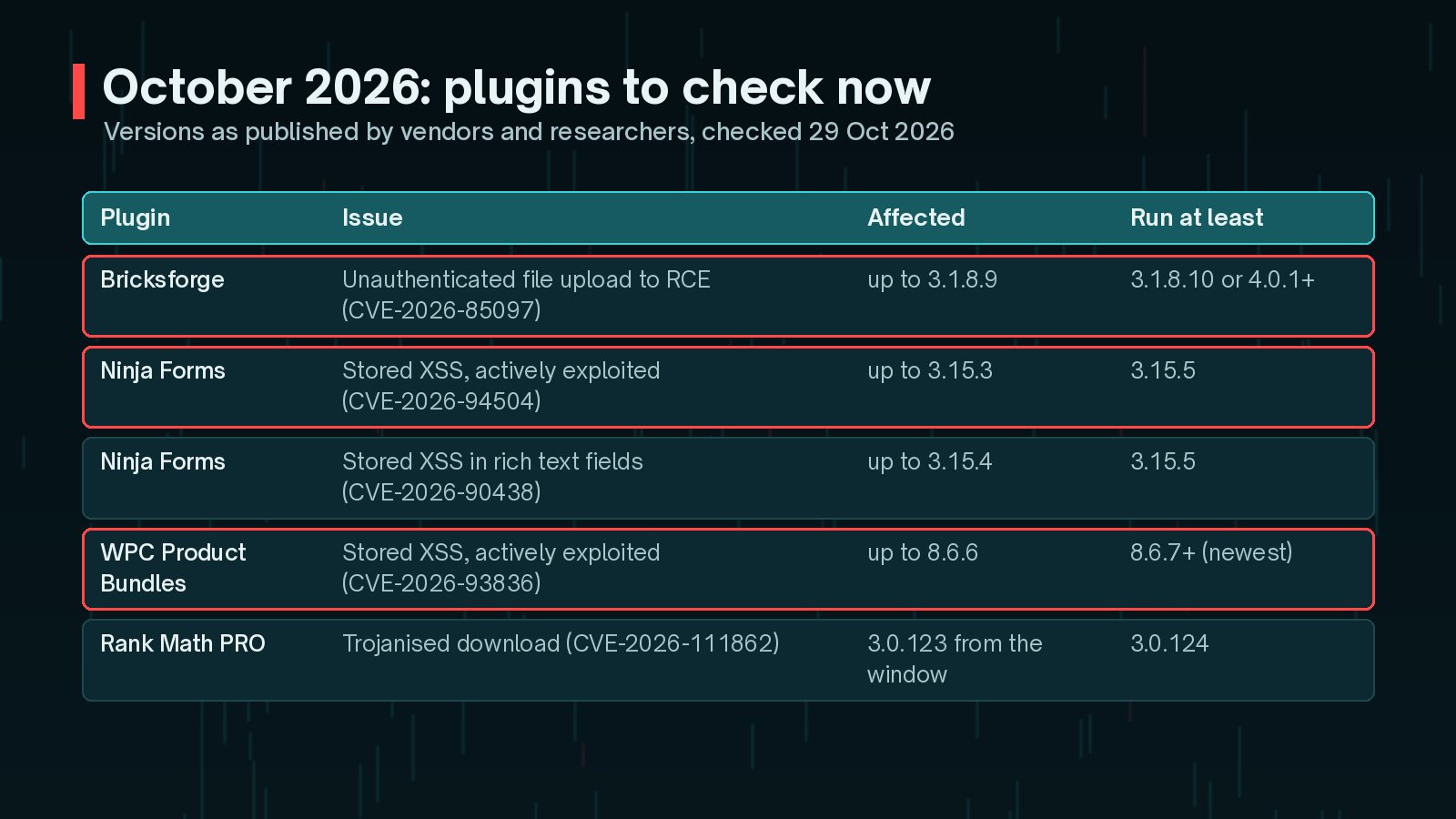
| Plugin | Issue | Affected | Run at least |
|---|---|---|---|
| Bricksforge | Unauthenticated arbitrary file upload (CVE-2026-85097) | Up to 3.1.8.9 | Latest 4.0.x (4.0.1 or newer) |
| Ninja Forms | Stored XSS, exploited (CVE-2026-94504) | Up to 3.15.3 | 3.15.5 |
| Ninja Forms | Stored XSS in rich text fields (CVE-2026-90438) | Up to 3.15.4 | 3.15.5 |
| WPC Product Bundles for WooCommerce | Stored XSS, exploited (CVE-2026-93836) | Up to 8.6.6 | Newest release (fix in 8.6.7) |
| Rank Math PRO | Trojanised download (CVE-2026-111862) | 3.0.123 from 15 to 16 Oct | 3.0.124 |
Bricksforge: Why Is CVE-2026-85097 Critical?
Bricksforge, an add-on for the Bricks builder, had an unauthenticated arbitrary file upload in versions up to and including 3.1.8.9. The GitHub Advisory Database, drawing on the National Vulnerability Database, rates it 9.8 (critical).
In short, the advisory describes an attacker getting a valid nonce from a public endpoint, uploading an image file with PHP hidden inside it, and then tricking the form submission into saving it with a .php extension. That allows code to run on the server with no login at all.

According to the Bricksforge changelog, CVE-2026-85097 was fixed in 3.1.8.10 and 4.0.0. Version 4.0.1 (8 October 2026) fixed a further Pro Forms upload issue that affects every site with Pro Forms active, and 4.0.2 (13 October 2026) added wider REST endpoint hardening. That release also recommends renewing API keys stored in the tool settings as a precaution.
- Update to the newest 4.0.x release.
- Look for PHP files in
wp-content/uploads/created since the plugin was installed. - Renew API keys stored in Bricksforge settings, as the vendor suggests.
Ninja Forms and WPC Product Bundles: What Was Exploited?
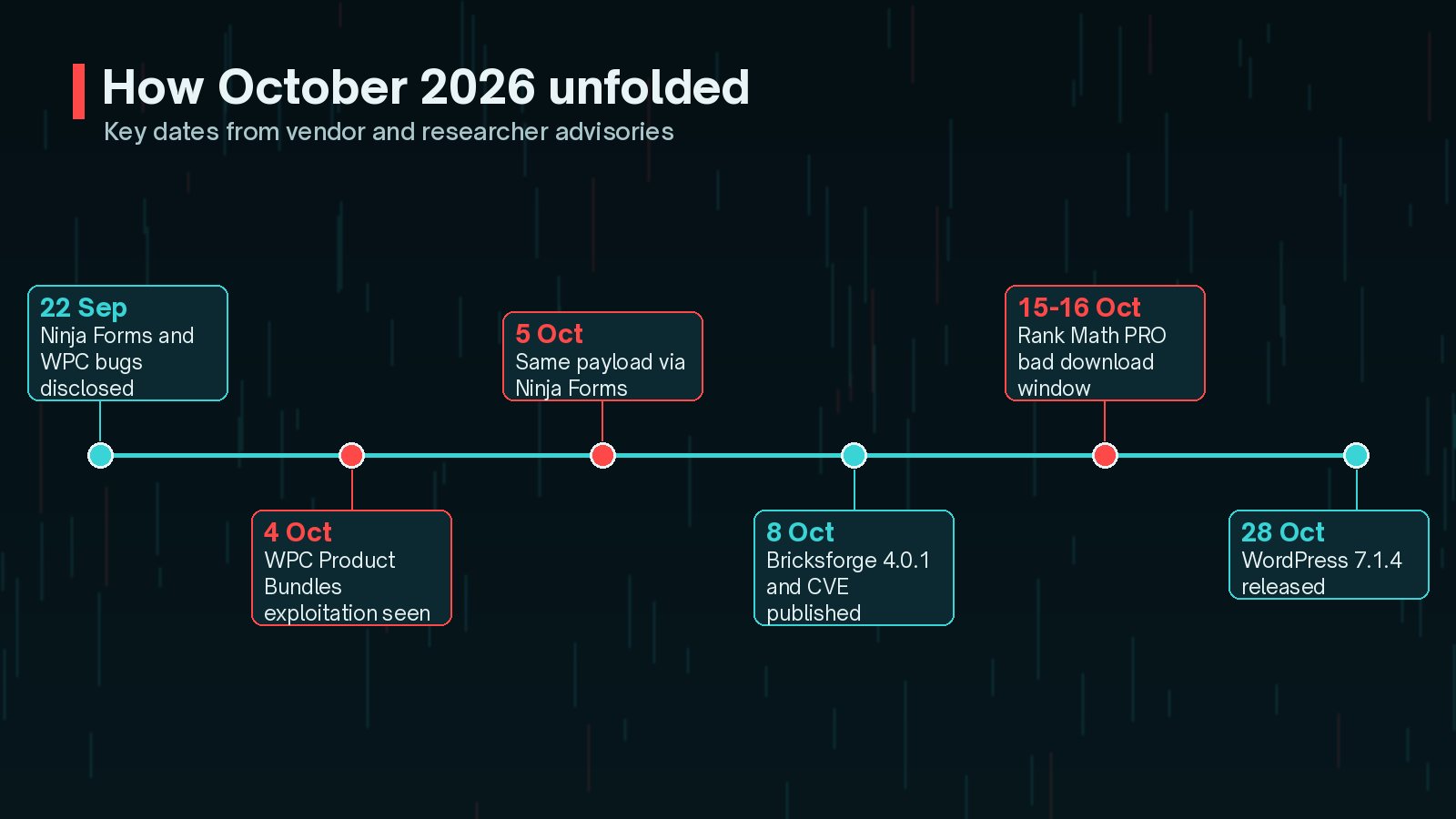
On 6 October 2026, Patchstack published an analysis of a campaign using two unrelated stored XSS bugs with a single payload:
- WPC Product Bundles for WooCommerce up to 8.6.6 (CVE-2026-93836). Patchstack first saw exploitation on 4 October.
- Ninja Forms up to 3.15.3 (CVE-2026-94504). The same payload appeared on 5 October.
The attacker plants script in an order or a form submission. Nothing happens until an administrator opens that entry in wp-admin. The script then uses the administrator's own session to install a fake plugin called "WP Smart Thumbnails", create an administrator account and set up hidden persistence.

Patchstack reports that both bugs were publicly disclosed on 22 September, and the attacker's domain was registered on 1 October. That gap between disclosure and attack is the time an update can protect you.
Updating does not undo an infection. Patchstack found that one successful run leaves four separate ways back in, including an administrator hidden from the Users screen. If an administrator opened orders or form entries on a vulnerable version, follow my guide to finding hidden admin users and rogue plugins.
For Ninja Forms, run 3.15.5 rather than stopping at 3.15.4, because 3.15.5 also fixes CVE-2026-90438. For WPC Product Bundles, 8.6.7 was the first fixed release; go to the newest version, testing on staging first if the shop takes orders.
What About Rank Math PRO and WordPress Core?
Two other October items belong on the same list:
- Rank Math PRO 3.0.123: copies downloaded between 15 October at 20:02 UTC and 16 October at 07:12 UTC carried malware. If one was activated, the site should be treated as compromised. My Rank Math PRO backdoor check and clean guide covers the steps.
- WordPress 7.1.4: released on 28 October with 22 security fixes. See what the WordPress 7.1.4 security update fixes.
How Do I Check My Plugins Quickly?
If you have WP-CLI access, one command shows every plugin, its version and whether an update is waiting:
wp plugin list --fields=name,status,version,update_versionWithout WP-CLI, the Plugins screen shows the same details. For each plugin on this month's list:
- Compare your version against the "run at least" column above.
- Back up, then update. Use staging first for shops and membership sites.
- Re-test the forms, checkout or builder pages that use the plugin.
- If you were on an exploited version, check for persistence before calling it done.
Forms deserve special care because they collect untrusted input by design. My notes on planning WordPress forms and integrations cover how to keep them maintainable.
How Can I Stay Ahead of Next Month's List?
None of these issues needed exotic defences. They needed updates applied quickly and a habit of checking for persistence after known exploitation.
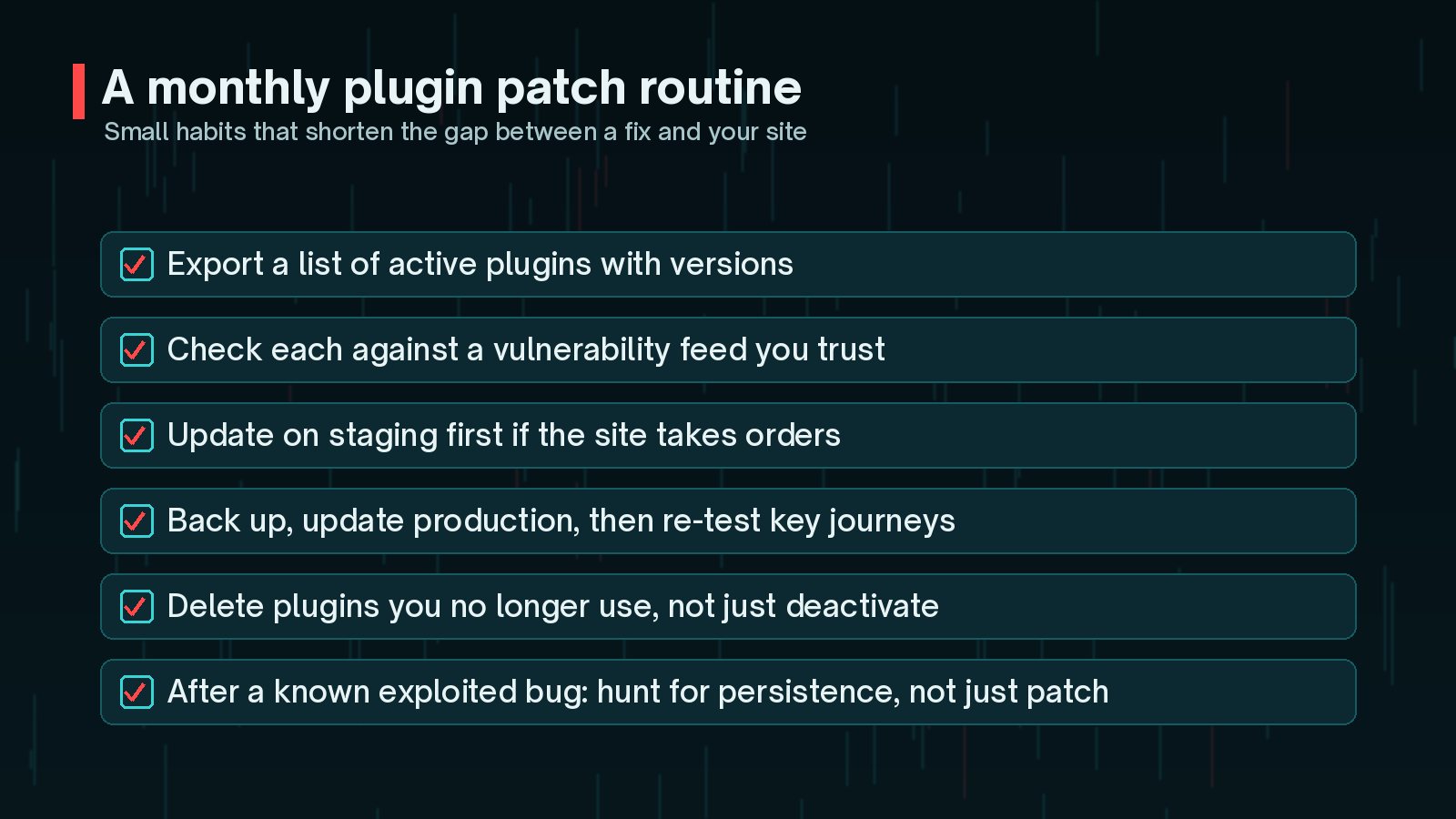
- Keep a current list of plugins and versions for every site.
- Check that list against a vulnerability feed you trust.
- Delete plugins you no longer use instead of leaving them deactivated.
- Limit how many people hold administrator access, so stored XSS has fewer chances to reach one.
- Keep tested backups, so a bad week does not become a bad month.
If you suspect a site has already been hit, the WordPress malware cleanup checklist is a good place to start.
Frequently Asked Questions
Is updating the plugin enough?
It stops new attacks through that bug, but it does not remove anything an attacker already planted. For the Ninja Forms and WPC Product Bundles campaign, Patchstack is explicit that updating does not clean an existing infection, so check for persistence as well.
Which Ninja Forms version should I run?
At least 3.15.5. Version 3.15.4 fixed the flaw used in the October campaign (CVE-2026-94504), and 3.15.5 fixed a separate stored XSS in rich text Paragraph Text fields (CVE-2026-90438) that affects versions up to 3.15.4.
I do not use Bricksforge Pro Forms upload fields. Am I safe?
Bricksforge's 4.0.1 changelog says the upload issue fixed in that release affected every site with Pro Forms active, including sites whose forms use no upload fields. Update regardless of how your forms are set up.
How often should I check for plugin vulnerabilities?
At least monthly, and as soon as you hear of active exploitation. This month, Patchstack observed exploitation starting around twelve days after the Ninja Forms and WPC bugs were disclosed, so a monthly check alone can be too slow.
Final Thoughts
October's plugin issues share one lesson: the update is the first step, not the last. Patch Bricksforge, Ninja Forms and WPC Product Bundles to current versions, check whether Rank Math PRO was installed during its bad window, and look for persistence wherever exploitation was possible.
Building this into a regular maintenance plan makes next month calmer. If you would like help, my website maintenance service covers updates, monitoring and checks like these.
Official References
For the primary sources behind this article, and the latest updates, see: