
A WordPress maintenance plan is only useful when everyone knows what it covers. Vague plans tend to fail in one of two ways: either the site quietly drifts out of date, or every request turns into an argument about whether it is “included”. This guide sets out what a practical monthly plan should contain, what it should leave out, and how to report on it so the work stays visible.

Core monthly work
Updates with smoke tests, backup verification, and uptime awareness.
- Core/plugin/theme updates
- Backup restore confidence
- Uptime alert response notes
What Should Happen Every Month?
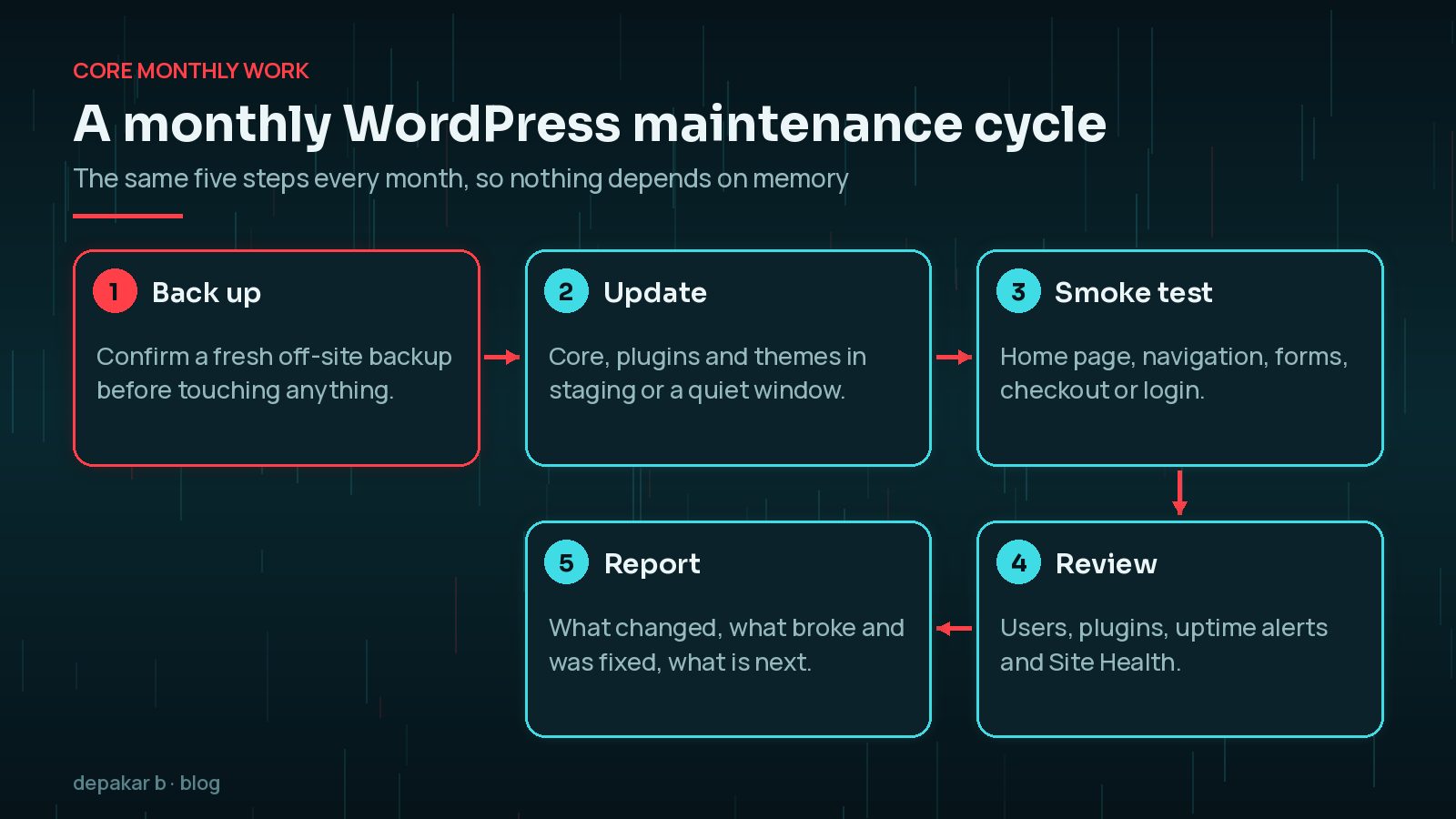
The heart of any maintenance plan is a repeatable routine. If the same steps happen in the same order each month, you are far less likely to skip the boring parts that prevent outages.
- Back up first. Confirm that a recent off-site backup exists before you update anything. A backup you have never restored is a hope, not a plan, so test a restore to staging from time to time.
- Update deliberately. WordPress core, plugins and themes should be updated, but not blindly. Read the changelog for major releases, and apply larger updates on a staging copy first where you can.
- Smoke-test the journeys that matter. Check the home page, main navigation, contact forms, checkout or booking flow, and login. A site that loads but cannot send enquiries is still broken.
- Review the health signals. Look at uptime alerts, the WordPress Site Health screen, error logs if you have access, and any security plugin notices.
- Write it down. Record versions, issues and fixes in a changelog so the next person, or the next incident, has a timeline.
WordPress already installs minor and security releases automatically on most sites, but that does not remove the need to check plugins, themes and your PHP version. The PHP project only supports each branch for a limited time, so a maintenance plan should flag when the server is approaching an unsupported version. If that applies to you, read the PHP 8.2 end-of-life upgrade guide.
Why Do Backups and Uptime Monitoring Matter So Much?
Backups and monitoring are the two parts of a WordPress maintenance plan you only notice when something goes wrong, which is exactly why they need checking when things are calm.
For backups, ask three questions. Are both the files and the database included? Are copies stored somewhere other than the web server, so a hosting failure or a hack does not take the backups with it? And when did someone last restore one to prove it works? WordPress's own backup documentation stresses keeping several copies in more than one place, which is good advice for any business site.
Uptime monitoring is simpler but just as important. An external service checks the site at regular intervals and alerts you when it stops responding. The plan should say who receives those alerts, how quickly someone looks at them, and where the response is recorded. If an alert fires at night and nobody is named to act on it, the monitoring is only telling you what you will discover in the morning anyway. If the site does go down, my site down emergency checklist sets out the order to work in.
Security hygiene
Not full incident response-prevention and early detection.
- User/access review
- Abandoned plugin cleanup
- Login hardening checks
Which Security Checks Belong in a Maintenance Plan?
Maintenance is about lowering the chance of an incident and spotting trouble early. It is not the same as cleaning up a hacked site, which needs its own investigation. Sensible monthly security tasks include:
- Access review: remove accounts for people who have left, downgrade anyone who has more access than they need, and look for administrators nobody recognises. My guide to finding hidden admin users in WordPress walks through this.
- Plugin housekeeping: delete deactivated plugins and themes you do not use, and replace plugins that are no longer maintained.
- Login protection: confirm multi-factor authentication is still enabled for administrators and that brute-force protection is working.
- Security releases: when an urgent core or plugin fix ships, such as the WordPress 7.1.4 security update, apply it outside the normal monthly window.

Small fixes vs projects
Broken forms and content tweaks fit maintenance; new landing systems usually do not.
- Define hour caps
- Escalate larger SEO/speed projects
- Keep a changelog
How Do You Stop Maintenance Turning Into a Redesign?
The easiest way is to agree, in writing, what counts as a small fix. A useful test is whether the task restores or protects something that already exists, or creates something new. Restoring a broken form, replacing a plugin that clashes with an update, or tweaking copy on an existing page all protect the current site. Building a new landing page system, rewriting templates for speed, or reworking the site structure for SEO create something new and deserve their own scope and budget.
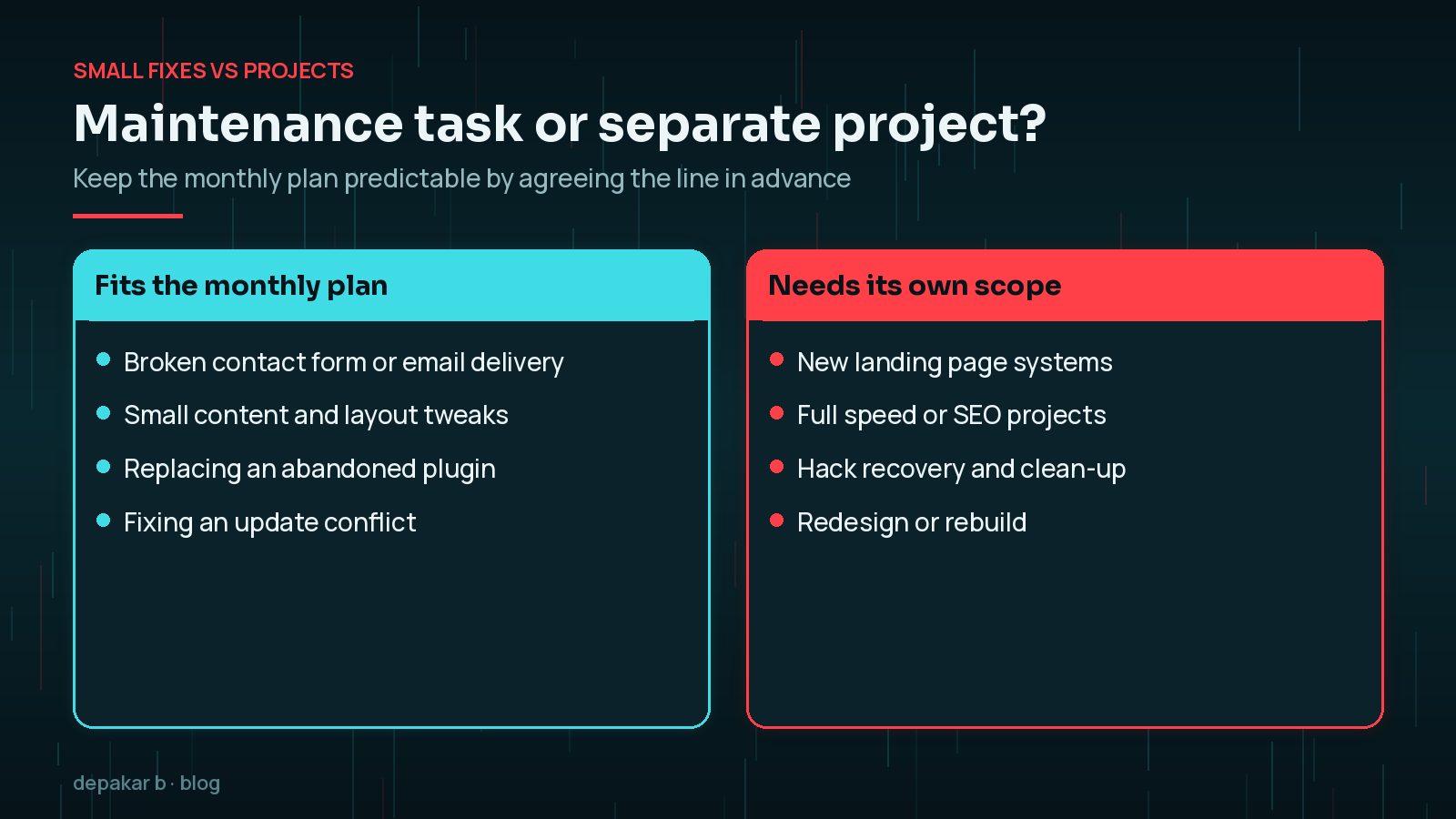
Writing the boundary into the plan also protects the relationship. When a request falls outside it, nobody has to argue; it simply becomes a short quote for a separate piece of work.
An hour cap helps both sides. When small requests start to exceed it every month, that is a signal the site needs a proper project rather than more maintenance hours.
Reporting that helps
A short monthly note beats a 20-page PDF nobody reads.
- What changed
- What broke and was fixed
- Recommended next project
What Should a Monthly Maintenance Report Include?
A good report answers three questions quickly: is the site safe, did anything go wrong, and what should we do next? Keep it to one page. List the updates that were applied, any problems found and how they were fixed, the date of the last verified backup, uptime alerts and how they were handled, and how many of the agreed hours were used.
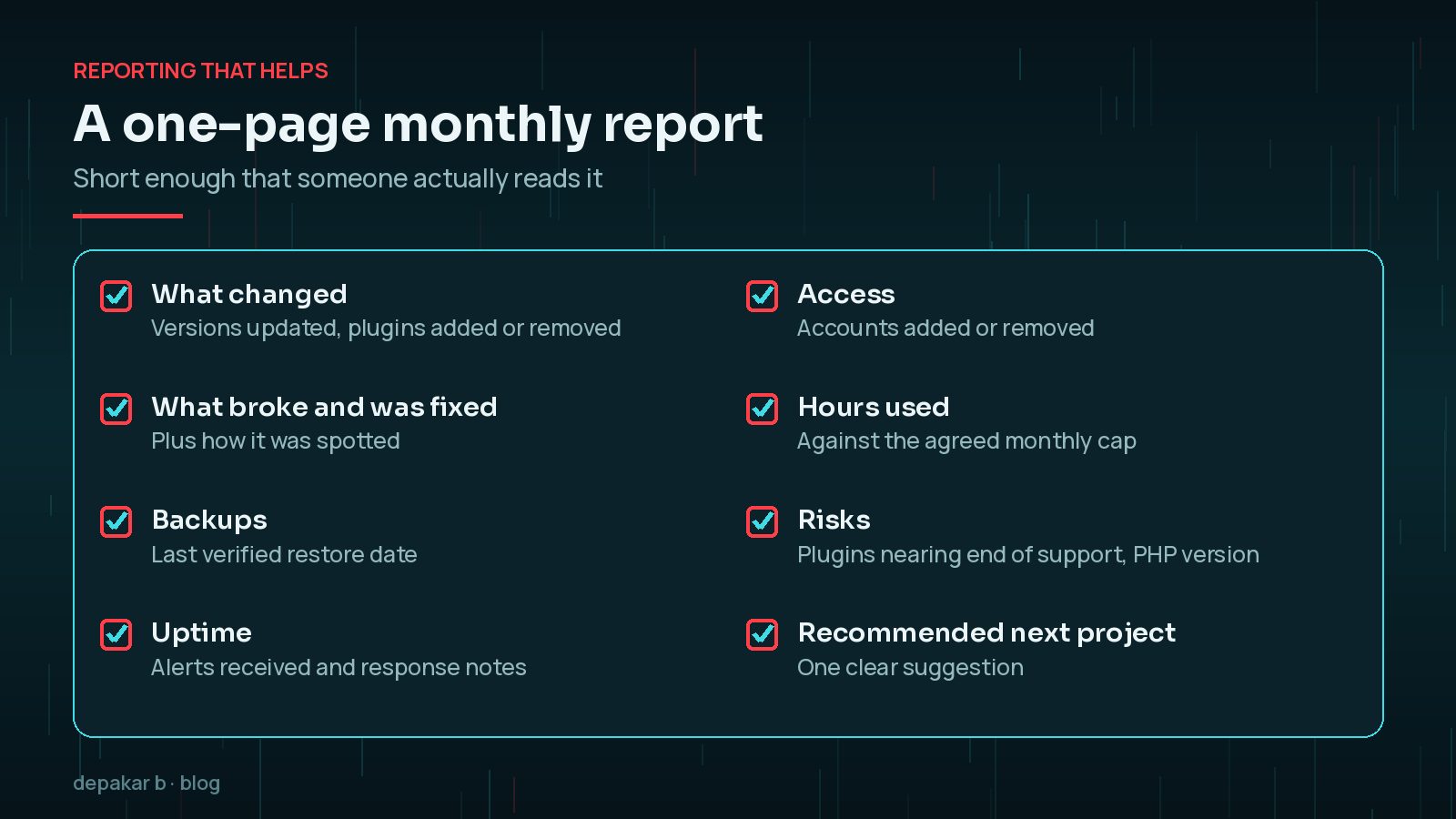
Finish with one recommendation, not ten. “Replace the slider plugin, which is no longer maintained” is far more useful than a long list of generic advice.
When maintenance is not enough
Hacks, major revamps, and deep SEO work need dedicated scopes.
Maintenance and these projects support each other. A clean, well-maintained site is cheaper to revamp, and a revamped site stays fast and secure for longer when someone owns the monthly checklist. For the security foundations a plan should protect, see practical WordPress security foundations.
Frequently Asked Questions
How often should WordPress be updated?
Check for updates at least monthly as part of the plan, and apply urgent security releases as soon as they are announced. Minor core security releases usually install automatically, but plugins, themes and PHP still need attention.
Is a backup plugin enough for a maintenance plan?
Only if the backups are stored off-site and you have tested a restore. A backup that has never been restored may be incomplete, so include a periodic restore test to staging.
Does a WordPress maintenance plan include hack clean-up?
Usually not. Maintenance focuses on prevention and early detection. Cleaning up a compromised site needs investigation, credential rotation and hardening, so it is normally scoped separately.
What is a sensible hour cap for small fixes?
It depends on the site and the budget. The important part is agreeing a cap and tracking it, so that repeated overruns are treated as a sign the site needs a dedicated project.
Do I need staging for monthly updates?
It is strongly recommended for business-critical sites. Testing larger updates on a copy first means a broken plugin update does not take the live site down.
Final Thoughts
The best WordPress maintenance plan is the one that actually happens every month. Keep the scope clear, test backups and updates rather than assuming they worked, review access regularly, and send a short report that ends with a sensible next step. That turns maintenance from a vague promise into a routine you can rely on.
Need help applying this?
Set up ongoing care with WordPress maintenance.
Official References
Sources checked on 29 October 2026:
- WordPress Advanced Administration: Updating WordPress
- WordPress Advanced Administration: WordPress Backups
- WordPress Documentation: Site Health screen
- WordPress Advanced Administration: Hardening WordPress
- PHP: Supported Versions
Related service: Website maintenance · Contact · All articles