
PHP 8.2 end of life is 31 December 2026. According to php.net, each PHP branch gets two years of active support and then two years of critical security fixes only. PHP 8.2 was released on 8 December 2022, its active support ended on 31 December 2024, and its security support ends at the close of this year.
After that date, php.net's guidance for end-of-life branches is simple: upgrade as soon as possible, because you may be exposed to unpatched security vulnerabilities. Here is how to do that for a WordPress site without drama.
What Does PHP 8.2 End of Life Actually Mean?
End of life does not switch anything off. Your site will still load on 1 January 2027. What changes is that the PHP project will no longer release fixes for that branch.
That matters more than it might sound. Earlier this month, the PHP team released emergency fixes for the PHP2Shell vulnerabilities, and PHP 8.2 received a patched release (8.2.35) because it was still in security support. A similar issue discovered next year would have no upstream fix for 8.2. My write-up on PHP2Shell explains why the runtime under WordPress needs the same care as plugins.
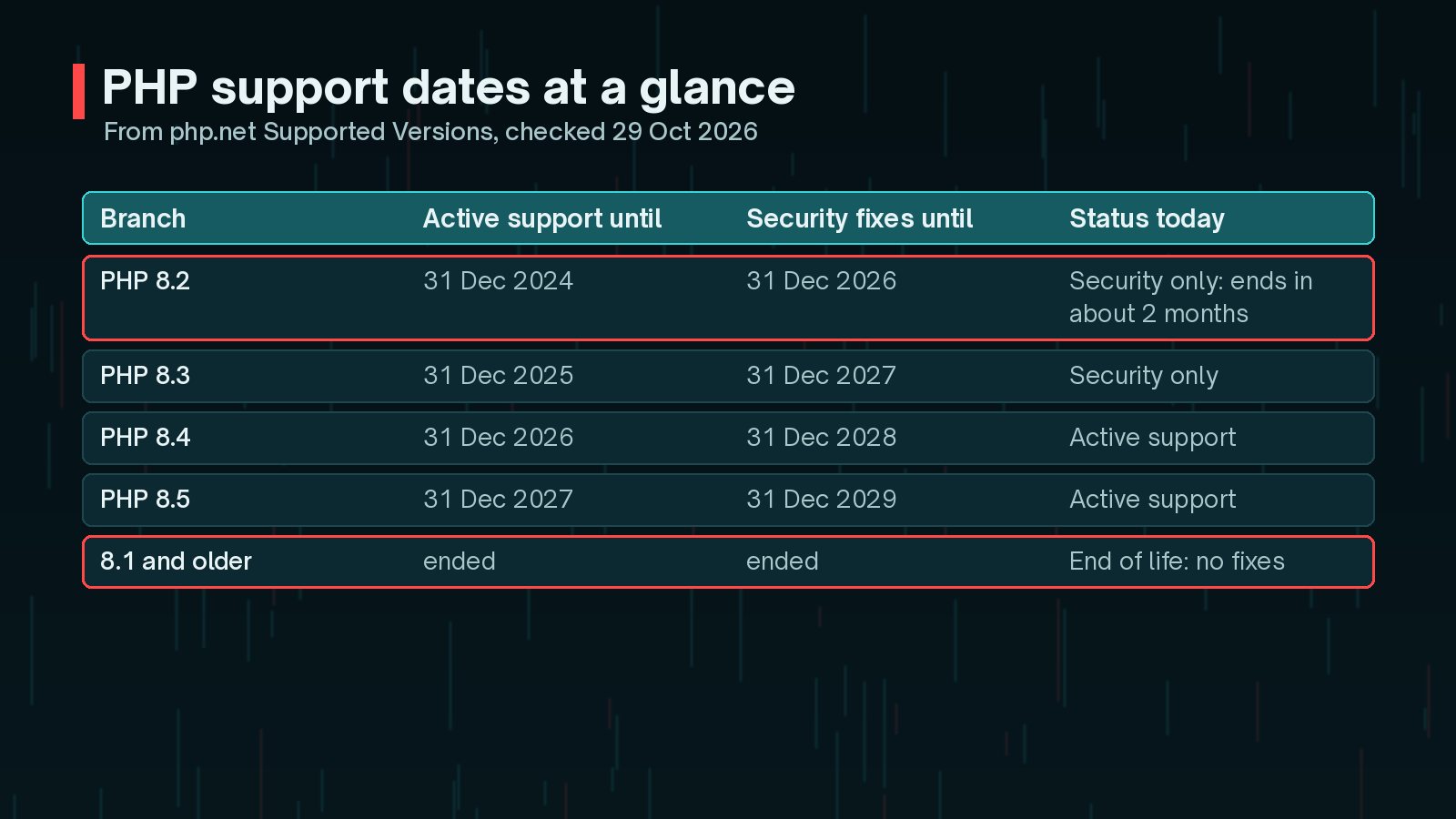
| PHP branch | Active support until | Security fixes until |
|---|---|---|
| PHP 8.2 | 31 Dec 2024 | 31 Dec 2026 |
| PHP 8.3 | 31 Dec 2025 | 31 Dec 2027 |
| PHP 8.4 | 31 Dec 2026 | 31 Dec 2028 |
| PHP 8.5 | 31 Dec 2027 | 31 Dec 2029 |
PHP 8.1 and older are already end of life. If your site is on one of those, the upgrade is more urgent, and the steps below still apply.
How Do I Check Which PHP Version My WordPress Site Uses?
- Log in to WordPress and go to Tools → Site Health.
- Open the Info tab and expand Server.
- Read the PHP version line.
Your hosting control panel usually shows it as well, often with a selector to change it. If you use the command line, remember that php -v reports the CLI version, which can differ from the version your web server uses for the site. Site Health shows the one that matters for visitors.
Which PHP Version Should You Upgrade To?
For a new WordPress 7.1 installation, the WordPress Hosting Team's compatibility page recommends PHP 8.4.x or 8.5.x. The same page lists WordPress 7.1 as fully compatible with PHP 8.2, 8.3, 8.4 and 8.5, and notes that WordPress still runs on 7.4 to 8.1 for backward compatibility only.
- PHP 8.4 is the practical target for most existing sites: it is in active support today and gets security fixes until the end of 2028.
- PHP 8.5 has the longest runway, until the end of 2029, but check that every plugin you rely on supports it.
- PHP 8.3 is a smaller step, but it only buys one more year before you do this again.
Jumping two versions at once is fine if you test properly. The steps are the same either way.

How Do You Upgrade PHP for WordPress Safely?
The safest path is the boring one: test a copy first, then switch production when you are confident.
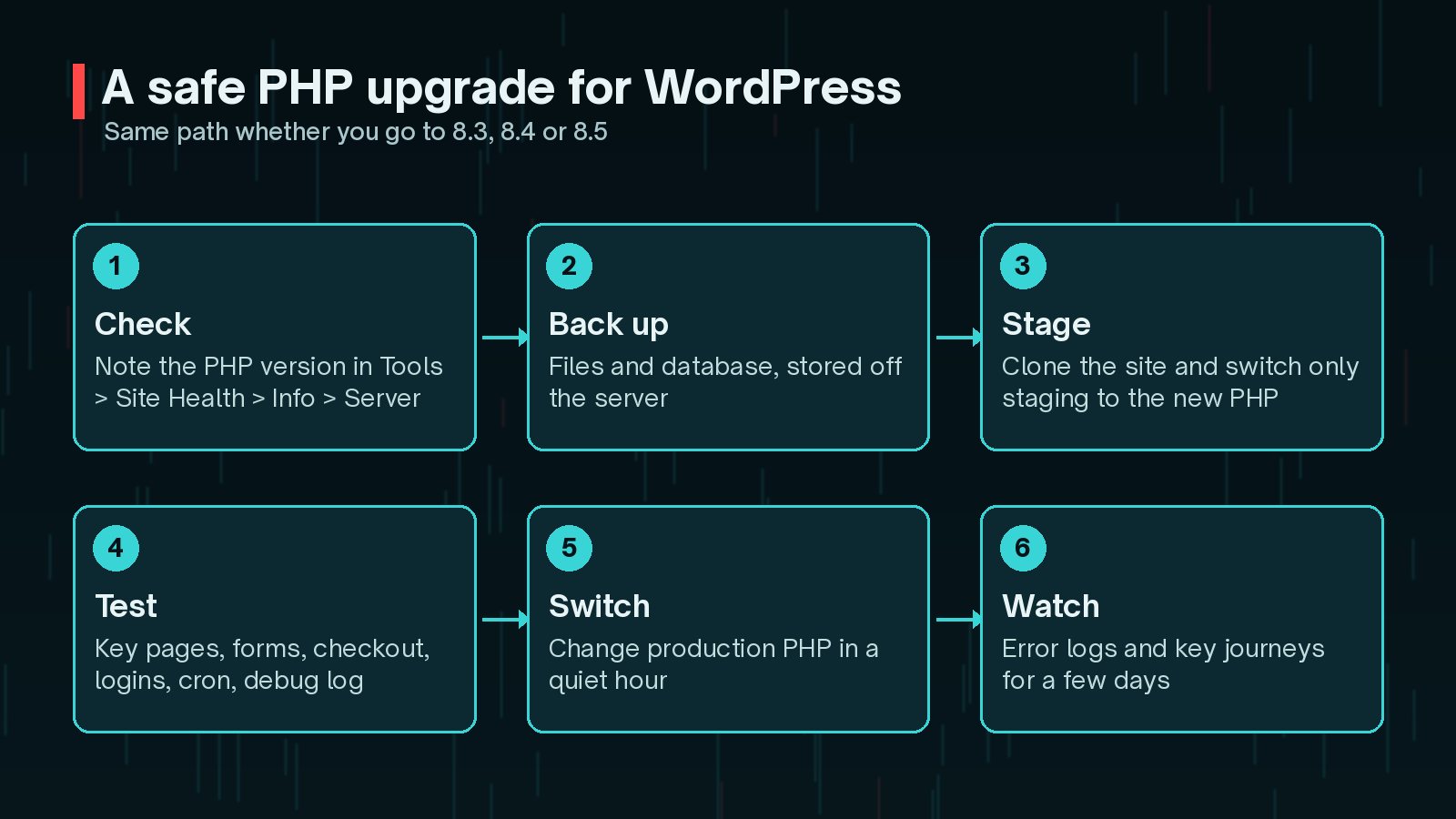
- Check: note the current PHP version and the WordPress version.
- Back up: take a full backup of files and database and store it off the server. My guide to restoring WordPress from a backup is worth a read before you need it.
- Stage: clone the site to staging and switch only staging to the new PHP version.
- Test: work through the checklist in the next section.
- Switch: change production's PHP version at a quiet time.
- Watch: keep an eye on error logs and key journeys for a few days.

What Should You Test Before Switching?
Most PHP upgrade problems come from plugins, themes and custom code that rely on behaviour newer PHP versions have deprecated or removed. php.net publishes a migration guide for each version if you or your developer want the detail.
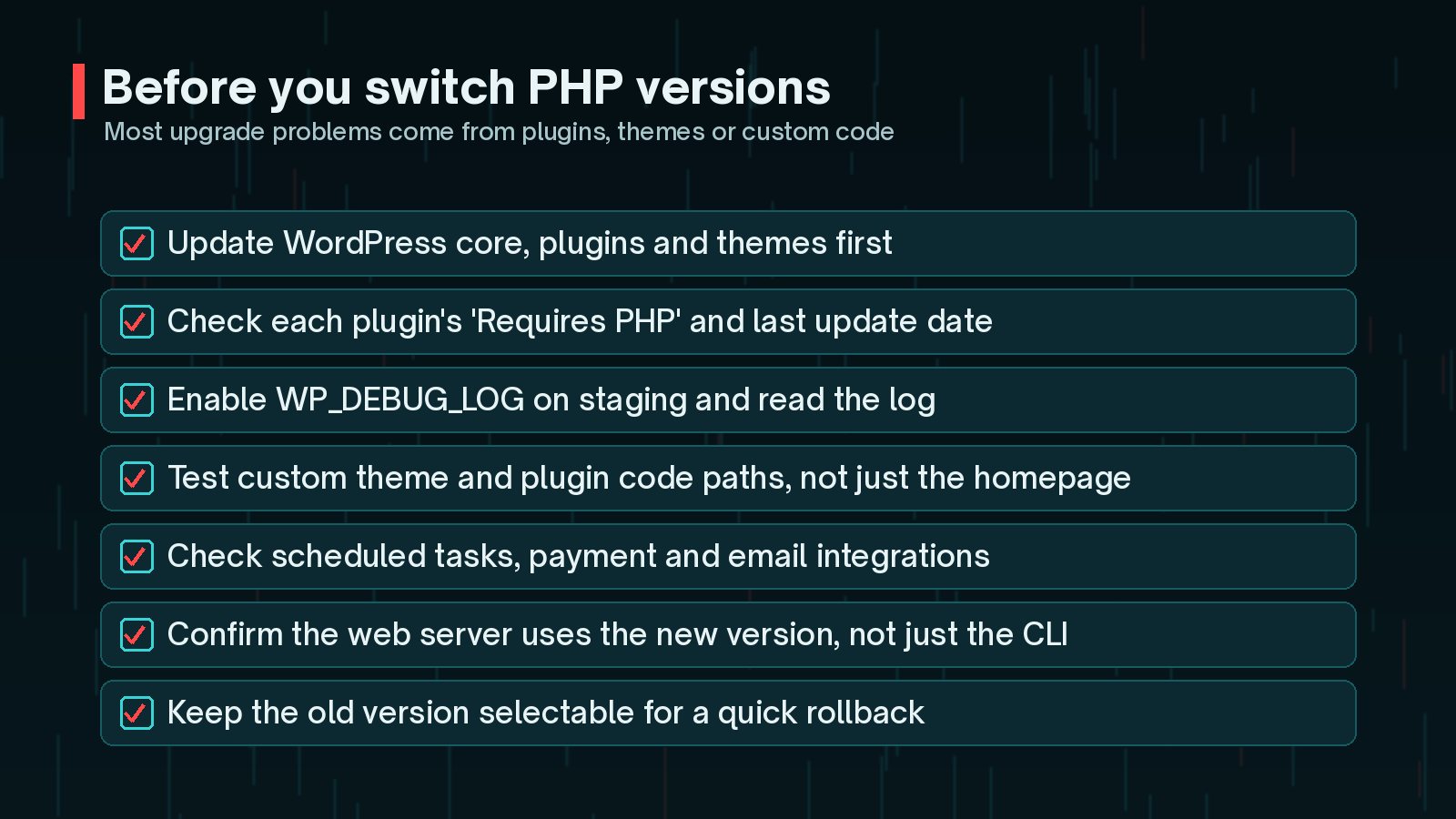
- Update WordPress core, plugins and themes first. Older plugin versions are the most common source of errors.
- Check each plugin's "Requires PHP" and "Last updated" details. Plugins that have not been updated in years deserve extra testing, or replacement.
- Turn on debug logging on staging and read
wp-content/debug.logafter testing. - Test the pages and features that make money or generate leads: forms, checkout, bookings, logins and search.
- Test scheduled tasks, payment gateways, email delivery and any API integrations.
- For custom themes and plugins, exercise the code paths, not just the homepage.
On staging, debug logging can be switched on in wp-config.php:
define( 'WP_DEBUG', true );
      define( 'WP_DEBUG_LOG', true );
      define( 'WP_DEBUG_DISPLAY', false );
Keep debug display off on live sites. Showing PHP errors to visitors can leak file paths and other details. Use logging on staging, and remove these lines, or set WP_DEBUG back to false, before the site goes live.
If a plugin does fail, you have three options: update it, replace it with a maintained alternative, or have the incompatible code fixed. Sometimes the right answer is a small custom plugin instead of a large abandoned one.
What If My Host Does Not Offer a Newer PHP Version?
Ask your host directly what their plan is for PHP 8.2 sites after 31 December, and whether they offer 8.3, 8.4 or 8.5. For end-of-life branches, php.net notes that some Linux distributions and long-term support vendors provide backported fixes. That is a vendor service, not something to assume, so get your host's answer in writing.
If the answer is unclear, it may be time to move. A host that keeps PHP current is part of the same foundation as practical WordPress security. While you are updating the stack, make sure WordPress itself is current too; the WordPress 7.1.4 security update landed on 28 October.
Frequently Asked Questions
Will my site stop working on 1 January 2027?
No. PHP 8.2 will keep running. What stops is upstream security fixes, so any vulnerability found after that date will not be patched by the PHP project. That is the risk to plan around.
Which PHP version should I move to?
For a new WordPress 7.1 install, the WordPress Hosting Team recommends PHP 8.4 or 8.5. For an existing site, 8.4 is a sensible target if your plugins support it, as php.net lists security support until 31 December 2028. PHP 8.3 works too, but its security support ends on 31 December 2027.
Does WordPress support PHP 8.4 and 8.5?
Yes. The Hosting Team's WordPress 7.1 compatibility page lists 7.1 as fully compatible with PHP 8.2, 8.3, 8.4 and 8.5. Your plugins and theme are the parts to test.
Can I switch PHP back if something breaks?
Usually, yes. Most hosting control panels let you select the PHP version per site, so keep the previous version available as a rollback option until you are confident in the upgrade.
Final Thoughts
The PHP 8.2 end of life date is fixed and public, which makes it one of the easier security risks to manage. Check your version this week, pick a target (8.4 is a sensible default), test on staging and switch before the holidays rather than after.
If you would like help testing plugins and custom code against a newer PHP version, my website maintenance service covers PHP upgrades from staging to production.
Official References
For the primary sources behind this article, and the latest updates, see: