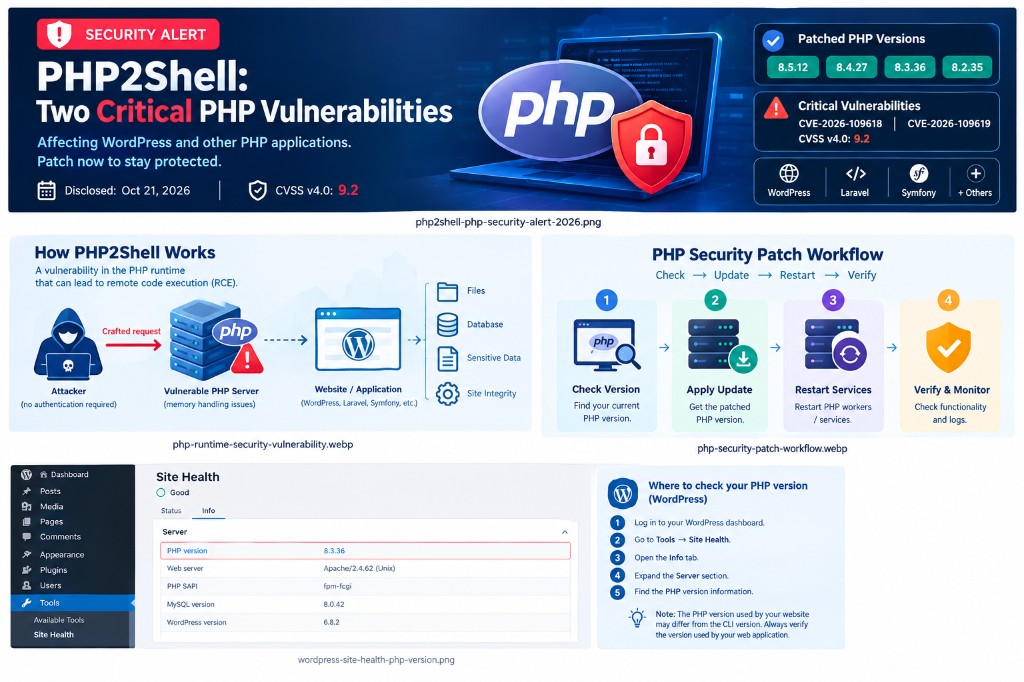
On October 21, 2026, the PHP development team released emergency security updates addressing two critical vulnerabilities, CVE-2026-109618 and CVE-2026-109619, collectively referred to as PHP2Shell.
These vulnerabilities can potentially allow unauthenticated attackers to execute malicious code on vulnerable PHP servers. Both vulnerabilities have a reported CVSS v4.0 severity score of 9.2, making them important for developers, hosting providers, and website administrators to address.
For websites built with WordPress and other PHP-based technologies, this advisory highlights why maintaining a secure server environment is just as important as maintaining the application itself.
What Is PHP2Shell?
PHP2Shell refers to two security vulnerabilities in the PHP runtime that can potentially lead to remote code execution.
Remote code execution, commonly called RCE, occurs when an attacker can cause a vulnerable system to execute commands or code remotely.
Depending on the server configuration and the permissions available to the affected PHP process, a successful attack could compromise website files, expose sensitive information, modify application data, or disrupt website operations.
The vulnerabilities involve problems with PHP’s internal memory handling during certain error conditions and request-processing operations.
The two reported vulnerabilities are:
- CVE-2026-109618: A vulnerability involving memory corruption during out-of-memory error handling.
- CVE-2026-109619: A vulnerability involving stale internal state that may be accessed after its backing memory has been freed.
The PHP development team released security updates to address these issues.
Which Websites and Applications Could Be Affected?
PHP powers a wide range of websites, content management systems, and web applications. Affected PHP environments may include:
- WordPress websites and custom WordPress plugins
- Laravel applications
- Symfony applications
- Other websites and applications that process requests using vulnerable PHP runtimes
The risk depends on the PHP version and whether the relevant security patches have been applied.
Which PHP Versions Need to Be Updated?
The security updates released on October 21, 2026, include the following patched versions.
| PHP Branch | Patched Version |
|---|---|
| PHP 8.5 | 8.5.12 |
| PHP 8.4 | 8.4.27 |
| PHP 8.3 | 8.3.36 |
| PHP 8.2 | 8.2.35 |
Earlier releases in these branches are affected according to the published advisory.
PHP 8.1 and older branches are no longer supported by the upstream PHP project and do not have corresponding upstream fixes for these vulnerabilities. Organisations running these versions should plan to migrate to a supported PHP branch.
Always consult the official advisory for the latest information and check whether your hosting provider has deployed the appropriate patch.
How to Check Your Website’s PHP Version
Before applying an update, identify the PHP version used by your website.
For WordPress Websites
You can check the PHP version through the WordPress administration dashboard:
- Log in to your WordPress dashboard.
- Navigate to Tools → Site Health.
- Open the Info tab.
- Expand the Server section.
- Find the PHP version information.
You can also check the PHP version through your hosting control panel.
Keep in mind that the PHP version used by the website may differ from the PHP version available in the command line. Verify the version used by the actual web application.
For Self-Managed Servers
Administrators can check the command-line PHP version using:
php -vHowever, this command only reports the CLI version. If the website uses PHP-FPM, Apache with mod_php, or another PHP handler, verify that the web-serving environment is also running a patched version.
How to Protect Your Website
The most important action is to apply the appropriate security update.
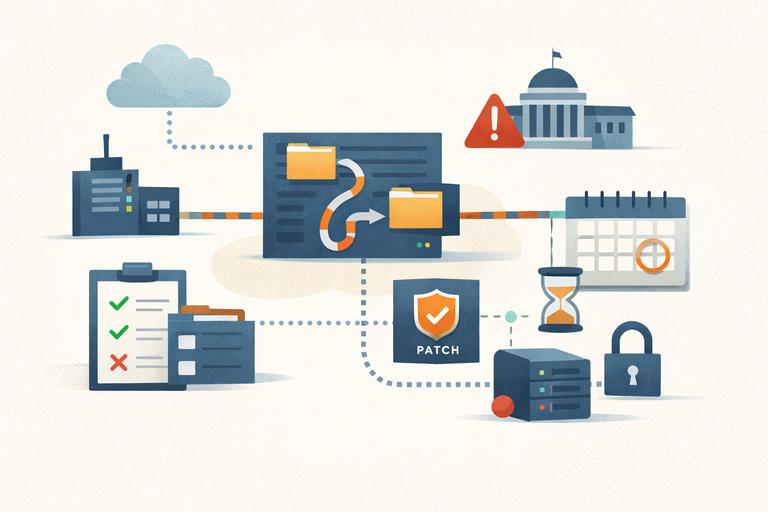
1. Contact Your Hosting Provider
If your website is hosted by a third-party provider, ask the support team to confirm which PHP version your website uses and whether the relevant security patches have been deployed.
Do not assume that a hosting provider has updated every PHP version simply because an update has been announced.
2. Update PHP on Self-Managed Servers
If you administer your own server, install the appropriate patched PHP release using the supported package source or installation method for your environment.
After updating, restart the relevant PHP workers or services as required and verify that the website is using the patched runtime.
Test important website functionality after the update, including forms, authentication, payment integrations, scheduled tasks, and other critical features.
3. Review Unsupported PHP Versions
If your website runs an unsupported PHP branch, plan a migration to a currently supported version.
Before upgrading, check compatibility with your WordPress version, plugins, themes, custom code, and server configuration.
Maintain a verified backup and test the upgrade in a staging environment whenever possible.
4. Monitor Server Activity
Security patching should be accompanied by appropriate monitoring.
Review available web server, PHP, and application logs for suspicious requests or unexpected behaviour. If a server was exposed while running a vulnerable version and compromise is suspected, investigate the incident rather than assuming that patching alone resolves it.
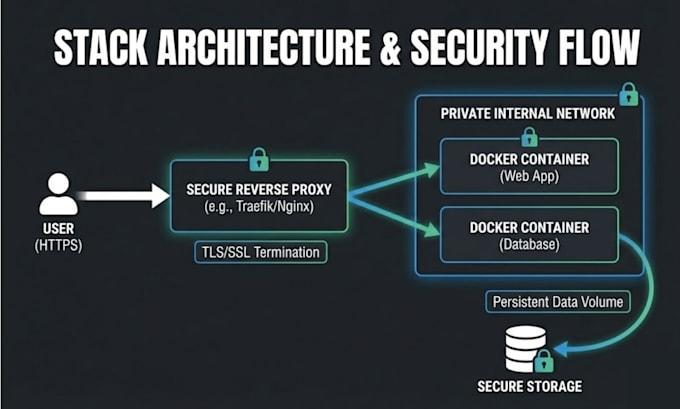
5. Maintain a Regular Security Routine
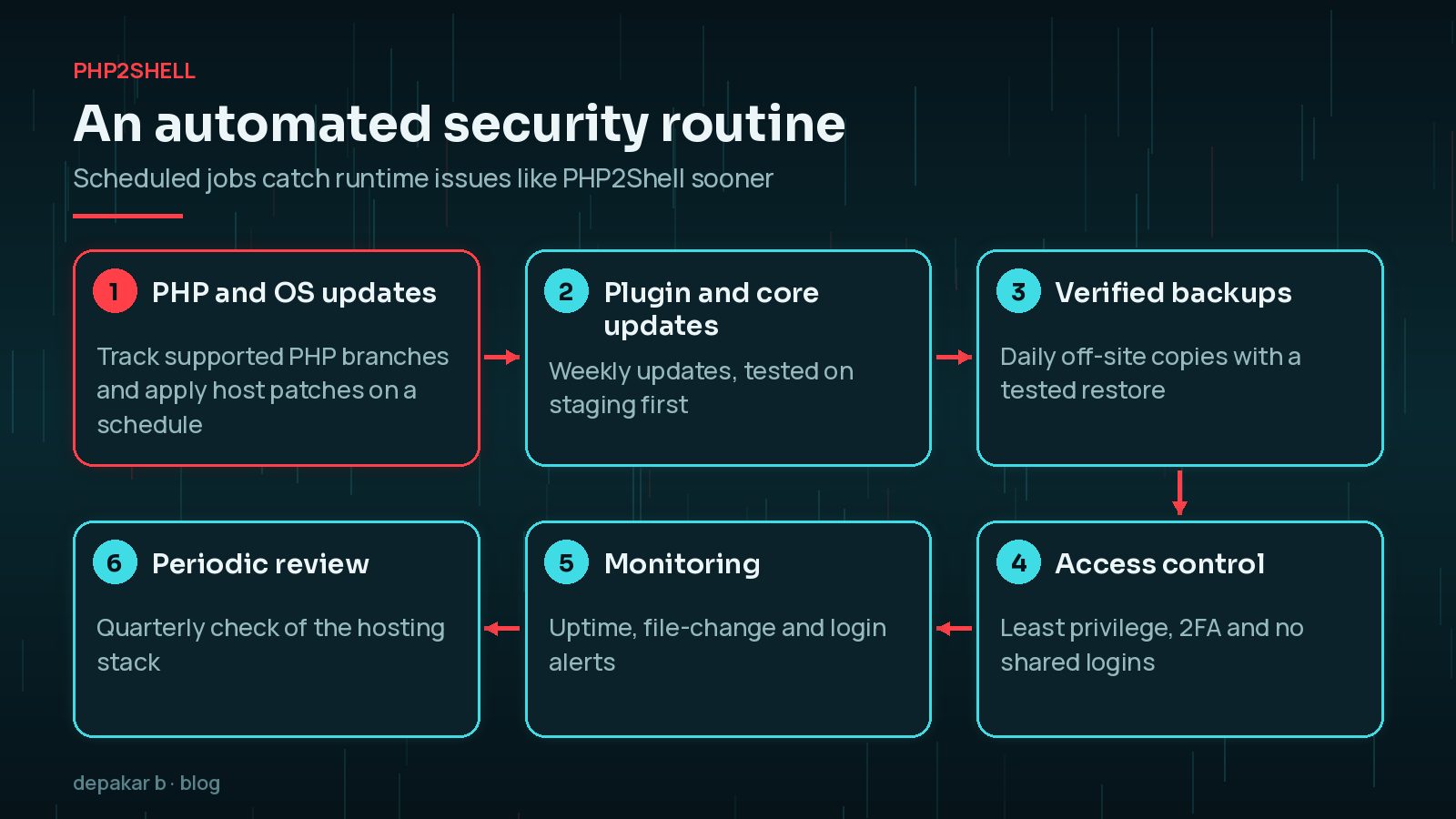
A reliable website maintenance process should include:
- Regular PHP and operating-system security updates
- WordPress core, plugin, and theme updates
- Verified backups and a tested recovery procedure
- Appropriate access controls and account protection
- Monitoring for suspicious activity and unexpected file changes
- Periodic security reviews of the hosting environment
For a broader WordPress baseline, see practical WordPress security foundations.
Are Temporary Mitigations Enough?
The published guidance discusses configuration changes that may reduce exposure in certain environments. One example is disabling session upload progress:
session.upload_progress.enabled=0However, this should not be treated as a complete solution. The PHP security team has indicated that there are no complete mitigations that replace installing the official updates.
Configuration changes should only be made after reviewing the relevant advisory and assessing their compatibility with your application.
The recommended approach is to apply the appropriate security patches as soon as possible.
Why PHP Security Matters for WordPress Developers
As WordPress developers, it is easy to focus primarily on application-level tasks such as developing custom plugins, improving page performance, fixing theme issues, and implementing SEO improvements.
Those tasks matter, but the underlying server environment is equally important.
A WordPress website can have updated plugins and themes while still running a vulnerable PHP runtime. Application-level maintenance and server-level security must therefore work together.
Understanding this distinction helps developers collaborate more effectively with hosting providers and server administrators, identify potential risks, and make better maintenance decisions.
It also reinforces the importance of checking the complete environment rather than relying on a single security plugin or automated scan. Related reading: planning WordPress forms and integrations and the technical SEO checklist - both assume a maintainable, patched foundation.
Final Thoughts
PHP2Shell is a reminder that security vulnerabilities can affect the technologies beneath the applications we build and maintain.
Website owners, developers, and server administrators should verify their PHP versions, apply the appropriate security updates, review unsupported environments, and monitor systems for signs of compromise.
Keeping a website secure is an ongoing responsibility that requires attention to both application code and server infrastructure.
Stay informed, keep your software updated, and make security part of your development workflow.
Official References
For technical details and the latest remediation guidance, consult these resources: