
This WordPress technical SEO checklist covers the checks I run before treating a page as search-ready: a clear purpose, crawlable and canonical URLs, a clean sitemap, readable headings, helpful internal links, honest structured data and a plan to measure the result in Search Console. Work through it page by page, or use it as a template review for the whole site.
Start with the page’s purpose
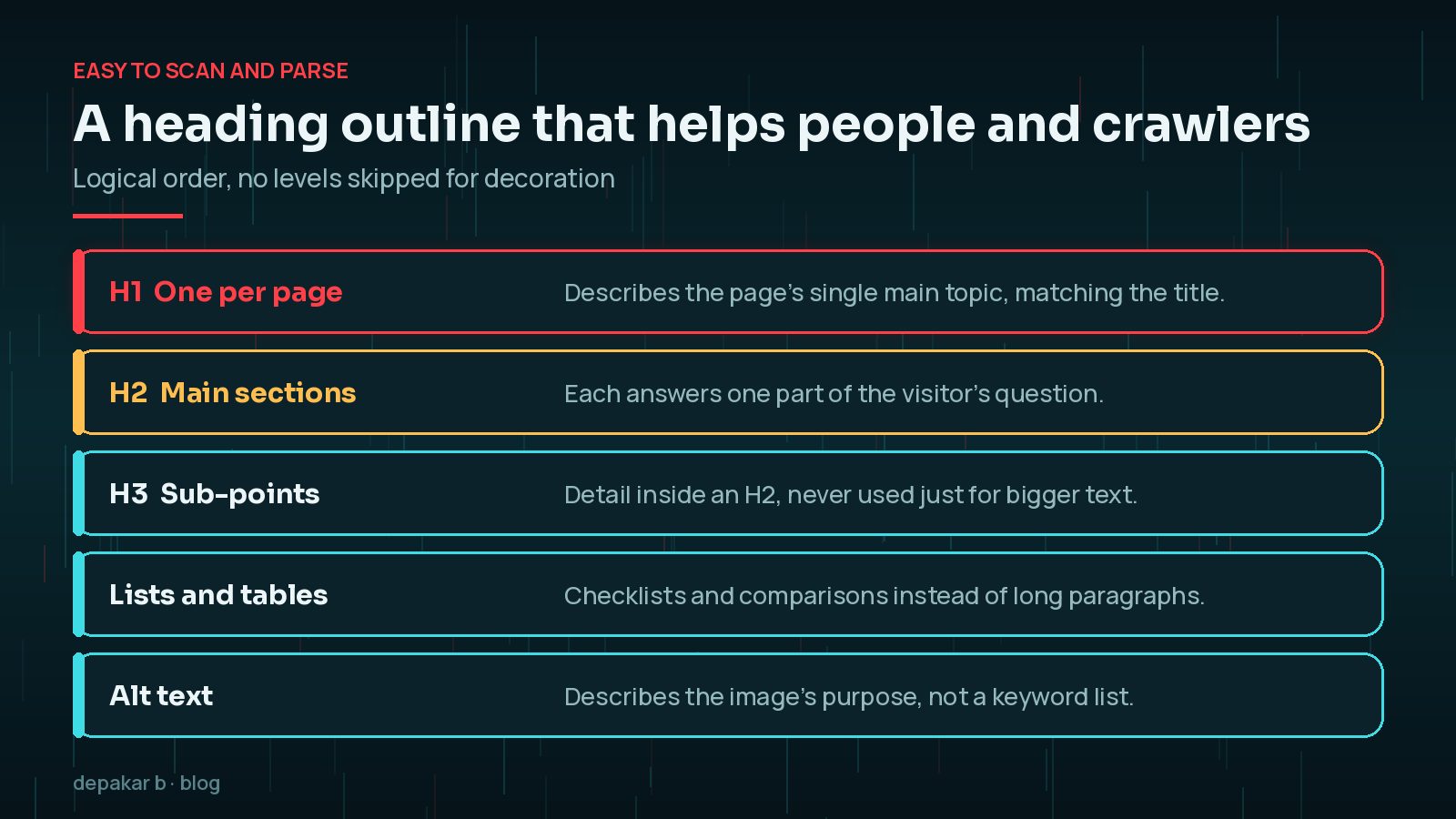
Every important page needs one clear primary job: explain a service, answer a question, support a product journey, or help visitors take the next step. Write one descriptive H1, use meaningful H2 sections, and avoid heading levels that exist only for styling.
If two pages try to rank for the same intent, decide which one is the preferred destination and strengthen that page with clearer copy, better internal links, and a matching title. The technical checklist below is most useful after that decision is made.
- One primary intent per URL
- Title tag and H1 that describe the same topic without stuffing keywords
- Opening paragraph that answers who the page is for and what it offers
- Visible next step (contact, related guide, or product action)
Do Title Tags Still Matter for WordPress SEO?
Yes, although Google does not always show your title tag exactly as written. Google's documentation explains that it uses several sources to determine the title link in results, including the title element, the main visible heading and other prominent text. Clear, descriptive titles that match the H1 give it the best chance of using your preferred wording. Avoid repeating the same boilerplate title across many pages, and avoid stuffing several keyword variations into one title.
Check crawlability and canonical signals
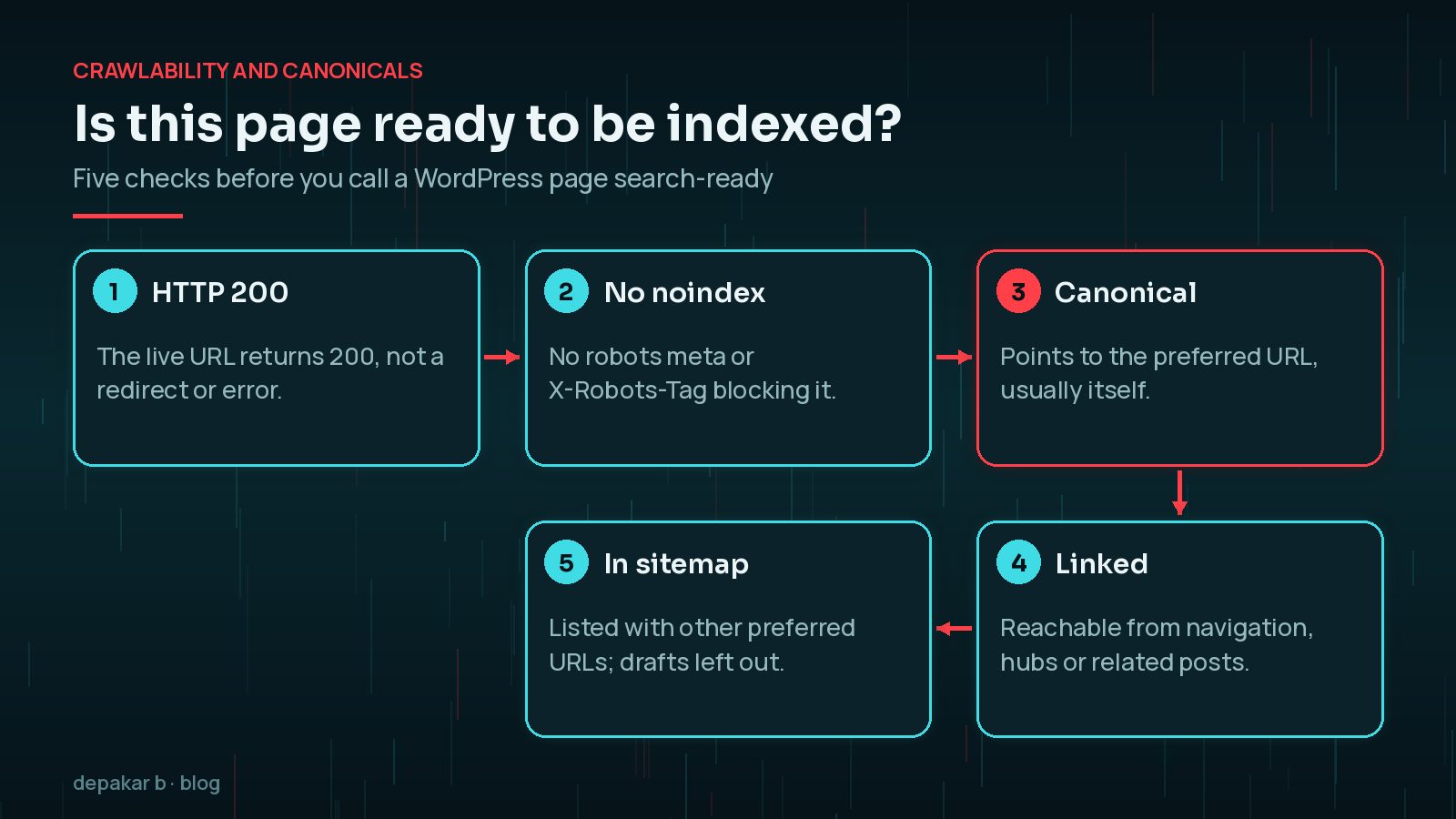
Make sure the page returns the expected status, is not accidentally set to noindex, and has a canonical URL that matches the preferred version. Internal links should point to that preferred URL instead of creating duplicate routes or avoidable redirects.
- HTTP 200 for the live URL you want indexed
- Self-referencing or correct canonical in the page head
- No conflicting
robotsmeta orX-Robots-Tagthat blocks indexing by mistake - Important pages linked from the site navigation, hub pages, or related articles
- XML sitemap includes the preferred URLs and excludes thank-you, search, or duplicate drafts

Remember that a canonical tag is a strong hint rather than an instruction. Google's canonicalisation guidance says it may choose a different canonical if other signals, such as redirects, internal links and sitemap entries, point elsewhere. That is why the checks above need to agree with each other.
On WordPress, also check pagination, archive parameters, and plugin SEO settings so category or tag variants do not create thin duplicate indexes of the same content.
What Should Your WordPress XML Sitemap Include?
WordPress has generated a basic XML sitemap at /wp-sitemap.xml since version 5.5, and most SEO plugins replace it with their own. Whichever you use, the sitemap should list the URLs you want indexed and nothing else: no thank-you pages, internal search results, attachment pages, test content or thin tag archives you have chosen not to index. Submit it in Search Console and check it again after a migration or a major plugin change.
Google's own guidance notes that small, well-linked sites of around 500 pages or fewer may not strictly need a sitemap, but on WordPress it costs nothing and helps you spot indexing problems in Search Console.
Make content easy to scan and parse
Use short paragraphs, descriptive subheadings, useful image alt text, and internal links that explain where they lead. Important answers should not live only in an image, accordion, or JavaScript interaction that a visitor cannot easily use.
Heading and media checks
- Logical H2 → H3 order with no skipped levels for decoration
- Alt text that describes the image’s purpose, not a keyword list
- Images sized for the layout so they do not slow first paint
- Tables or lists for checklists instead of long unbroken paragraphs
Internal linking that helps discovery
Link to related guidance such as the SEO, AEO and GEO guide and WordPress performance guide when those topics support the reader. For service context, point to WordPress development or technical work rather than repeating the same claims on every page.
Structured data, only when the page earns it
Use schema that matches visible content. A BlogPosting or Article type fits guides like this one. FAQ schema belongs only when the page shows real questions and answers. Do not invent ratings, organisation details, or FAQs solely for rich results.
Validate with a structured-data tester after publishing, and re-check after template or plugin changes that rewrite the head section.

Measure after publishing
Search Console and analytics do not replace good implementation, but they help validate what happened after launch. Review indexing, impressions, queries, landing-page behaviour, and technical warnings before deciding what to improve next.
- Confirm the URL appears in Search Console URL inspection as indexable when expected.
- Watch coverage or page indexing reports for soft 404s, redirects, or excluded duplicates.
- Compare title and description click-through against the queries that actually show the page.
- Pair search data with on-page behaviour so a ranking page that confuses visitors can be rewritten, not just retitled.
If page experience is weak, continue with the performance checklist or the service overview for WordPress performance optimisation. Technical SEO and speed work reinforce each other; neither replaces clear content.
If clicks fall even though rankings look stable, the cause may be changing search features rather than a technical fault. My guide to telling AI Overviews from a core update traffic drop explains how to read the data before you change anything.
How Often Should You Run a Technical SEO Check?
Run the full checklist before launching important pages and after any change that touches templates, the head section, URLs or SEO plugin settings. A theme update can quietly remove canonical tags, a plugin change can add noindex to archives, and a migration can break hundreds of internal links. For larger changes such as a redesign, the WordPress website revamp checklist covers redirects and launch steps. Between projects, a monthly look at the Page indexing report and a quarterly crawl of the site are usually enough to catch problems early.
Release checklist summary
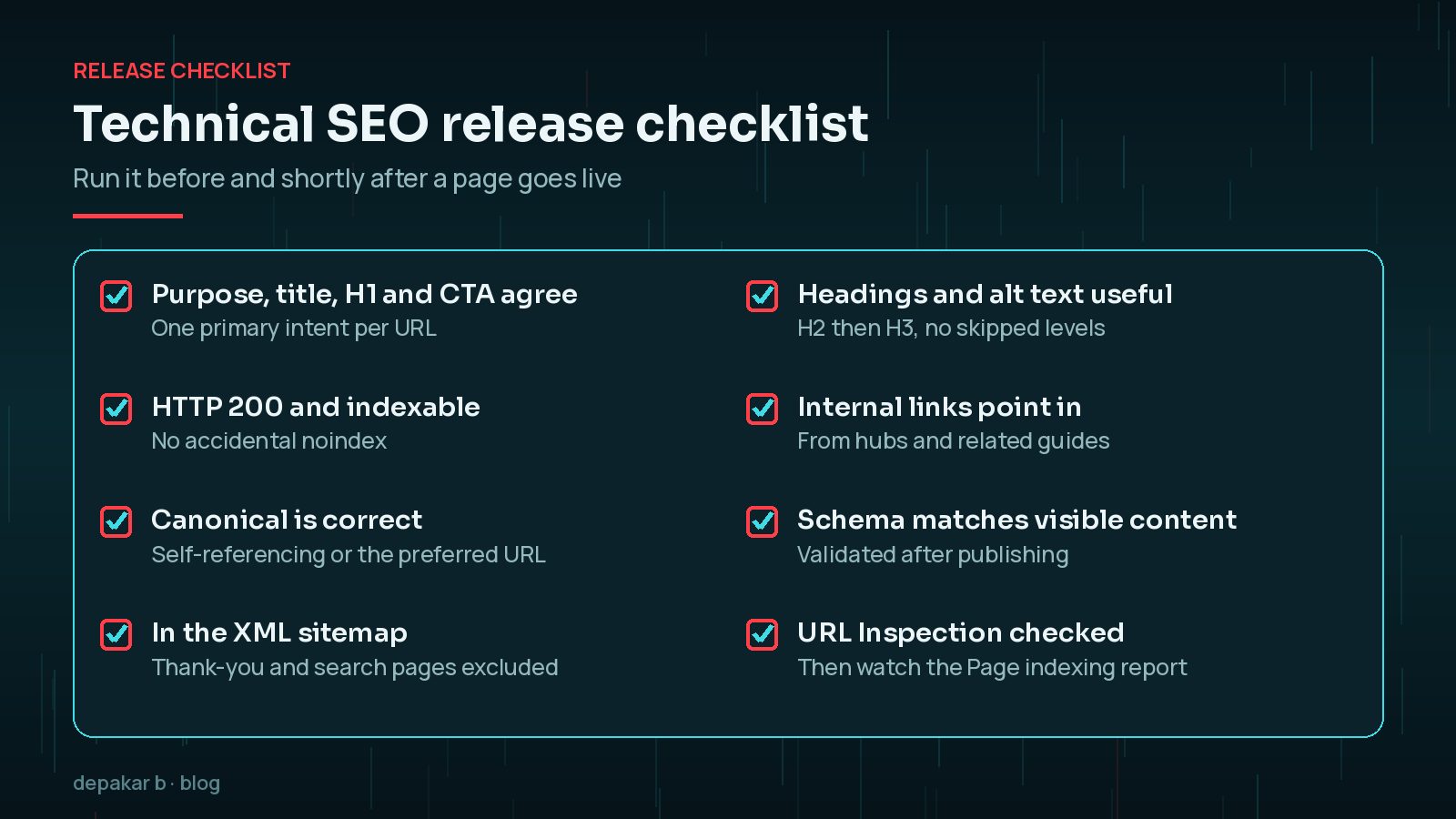
- Purpose, title, H1, and primary CTA agree
- Canonical, robots, and sitemap entry are correct
- Headings, alt text, and internal links are useful
- Schema matches visible content only
- Search Console and analytics are ready to validate the launch
For how these foundations connect to answer engines and generative discovery, read the practical SEO, AEO and GEO guide.
Frequently Asked Questions
What is technical SEO in WordPress?
It is the set of checks that help search engines crawl, understand and index your pages: status codes, robots settings, canonicals, sitemaps, headings, internal links, structured data and page experience.
Do I need an SEO plugin for technical SEO?
An SEO plugin makes titles, canonicals, sitemaps and schema easier to manage, but it does not make decisions for you. You still need to check its settings and the output on real pages.
Should tag and category pages be indexed?
Only if they are useful landing pages with enough unique value. Thin or duplicate archives are often better set to noindex and left out of the sitemap.
Does a canonical tag guarantee which URL Google shows?
No. Google treats a canonical as a strong hint and considers other signals such as redirects, internal links and sitemaps. Make all of them point to the same preferred URL.
How do I check if a WordPress page is indexed?
Use the URL Inspection tool in Search Console. It shows whether Google has indexed the URL, which canonical it chose and any problems it found.
Final Thoughts
A WordPress technical SEO checklist is most useful when it is boring and repeatable. Decide each page's purpose, make sure its status, robots, canonical and sitemap signals agree, keep headings and links meaningful, use structured data honestly and check Search Console after launch. None of it replaces genuinely helpful content, but it makes sure that content can be found and understood. If you would like a hand, see SEO improvement.
Official References
Sources checked on 29 October 2026:
- Google Search Central: What is URL canonicalization
- Google Search Central: Block search indexing with noindex
- Google Search Central: What is a sitemap
- Google Search Central: Influencing your title links
- Google Search Central: General structured data guidelines
- Search Console Help: URL Inspection tool
- Search Console Help: Page indexing report