
A traffic drop where average position barely moves is one of the most common, and most confusing, patterns in Search Console right now. Is it a core update, or are AI Overviews and AI Mode answering searchers before they reach your site? The answer changes what you should do next, so it is worth diagnosing carefully before touching your content.
This guide uses two tools Google now provides to every site, the Search Status Dashboard and the Generative AI performance report, plus a little patience with dates.
Diagnosing this is harder in 2026, because two changes this year give you more data and more room for confusion:
- Google launched Search Generative AI performance reports in Search Console in June 2026, and says that as of 31 August 2026 they are available to all websites worldwide.
- The Search generative AI control, which lets a site opt out of these features, also reached every site worldwide on 31 August 2026.
Meanwhile, Google continues to roll out ranking updates. A drop that starts in the same weeks as any of these can be blamed on the wrong cause.

What Does a Core Update Drop Look Like?
Google's own guidance focuses on position. Its core updates page says that if you see a drop in position that correlates with a core update, you should:
- Confirm the update has finished rolling out on the Search Status Dashboard, and note its start and end dates.
- Wait at least a full week after it completes, then compare that week with a week before the rollout started.
- Review top pages and queries. A small drop, such as position 2 to 4, needs no drastic action. A large one, such as 4 to 29, deserves a deeper assessment.
- Analyse search types separately, such as Web, Images and Video.
So the core update signature is a position change that lines up with a confirmed update window, often across many pages at once.
Check the dates honestly. When I looked on 29 October 2026, the Status Dashboard listed the May 2026 core update (from 21 May, lasting 11 days and 21 hours) as the most recent core update. It also listed a September 2026 spam update starting on 24 September. A drop that started in October does not line up with a core update on that list.
What Does an AI Overviews Drop Look Like?
When AI features answer a query more completely, your page may still rank and still be seen, but fewer people need to click. In Search Console, the typical pattern is:
- Average position roughly steady
- Impressions roughly steady
- Clicks and click-through rate falling
- Often concentrated on informational, question-style queries
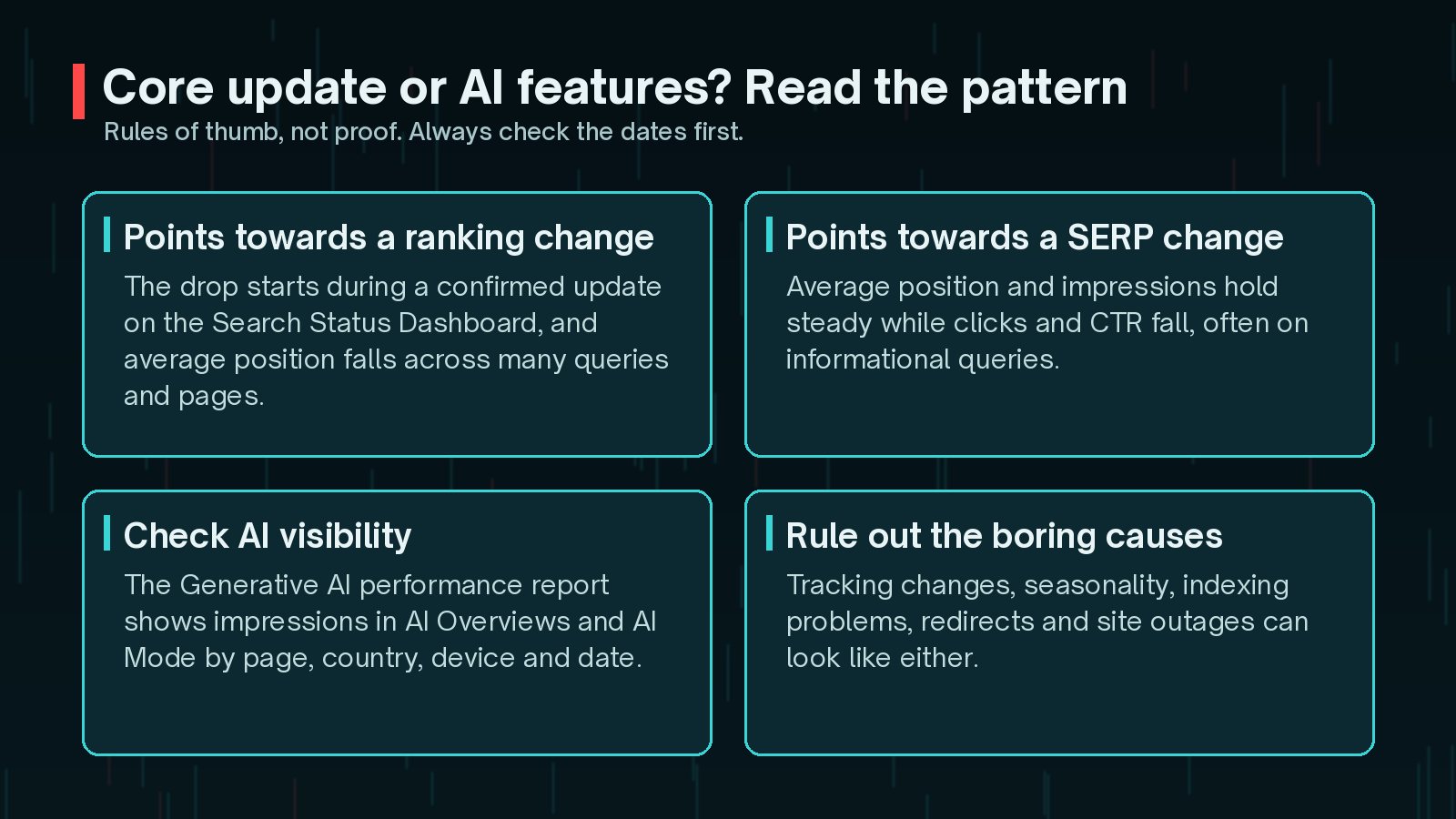
This is a pattern to investigate, not a verdict. A SERP can change for other reasons too, such as new features or more ads. The point is that your ranking is not obviously the problem.
How Do You Use the Generative AI Performance Report?
Google's Help page describes this report as showing how your site performs in generative AI features on Google Search. It includes impressions for AI Overviews and AI Mode, with these views:
- Pages: which URLs appeared in AI features
- Countries and Devices: where and on what those impressions happened
- Dates: how impressions changed over time
Use it alongside the standard Performance report. If a page's AI feature impressions are steady or rising while its clicks fall and its position holds, AI answers are a reasonable suspect. If AI impressions are minimal and position fell sharply on a date that matches a ranking update, look at the update instead.
How Do You Diagnose the Drop Step by Step?
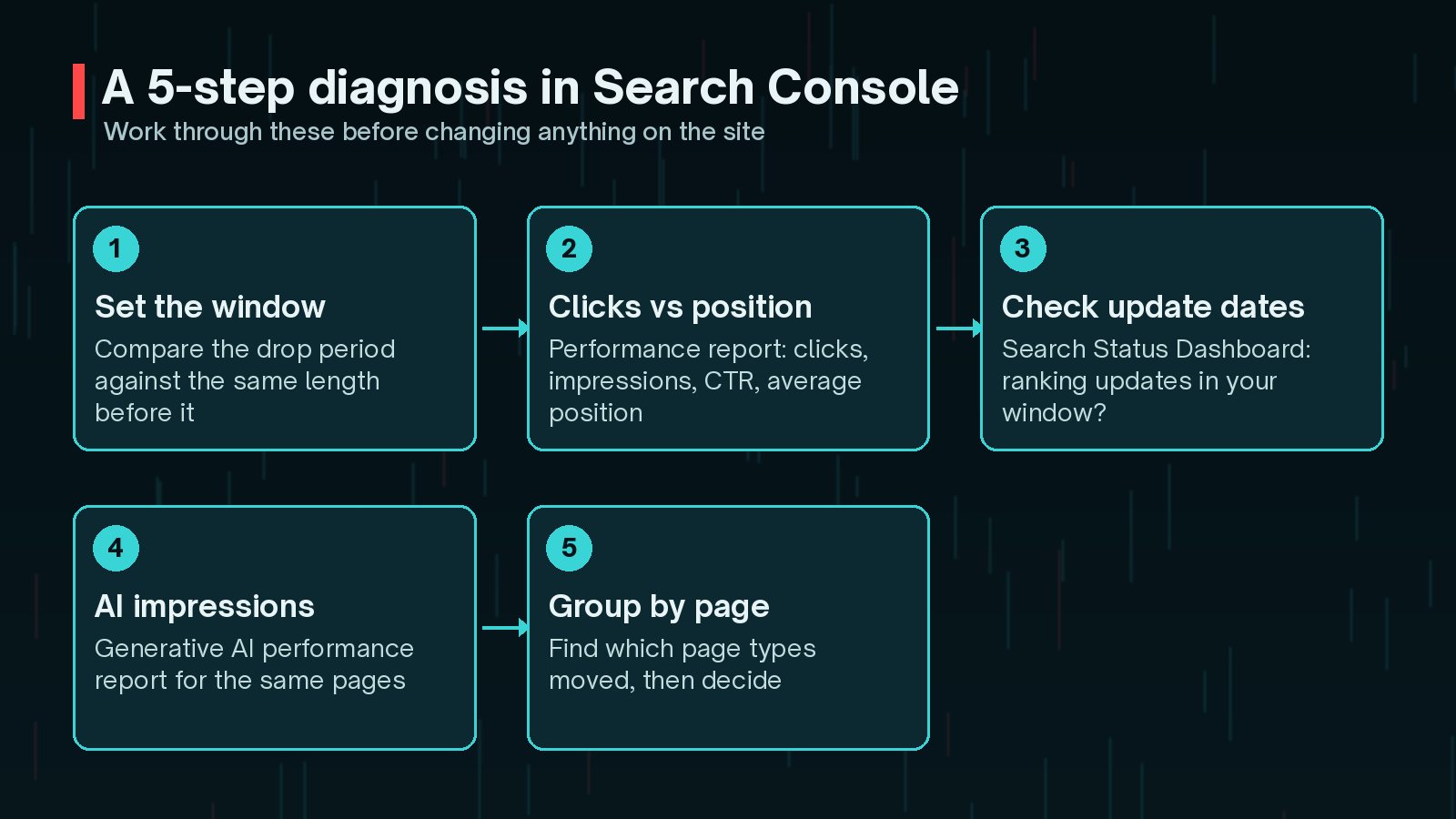
- Set the window. Find the first day of the drop and compare a period after it with an equal period before.
- Compare clicks with position. In the Performance report, switch on clicks, impressions, CTR and average position together.
- Check the update dates. Look at the Search Status Dashboard for ranking updates in your window.
- Check AI impressions. Open the Generative AI performance report for the same pages and dates.
- Group by page type. Blog guides, product pages and service pages often behave differently. Decide per group.
Before blaming Google at all, rule out the ordinary causes: tracking changes, seasonal demand, indexing problems, broken redirects and outages. My technical SEO improvements that matter and the WordPress technical SEO checklist cover those checks.
Security issues can also cause sudden drops. If you see spam pages or warnings, read signs your WordPress site is hacked.
Should You Opt Out of AI Overviews?
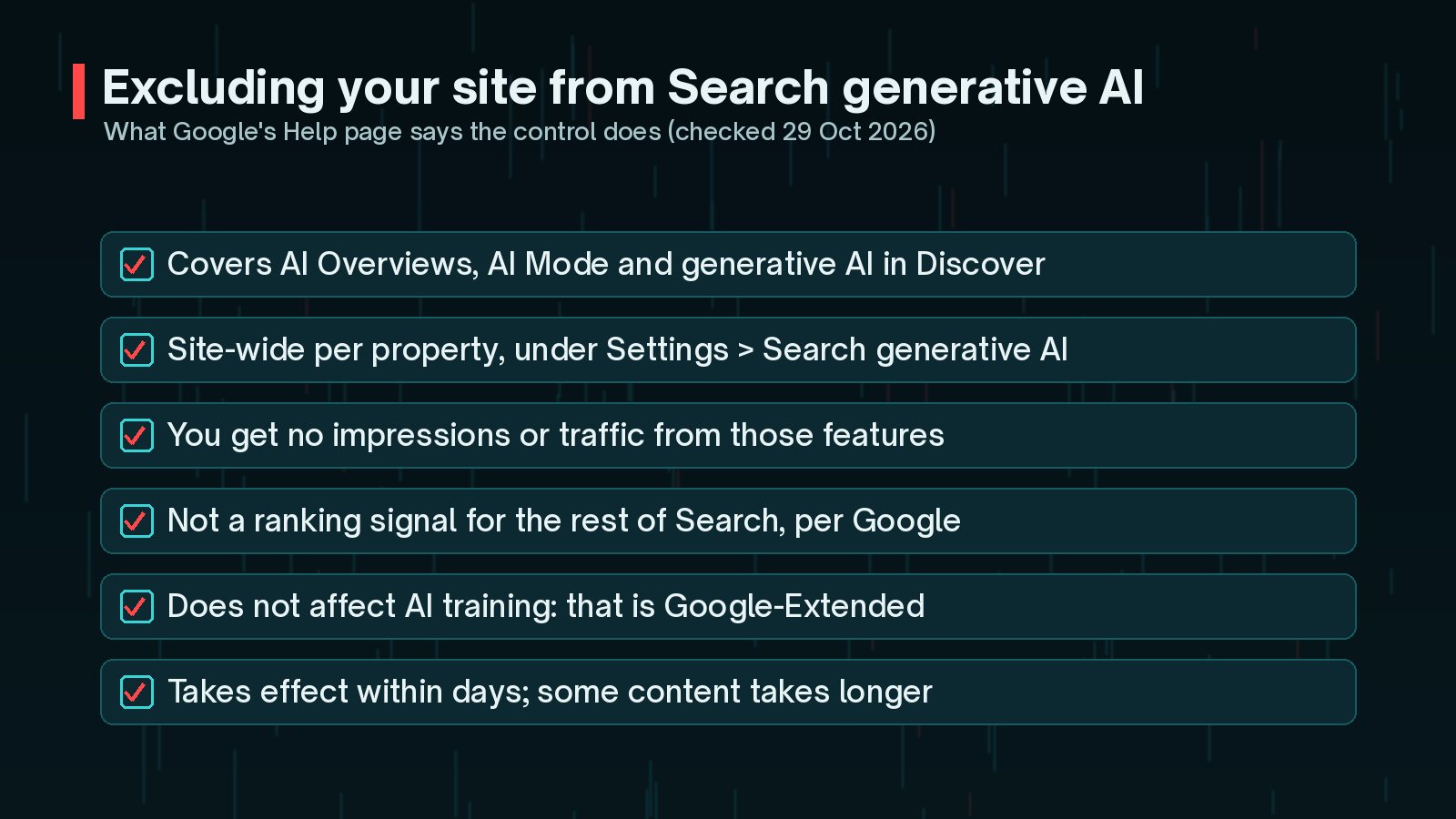
Search Console now has a setting for this under Settings → Search generative AI. According to Google's Help page:
- Excluding your site removes its links and content from AI Overviews, AI Mode and generative AI features in Discover.
- You receive no impressions or traffic from those features.
- Google says the control is not a ranking or inclusion signal for other parts of Search.
- It does not affect AI training. Google points to Google-Extended for that.
- Changes generally take effect within a few days, and some content can take longer.

My view: opting out is a business decision, not a traffic fix. AI features can still send impressions and visits, and opting out does not return lost clicks to classic results. Look at the Generative AI performance report first, and remember the setting is site-wide per property. I go through the trade-offs in more detail in should you opt out of Google AI Overviews?, and my practical guide to SEO, AEO and GEO covers being visible in AI answers.
What Should You Do Next?
- If it looks like a core update: follow Google's guidance. Wait for the rollout to finish, compare like with like, and improve the most affected pages for readers rather than making quick fixes.
- If it looks like AI features: make pages worth the click. Add original detail, examples, tools or checklists that a summary cannot replace, and make the next step obvious for visitors who do arrive.
- If it looks like neither: check technical issues first, from indexing to page speed. My WordPress speed optimisation checklist is a good start.
Frequently Asked Questions
Was there a Google core update in October 2026?
Not according to the Google Search Status Dashboard when I checked on 29 October 2026. The most recent core update listed started on 21 May 2026 and took 11 days and 21 hours. A spam update started on 24 September 2026.
Does the Generative AI performance report show clicks?
Google's documentation describes it as an impressions report for AI Overviews and AI Mode, grouped by page, country, device and date. Clicks are part of the standard Performance report, so compare the two side by side.
If I opt out of AI Overviews, will my rankings change?
Google says the Search generative AI control is not used as a ranking or inclusion signal for other parts of Search. You would lose impressions and traffic from AI Overviews, AI Mode and generative AI features in Discover.
Should I rewrite pages that lost clicks?
Not straight away. Google's core update guidance warns against quick fixes and says small position drops need no drastic action. Diagnose first, then improve pages in ways that genuinely help readers.
Does opting out stop Google training on my content?
No. Google's Help page says the control does not affect AI training, and points to Google-Extended for limiting training of the models used in these features.
Final Thoughts
A traffic drop is stressful, but the diagnosis is usually calmer than it feels. Line the dates up with the Search Status Dashboard, compare clicks with position, then check the Generative AI performance report before you decide anything.
Most of the time, the fix is the same either way: pages that genuinely help people. If you would like help reading the data or planning changes, my SEO improvement service starts with exactly this kind of diagnosis.
Official References
For the primary sources behind this article, and the latest updates, see:
- Google Search Console Help: Generative AI performance report (Search)
- Google Search Console Help: Search generative AI control
- Google Search Central Blog: Search Generative AI performance reports
- Google Search Status Dashboard: ranking update history
- Google Search Central: core updates and your website