
If you are wondering whether to opt out of Google AI Overviews, you now have a proper switch to do it. Search Console has a setting called the Search generative AI control, and Google says it has been available to all websites worldwide since .
That is useful, but it is also a decision with real trade-offs. Excluding your site removes it from AI answers, and it also removes any traffic those answers were sending you. This guide explains what the setting does, what it does not do, and how to make the call calmly with your own data.

What Is the Search Generative AI Control?
The Search generative AI control is a property-level setting in Google Search Console. According to Google's help page, it manages whether your site can appear in these Google Search features:
- AI Overviews
- AI Mode
- Generative AI features in Google Discover
Google says it expects to update that list over time, so check the help page again before you rely on it.
Google first announced the control as a test with a subset of website owners in the UK, and its announcement post was later updated to say the control reached all websites worldwide on 31 August 2026.
Where Do You Find the Setting in Search Console?
The setting lives under Settings → Search generative AI in Search Console. You need access to the property you want to change.
- Open Search Console and select the correct property.
- Go to Settings.
- Open Search generative AI.
- Choose one of the three options and save.
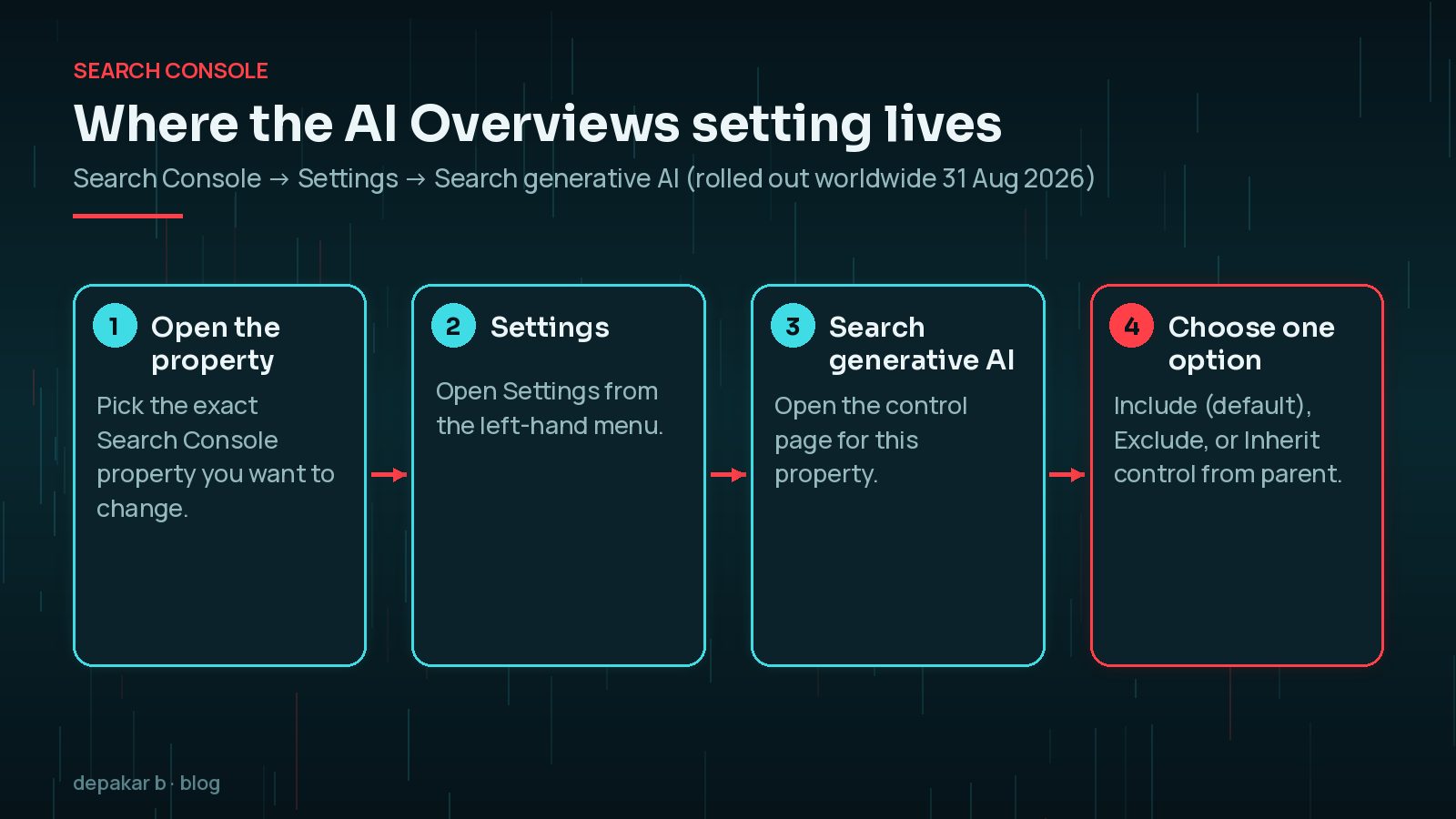
The three options, as Google describes them, are:
- Include my site's links and content: the default. Your content can appear in these features, help ground AI responses, and earn impressions and traffic.
- Exclude my site's links and content: your links and content stop appearing in these features, and you get no traffic or impressions from them.
- Inherit control from parent: the property follows its parent property's choice. This is the default when a parent property exists.
That last option catches people out. If you have a domain property and a URL-prefix property for the same site, check which one is actually in charge before you change anything.
What Happens If You Exclude Your Site?
Google's help page is fairly clear here. If you exclude your site, links to your site and your content will not appear in the listed AI features, and content crawled from your site will not be used as an input to generate AI responses there.
Content from other sites will still appear. If competitors cover the same topic, the AI answer may still look much the same, just without your link.

Some things the control does not do:
- It is not a ranking signal. Google says the control is not used as a ranking or inclusion signal for other parts of Search.
- It does not remove you from Google. To keep a page out of Search completely, you still need
noindex. - It does not control AI training. For limiting training of the models behind these features, Google points to Google-Extended instead.
- It does not override Merchant Center or Google Ads. Those participation choices stay separate.
Google also notes that your content may still be used to power Search as a whole, for example to help its systems understand the language of queries.
Excluding is all or nothing for that property. You give up every impression and click from AI Overviews, AI Mode and Discover's generative features, including on the pages where AI answers were helping you.
Google says changes generally take effect within 1-2 days after the control goes live, but some content can take longer because of caching. Do not judge the result after a single afternoon.
How Do You Know If AI Overviews Are Helping or Hurting?
Before you switch anything off, look at the data you already have. Search Console now includes a Generative AI performance report for Search, which Google also says rolled out to all sites on 31 August 2026.
The report shows impressions in AI Overviews and AI Mode, and lets you group them by page, country, date and device. It is the quickest way to see which pages are actually being shown in AI answers.
A few practical points from Google's documentation:
- If you do not see the report, your site may not have enough impressions in these features yet.
- If you have already excluded your site, the report will have little or nothing to show.
- The newest data can be preliminary and is shown with a dotted line.
- The usual Search performance report limits, such as the 1,000-row table, also apply.
Then compare that with the main Performance report and your analytics. Impressions alone do not pay the bills. What you really want to know is whether pages that appear in AI answers still bring in clicks, enquiries or sales.
If your clicks have dropped and you are not sure whether AI features or an algorithm update is to blame, read how to tell AI Overviews from a core update traffic drop first. Opting out because of the wrong diagnosis will not bring the traffic back.
When Does Opting Out Make Sense?
There is no single right answer, and I have not seen published data that settles it either way. These are the questions I would ask for a client site:

- Is your value in the answer itself? Publishers whose content is the product, such as original research, may feel AI summaries replace the visit. That is a stronger case for excluding.
- Is your value after the click? Service businesses, shops and local firms usually need people on the site to enquire or buy. Being cited may still bring qualified visitors, so excluding can cost more than it saves.
- Do AI answers misrepresent you? If pricing, safety or legal details are being summarised badly, fix the source content first, then consider tighter controls.
- Do you only want to protect a few pages? The control is site-wide for a property. Page-level controls may suit you better.
Are There Softer Alternatives to a Full Opt-Out?
Yes. Google's AI features documentation says that to limit the information shown from your pages in Search, you can use nosnippet, data-nosnippet, max-snippet or noindex. These work per page or even per section, unlike the site-wide switch.
<meta name="robots" content="max-snippet:50">
<div data-nosnippet>Member pricing details</div>
Be careful: these preview controls also affect how your normal search snippets look, so test them on a handful of pages before rolling them out. Google also says preview controls need to be visible to Googlebot and can take time to be picked up after recrawling.
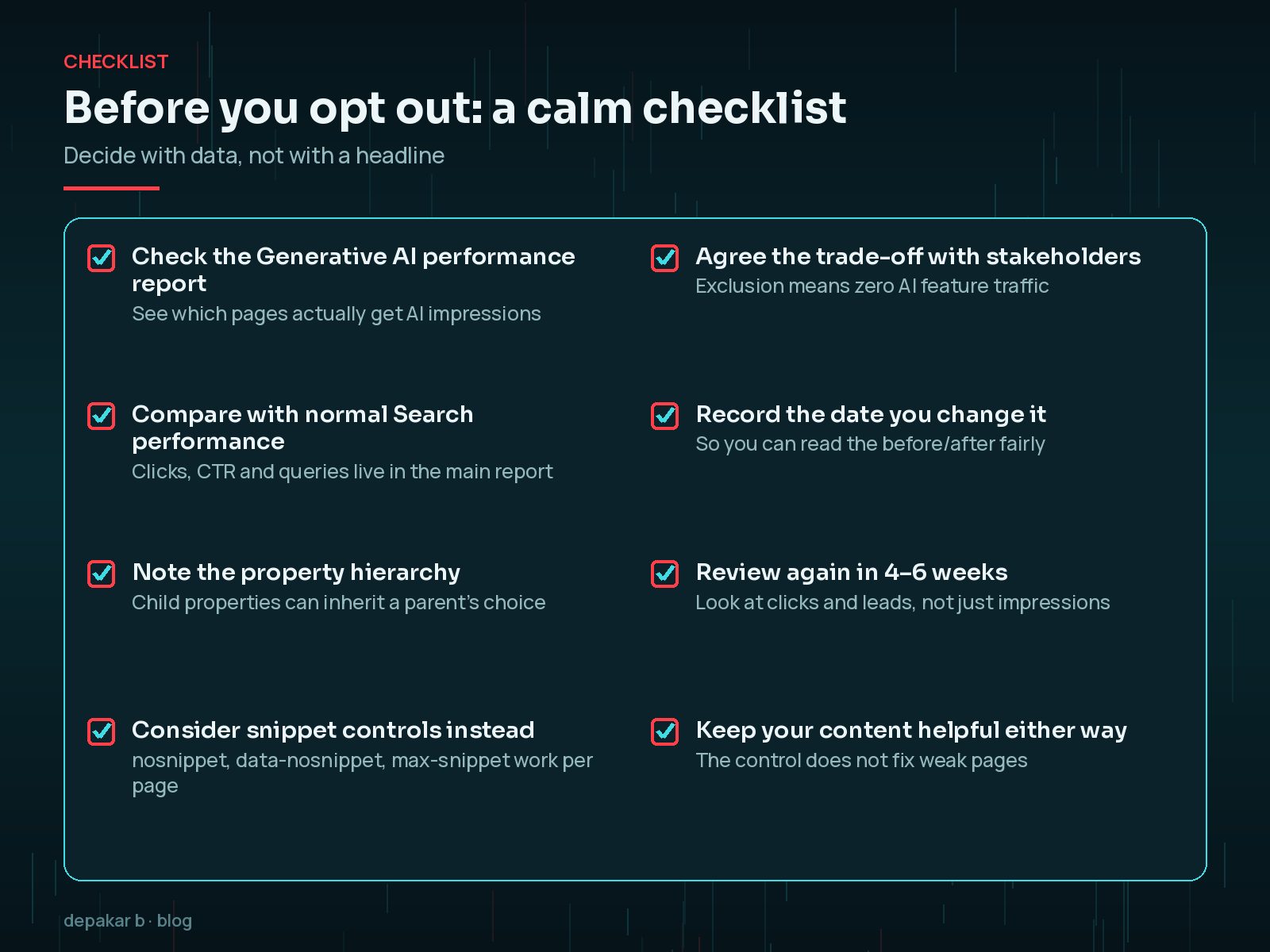
A Simple Decision Checklist
- Open the Generative AI performance report and note your top pages by AI impressions.
- Compare those pages' clicks and conversions with a period before AI features grew.
- Check whether the property inherits its setting from a parent property.
- Try page-level snippet controls first if only a few pages are a concern.
- Agree the trade-off with whoever owns the site's leads or revenue.
- Write down the date you change the setting.
- Review clicks, leads and sales again after four to six weeks.
Whatever you decide, keep the technical basics healthy. The WordPress technical SEO checklist is a good place to start.
Frequently Asked Questions
Does opting out of AI Overviews hurt my normal Google rankings?
According to Google's Search Console help page, the Search generative AI control is not used as a ranking or inclusion signal for other parts of Search. Your normal results should be unaffected, but you lose impressions and traffic from AI Overviews, AI Mode and Discover's generative AI features.
How long does it take for the opt-out to work?
Google says content is generally excluded within 1-2 days after the control goes live, but some content can take longer because of caching and propagation across its systems.
Does the setting stop Google training AI on my content?
No. Google says this control does not affect AI training. To limit training of the models used for these features, Google points site owners to Google-Extended.
Can I opt out only some pages?
The Search Console control works per property, not per page. For individual pages or sections, Google documents the nosnippet, data-nosnippet, max-snippet and noindex controls, which also affect normal snippets.
Can I change my mind later?
Yes. You can switch the control back to Include at any time in Settings → Search generative AI. Allow time for the change to take effect, just as with excluding.
Final Thoughts
The new Search Console setting finally gives site owners a clear way to opt out of Google AI Overviews and related features. That is a good thing. It is still a blunt tool, though: it is site-wide, and it trades visibility for control.
For most service businesses I work with, the better first step is to measure, improve the pages that AI answers draw on, and use page-level controls where something is genuinely sensitive. If you want a second pair of eyes on your Search Console data, my SEO improvement service starts with exactly that review.
Decide with your own numbers, write down what you changed, and review it again in a few weeks.
Official References
Sources checked on 29 October 2026: