
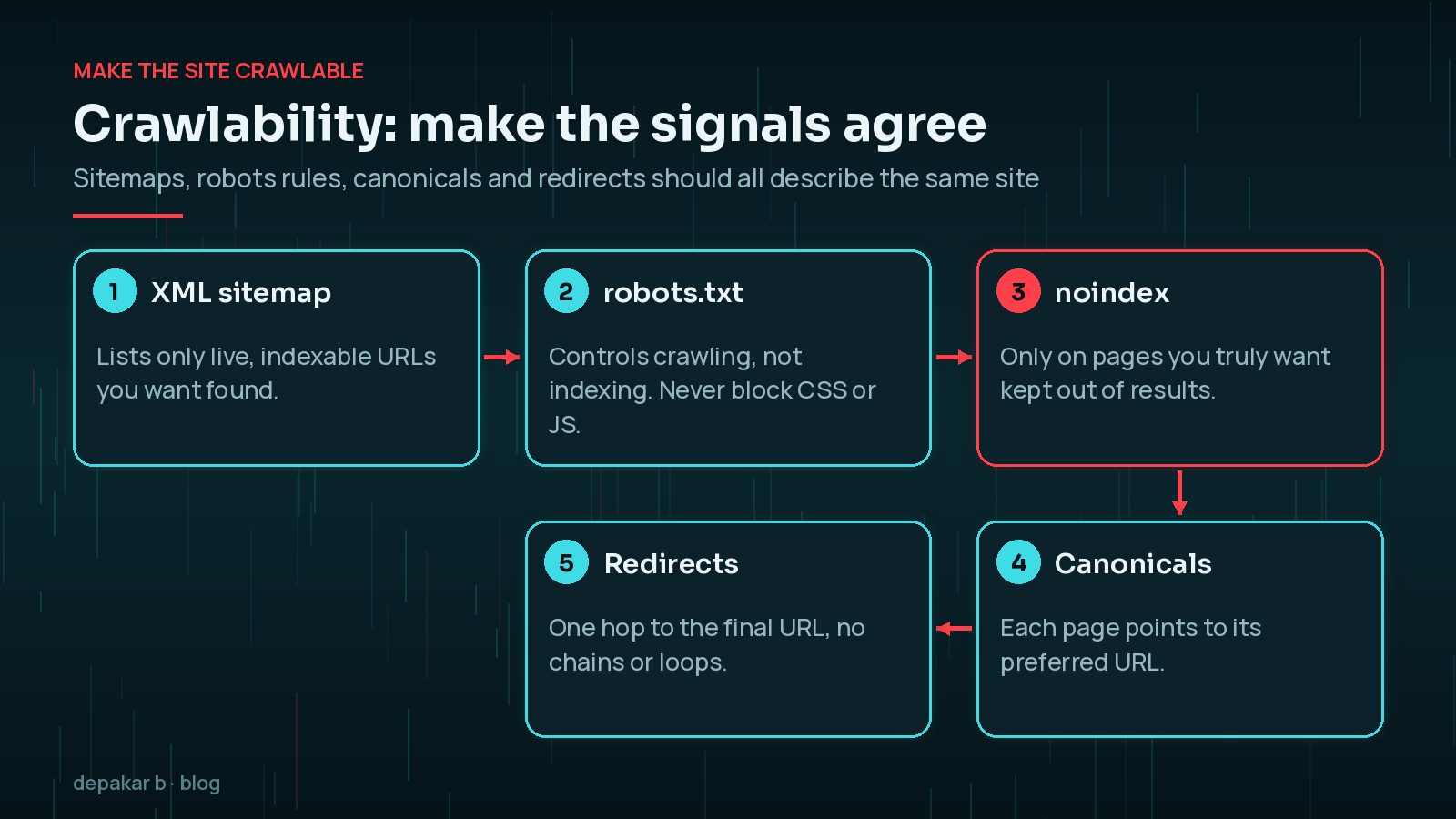
Make the site crawlable
Sitemaps, robots rules, and indexation controls should match reality.
- No accidental noindex on money pages
- Clean canonicals
- Fix redirect chains
The most expensive technical SEO mistakes are usually simple ones. The "Discourage search engines from indexing this site" box under Settings > Reading, left ticked after a launch, can keep a whole site out of results. A staging domain that is crawlable can create duplicates of every page. Since WordPress 5.5, core also generates a basic XML sitemap at /wp-sitemap.xml; if an SEO plugin provides its own, make sure only one is submitted in Search Console.
Remember that robots.txt controls crawling, not indexing. Google's own documentation says it is not a way to keep a page out of search results; use a noindex rule for that, and make sure the page is not blocked from crawling or Google will never see the rule.
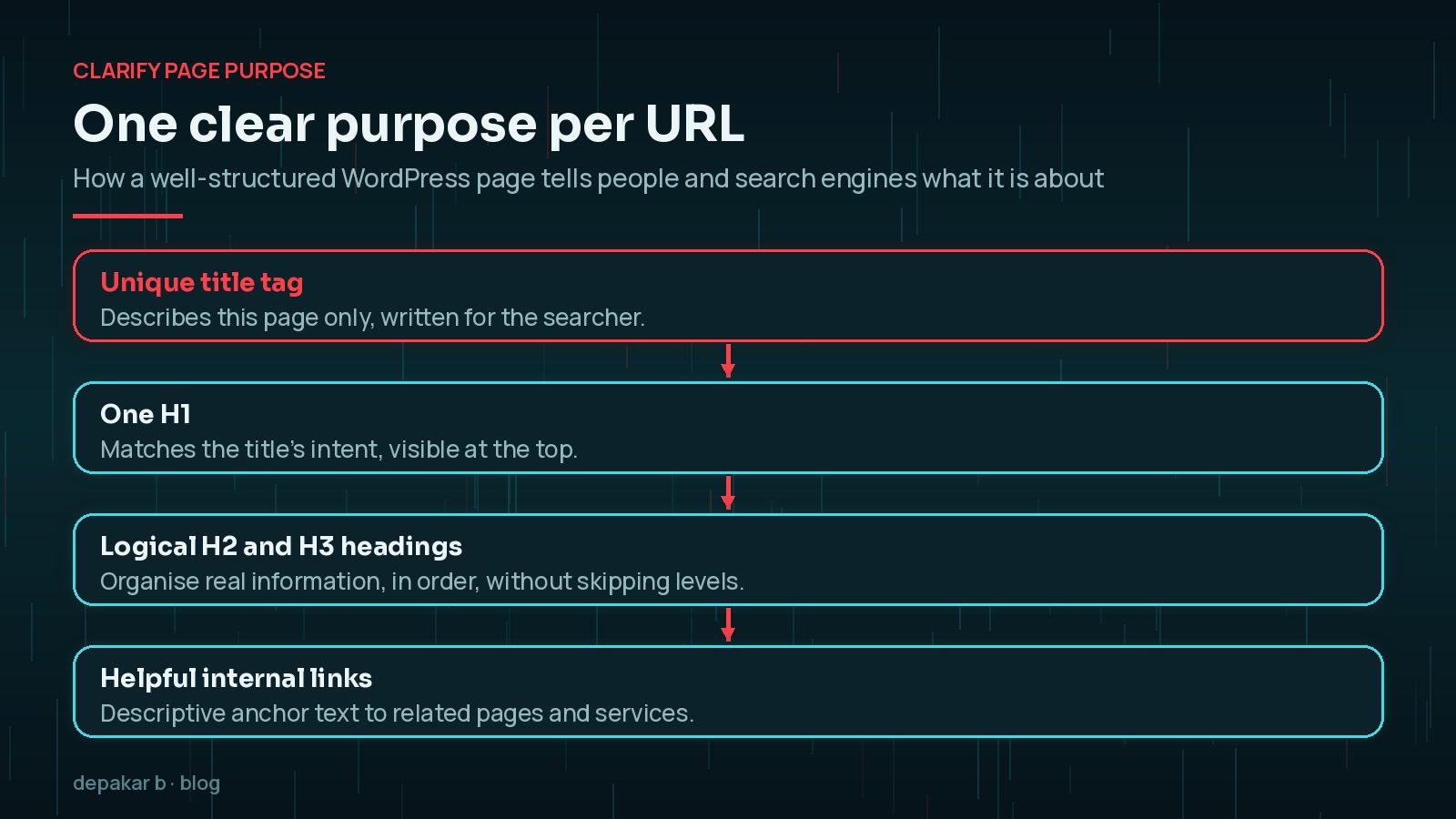
Clarify page purpose
One primary intent per URL with a clear H1 and supporting structure.
- Unique titles
- Logical heading hierarchy
- Helpful internal links
On WordPress, templates often decide this for you. Some themes wrap the site logo in an H1 on every page, or use headings for styling rather than structure. Check a few key templates with your browser's developer tools: there should be one H1 that describes the page, and the H2s should read like a sensible table of contents.
Strengthen discoverability systems
AEO/GEO-friendly structure helps answer engines as well as classic search.
- FAQ blocks where useful
- Entity-clear about/service pages
- Read the SEO, AEO & GEO guide
Answer engines and AI search features rely on the same foundations as classic search: pages they can crawl, clear entities (who you are, what you offer, where) and content that answers questions directly. FAQ sections still help visitors scan a page, but note that Google stopped showing FAQ rich results in May 2026, so add them for people rather than for a special search appearance.

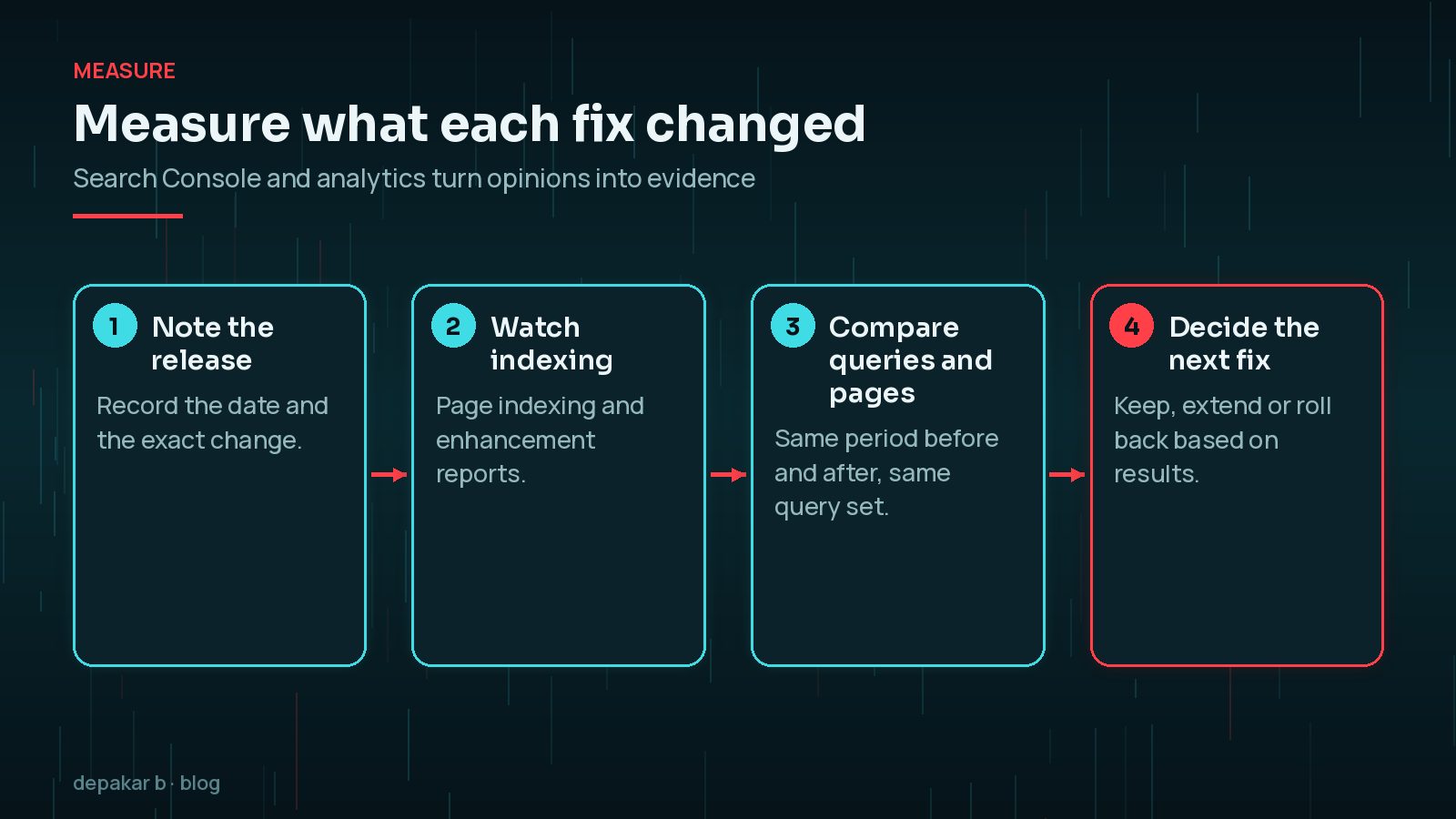
Measure what changed
Search Console and analytics tell you whether fixes mattered.
- Coverage and enhancement reports
- Query/page movement after releases
- Pair with the technical SEO checklist
Change one thing at a time where you can, and note the date. Search Console data takes time to settle, so compare the same length of period before and after a release, and look at the specific pages and queries you expected to move rather than the whole site's totals. If traffic falls without any change on your side, my guide to telling AI Overviews apart from a core update helps you read the data.
When to get help
If templates fight SEO, fix the theme - not only the plugin settings.
Plugin settings can only do so much. If a theme outputs duplicate H1s, injects the same meta description on every page, loads content with JavaScript that crawlers struggle with, or creates thin archive pages for every tag, the fix is in the template code.

Which technical SEO problems are most common on WordPress?
Most WordPress sites share the same handful of issues, and they are worth checking before anything more advanced:
- Thin archive pages. Tag, author and date archives that list one or two posts add crawlable URLs with little value. Decide which archives deserve to be indexed.
- Attachment pages. Older sites may have a separate URL for every uploaded image. Redirect or disable them if they are indexed.
- Redirect chains after redesigns. Each redesign adds another layer of redirects. Point old URLs straight to the final destination.
- Mixed signals on HTTP and HTTPS, or www and non-www. Pick one version, redirect the others, and use it in canonicals and the sitemap.
- Slow templates. Heavy page builders and third-party scripts hurt Core Web Vitals, especially Interaction to Next Paint; see fixing INP on WordPress.
Which tools do you need for a technical SEO check?
You do not need an expensive suite to find the issues that matter. A small, reliable toolkit covers most WordPress sites:
- Google Search Console for indexing status, the queries and pages that earn clicks, and the URL Inspection tool to see how Google renders a page.
- PageSpeed Insights for real-user Core Web Vitals data and lab diagnostics on individual templates.
- A desktop crawler to list status codes, redirect chains, missing titles and duplicate H1s across the site.
- Your browser's developer tools to inspect headings, canonical tags and robots meta tags on a live page.
Run the crawler on a schedule, such as after every major release, and keep the export. Comparing two crawls is one of the quickest ways to spot a template change that quietly added noindex rules or broke internal links.
How should you prioritise technical SEO fixes?
A long audit list is not a plan. Sort issues by two questions: how many important pages does this affect, and how badly does it stop them being found or understood? Something that blocks your service pages from being indexed outranks a hundred minor warnings about image alt text on old posts.
- First: anything that stops important pages being crawled or indexed.
- Second: duplication and canonical problems that split signals between URLs.
- Third: page purpose, headings and internal links on the pages that bring leads.
- Fourth: performance and structured data improvements across templates.
For the full list of checks, use the WordPress technical SEO checklist alongside this article.
Frequently Asked Questions
What is technical SEO on a WordPress site?
Technical SEO is the work that helps search engines crawl, index and understand your pages: sitemaps, robots rules, canonical URLs, redirects, page structure, internal links, speed and structured data. It supports good content rather than replacing it.
Does WordPress create an XML sitemap automatically?
Yes. Since WordPress 5.5, core generates a basic sitemap at /wp-sitemap.xml. Many SEO plugins replace it with their own. Submit only the one you actually use in Search Console.
Can robots.txt remove a page from Google?
No. robots.txt controls crawling, not indexing, and a blocked page can still appear in results if other pages link to it. Use a noindex rule on a crawlable page to keep it out of search results.
How long do technical SEO fixes take to show results?
It depends on how often Google crawls the affected pages. Small sites may see changes in a few days to a few weeks. Compare equal periods before and after the change in Search Console rather than checking daily.
Is it worth adding FAQ schema to WordPress pages?
Google stopped showing FAQ rich results in May 2026, so FAQ markup no longer earns a special search appearance there. Genuine FAQ sections can still help visitors, so add them where people really ask those questions.
Final Thoughts
The technical SEO improvements that matter are rarely glamorous. Make sure every signal agrees about which pages exist and which version is preferred, give each URL one clear purpose, keep the structure readable for people and machines, and measure each change instead of assuming it worked. Do that on the templates that power your important pages, and most of the gains follow.
Need help applying this?
I provide focused technical SEO improvement for WordPress sites.
Related service: SEO improvement · Contact · All articles
Official References
Sources checked on 29 October 2026:
- Google Search Central: Introduction to robots.txt
- Google Search Central: Block indexing with noindex
- Google Search Central: Consolidate duplicate URLs
- Google Search Central: Redirects and Google Search
- Google Search Central: Influencing title links
- Search Console Help: Page indexing report
- Make WordPress Core: New XML sitemaps functionality in WordPress 5.5
- Google Search Central: Latest documentation updates (FAQ rich result removal)