
The WordPress 7.1.4 security update was released on 28 October 2026. WordPress.org's release notes list fixes for 22 vulnerabilities, and Patchstack's analysis groups them into 17 advisories. For comparison, Patchstack notes that 7.1.3, three weeks earlier, had seven.
Most of the issues need a logged-in account to exploit. One does not. That one, plus the long list of Contributor-level issues, shapes what you should do beyond clicking "Update Now".
What Is in WordPress 7.1.4?
The WordPress.org release documentation credits each fix to the person who reported it. Grouped by theme, the release includes:
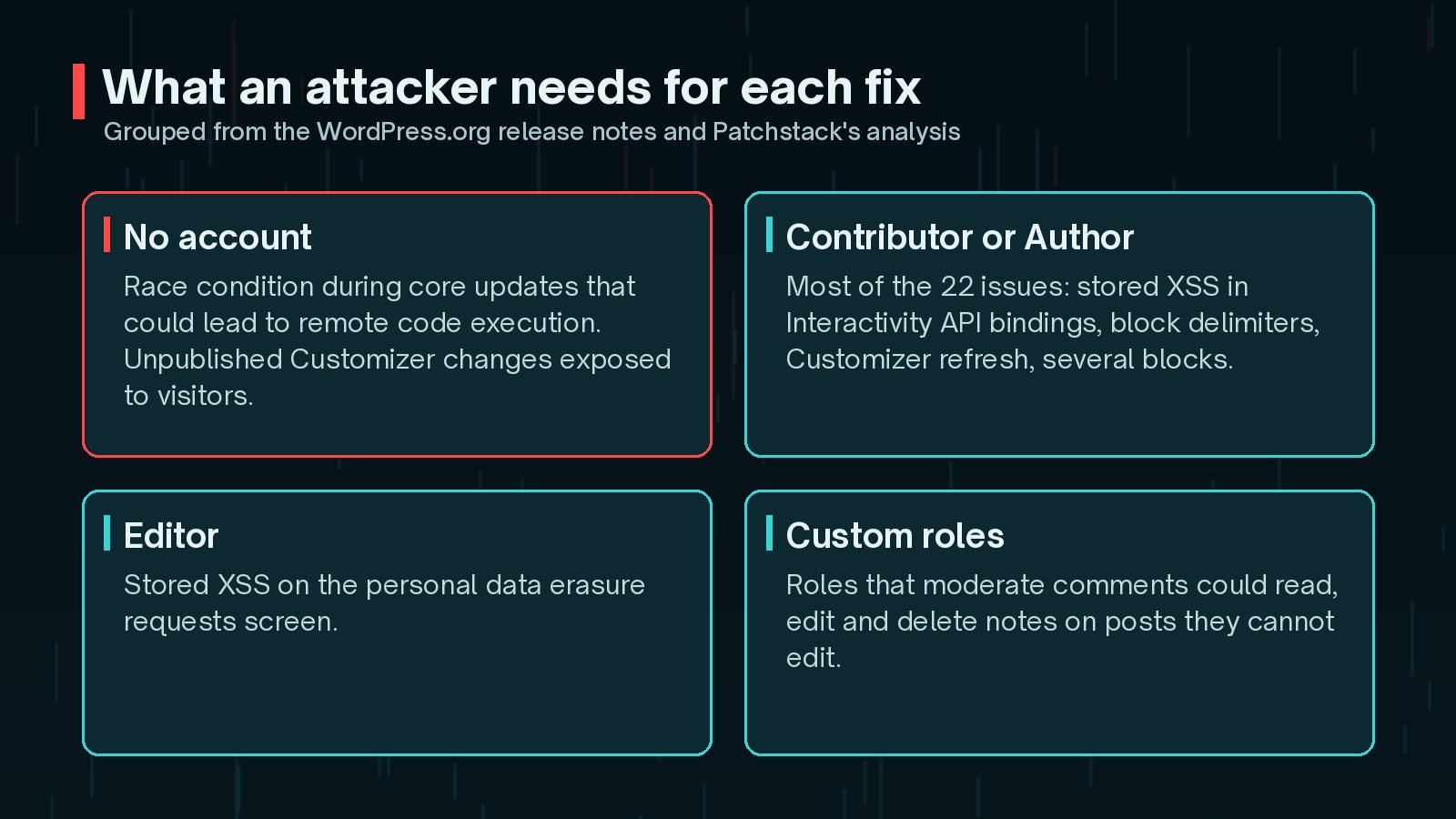
- A race condition during core updates that could lead to remote code execution
- Several stored cross-site scripting (XSS) issues in the Interactivity API, block delimiters, the Customizer, the Categories block and the Comments Pagination and Post Navigation Link blocks
- An information disclosure that exposed unpublished Customizer changes to unauthenticated visitors
- A denial of service issue in Interactivity API bindings
- A permissions issue letting custom roles that moderate comments read, edit and delete notes on posts they cannot edit
- Hardening fixes for the Image and Playlist blocks and the multisite Network Users screens
- An update to bundled root certificates because of the eMudhra revocation

Which WordPress Versions Are Fixed?
As a courtesy, the fixes were backported to older branches on the same day. Only the newest 7.1 release is actively supported, so backports are a safety net rather than a long-term plan.
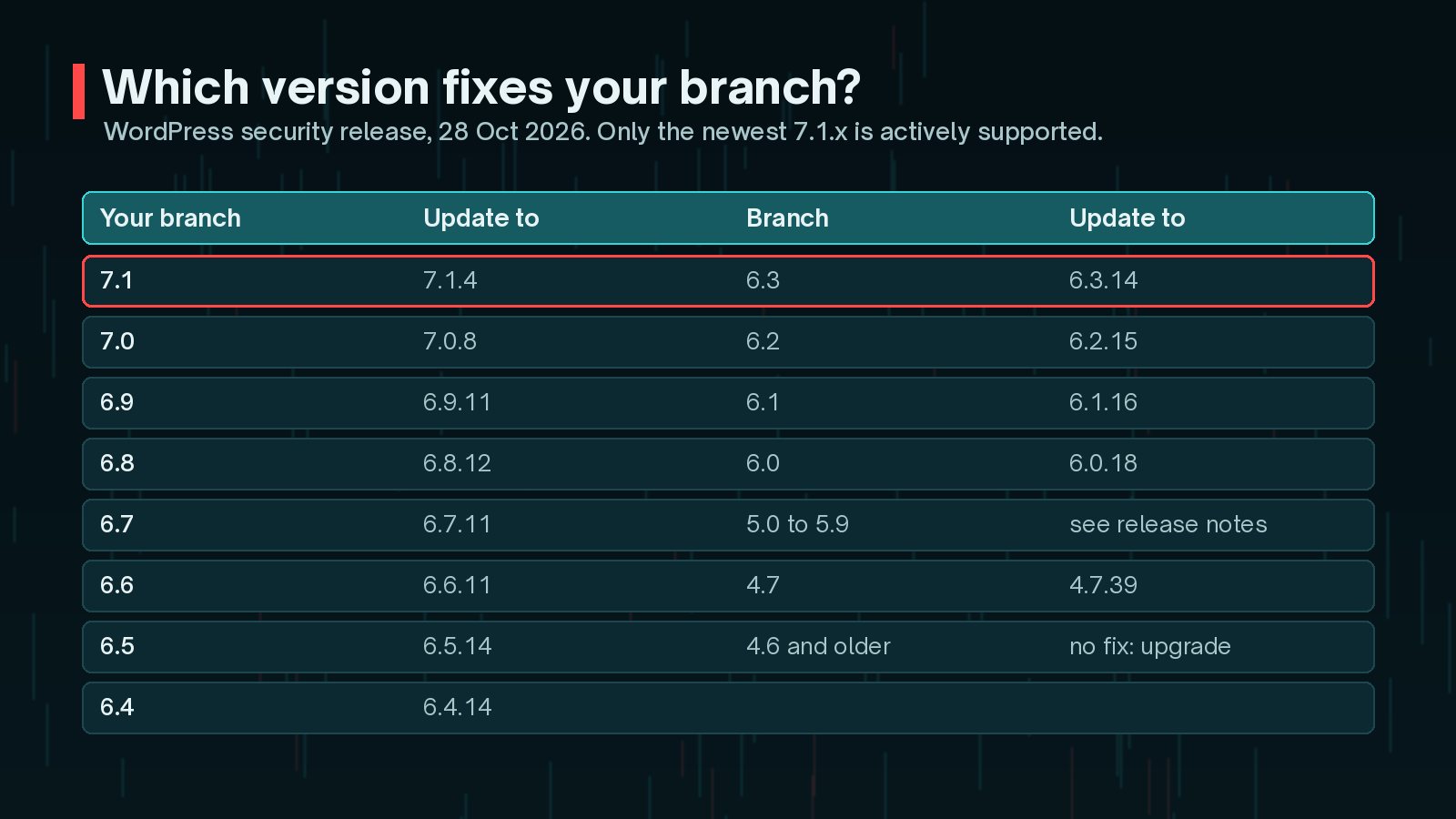
| Branch | Patched version | Issues that apply |
|---|---|---|
| 7.1 | 7.1.4 | All 22 |
| 7.0 | 7.0.8 | All 22 |
| 6.9 | 6.9.11 | All 22 |
| 6.8 | 6.8.12 | 20 of 22 |
| 6.7 | 6.7.11 | 20 of 22 |
| 6.6 | 6.6.11 | 19 of 22 |
| 6.5 and 6.4 | 6.5.14 and 6.4.14 | 17 of 22 |
| 4.7 | 4.7.39 | 2 of 22 |
| 4.6 and earlier | No update | No longer receive security updates |
Branches between 4.8 and 6.3 also received backports. The full list is in the WordPress.org release documentation linked below.
Which of the 22 Issues Matters Most?
For most site owners, it is the race condition during core updates, because it is the one that needs no account.
Patchstack explains the mechanism. When WordPress installs or updates something, it extracts the package into wp-content/upgrade/. Before 7.1.4, the folder name was predictable and the protective index.php was removed during clean-up. For the few seconds an update takes, a complete copy of WordPress could sit at a guessable, browsable path, including its setup script.

WordPress 7.1.4 adds random characters to the folder name, keeps the index.php in place and stops wp-config.php being copied out of the working directory. Patchstack rated the attack as hard to pull off, but it also points out two things worth acting on:
- A PHP firewall plugin cannot block it, because the extracted copy does not load your site's plugins.
- The fix belongs at the web server: deny web access to
wp-content/upgrade/and make sure the folder is not listable.
On nginx, a rule like this does the job. Updates still work, because WordPress writes to that folder through the file system, not over the web.
location ^~ /wp-content/upgrade/ {
          deny all;
      }
On Apache or managed hosting, ask your host to apply the equivalent rule at server level.
Why Do Contributor Accounts Matter So Much This Time?
Patchstack's summary is blunt: almost everything in this release needs an account first, usually a Contributor. Several of the stored XSS issues let a Contributor save content that runs script when an editor, an administrator or a visitor loads it.
That makes this a good moment for a quick role audit:
- List everyone with Contributor, Author, Editor or Administrator roles.
- Remove accounts for people who have left or no longer need access.
- Check that membership or LMS plugins are not giving new sign-ups a Contributor role by default.
- Review any custom roles that grant comment moderation without editing rights.
Stored XSS in an administrator's browser is exactly how the October Ninja Forms campaign planted hidden administrators. If anything looks off, my guide to finding hidden admin users in WordPress explains how to check from the database.
How Do I Update to WordPress 7.1.4 Safely?
For most sites, this is a routine minor update. A few minutes of preparation still pays off.
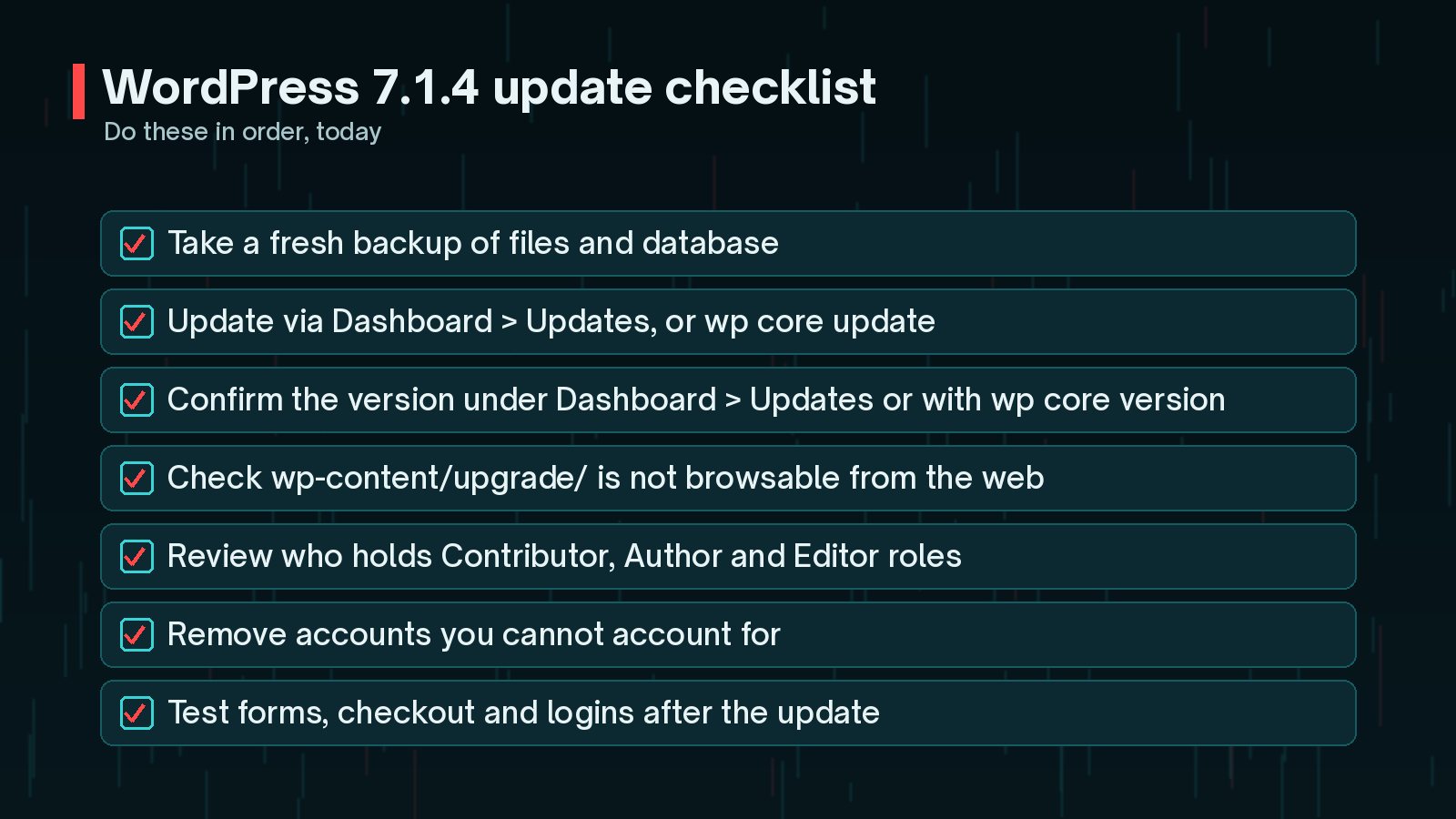
- Take a fresh backup of files and the database.
- Update from Dashboard → Updates → Update Now, or with WP-CLI.
- Confirm the version you are now running.
- Test the journeys that matter: forms, logins, checkout and any membership areas.
wp core update
      wp core version
      wp core verify-checksums
If you are deliberately staying on an older branch for now, wp core update --minor applies the security release for that branch without jumping to a new major version.
If an update ever leaves a site showing errors, my WordPress site down emergency checklist walks through the order to troubleshoot in.
What Should I Check After Updating?
Once 7.1.4 is installed, three quick checks are worth doing:
- The upgrade folder: request
/wp-content/upgrade/in a browser. You should get a denied or empty response, never a file listing. - The runtime underneath: WordPress core is only one layer. If your server is still on PHP 8.2, read my guide to the PHP 8.2 end of life on 31 December.
- Plugins: core updates do not touch plugins. October 2026 had several serious plugin issues, which I have collected in WordPress plugin vulnerabilities to patch this month.
Frequently Asked Questions
Will my site update to 7.1.4 automatically?
If your site supports automatic background updates, WordPress says the update process will begin automatically. Many hosts and management tools also control this, so confirm the version rather than assuming it happened.
I am on WordPress 6.8. Do I have to jump to 7.1?
Not to get these fixes. WordPress released 6.8.12 with the fixes that apply to 6.8. Only the newest 7.1 branch is actively supported, though, so plan the move to 7.1 as part of normal maintenance.
Are any of these vulnerabilities being exploited?
The release notes do not mention exploitation. Patchstack described the upgrade race condition as needing very precise timing and not practical to exploit, but recommended blocking web access to the upgrade folder anyway. Update regardless.
Does a security plugin protect me instead?
Patchstack notes that a PHP-level firewall cannot block the upgrade race condition, because the extracted copy of WordPress does not load your site's plugins. Updating, and blocking the folder at the web server, are the reliable fixes.
Final Thoughts
WordPress 7.1.4 is a large security release, but the actions are simple. Update every site, confirm the version, block web access to the upgrade folder and take a few minutes to review who holds Contributor access and above.
Regular updates are far less stressful when they are part of a routine. My notes on what to include in a WordPress maintenance plan cover how to set one up, and my website maintenance service can take it off your plate entirely.
Official References
For the primary sources behind this article, and the latest updates, see: