
Signs you need custom
Repeated manual work, brittle integrations, or features no maintained plugin solves cleanly.
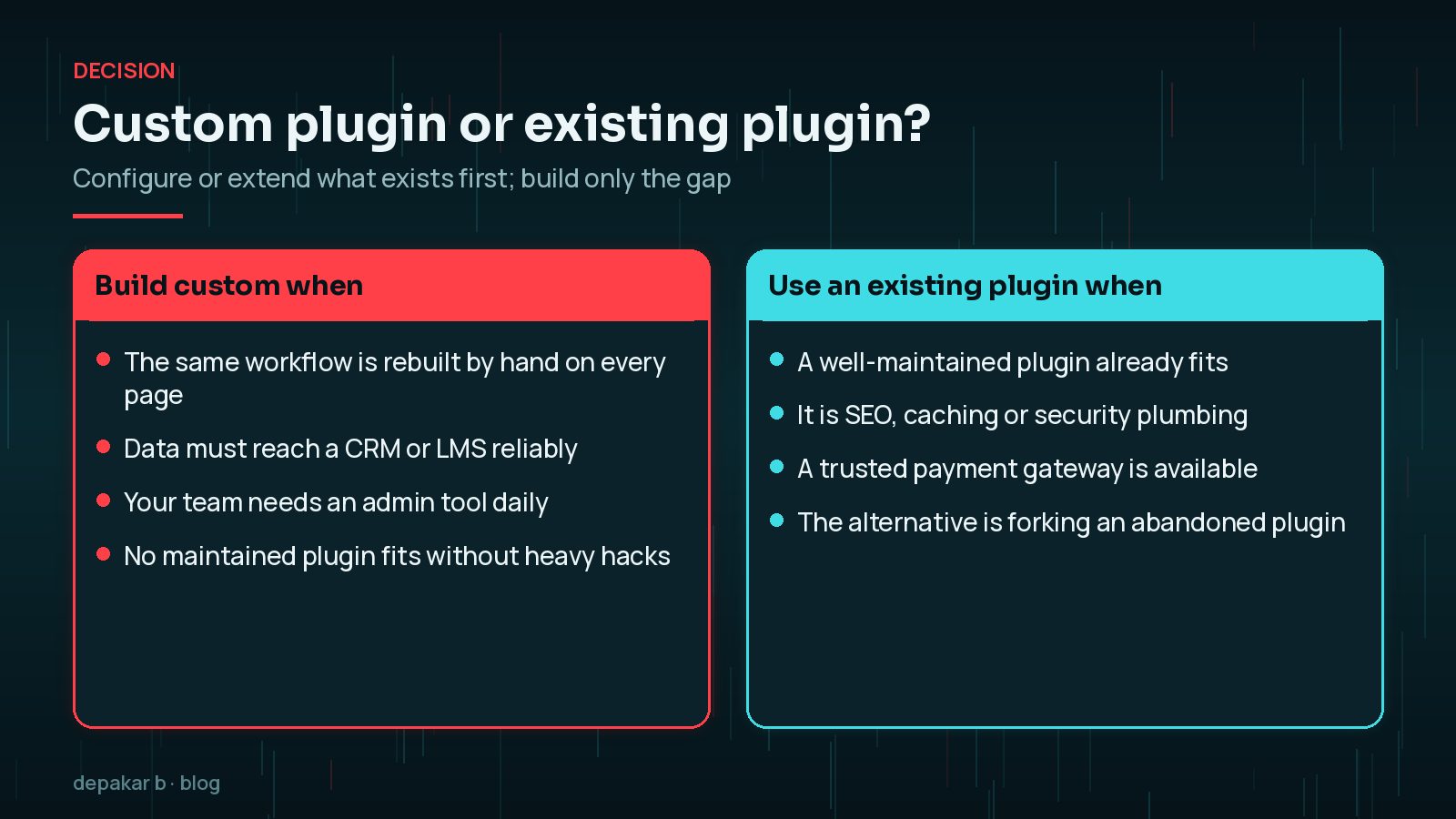
- Same workflow rebuilt on every page
- Data must move to CRM/LMS reliably
- Admin tools your team uses daily
A useful test is to count how often the workaround happens. If someone on your team copies data from form emails into a spreadsheet every morning, or rebuilds the same layout of course details on every new page, that time adds up every week. A custom plugin turns that repeated effort into a reliable feature with its own settings screen, validation and logging.

When not to custom - build
If a well-maintained plugin already fits, extend or configure it first.
- Avoid reinventing SEO or cache stacks
- Prefer existing payment gateways
- Do not fork abandoned plugins lightly
Custom code is not automatically better. Mature plugins for SEO, caching, security and payments have been tested on huge numbers of sites and receive regular security fixes. Rebuilding them yourself means owning every bug and vulnerability. Often the best answer is a small custom plugin that extends a popular one through its hooks, rather than a replacement.
What good custom plugins include
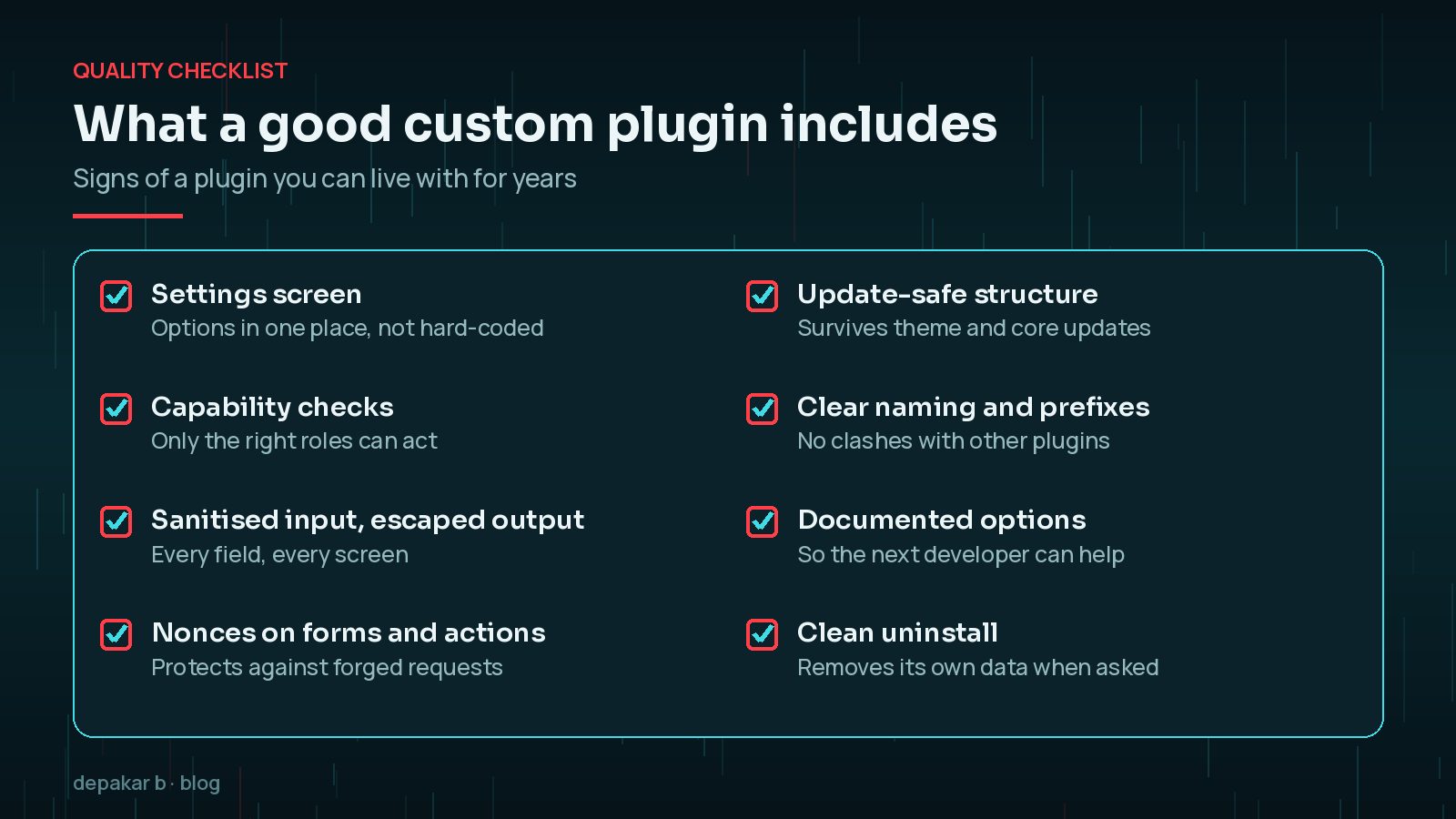
Settings screens, capability checks, sanitization, and update-safe structure.
- Clear naming
- Documented options
- Compatible with core updates
Delivery approach
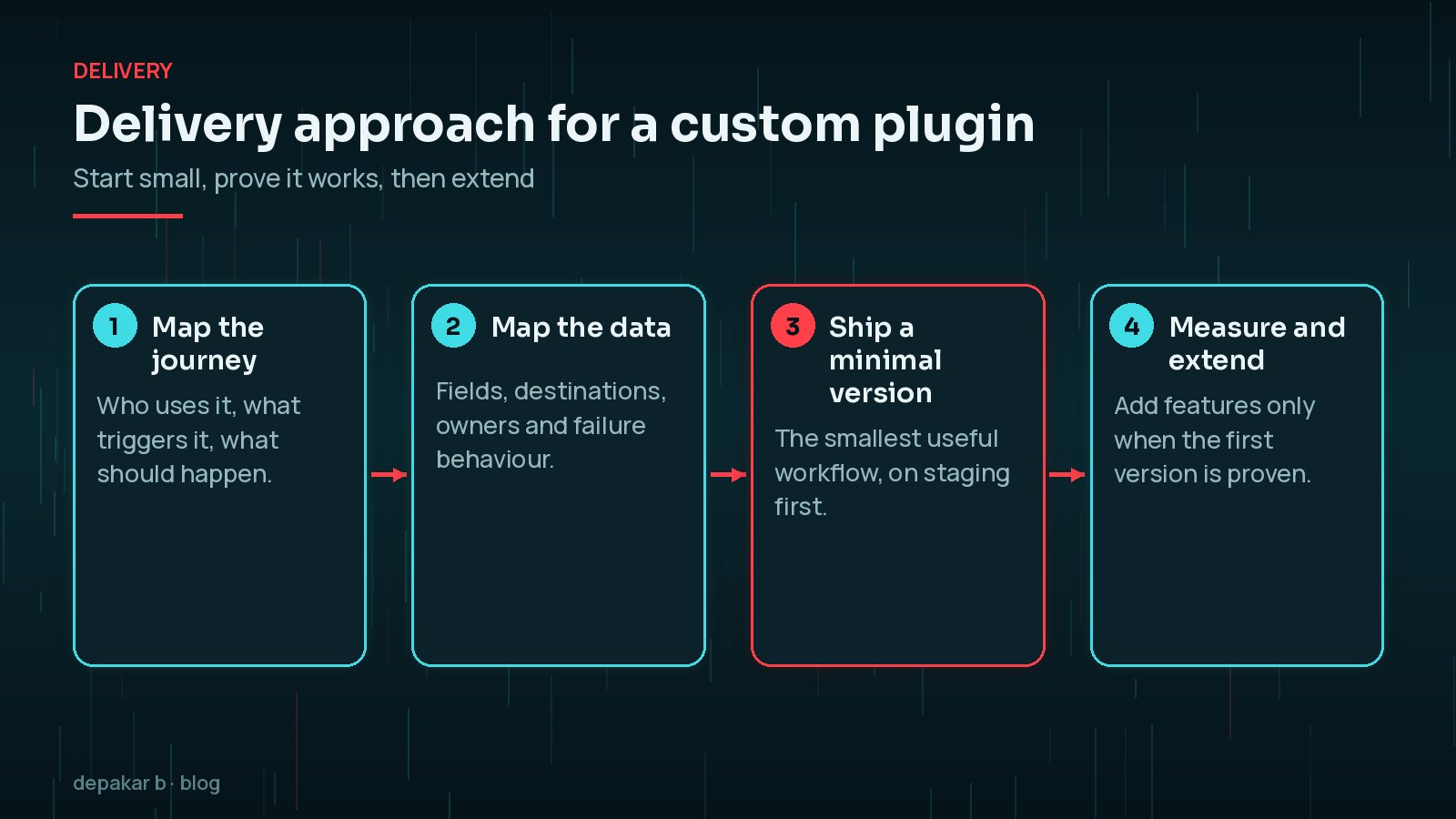
Start from the user journey and data map, then ship a minimal version.
- See forms & integrations
- Browse plugin work
A minimal first version is not a cut-down promise. It is the smallest piece that proves the workflow works end to end, such as one form sending one record type to the CRM, with errors logged. Once that runs reliably on staging and then live, adding the next record type is low risk.
Each release should also have a simple way back. Keep the previous version to hand, test updates on staging first, and add a setting that switches the integration off without deactivating the whole plugin.
Next step
If you have a workflow gap, talk through scope before writing code.

What should you prepare before talking to a developer?
You do not need a technical specification to start a custom plugin conversation, but a little preparation makes the first discussion far more useful and the estimate far more accurate. Before you get in touch, write down:
- The problem in one sentence, for example "course enquiries reach the CRM by hand, a day late".
- Who does the work today, how often, and roughly how long it takes each time.
- The systems involved: WordPress plugins, CRM, LMS, payment provider or spreadsheet, and who owns each account.
- What "done" looks like, such as "every enquiry creates a contact within a minute, and failures email the team".
- Anything that must not change, like existing URLs, form layouts or reports people rely on.
Screenshots of the current workaround are often more helpful than a long description. They show the real fields, the real steps and the edge cases that a written brief tends to miss. If the workflow centres on forms, the handoff template in planning WordPress forms and integrations is a good starting point.
Should the code live in a plugin or in your theme?
Functionality that should survive a redesign belongs in a plugin, not in the theme's functions.php. Custom post types, integrations, admin tools and shortcodes your content relies on all fall into this group. If they live in the theme, switching or updating the theme can make content disappear or break forms without warning.
The theme should handle presentation: templates, styles and layout. Keeping that split clear also makes it easier to test, because you can update the plugin without touching how the site looks, and redesign the site without touching how it works. If a revamp is on the horizon, the WordPress website revamp checklist covers how to plan around existing functionality.
Which security basics should every custom plugin follow?
The WordPress Plugin Handbook has a whole section on security, and its core rules are not optional for anything you run on a live site:
- Check capabilities before any action, using functions such as
current_user_can(), so a subscriber cannot do what an administrator can. - Use nonces on forms and admin actions to protect against forged requests.
- Sanitise input as it arrives and escape output as it is displayed, every time.
- Use prepared queries with
$wpdb->prepare()when you write custom SQL. - Keep secrets out of the code; store API keys in configuration, not in the repository.
What does a custom plugin cost to own over time?
The build is only the first cost. Over the following years a custom plugin needs testing against new WordPress releases, updates when PHP versions reach end of life, changes when a connected service updates its API, and someone who understands the code when something breaks. Budget for a small amount of maintenance time each year, and make sure the code, documentation and access sit with your organisation rather than only with the developer.
Two things keep that cost low: a clear scope, so the plugin does one job well, and good documentation of its options and data. A plugin that also includes a clean uninstall routine, as the Plugin Handbook recommends, is much easier to replace or retire later. New WordPress features can shift the balance too; the AI Connectors screen in WordPress 7.0 is one example of core taking over work that once needed custom code.
Frequently Asked Questions
How do I know if I need a custom WordPress plugin?
You probably need one when your team repeats the same manual task every week, data has to move reliably between WordPress and another system, or no maintained plugin does the job without fragile workarounds.
Is a custom plugin safer than a popular plugin?
Not automatically. A custom plugin is less likely to be targeted by mass attacks, but nobody else is reviewing it. It is only as safe as the capability checks, nonces, sanitisation and escaping it uses.
Can I put custom code in functions.php instead?
Small presentation tweaks can live in a child theme, but features your content or workflows depend on should go in a plugin so they keep working if the theme changes.
How long does a custom plugin take to build?
It depends entirely on scope. A focused plugin that handles one workflow can be quick, while integrations with several systems take longer. Starting with a minimal version keeps the first release short and the risk low.
Who maintains a custom plugin after launch?
Agree this before the build starts. Someone needs to test it against WordPress and PHP updates and fix issues. Make sure your organisation holds the code and documentation even if a developer maintains it.
Final Thoughts
A custom WordPress plugin is the right choice when it removes repeated work or makes an important integration reliable, and the wrong choice when it rebuilds something the ecosystem already does well. Start from the workflow and the data, ship the smallest useful version, follow WordPress security practice from day one, and plan for the years of maintenance that follow. That way the plugin stays an asset rather than becoming the next problem.
Need help applying this?
Discuss a build via custom plugins.
Related service: Custom plugins · Contact · All articles
Official References
Sources checked on 29 October 2026: