
WordPress 7.2 is scheduled for release on . It is currently in beta, so nothing described here is final until the release post goes out. Features can still change or be pulled before launch.
This guide covers what the official Beta 1 announcement and the Roadmap to 7.2 say is planned, which roadmap items were not mentioned in the beta, and a practical update checklist so your site is ready without rushing.
When Is WordPress 7.2 Coming Out?
The release schedule on make.wordpress.org lists these milestones. The older WordPress.org roadmap page still showed 10 December, but the release schedule and the beta announcements both say 8 December.
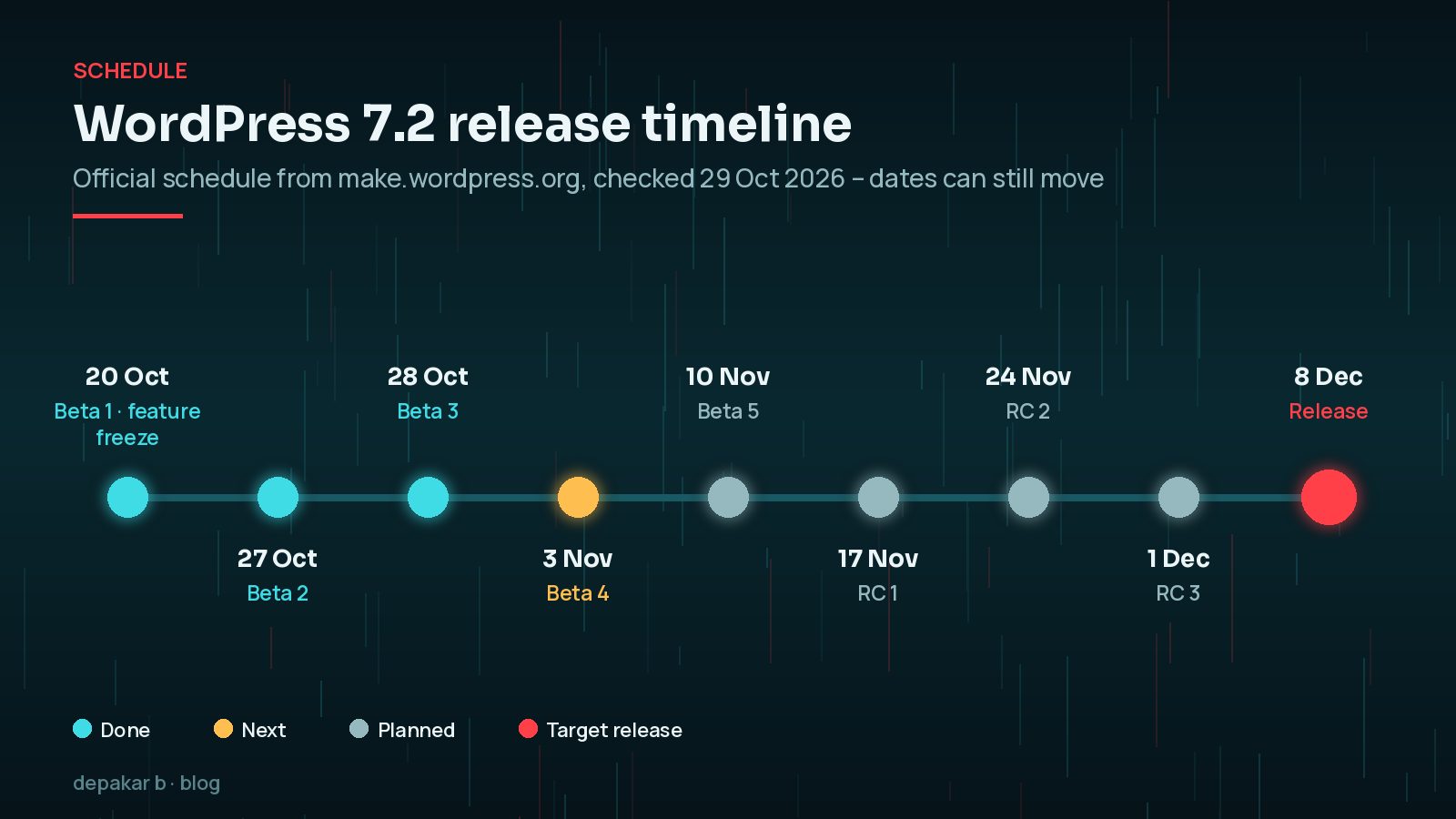
| Date | Milestone |
|---|---|
| 20 October 2026 | Beta 1 (feature freeze) |
| 27 October 2026 | Beta 2 |
| 28 October 2026 | Beta 3, released alongside 7.1.4 |
| 3 and 10 November 2026 | Beta 4 and Beta 5 |
| 17 November 2026 | Release Candidate 1 |
| 24 November and 1 December 2026 | RC 2 and RC 3 |
| 8 December 2026 | Planned final release |
What's Planned for WordPress 7.2?
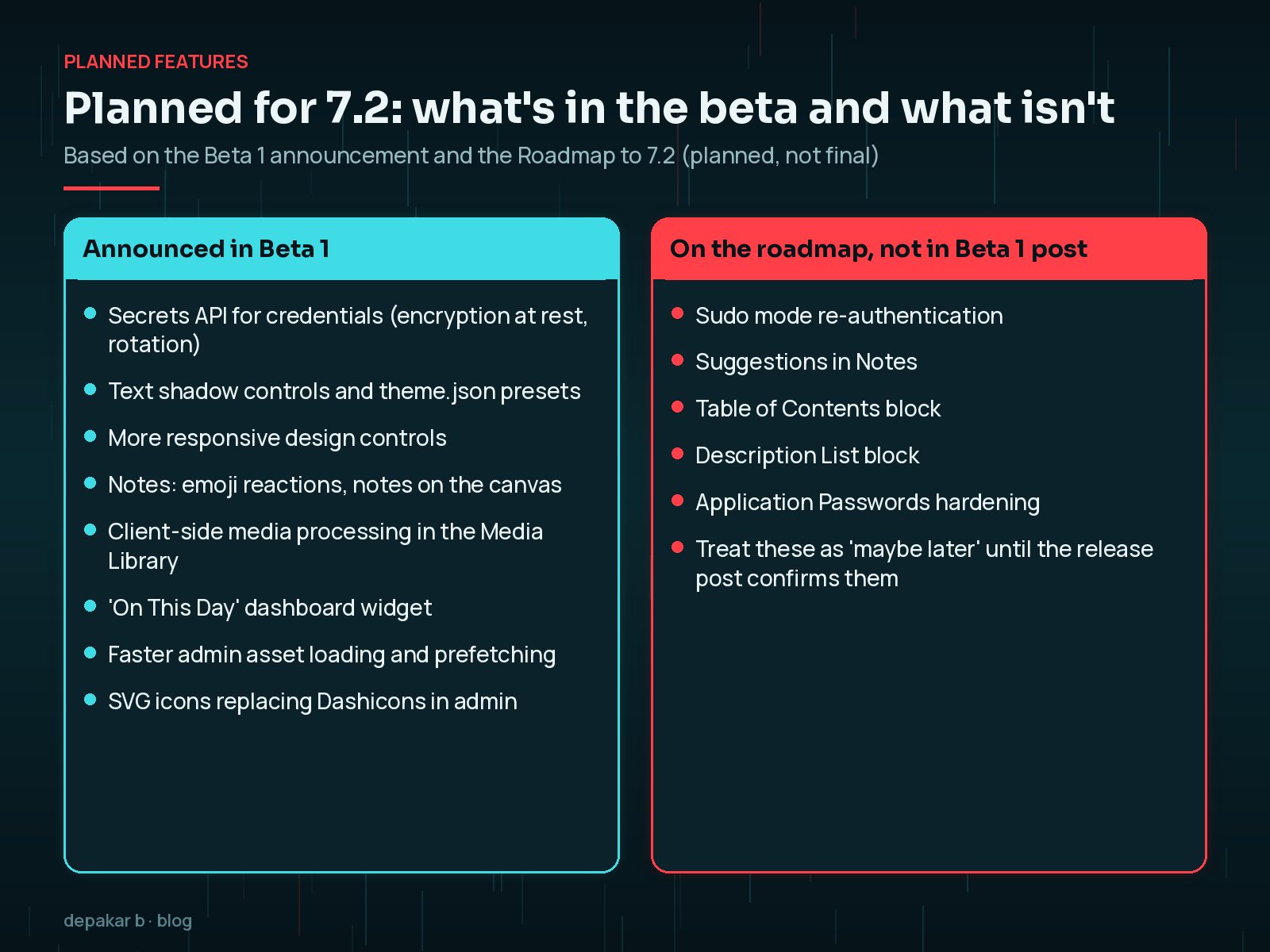
The Beta 1 announcement on 20 October 2026 lists the following. I have grouped them by who they matter to.
For editors and site owners
- More responsive design controls, building on 7.1, including responsive Gallery settings for columns, cropping and aspect ratios.
- Text shadow controls, which can also be defined as presets in
theme.json. - Global Styles improvements, including a "Customized" filter for blocks with modified styles and styling for form elements.
- Easier navigation management from the Site Editor sidebar.
- Notes updates: emoji reactions, a toolbar icon, notes in the editor canvas margin and a minimised mode.
- Client-side media processing in the Media Library, so images can be resized, compressed and converted in the browser before upload.
- A new "On This Day" dashboard widget showing posts published on the same date in earlier years.
- Clearer editor error messages and other small usability fixes.
- A faster admin, with scripts and styles loaded individually for better caching, plus prefetching of the next likely admin screen.
- Admin bar and sidebar Dashicons replaced with icons from the WordPress icon library.
For developers
- A new Secrets API for storing credentials such as API keys and tokens. The beta post says it supports encryption at rest, credential rotation and customisable storage providers.
- Abilities API expansion for accessing and querying WordPress data. Beta 2 continued this work on content querying, capability requirements, schema handling and permissions.
- Interactivity API additions for rendering trusted HTML and reactive navigation.
- Random content redirects, a dedicated URL that sends visitors to a random post.
- DataForm-powered block inspector work, and in Beta 2, server-side registration for DataViews and DataForm.
The Secrets API is the item I am watching most closely. Today, the Connectors screen in WordPress 7.0 stores database-saved API keys masked but not encrypted, which is why I recommend keeping keys in wp-config.php or environment variables. See how to set up AI Connectors safely for the current approach.
Which Roadmap Features Might Not Make It?
The Roadmap to 7.2, published on 18 September 2026, also mentioned several items that were not included in the Beta 1 announcement:
- A "sudo mode" that asks you to re-authenticate before sensitive actions
- Suggestions in Notes
- A Table of Contents block and a Description List block
- A round of Application Passwords hardening
The roadmap also names a new default theme called Ipsum. The Beta 1 post only alludes to it in its closing haiku, so look for the details in later beta notes and the release post.
The roadmap itself says that what it lists "doesn't necessarily mean each will make it into the final release". Some coverage has reported that several of these did not make the feature freeze. I would treat them as "maybe in a later release" until the final 7.2 release post or Field Guide confirms otherwise.
How Should You Prepare Your Site for WordPress 7.2?
Most of the work happens before 8 December. Here is the order I follow for client sites.
1. Stay current on 7.1.x now
Security releases come first. WordPress 7.1.4 shipped on 28 October 2026, and my 7.1.4 security update guide covers what it means for you. There is no benefit to waiting for 7.2 while running an unpatched 7.1.
2. Check your PHP version
Look under Tools → Site Health → Info → Server. If you are still on PHP 8.2, plan that upgrade separately, as explained in the PHP 8.2 end-of-life guide. Do not combine a PHP upgrade and a major WordPress update on the same day.
3. Test the beta or RC on staging

Clone the site to staging and test with the WordPress Beta Tester plugin or WP-CLI. On a staging copy only, replacing the version with the latest beta or RC number:
wp core update --version=7.2-beta2Then check the journeys that matter: editing posts, the Site Editor, forms, checkout, logins, and any custom blocks. If you have custom plugins that use the Abilities API, read the 7.2 dev notes as they are published.
4. Wait a few days after release, then update
For business sites, I usually wait a few days after a major release for early fixes, unless a security fix is involved. Take a fresh, tested backup first. If you need a refresher, see how to restore WordPress from a backup, and what a good maintenance plan includes.
Never test betas on a live site. WordPress.org says the same in every beta announcement. A beta can break editing, plugins or front-end layout, and rolling back a database is far harder than restoring a staging copy.
WordPress 7.2 Update Checklist
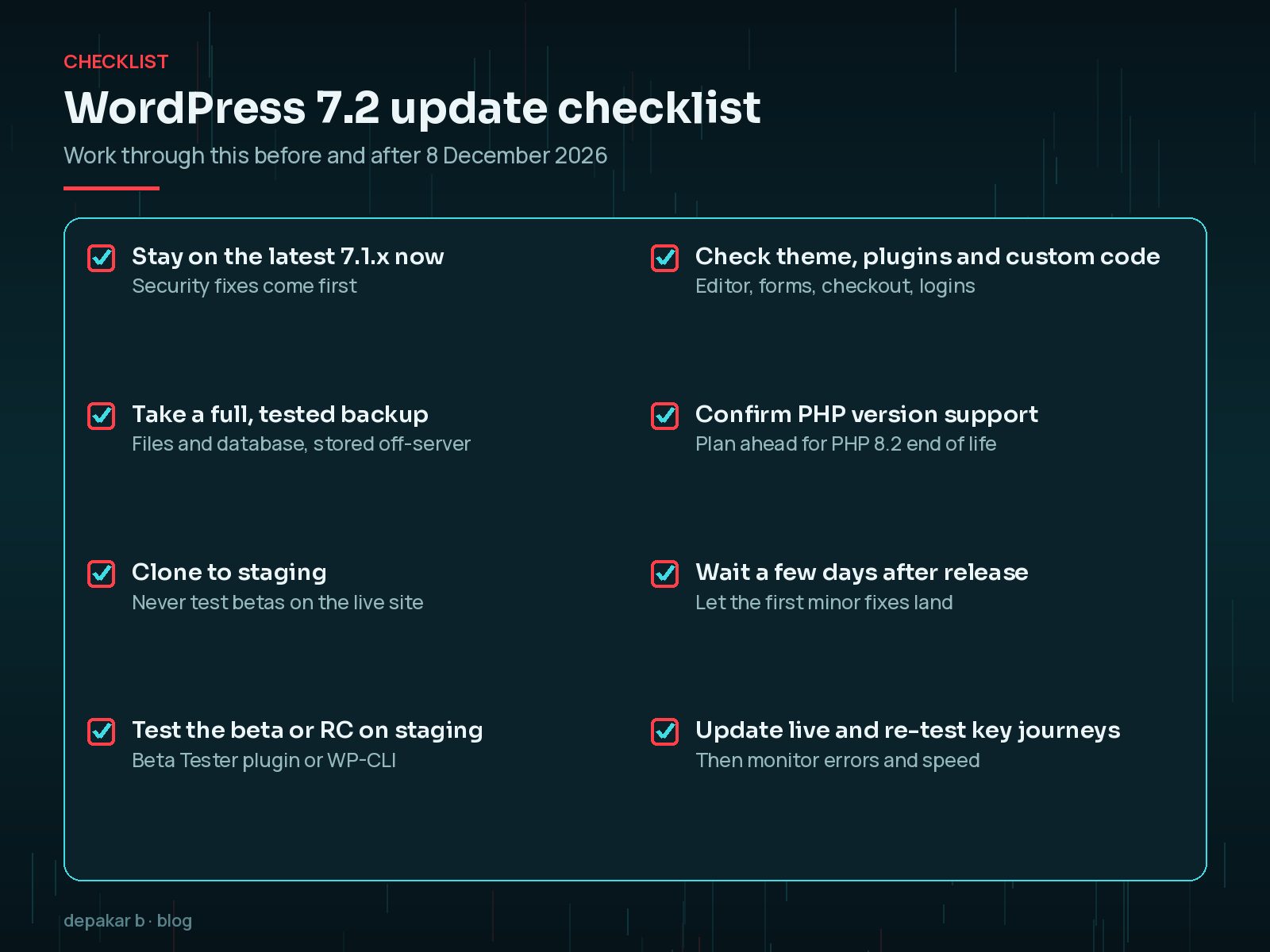
- Update to the latest 7.1.x security release now.
- Take a full backup of files and database, stored off the server.
- Confirm your PHP version and plan any upgrade separately.
- Clone to staging and test 7.2 beta or RC builds.
- Check themes, plugins and custom code, especially blocks and integrations.
- Note any layout changes from new Global Styles or responsive controls.
- Update live a few days after release, then re-test key journeys.
- Monitor error logs and Core Web Vitals for a week afterwards.
Frequently Asked Questions
When is WordPress 7.2 released?
The official release schedule lists 8 December 2026 as the planned release date. Beta 1 arrived on 20 October 2026, and Release Candidate 1 is scheduled for 17 November 2026. Dates can still change.
Is the Table of Contents block in WordPress 7.2?
It was on the Roadmap to 7.2 but was not mentioned in the Beta 1 announcement. Treat it as uncertain until the final release post confirms it.
What is the WordPress 7.2 Secrets API?
According to the Beta 1 post, it is a planned standard way for developers to store sensitive credentials such as API keys, with encryption at rest, credential rotation and customisable storage providers.
Should I update to WordPress 7.2 on release day?
For most business sites, test on staging during the release candidates, then update live a few days after release with a fresh backup. Apply security releases promptly as always.
Final Thoughts
WordPress 7.2 looks like a steady, practical release: better design controls, a faster admin and, if it lands as planned, a proper Secrets API for developers. None of it needs panic. It needs a backup, a staging site and a bit of time before 8 December.
If you would rather someone else handled the testing and update, that is exactly what my website maintenance service covers.
Plan early, test on staging, and update when you are ready rather than on day one.
Official References
Sources checked on 29 October 2026: