
When a browser shows ERR_TOO_MANY_REDIRECTS or “This page isn't redirecting properly”, your site is caught in a loop. Fixing too many redirects in WordPress usually means finding two rules that disagree, such as one sending visitors to HTTPS and another sending them back to HTTP. It feels urgent because the whole site may be unreachable, but the cause is normally simple.
This guide works through the checks in a sensible order, from the quickest to the more technical, so you change as little as possible.
What a redirect loop is: too many redirects in WordPress explained
A redirect tells the browser to go to a different address. A loop happens when address A redirects to B, and B redirects back to A. Browsers stop after a number of hops and show an error instead.

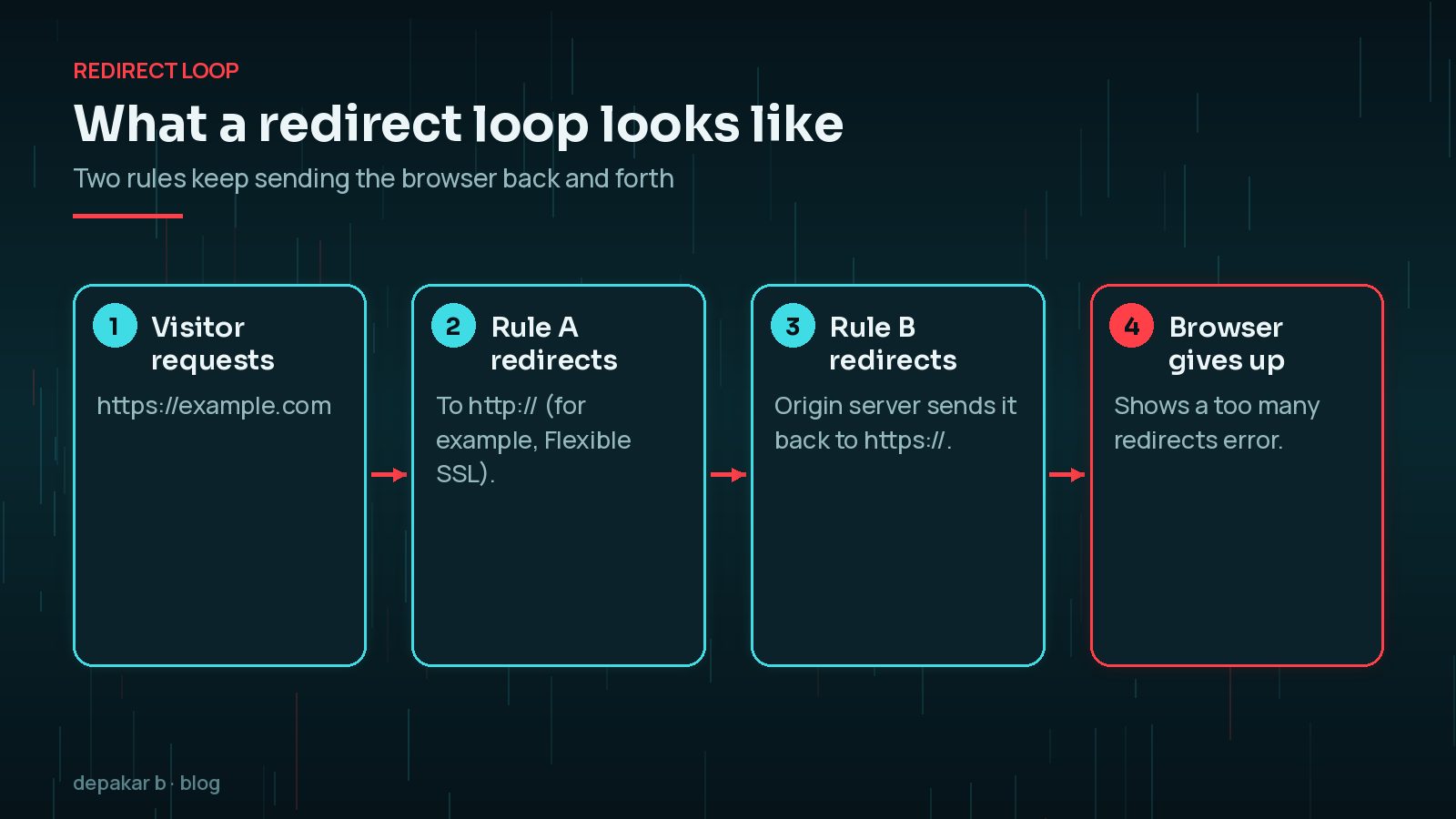
Common culprits are HTTPS settings, mismatched site addresses, CDN settings such as Cloudflare, and redirect rules added by plugins or in server files. Recent migrations often trigger it; see moving WordPress to a new host.
Clear cookies and cache first
Before changing settings, rule out stale data. Old cookies or a cached redirect can keep a loop going after the underlying cause is fixed.
- Open the site in a private window or a different browser.
- Clear cookies for your domain.
- Purge your caching plugin, your host's cache and any CDN cache.
If the site works in a private window but not your normal browser, cookies or the browser cache were the problem. If it fails everywhere, including on a phone using mobile data, the loop is on the server or CDN side, and the next sections apply. Make a note of exactly which URLs loop: the whole site, only wp-admin, or only certain pages. That narrows the search a lot.
WordPress Address vs Site Address mismatch
In Settings > General, WordPress has two addresses: WordPress Address (URL) and Site Address (URL). On most sites they should match exactly, including https:// and whether you use www. If one says http://example.com and your server forces https://www.example.com, the two can fight.
If you cannot reach the dashboard, WordPress's documentation on changing the site URL describes other ways to fix them, including setting them in wp-config.php:
define( 'WP_HOME', 'https://example.com' );
      define( 'WP_SITEURL', 'https://example.com' );
The documentation notes this hard-codes the values, so you cannot edit them in Settings while these lines are present. You can also correct the siteurl and home values in the wp_options table, after taking a database backup.
HTTPS and Cloudflare SSL settings
Cloudflare's documentation lists SSL/TLS encryption mode as a common cause of redirect loops. With Flexible mode, Cloudflare connects to your server over plain HTTP. If your server or WordPress then redirects all HTTP requests to HTTPS, the loop begins.

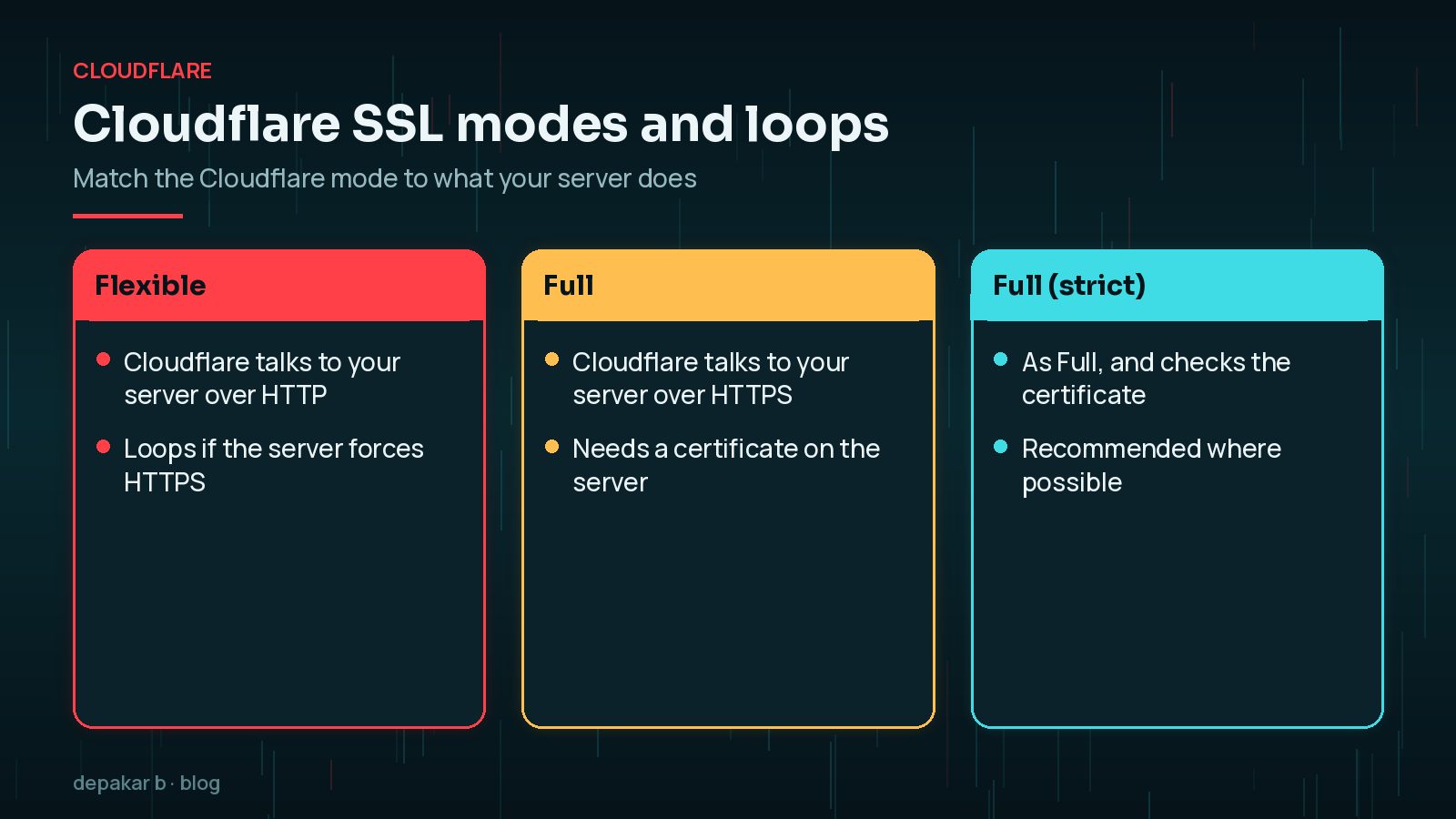
Cloudflare's fix is either to remove HTTPS redirects at your server, or to set the encryption mode to Full or Full (strict), which requires a certificate on your server. Most hosts provide one. Also check “Always Use HTTPS”, HSTS and any Cloudflare redirect rules, which Cloudflare lists as other causes.
X-Forwarded-Proto header in wp-config.php, as shown in that guide. Ask your host whether this applies.Redirect plugins and .htaccess rules
Redirect and SSL plugins, security plugins and hand-written server rules can all add redirects. Two of them doing the same job, such as forcing HTTPS, can conflict.
- Review redirect rules in plugins and in your host's control panel.
- Check
.htaccesson Apache or LiteSpeed servers for duplicate HTTPS or www rules. - If you are locked out, temporarily rename the plugin's folder in
wp-content/pluginsby SFTP to deactivate it.
Write down every rule you find before changing anything, so you can put back the ones you still need. A short list showing where each redirect lives, and why, saves a lot of guesswork the next time someone adds a plugin or changes the CDN.
Keep only one place responsible for each type of redirect, such as the host or Cloudflare for HTTPS, and a single plugin for page-level redirects.
Login page loops
Sometimes the site works, but logging in sends you straight back to the login page, or wp-admin loops. Common causes include:
- a mismatch between the address you log in at and the WordPress Address setting, such as www versus non-www
- blocked or stale cookies, often fixed by clearing them
FORCE_SSL_ADMINenabled behind a proxy that WordPress does not recognise as HTTPS- a security or login plugin with conflicting rules
If the whole site is down rather than just looping, my WordPress site down emergency checklist and the guide to 500 and 503 errors may help.
Testing redirects properly
Browsers hide the individual steps, so use a tool that shows each hop. From a terminal, this lists every response and its Location header:
curl -sIL https://example.com | grep -iE "^(HTTP|location)"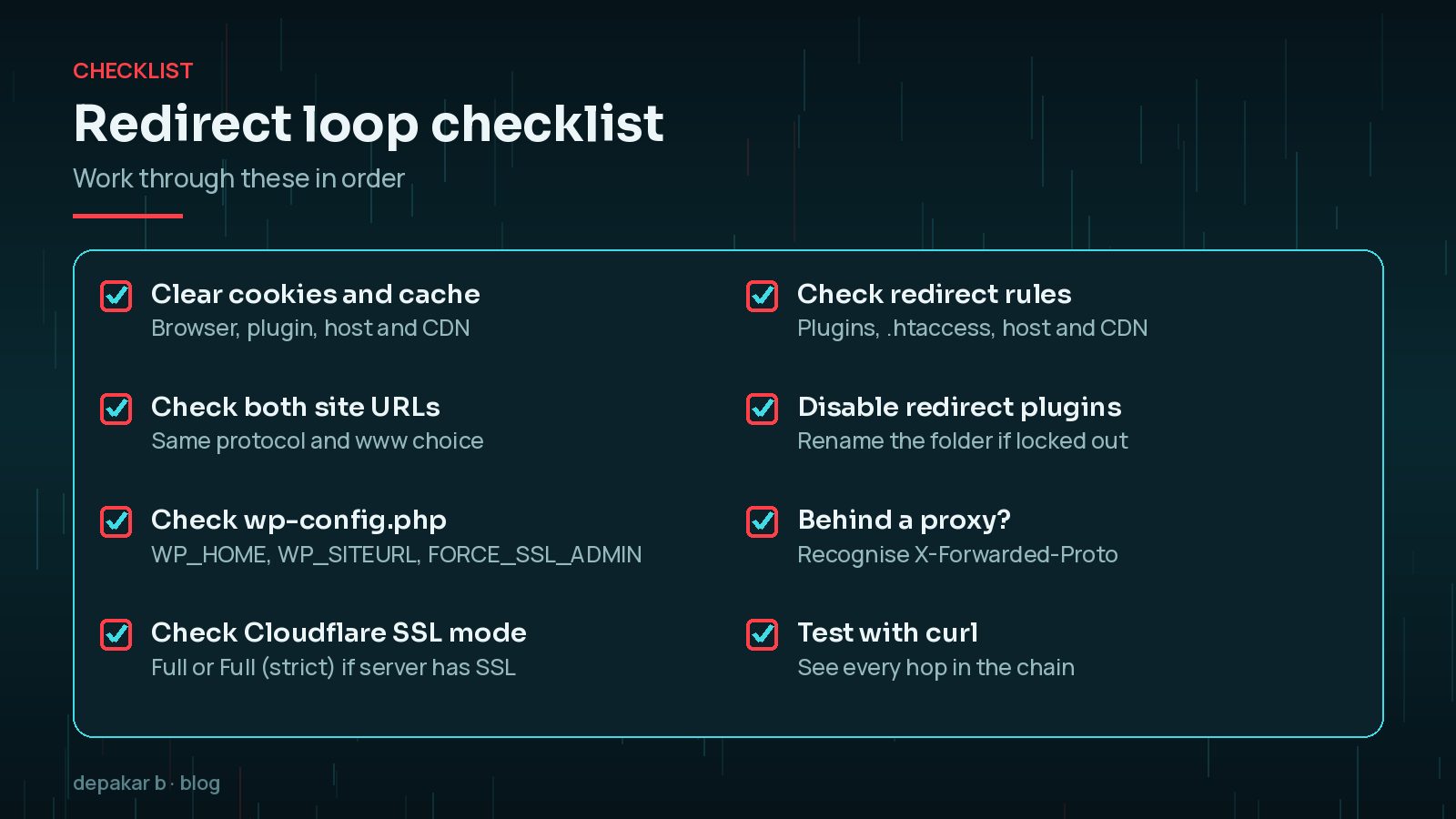
Your browser's developer tools can show the same in the Network panel with “Preserve log” switched on. If WordPress itself is redirecting, Query Monitor adds an HTTP header with the call stack for each redirect, which shows which plugin or function triggered it.
Test the variations too: http:// and https://, with and without www, the home page, an inner page and /wp-admin/. Each should reach its final address in as few hops as possible, ideally one.
Once the loop is fixed, make sure your remaining redirects are single, permanent hops. Google recommends server-side permanent redirects for pages that have moved for good; my guide to a website redesign without losing SEO covers redirect planning.
Frequently Asked Questions
What causes ERR_TOO_MANY_REDIRECTS in WordPress?
Usually two rules that disagree, such as Cloudflare's Flexible SSL sending HTTP to a server that forces HTTPS, mismatched WordPress and Site Address settings, or conflicting redirect plugins and server rules.
How do I fix a redirect loop without dashboard access?
Set WP_HOME and WP_SITEURL in wp-config.php, correct siteurl and home in the database after a backup, or rename a suspect plugin folder by SFTP to deactivate it.
Why does it only happen with Cloudflare switched on?
Often because the SSL/TLS mode is Flexible while your server also redirects to HTTPS. Switching to Full or Full (strict), with a certificate on the server, usually fixes it.
Why does wp-admin keep sending me back to the login page?
Common causes are stale cookies, logging in at a different address from the WordPress Address setting, or HTTPS settings behind a proxy. Clear cookies and check both address settings first.
Can a redirect loop hurt SEO?
Yes, if it lasts. Search engines cannot reach pages caught in a loop. Fix it quickly, then make sure remaining redirects are single, permanent hops.
Final Thoughts
Too many redirects in WordPress almost always comes down to two settings disagreeing. Clear caches, check that both site addresses match, align Cloudflare's SSL mode with your server, and make sure only one place forces HTTPS. Test each change with a tool that shows every hop. If your site is down and you need it back quickly, my site down recovery service can help.
Official References
Sources checked on 29 October 2026: