
WordPress schema markup is structured data added to your pages, usually as a block of JSON-LD, that describes what a page contains in a standard vocabulary from schema.org. It tells search engines that this page is an article by this author, that this business is at this address, or that this product has this price.
It is useful, but it is often oversold. This guide focuses on what actually matters for a small business site in 2026.
What Schema Does and Doesn't Do in 2026
Google describes structured data as a standardised way to provide information about a page and classify its content. That can make a page eligible for enhanced displays in search, known as rich results.
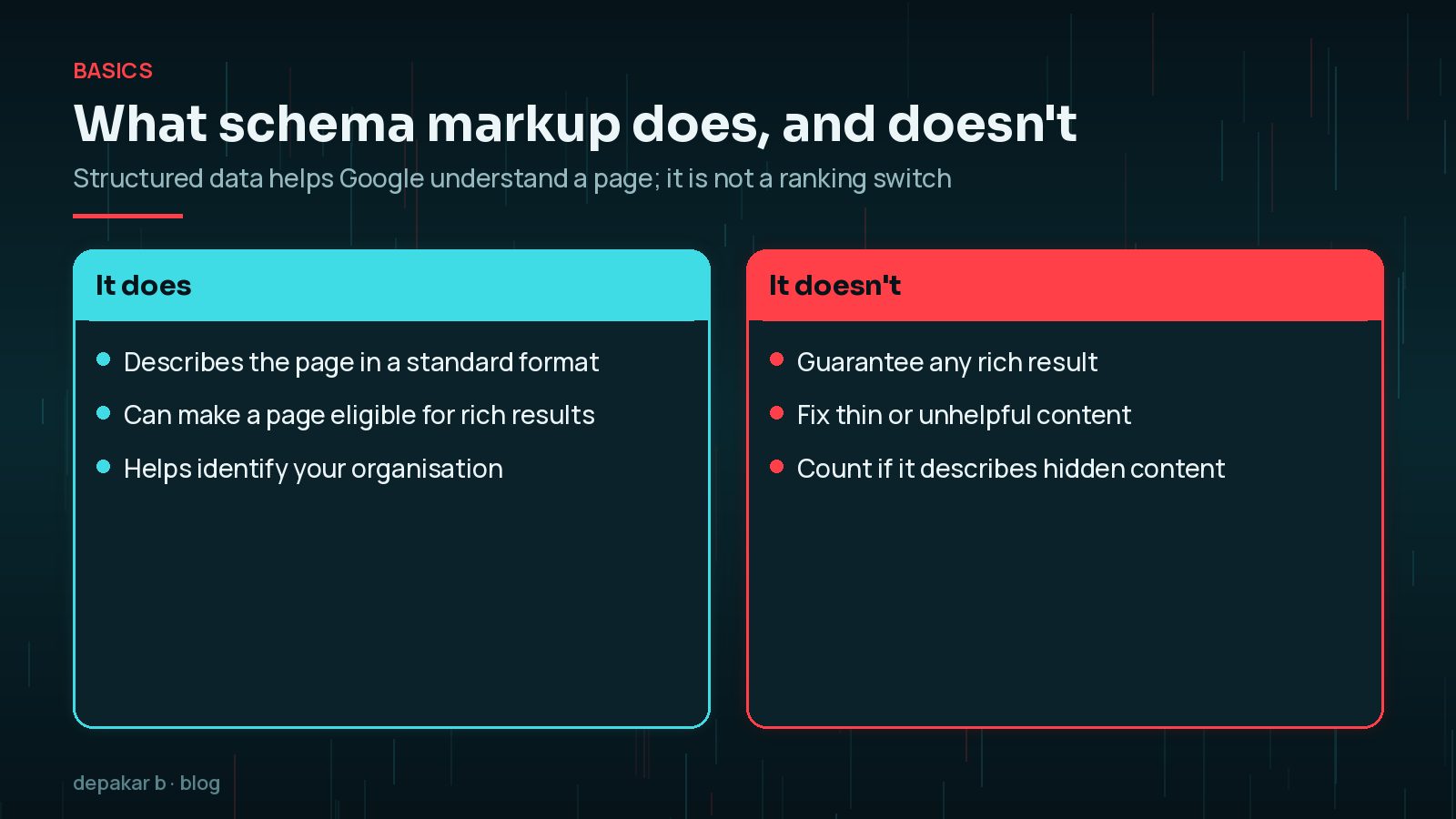
Google's guidelines are clear about the limits. Using structured data enables a feature to be present; it does not guarantee that it will be. Markup must also describe content that is visible on the page. Marking up hidden content, fake reviews or anything misleading can make a page ineligible for rich results.
So the aim is accuracy, not volume. Google's own advice is that fewer but complete and accurate properties are better than lots of incomplete ones.
Which Schema Types Matter for Small Business Sites
Most small business WordPress sites only need a handful of types. The Search gallery lists every feature Google currently supports, but you do not need most of them.
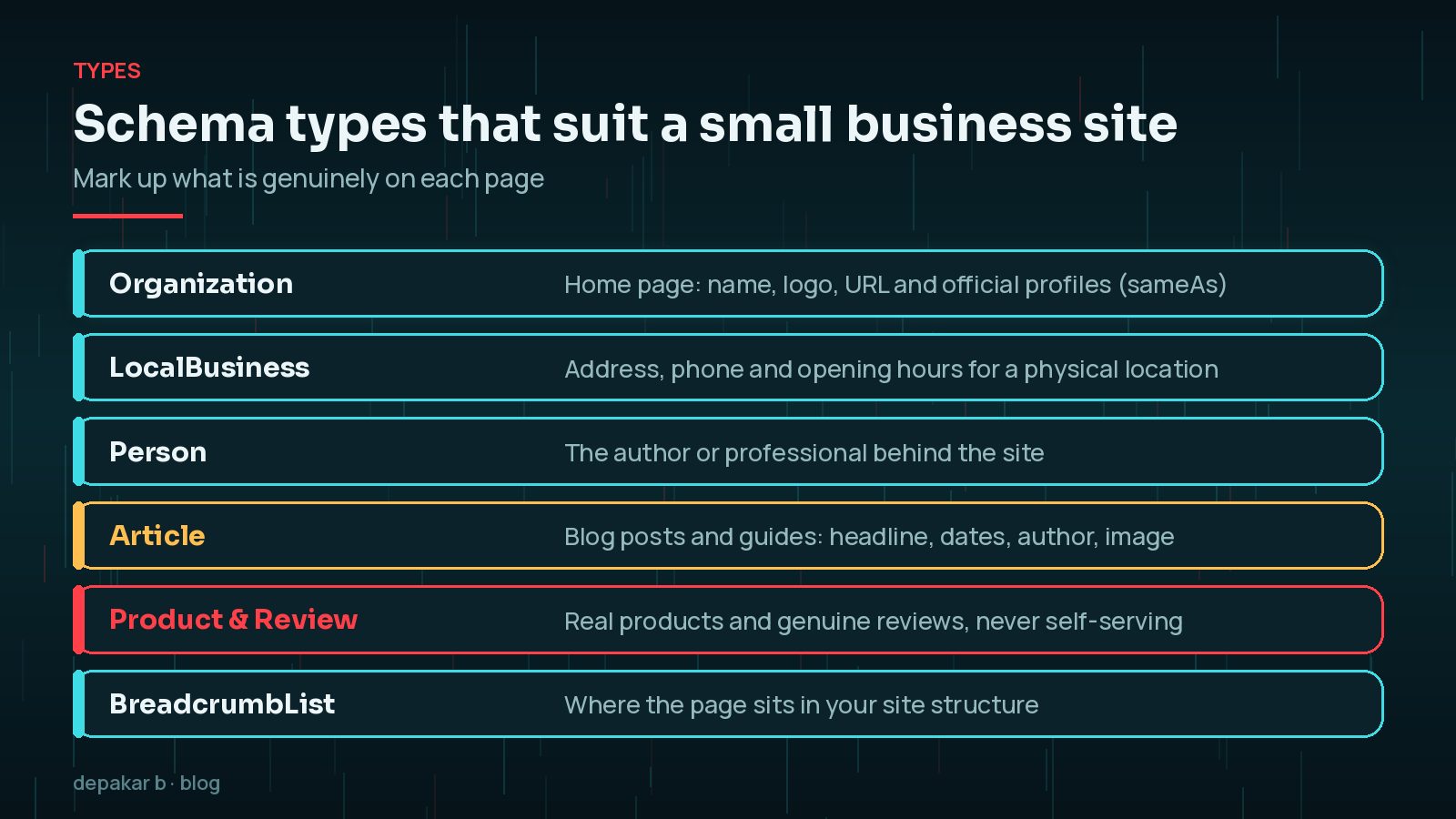
- Organization or LocalBusiness on the home page.
- Person for the author or professional behind the site.
- Article or BlogPosting on posts and guides.
- Product on genuine product pages.
- BreadcrumbList to show where a page sits in the site.
These cover identity, content and structure, which is what most service businesses need. Recipes, events or job postings only apply if you actually publish them.
Organisation, LocalBusiness and Person
Google says adding Organization structured data to your home page can help it understand your administrative details and tell your organisation apart from others. Some properties can influence visual elements, such as which logo appears.

- Organization: name, URL, logo and
sameAslinks to your official profiles. - LocalBusiness: for a physical location, add the address, phone number and opening hours, and make sure they match your Google Business Profile and the details on your contact page.
- Person: useful for consultants, freelancers and authors, connecting the person to the organisation and their articles.
For location-based businesses, my guide to local SEO for small business WordPress sites covers the rest of the local picture.
Article, Product and Review Markup
Article markup helps Google understand headlines, dates, images and authors on blog posts. Most SEO plugins add it automatically, so check that the author and dates are correct rather than adding a second copy.
Product markup suits real products with prices and availability, and WooCommerce often adds it for you. Keep prices and stock in the markup in sync with the page.
Review markup comes with a common trap. Google's review snippet guidelines say reviews for LocalBusiness and Organization are only supported on sites that capture reviews about other businesses. Stars for your own business, taken from testimonials on your own site, are self-serving and not eligible.
What Happened to FAQ and HowTo Rich Results?
This is the biggest recent change. According to Google's documentation updates, FAQ rich results stopped appearing in Google Search from 7 May 2026, and Google removed the FAQ rich result documentation in June 2026. The current Search gallery lists neither FAQ nor HowTo rich results.
Checked October 2026. If a plugin or article promises FAQ or HowTo rich results, it is out of date. FAQPage markup that matches visible questions does no harm, but it no longer earns that feature in Google Search. Write FAQs because they help readers, not for the snippet.

The wider lesson is that search features change. Accurate core markup, such as Organization, Article and BreadcrumbList, tends to stay useful. It also helps with understanding in newer search experiences, which I cover in getting cited in AI Overviews and AI Mode and my broader SEO, AEO and GEO guide.
WordPress Schema Markup: SEO Plugin vs Custom JSON-LD
Google generally recommends JSON-LD where your setup allows it, as the easiest format to implement and maintain. On WordPress you have two main routes.
- SEO plugin schema: most major SEO plugins output Organization, WebSite, Article and BreadcrumbList automatically. This is the right default for most sites. Fill in the organisation details, logo and social profiles in the plugin settings.
- Custom JSON-LD: useful for details the plugin does not cover, such as specific LocalBusiness properties, or for custom post types. Add it through a small custom plugin or the plugin's schema filters, not by pasting code into every page.
The risk is duplication. A theme, a page builder, WooCommerce and an SEO plugin can all output markup for the same thing. Two conflicting Organization blocks or two Article blocks with different authors confuse rather than help.
Testing and Fixing Errors
Always test after adding or changing markup, and test one URL from each template.
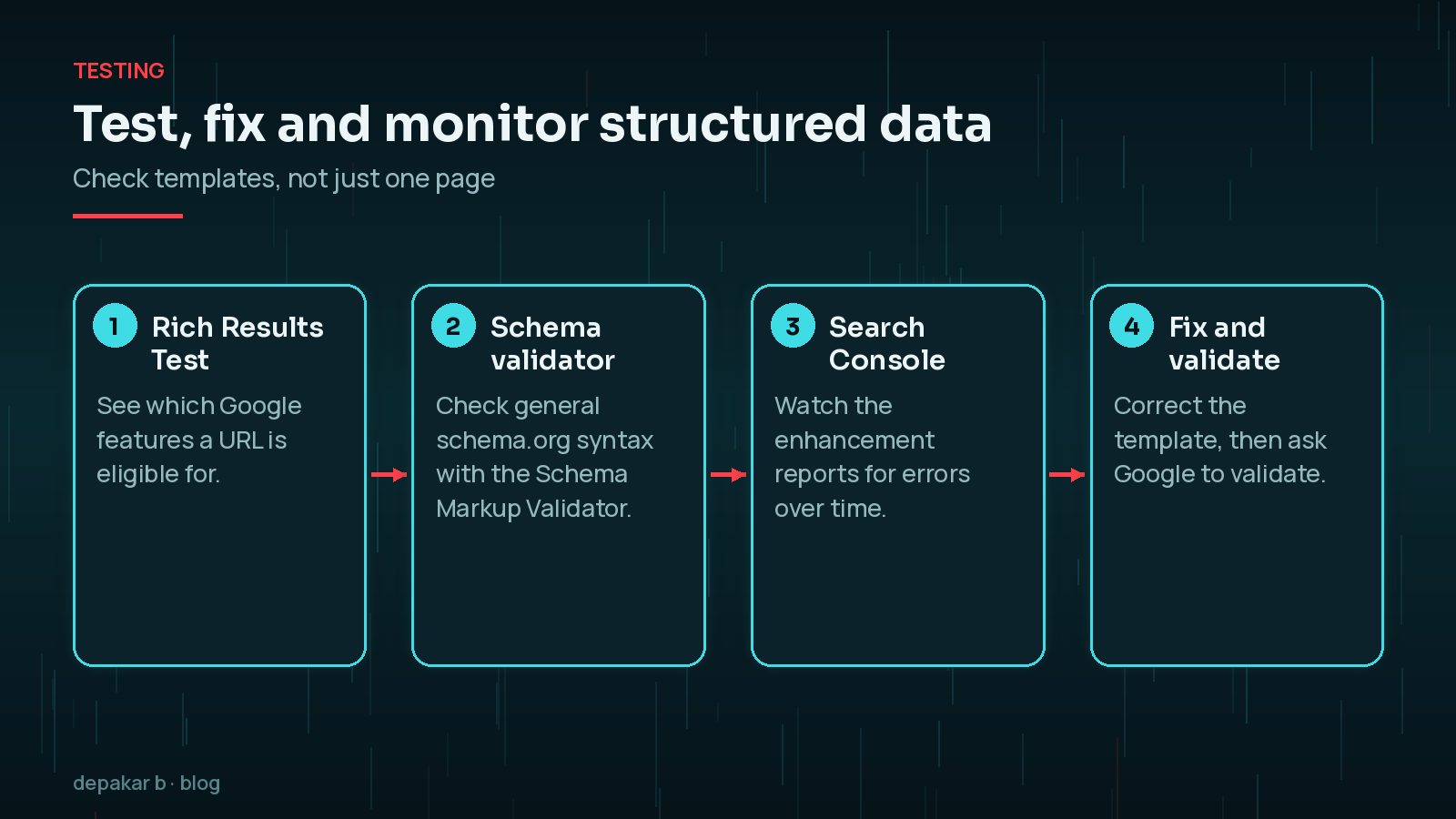
- Rich Results Test: shows which Google rich results a URL is eligible for, plus errors and warnings.
- Schema Markup Validator: checks general schema.org markup, including types Google does not use for rich results.
- Search Console: the enhancement reports track valid items and errors across the site over time.
- Fix the template, not individual pages, then use Validate fix in Search Console.
Errors on required properties stop eligibility for a feature. Warnings on recommended properties are worth fixing when the data exists, but never fill them with made-up values. My WordPress technical SEO checklist includes structured data alongside the other technical checks.
Frequently Asked Questions
Does schema markup improve rankings?
Structured data helps Google understand a page and can make it eligible for rich results. Google does not promise that markup will produce a rich result, and it is not a substitute for helpful content. Treat it as a way to describe your pages accurately.
Should I remove FAQPage markup now that FAQ rich results are gone?
There is no need to rush. Google stopped showing FAQ rich results in May 2026 and removed the documentation, so the markup no longer earns that feature in Google Search. Valid FAQPage markup that matches visible content is harmless, and other systems may still read it, but it should not be a reason to add FAQs.
Which format should I use for schema on WordPress?
Google says it generally recommends JSON-LD where your setup allows it, because it is the easiest to implement and maintain. Most SEO plugins output JSON-LD, and custom code can add it in the page head.
Can I add review stars to my own business pages?
Google's review snippet guidelines say LocalBusiness and Organization reviews are only supported for sites that capture reviews about other businesses or organisations. Reviews of your own business on your own site, known as self-serving reviews, are not eligible.
How often should I test my structured data?
Test after theme or plugin changes, after redesigns, and whenever Search Console reports new errors. Checking one URL per template is usually enough, because markup is generated by templates.
Final Thoughts
Good WordPress schema markup is accurate, modest and maintained. Describe your organisation, your people, your articles and your real products, let a single tool own each block, and test whenever templates change. Ignore promises of FAQ or HowTo rich results, which Google no longer shows.
If you would like your structured data audited and tidied up as part of a wider SEO review, my SEO improvement service covers it.
Official References
Sources checked on 29 October 2026:
- Introduction to structured data markup (Google Search Central)
- Structured data markup that Google Search supports (Search gallery)
- General structured data guidelines (Google Search Central)
- Latest Google Search documentation updates
- Getting started with schema.org
- Rich Results Test
- Schema Markup Validator