
If you run a plumber, café, clinic, salon or any other business that serves people in a particular area, local search is often where your best enquiries come from. This guide to local SEO for WordPress walks through what Google actually looks at, and the practical changes you can make on your site and profile.
Local SEO for WordPress: How Local Results Are Ranked
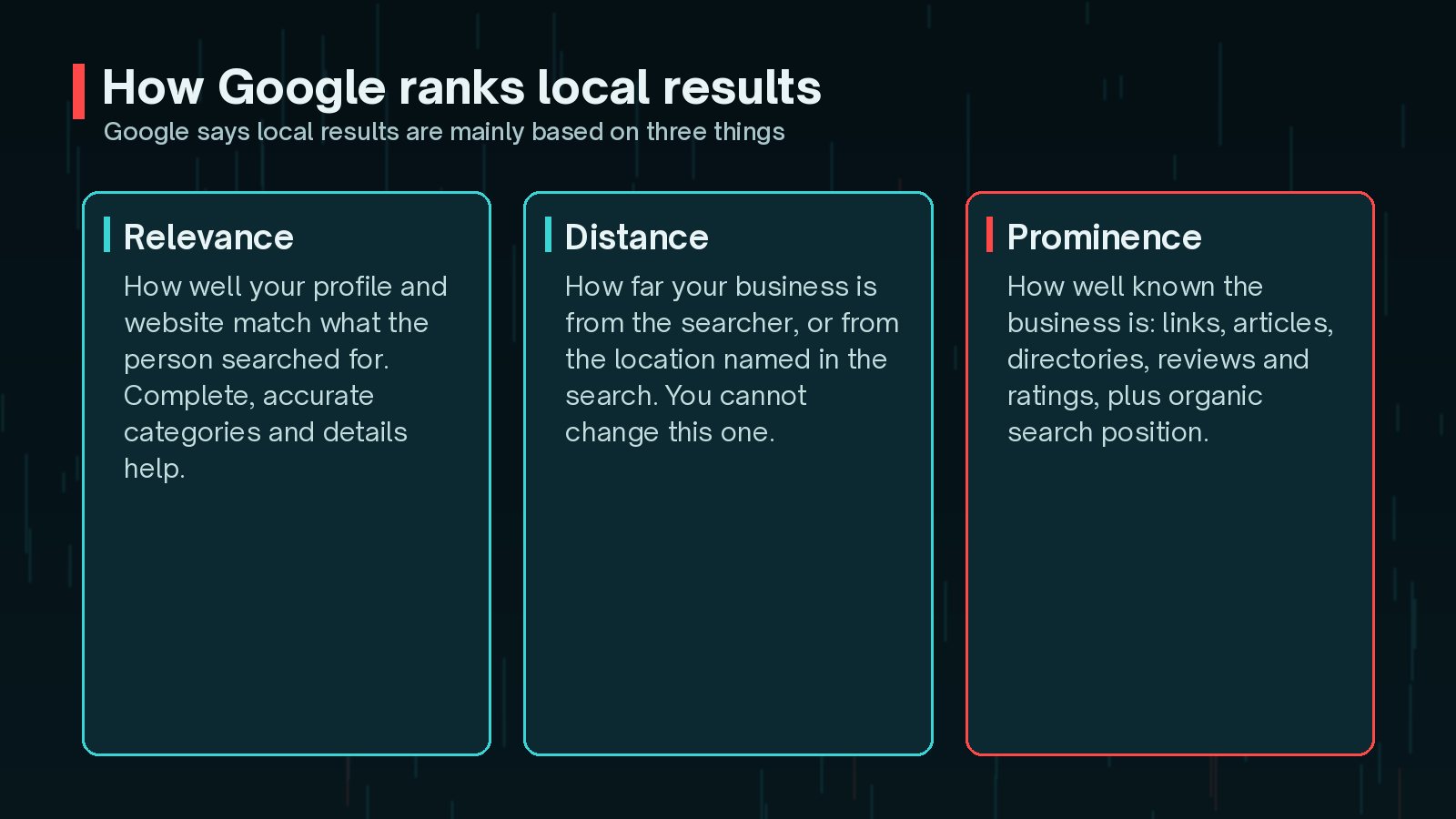
Google's Business Profile help centre is unusually clear about this. Local results are mainly based on three things:
- Relevance: how well your profile matches what the person searched for.
- Distance: how far your business is from the searcher, or from a location named in the search.
- Prominence: how well known your business is. Google mentions links, articles and directories, plus the number of reviews and your ratings. Your position in ordinary web results also plays a part.
You cannot move your shop closer to every customer, so focus on the other two. Google also states plainly that there is no way to request or pay for a better local ranking. Anyone who promises guaranteed map pack positions is guessing.
Your WordPress site feeds into both relevance and prominence. Clear service pages help Google understand what you do, and a well - built site earns the links and mentions that make a business better known.
Linking Your Google Business Profile and Website
Your Business Profile and your website should support each other. Start with the profile:
- Verify the business, so you can manage the profile and it is more likely to be shown.
- Choose the most accurate primary category, and only add extra categories that genuinely apply.
- Fill in your address or service area, phone number, hours, website and attributes completely.
- Add real photos of your premises, team at work (with permission) or finished projects.

Then point the profile's website link at the most relevant page. For a single-location business that is usually the homepage. For several locations, link each profile to its own location page, so visitors land on the right address and hours straight away.
On the WordPress side, make sure your contact page and footer show the same details as the profile, and that the site loads well on a phone. Many local searches happen on mobile, often by someone ready to call or visit.
NAP Consistency: Name, Address and Phone
NAP stands for name, address and phone number. Google asks you to keep your business information accurate and complete, and that is far easier when you keep it identical everywhere.

A practical NAP routine:
- Write down one master version of your business name, address and main phone number.
- Use it on your Business Profile, website footer, contact page and schema markup.
- Update your main directory and social listings to match, especially after a move or a new number.
- Use your real trading name. Do not add keywords to the business name on your profile.
In WordPress, keep NAP in one place if you can: a site-wide footer widget or block, a theme option, or your SEO plugin's local settings. That way one change updates every page, rather than leaving an old address on a forgotten template.
Location and Service-Area Pages That Aren't Thin
Location pages can help when you serve distinct areas or have several branches. They can also do harm when they are copies of each other with the town name swapped. Pages like that offer little value, and Google's spam policies describe doorway pages created to rank for similar searches.
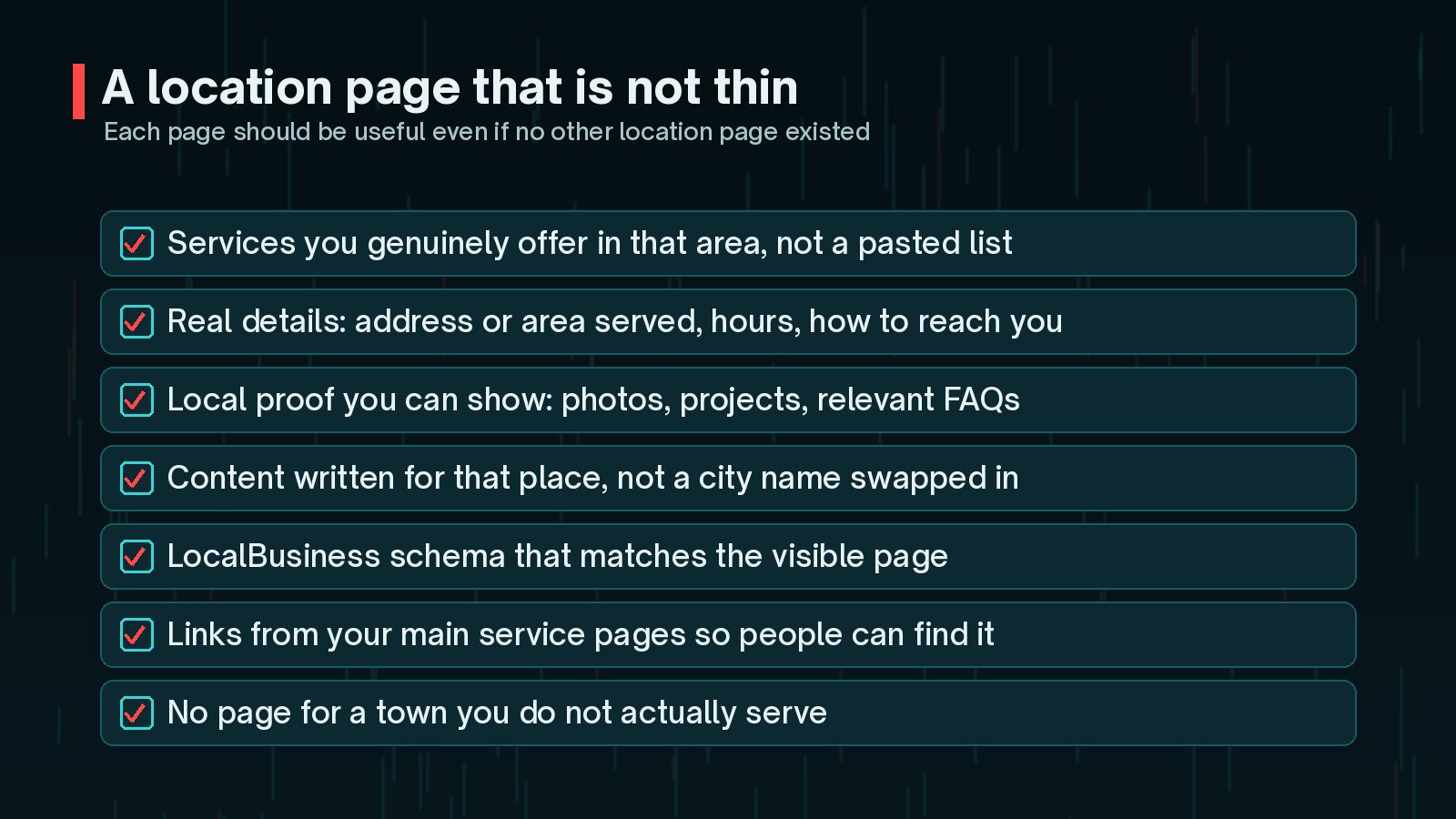
A good test is simple: would this page still be useful if it were the only one on the site? Google's SEO Starter Guide makes the same point in a broader way, recommending content that is helpful, reliable and written for people.
Ideas for content that makes a location page worth reading:
- Which services you offer there, and any that you do not.
- Opening hours, parking, access or the areas a mobile service covers.
- Photos and short write-ups of real local projects, with the client's permission.
- Answers to questions people in that area actually ask you.
Do not create pages for places you do not serve. A page for every nearby suburb, with no real presence or service there, is the kind of scaled, low-value content that can hurt the whole site rather than help it.
LocalBusiness Schema on WordPress
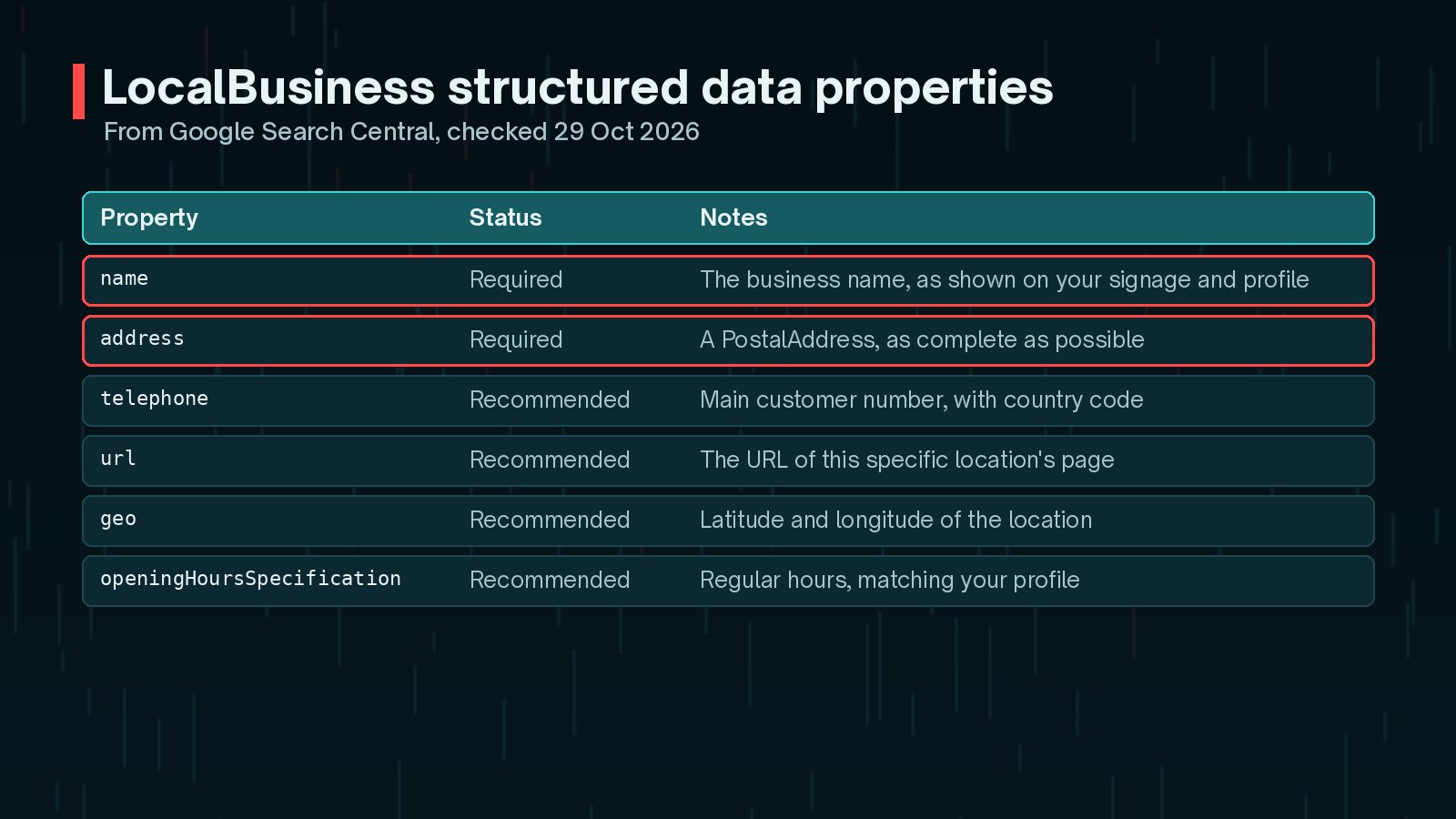
Structured data helps Google understand your business details. According to Google Search Central, the only required properties for LocalBusiness markup are name and address. Recommended properties include telephone, url, geo and openingHoursSpecification.
Google also recommends using the most specific LocalBusiness subtype that fits, such as Dentist or Restaurant. A trimmed example in JSON-LD:
{
        "@context": "https://schema.org",
        "@type": "Plumber",
        "name": "Example Plumbing",
        "address": {
          "@type": "PostalAddress",
          "streetAddress": "12 High Street",
          "addressLocality": "Exampletown",
          "postalCode": "EX1 2AB",
          "addressCountry": "GB"
        },
        "telephone": "+44 1234 567890",
        "url": "https://example.com/"
      }
On WordPress you can add this through an SEO plugin's local business settings or a small custom snippet. Either way, the details must match what visitors can see on the page and on your profile. After publishing, test the page with the Rich Results Test and use URL Inspection in Search Console to check what Google can read. I cover schema more broadly in my WordPress schema markup guide.
Reviews and How to Show Them
Reviews matter for prominence. Google's help page says more reviews and positive ratings can improve your local ranking, and suggests responding to reviews. Replying shows customers you are listening, and it is a good habit on its own.
- Ask happy customers for a review at a natural moment, such as when a job is finished.
- Make it easy with a direct link to your profile's review form.
- Reply to every review, good or bad, briefly and politely.
- Never buy reviews, write your own or offer rewards in exchange for positive ones.
On your website, you can show genuine reviews or testimonials to reassure visitors. Be careful with markup, though. Google's review snippet rules treat reviews about your own business, published on your own site, as self-serving, and they are not eligible for star rich results. Show them for people, not for stars in search.
Tracking Local Search Performance
You cannot improve what you do not measure. A simple tracking set-up works for most small businesses:
- Business Profile performance: searches, calls, direction requests and website clicks from your profile.
- Search Console: clicks and impressions for local queries, such as your service plus your town.
- UTM tags: add tracking parameters to the website link on your profile, so analytics can separate profile visits from other organic traffic.
- Enquiries: ask new customers how they found you, and note it.
Look at monthly trends rather than daily rankings. Local results vary with the searcher's location, so a rank checker from a different town tells you little. If visibility stalls, the fundamentals in my guide to technical SEO improvements that matter are a good place to look next, and my SEO, AEO and GEO guide explains how AI search features fit in.
Frequently Asked Questions
Can I pay Google to rank higher in local results?
No. Google's Business Profile help page says there is no way to request or pay for a better local ranking. Ads can appear alongside local results, but they are labelled as ads and do not change your organic local position.
Do I need a separate page for every town I serve?
Only where you have something genuinely useful to say about that area. A handful of strong pages for the places you really serve usually beats dozens of near-identical pages with a town name swapped in.
Which WordPress plugin should I use for LocalBusiness schema?
Many SEO plugins can output LocalBusiness markup, and a small custom snippet works too. What matters is that the markup matches the visible page and your Business Profile, and that it passes the Rich Results Test.
Can I add review stars about my own business with schema?
Google's review snippet guidelines treat reviews a business publishes about itself as self-serving, and they are not eligible for star rich results. You can still show genuine reviews on the page for visitors.
How long does local SEO take to work?
There is no fixed timeline. Fixing incorrect details can help fairly quickly once Google recrawls them, while prominence, such as reviews and links, builds over months. Track trends rather than daily changes.
Final Thoughts
Local SEO for WordPress is not a trick or a single plugin. It is a verified, complete Business Profile, consistent details everywhere, location pages that genuinely help, accurate schema and a steady flow of honest reviews. Get those right, keep them up to date, and measure what changes.
If you would like help auditing your local presence or setting this up properly on WordPress, my SEO improvement service covers it from start to finish.
Official References
Sources checked on 29 October 2026: