
When a site is hacked, owners want two things quickly: the problem gone, and a sense of what it will cost. WordPress malware removal cost varies widely, and that is not just sales talk. One hacked site may need an hour of careful work; another may need days of investigation across several sites, a database and a server.
Rather than quoting figures that would be wrong for most sites, this guide explains what changes the amount of work, when a do-it-yourself clean-up is reasonable, what a proper clean-up should include, and what to ask before you hire anyone.

Why WordPress malware removal cost depends on the situation
“My site is hacked” can mean a single injected script in one theme file, or a full compromise with hidden administrator accounts, backdoors in several folders, spam pages in the database and a server account used to attack other sites. From the outside, both can look the same: a warning, a redirect or some odd pages in Google.
A provider only knows the real scope after investigating. That is why many quote a starting price with conditions, or charge for an initial assessment. A fixed price that seems low may cover only an automated scan, while a higher quote may include finding the entry point and preventing a repeat.
Factors: infection depth, site size, backups
These are the things that change how long a clean-up takes:
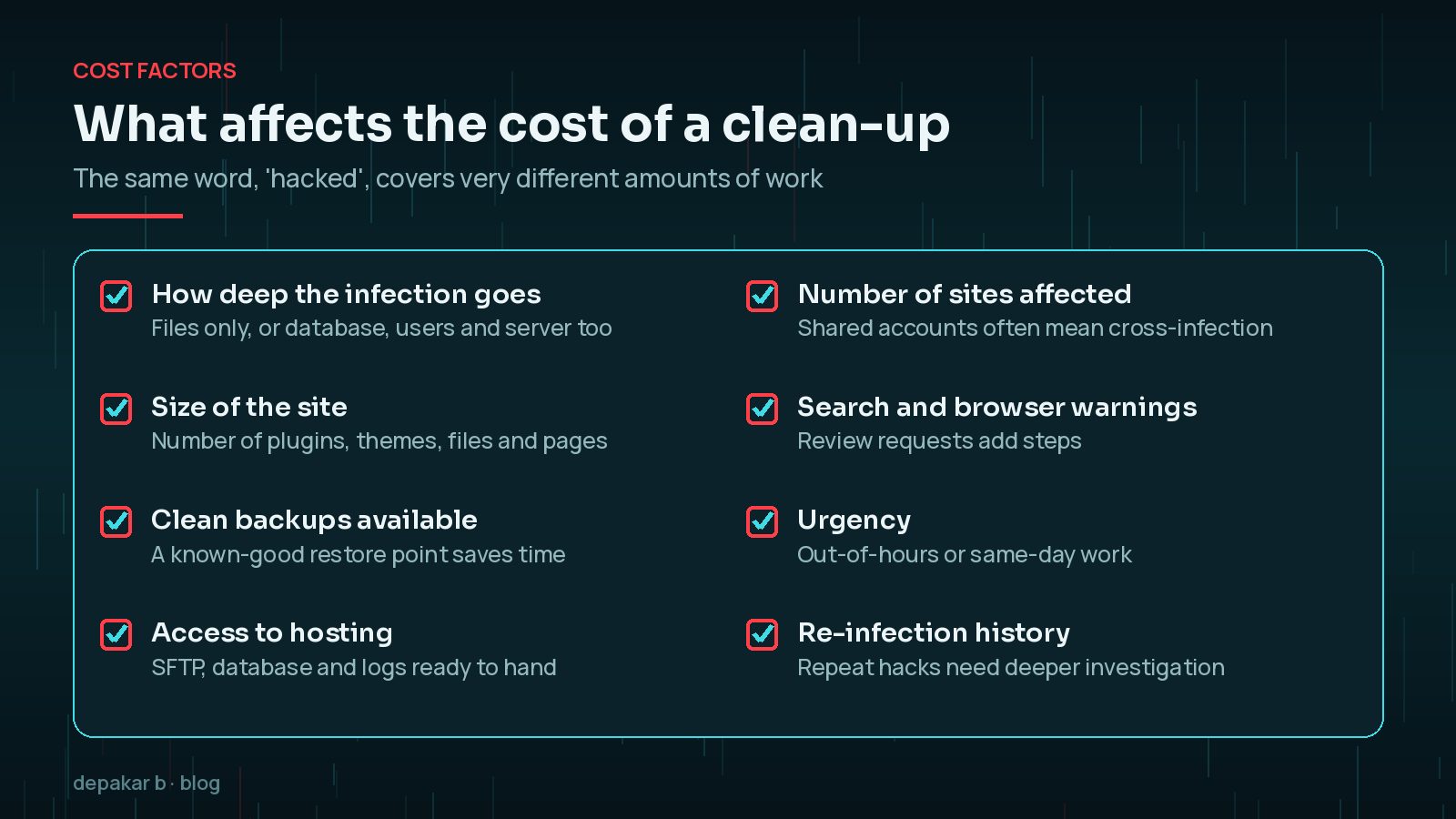
- Infection depth: malware limited to files is quicker to deal with than malware spread across the database, user accounts, scheduled tasks and server configuration.
- Site size: more plugins, themes, uploads and pages mean more to compare against clean copies.
- Backups: a recent backup from before the hack is valuable, but only if you know it is clean and the entry point is then closed.
- Access: work moves faster when SFTP, database and hosting log access are ready.
- Several sites: on shared hosting, one compromised site can infect others in the same account, so each needs checking.
- Repeat infections: if the site has been “cleaned” before and the problem came back, the entry point was probably missed.
Blacklist removal and reputation clean-up
Cleaning the files is only part of the job if Google or browsers are already warning visitors. Google's Search Console Security issues report lists the problems it has found, with example URLs. Once the site is clean, you request a review from that report and describe what you fixed.
Other systems may also have flagged the site, such as email blocklists if the server sent spam. Each adds steps to the job. My guide to removing Google's dangerous site warning walks through the review process.
DIY clean-up vs hiring help
A do-it-yourself clean-up costs only your time, and for some sites it is reasonable. For others, it risks leaving a backdoor behind.
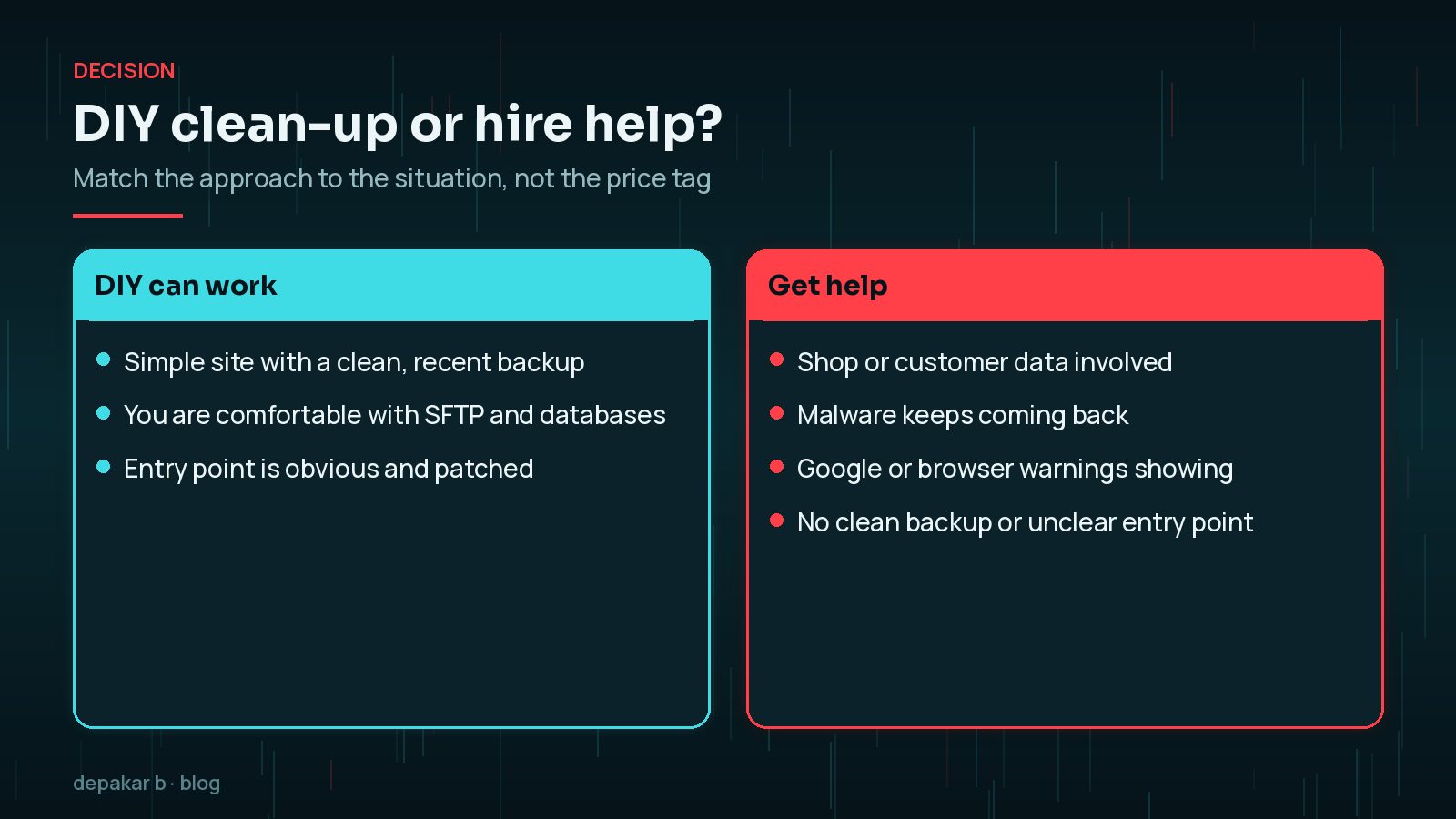
A security plugin scan is a useful starting point, but scanners look for known patterns. They can miss obfuscated code, database injections and the original way in. If you go the DIY route, follow a structured process such as my guide on how to clean a hacked WordPress site and the WordPress malware cleanup checklist.
Whichever route you choose, count the cost of downtime too. A shop that cannot take orders, or a site showing a warning to every visitor, loses money and trust each day the problem continues.
What a proper clean-up should include
Whether you do it yourself or hire someone, a thorough clean-up covers more than deleting suspicious files.
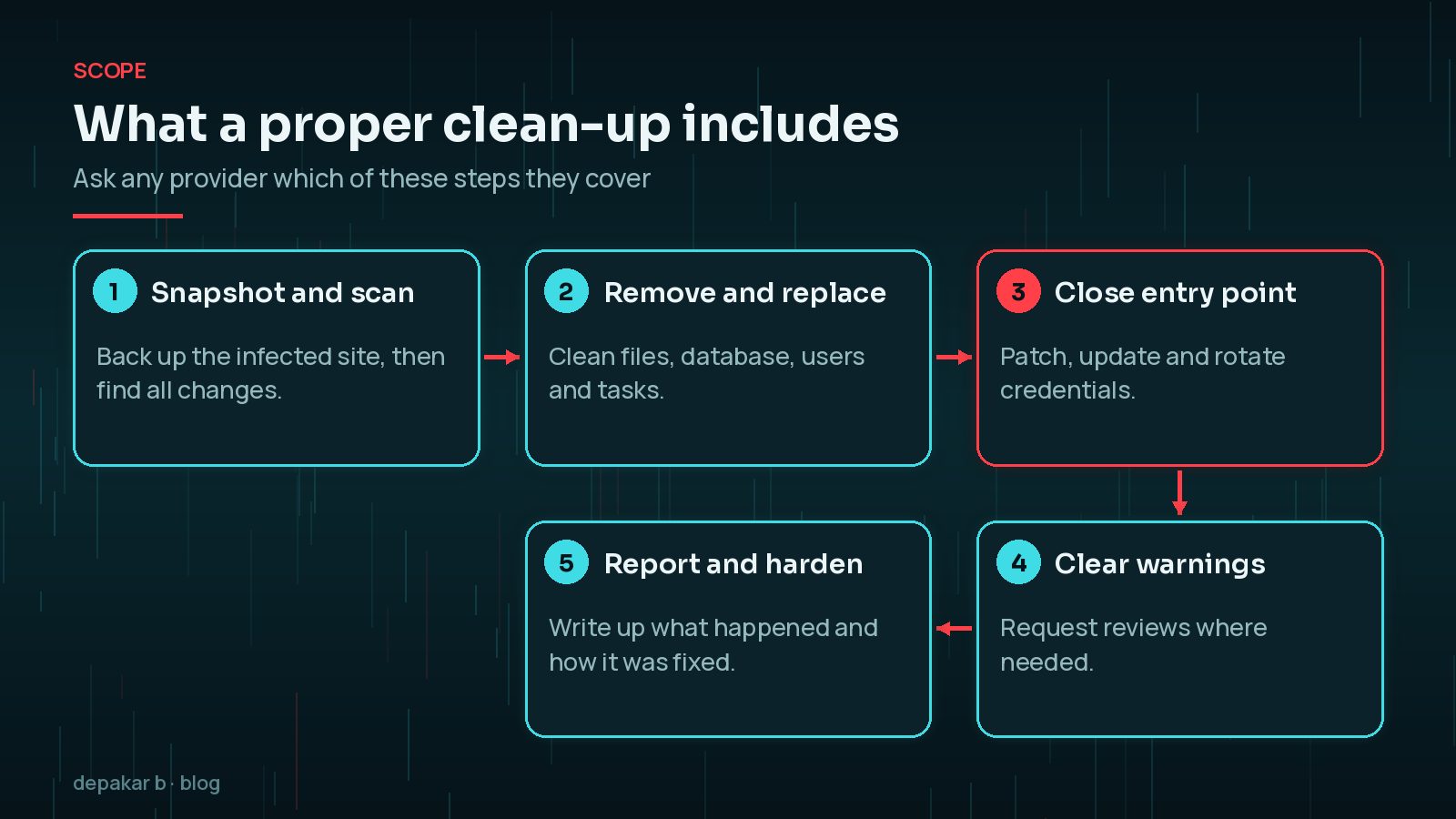
- A backup or snapshot of the infected site before changes, for evidence and rollback.
- Replacing WordPress core, plugins and themes with clean copies from official sources.
- Checking the database for injected scripts, spam content and rogue administrator accounts.
- Finding and closing the entry point, then rotating passwords and security keys.
- Requesting reviews where Google or others have flagged the site.
- A short written report explaining what was found and what was done.
Ongoing protection after the clean-up
A clean-up without protection is often followed by another hack. The WordPress hardening guide covers the essentials: keep everything updated, use strong unique passwords, limit administrator accounts, and disable the built-in file editor.

The US Cybersecurity and Infrastructure Security Agency's guidance for small businesses puts multi-factor authentication high on the list, especially for administrator accounts. Add regular off-site backups and monitoring, and you reduce both the chance of another hack and the cost if one happens. My guide to WordPress security hardening after a hack goes into more detail.
Questions to ask before hiring
These questions help you compare providers fairly:
- Do you find and close the entry point, or only remove the malware you find?
- Do you check the database, users and scheduled tasks as well as files?
- Is requesting a Google review included if there is a warning?
- What happens if the malware returns within a set period?
- Will I get a written report of what was found and fixed?
- What access do you need, and how will you handle my credentials?
Also ask how they will communicate during the work. A hacked site is stressful, and regular, plain-English updates on what has been found and what happens next are worth a lot. Agree in writing what is included, the expected timeline and how any extra work will be approved before it starts.
Clear answers matter more than the lowest price. A cheap clean-up that misses a backdoor often ends up costing more in the long run.
Frequently Asked Questions
How much does WordPress malware removal cost?
It depends on the situation: how far the infection has spread, the size of the site, whether clean backups exist, how many sites are affected and whether Google warnings need clearing. Ask for an itemised quote after an initial assessment.
Is a security plugin enough to remove malware?
A scanner can find and remove known malware, but it can miss obfuscated code, database injections and the entry point. Use it as one tool in a structured clean-up rather than the whole job.
Can I just restore a backup instead of paying for a clean-up?
Restoring a clean backup can work, but you also need to close the entry point and rotate credentials, otherwise the attacker can get back in the same way.
Why do some providers charge for an assessment first?
The real scope of a hack is only clear after investigation. An assessment lets the provider see how deep the infection goes before committing to a price.
Does a clean-up remove the Google warning automatically?
No. Once the site is clean, you need to request a review in Search Console's Security issues report. Google then checks the site before removing the warning.
Final Thoughts
WordPress malware removal cost depends on how deep the infection goes, how big the site is, whether clean backups exist, and whether search warnings need clearing. Compare quotes on what they include, especially the entry point and follow-up protection, rather than on the headline price alone. If your site has been hacked and you want it handled properly, my hacked site recovery service covers the full clean-up and a written report.
Official References
Sources checked on 29 October 2026: