
The question is rarely whether a site needs looking after. It is who does it, how thoroughly and how quickly. That is what you are really paying for. This guide breaks down WordPress maintenance cost into the factors behind it, so you can match a plan to your site instead of buying more or less than you need.
Do You Actually Need a Maintenance Plan?
Not every site needs a paid plan. A small brochure site with a handful of plugins, edited rarely, can often be maintained by its owner with a little discipline. A plan becomes more valuable as the stakes rise.
You probably need one if:
- The site brings in leads, bookings or sales every week.
- You run WooCommerce, memberships or important integrations.
- There is custom code that a plugin update could break.
- Nobody on your team has the time or skill to test updates and restore backups.
- An outage of a day would cost more than a few months of maintenance.
If you are unsure what a plan should contain, my guide to what a WordPress maintenance plan should include lists the essentials.
What Drives WordPress Maintenance Cost
Two plans with the same name can involve very different amounts of work. These factors explain most of the difference.
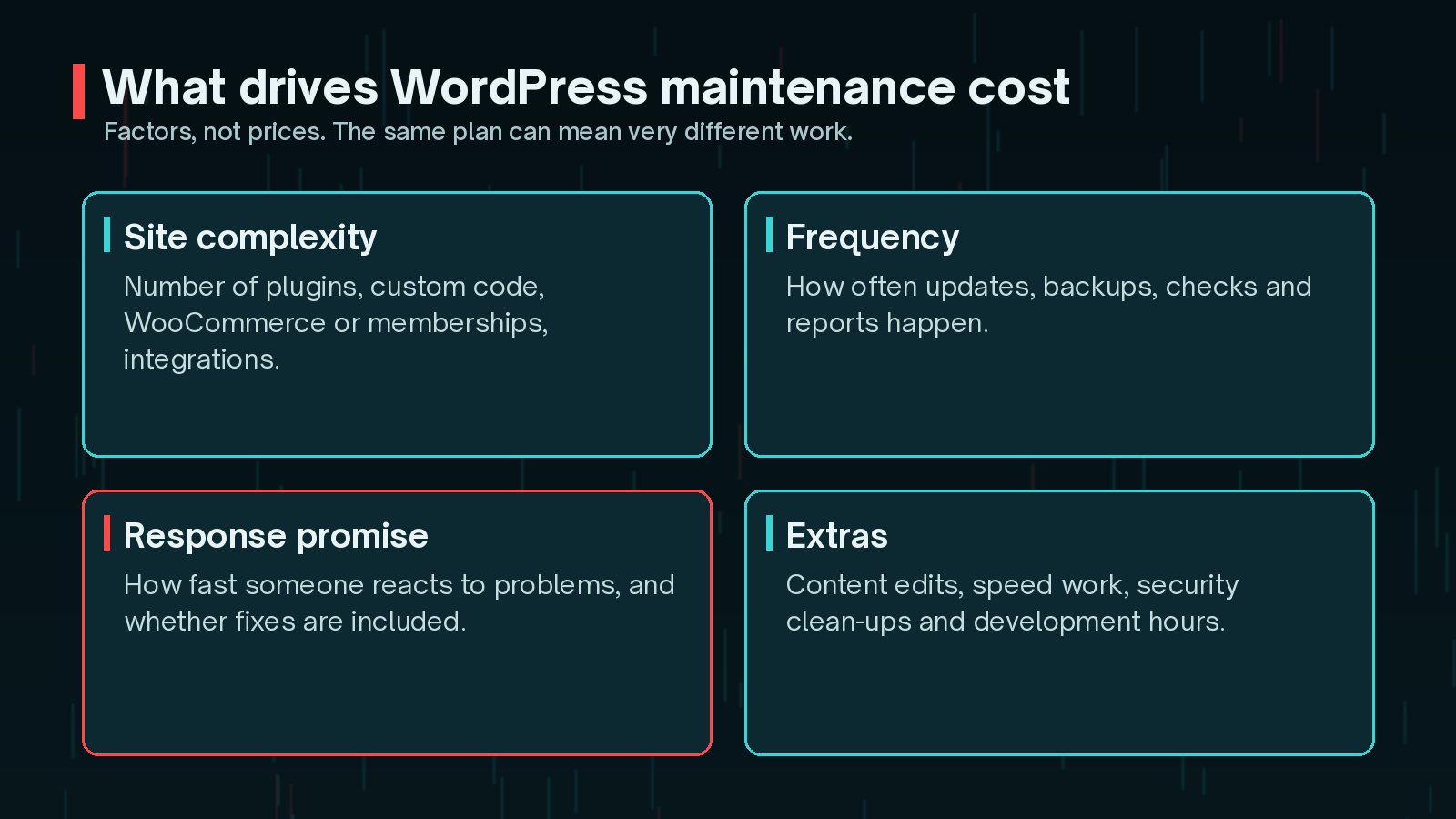
- Site complexity: more plugins, custom code, WooCommerce and integrations mean more to update, test and fix.
- Frequency: daily backups and weekly updates take more effort than monthly ones.
- Response promise: a guaranteed fast response to problems, especially outside office hours, costs more to provide.
- What is included: some plans include fixes and small changes, others charge separately.
- Extras: content edits, speed checks, security clean-ups and development hours.
For how maintenance fits into the total cost of owning a site, see my article on WordPress website cost factors.
Updates, Backups and Monitoring
These three tasks are the core of any plan.
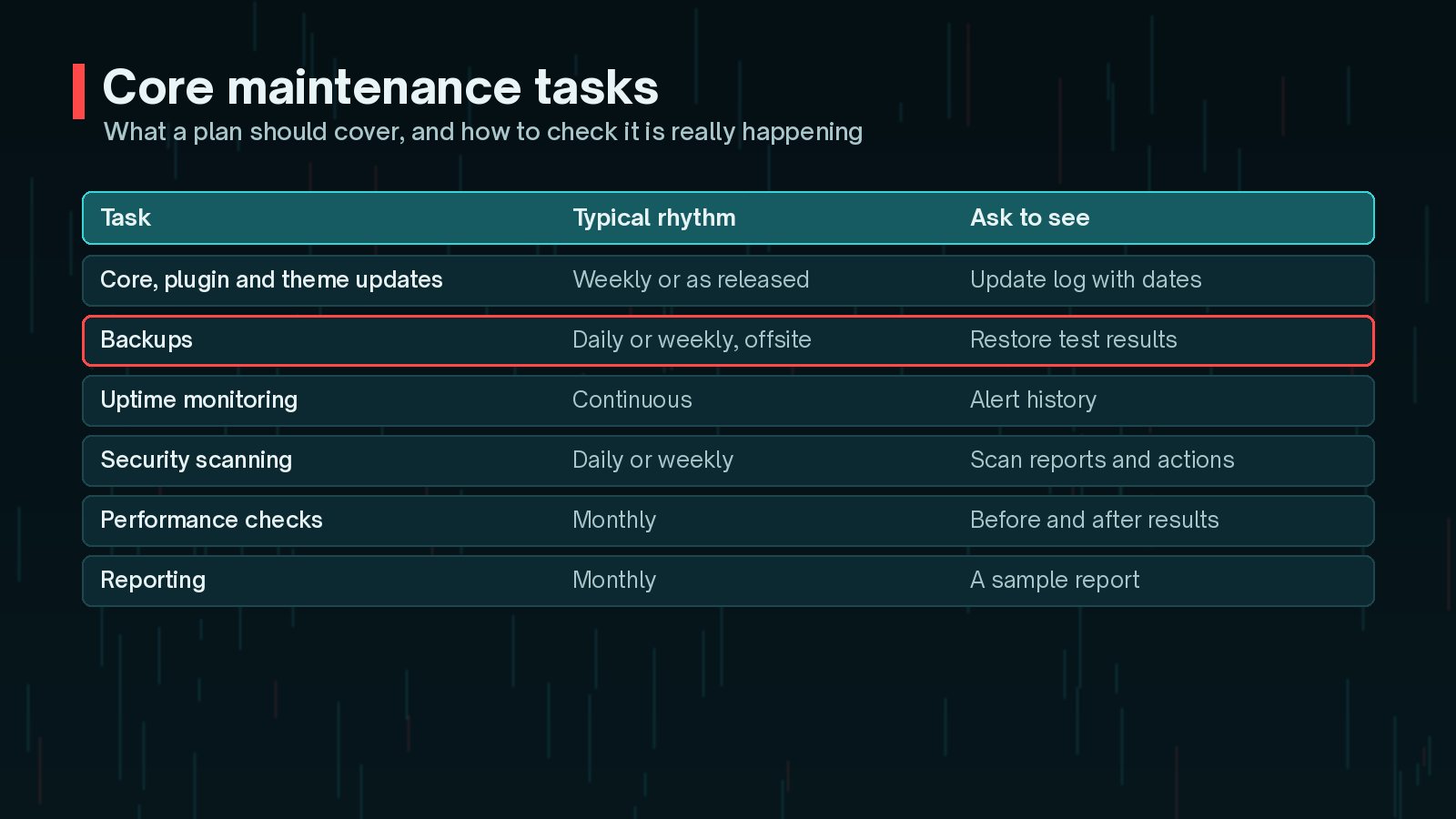
Updates. WordPress has offered automatic updates for plugins and themes since version 5.5, with email notifications when they run. Turning them on is easy. The work a provider adds is testing: checking key pages, forms and checkout after updates, ideally on staging first, and rolling back when something breaks. My guide on whether to turn auto-updates on or off explains the trade-offs.
Backups. WordPress's backup documentation recommends regular backups, always before upgrades, stored in more than one location, and occasional checks that they actually work. A plan should include offsite copies and restore tests, not just a backup plugin. My WordPress backup strategy guide covers this in detail.
Monitoring. Uptime monitoring tells someone quickly when the site goes down. Good plans also watch for expiring SSL certificates, failing scheduled tasks and sudden slowdowns.

Security Scanning and Response
Security work splits into prevention and response, and plans differ a lot on the second part.
- Prevention: keeping software updated, removing unused plugins and themes, enforcing strong passwords and two-factor authentication, and limiting administrator accounts.
- Scanning: regular checks for malware, changed files and known vulnerable plugins.
- Response: what happens when something is found. Is clean-up included, or charged separately? Who tells you, and how fast?
Ask what happens after the alert. Many plans include scanning but not clean-up. If your site is hacked, the clean-up is usually the expensive part, so find out in advance whether it is covered.
Emergency Support and Response Times
When a site breaks, the speed of the response matters more than almost anything else in the plan.

- Response time: how quickly someone acknowledges the problem.
- Resolution: whether fixing the problem is included, or only diagnosing it.
- Hours: office hours only, extended hours or around the clock.
- Channels: email, phone, chat or a ticket system.
Faster and longer coverage costs more, because someone has to be available. Choose the level that matches what an outage would cost your business.
DIY vs Host-Managed vs Developer
There are three common ways to handle maintenance, and many sites combine them.
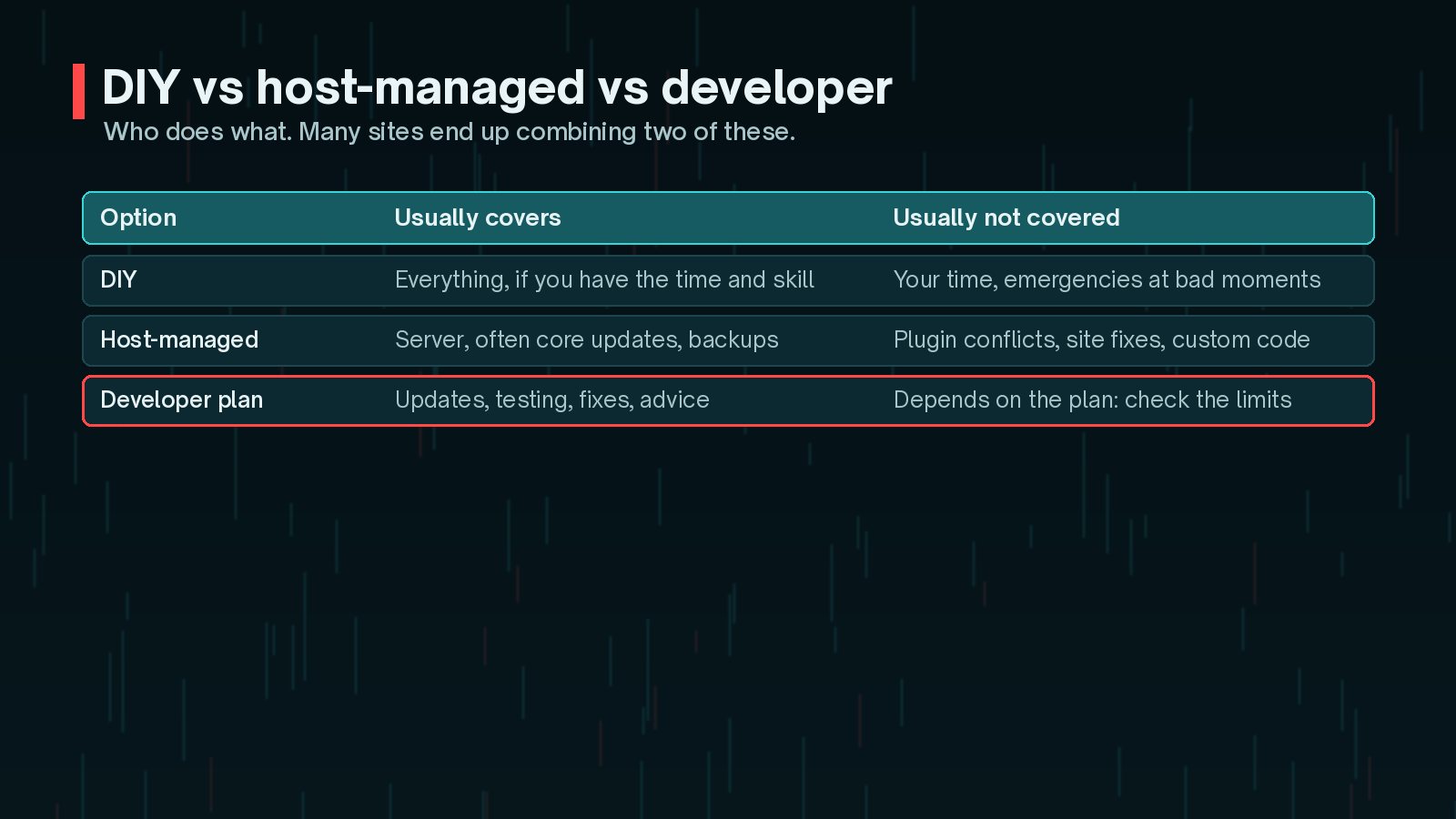
- DIY: costs your time rather than money. It works if you have the skills, follow a routine and can handle a problem at an awkward moment.
- Host-managed: hosts look after the server and often add backups and core updates. Plugin conflicts and custom code are usually outside their scope. WordPress.org keeps a list of recommended hosts if you are reviewing yours.
- Developer or agency plan: covers the site itself: updates with testing, fixes, advice and improvements. The exact limits depend on the plan.
How to Compare Plans Fairly
Put each option side by side and compare like with like:
- Which tasks are included, and how often each one runs.
- Whether updates are tested, and on staging or live.
- Where backups are stored, how long they are kept and whether restores are tested.
- What response time is promised, during which hours.
- Whether fixes and security clean-ups are included or extra.
- How many hours of changes are included, and what extra time costs.
- What you receive each month as proof: reports, logs, results.
- How you leave: notice period, and whether you keep your backups and access.
Keep your own access. Whoever maintains the site, make sure you always hold administrator access, hosting and domain logins, and a recent backup of your own. Never let a provider be the only one who can get in.
Frequently Asked Questions
How much should WordPress maintenance cost?
There is no single right figure. It depends on how complex the site is, how often tasks run, how fast problems are handled, whether fixes are included and what extras you want. Compare plans by what they actually do, not just the monthly price.
Can I just turn on auto-updates instead of paying for maintenance?
Auto-updates help, and WordPress has offered them for plugins and themes since version 5.5. But they do not test that the site still works afterwards, check backups can be restored, or fix problems. For a simple site that may be enough; for a business-critical one it usually is not.
Does my host already maintain my WordPress site?
Hosts usually look after the server, and many add backups or core updates. Most do not test plugin updates against your site, fix conflicts or work on your custom code. Check your host's plan details to see exactly what is included.
What is the difference between a maintenance plan and a support retainer?
A maintenance plan covers routine work such as updates, backups, monitoring and reports. A retainer usually adds a set amount of development or support time each month for changes and fixes. Many providers combine the two.
How do I know my maintenance provider is doing the work?
Ask for regular reports: update logs, backup and restore-test results, uptime and security alerts, and any issues found and fixed. If a provider cannot show you this, treat it as a warning sign.
Final Thoughts
WordPress maintenance cost comes down to the work involved: how complex your site is, how often tasks run, how fast problems are handled and what is included when something goes wrong. Decide how much an outage would cost you, choose the level of care to match, and compare plans by what they actually do and prove.
If you want updates tested, backups checked and problems handled by someone who knows your site, my website maintenance service is built around exactly that.
Official References
Sources checked on 29 October 2026: