
On most WordPress sites I look at, images are still the easiest speed win. Good WordPress image optimisation is less about a magic plugin and more about a few habits: the right size, the right format, sensible compression, and letting WordPress do the work it already does well.
This guide covers WebP and AVIF, what WordPress core handles for you, when to resize, plugins versus CDN image services, image SEO, and how to clean up a media library that has grown out of control.
Why WordPress Image Optimisation Still Matters Most
Images are usually the heaviest files on a page, and on many pages the largest visible element is an image. That makes them central to Largest Contentful Paint (LCP), one of Google's Core Web Vitals.
The common problems are predictable:
- Photos uploaded straight from a phone or camera, several thousand pixels wide.
- Large PNGs used for photographs.
- Hero images that are lazy-loaded, so the browser fetches them late.
- Images without width and height, which cause layout shift as they load.
- Sliders and galleries loading a dozen full-size images at once.
If your LCP is poor, my guide to improving LCP on WordPress goes further than images alone.

WebP vs AVIF: Which Format Should You Use?
Both are modern formats that are usually much smaller than JPEG or PNG at similar visual quality.
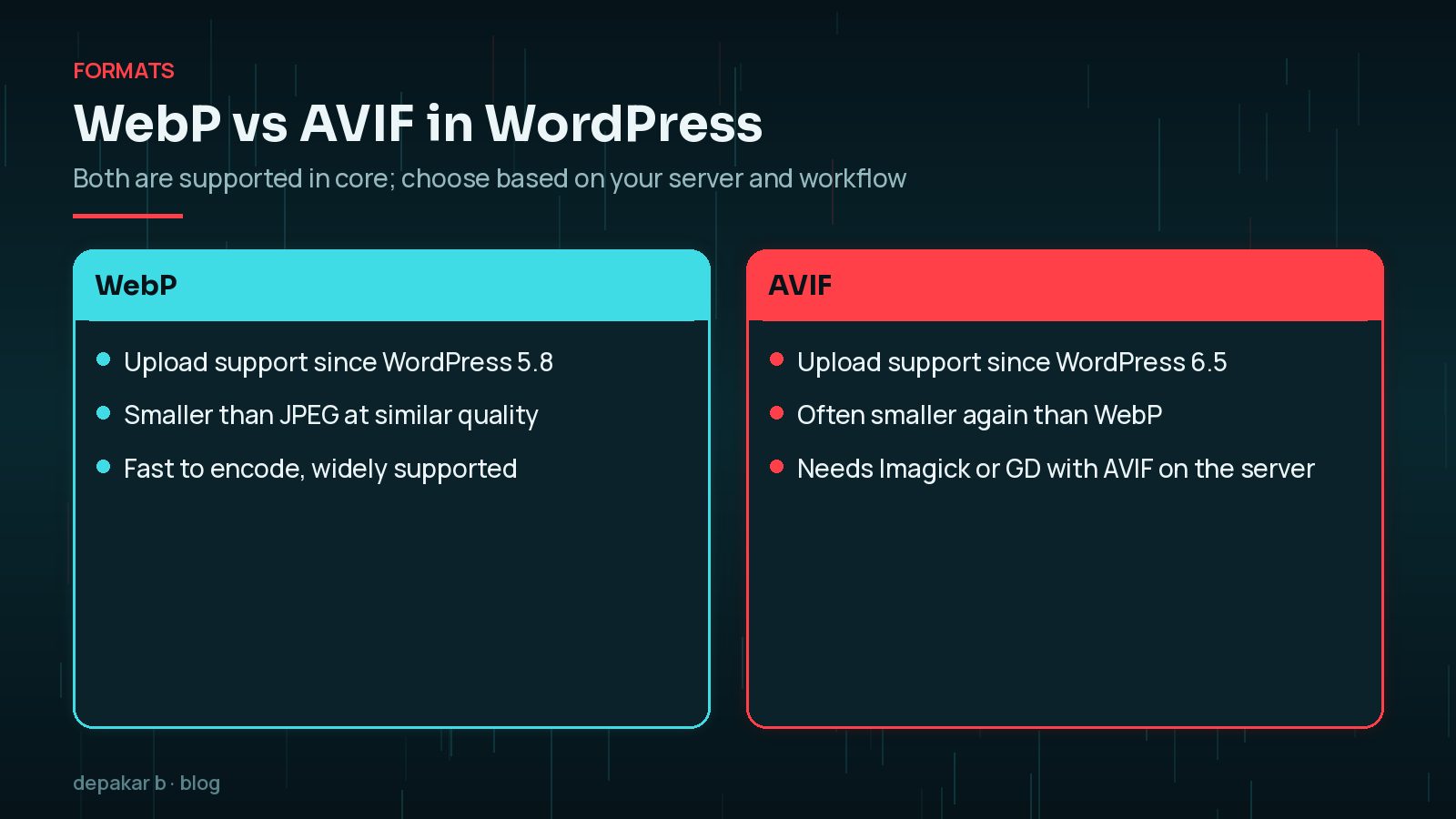
- WebP has been supported for uploads since WordPress 5.8. The 5.8 announcement notes that WebP is supported in all major browsers. It is quick to encode and a safe default.
- AVIF has been supported since WordPress 6.5. The 6.5 developer note says AVIF images can be up to 50% smaller than JPEGs at the same quality. It needs AVIF support in your server's Imagick or GD library.
To check whether your server can handle AVIF, go to Tools → Site Health → Info → Media Handling and look at the supported file formats. If AVIF isn't listed, ask your host, or stick with WebP.
WordPress 6.5 also lets developers convert uploads automatically. This filter, from the WordPress developer note, makes JPEG uploads produce AVIF sub-sizes:
add_filter( 'image_editor_output_format', function ( $formats ) {
    $formats['image/jpeg'] = 'image/avif';
    return $formats;
} );
WordPress keeps the original upload. Core doesn't add a <picture> fallback for older browsers, so if you need one, use a plugin or an image CDN that chooses the format per browser.
Logos and icons: for simple graphics, SVG or a small PNG is often better than either photo format. WebP and AVIF are for photographs and complex images.
What WordPress Already Does for Your Images
Before adding a plugin, it helps to know what core already handles:
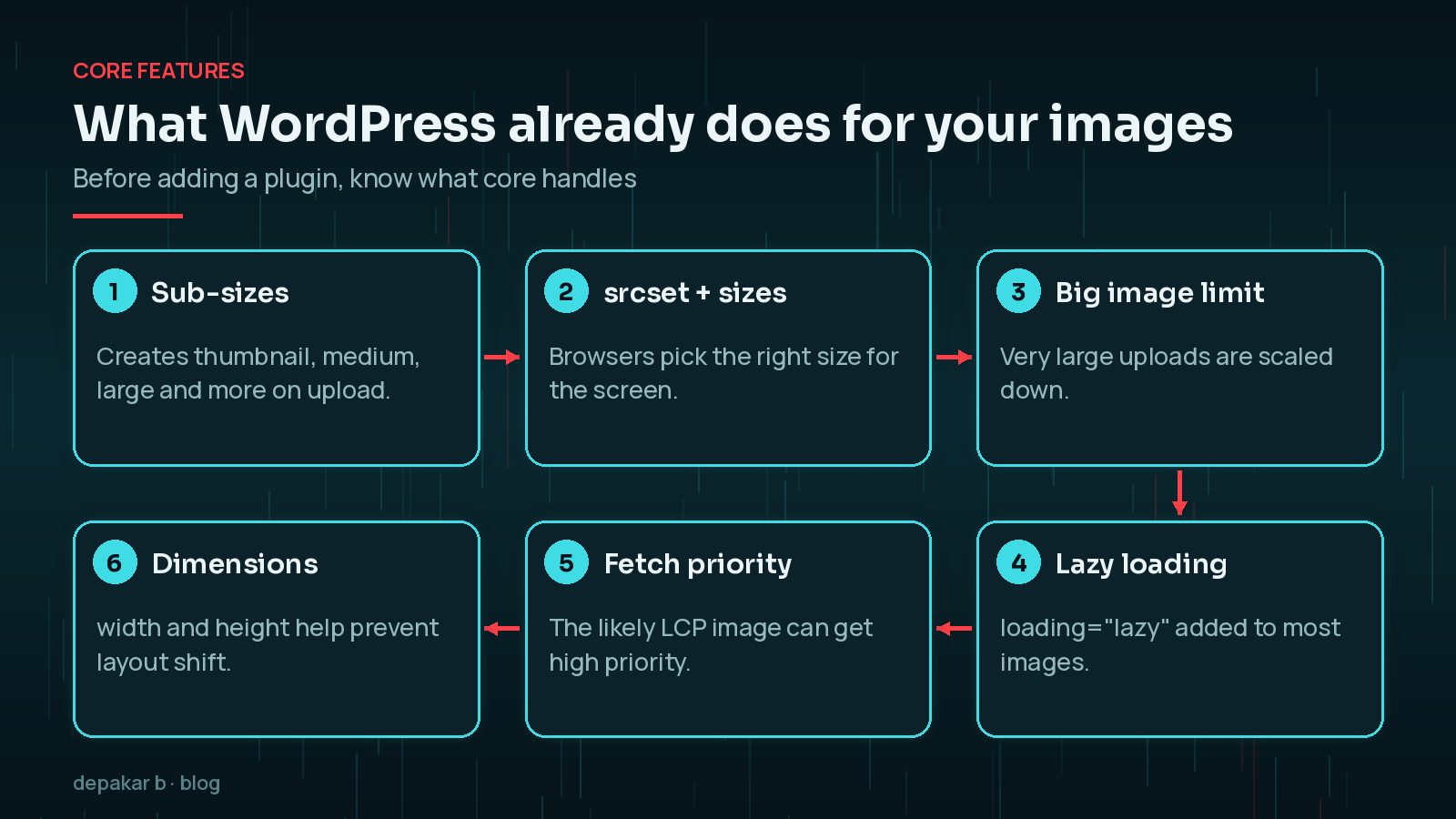
- Sub-sizes. On upload, WordPress creates several smaller versions, such as thumbnail, medium and large.
- srcset and sizes. WordPress adds these attributes so the browser picks the smallest file that suits the screen. The responsive images API documentation explains how.
- Big image limit. Since WordPress 5.3, very large uploads are scaled down to a default threshold of 2560 pixels, which developers can change with the
big_image_size_thresholdfilter. - Lazy loading. Since WordPress 5.5, images with width and height get
loading="lazy"by default. - Fetch priority. Since WordPress 6.3, core adds
fetchpriority="high"to the image it judges most likely to be the LCP image, and avoids lazy-loading it.
The catch is that themes and page builders can bypass these features, for example with CSS background images or custom sliders. If your hero image is a background image, core can't prioritise it.
Resizing Before Upload vs on the Server
WordPress will create sub-sizes, but you still benefit from resizing before you upload:
- Smaller originals take less storage and make backups faster.
- Image processing on upload uses less server memory, so fewer uploads fail on cheap hosting.
- You control the crop and quality, rather than relying on defaults.
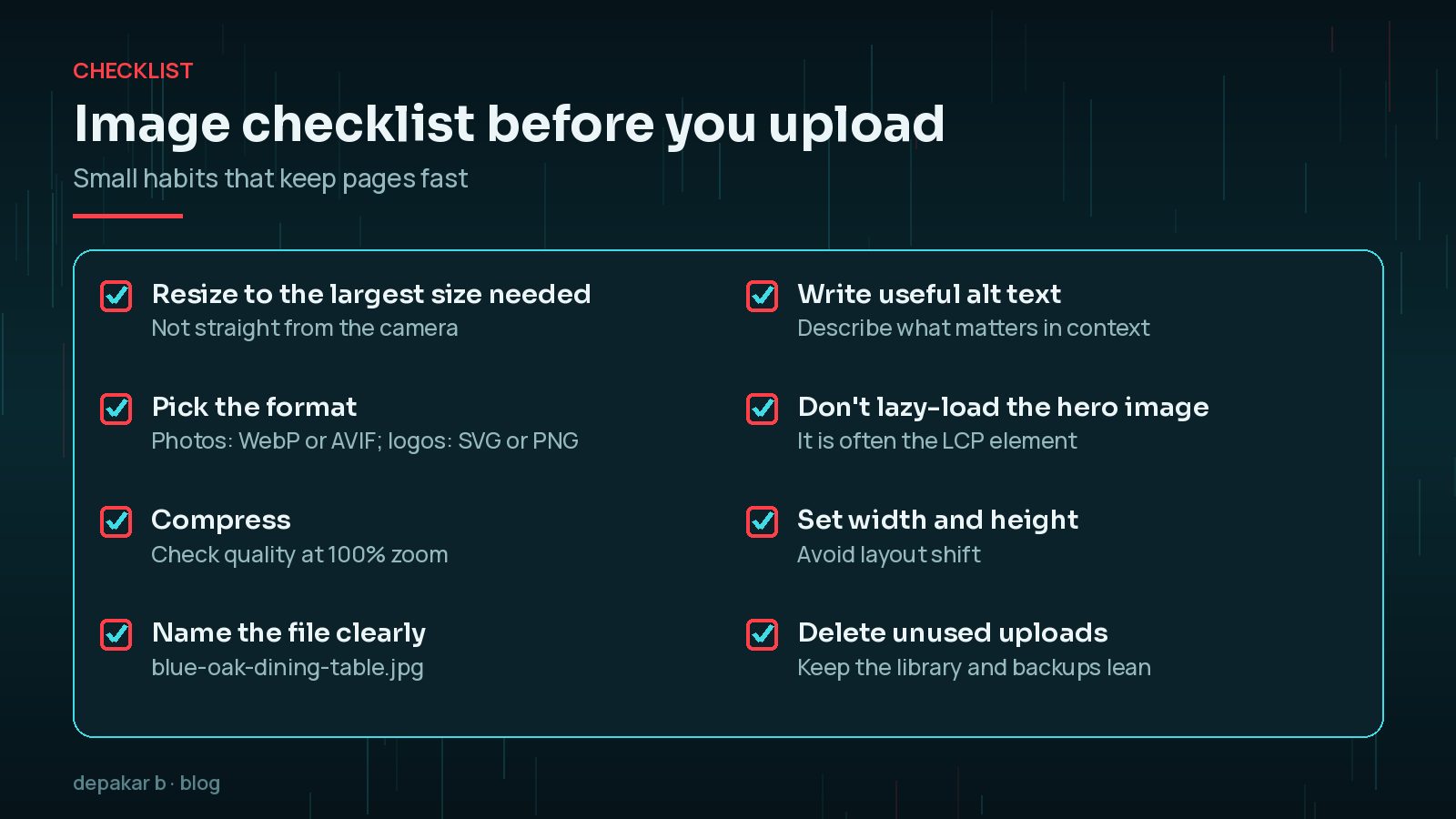
A sensible habit is to resize photos to the largest size they will actually be shown at, allowing for high-density screens, before uploading. Server-side conversion is then a safety net rather than the only step.
For quality, the wp_editor_set_quality filter controls compression of generated sub-sizes. The WordPress 6.5 note says the default lossy quality is 82.
Compression Plugins vs CDN Image Services
There are two main approaches, and you rarely need both.
- Compression plugins optimise files on your server, often converting to WebP or AVIF. They are simple and keep everything in your media library. Watch for extra copies of every image filling your storage.
- CDN image services resize, compress and convert images on the fly at the edge, serving the best format each browser supports. They suit large catalogues and busy sites, but add a monthly cost and another dependency.
Whichever you choose, test the result. Check images look right, that LCP improves in real-user data, and that you haven't added layout shift. My WordPress speed optimisation checklist and the guide to fixing CLS on WordPress help with both.
Alt Text and File Names for Image SEO
Optimisation isn't only about speed. Images can bring search traffic and help people using screen readers.
- Alt text should describe what matters about the image in context. Write it for a person who can't see it, not as a list of keywords. Leave it empty for purely decorative images.
- File names such as
blue-oak-dining-table.jpgare more helpful thanIMG_4821.jpg. - Surrounding text, captions and headings help search engines understand the image.
- Structured data can reference images for products, articles and recipes. See my WordPress schema markup guide.
Cleaning Up an Existing Media Library
If your site has years of uploads, work through it in a safe order:
- Take a full backup of files and database first.
- Find the heaviest images on your most visited pages, rather than optimising everything at once.
- Bulk-optimise with your chosen plugin or service, on a staging copy first if you can.
- Regenerate thumbnails if your theme's image sizes have changed.
- Remove unused uploads carefully. Tools that detect "unused" images can miss images used in custom fields, CSS or page builders, so check before deleting.

Frequently Asked Questions
Should I use WebP or AVIF on WordPress?
WebP is the safe default and works on almost any server. AVIF is often smaller, and WordPress supports it since 6.5, but your server's Imagick or GD library must support it. Check Site Health to see.
Does WordPress lazy load images automatically?
Yes. Since WordPress 5.5, images with width and height get loading="lazy". Since 6.3, core also tries to avoid lazy-loading the likely LCP image and gives it high fetch priority.
Do I still need an image optimisation plugin?
Not always. Core handles sizes, srcset and lazy loading. A plugin or CDN image service helps with compression, format conversion and bulk-optimising an existing library.
What size should images be before uploading to WordPress?
Resize to the largest size the image will actually be shown at, allowing for high-density screens. WordPress scales down uploads above 2560 pixels by default, but resizing first is better.
Does alt text help image SEO?
Yes. Descriptive alt text helps search engines understand images and is essential for accessibility. Describe the image in context rather than repeating keywords.
Final Thoughts
WordPress image optimisation works best as a routine: resize before upload, choose WebP or AVIF where your server supports it, compress sensibly, keep the hero image eager, and write useful alt text. Core already does a lot, so add tools only where they fill a real gap.
If your pages are still slow, my speed and performance service looks at images alongside hosting, caching and scripts.
Right size, right format, sensible compression, and let WordPress do its part.
Official References
Sources checked on 29 October 2026: