
If Search Console or PageSpeed Insights says your Largest Contentful Paint is too slow, you are in good company. LCP is often the hardest Core Web Vital to pass on WordPress, because themes love big hero images, sliders and web fonts. The good news is that you can usually improve LCP in WordPress without rebuilding the site, once you know which part of the load is slow.
This guide walks through what LCP measures, how to find your LCP element, how to tell server problems from image problems, and the fixes that make the biggest difference.

What is LCP and what score do you need?
Largest Contentful Paint measures how long it takes for the largest image or text block in the viewport to appear. According to web.dev, a good LCP is 2.5 seconds or less, and anything over 4 seconds is poor. Google assesses it at the 75th percentile of real visits, separately for mobile and desktop, so most of your visitors need a fast experience, not just you on office Wi-Fi.
The score you see in a lab test is useful for debugging, but the score that counts for Core Web Vitals comes from real Chrome users.
Step one to improve LCP in WordPress: find your LCP element
You cannot fix LCP until you know what the element is. On most WordPress homepages it is the hero image, but it can also be a large heading, a slider slide or a background image.
- PageSpeed Insights: run your URL and open the LCP element diagnostic to see which element was measured.
- Chrome DevTools: the Performance panel shows the LCP element and its timing when you record a page load.
- Test mobile: the LCP element on a phone is often different from desktop, because the layout changes.
Check a few key templates too: the homepage, a blog post and a product or service page often have different LCP elements. Write down the element and its LCP time for each, on mobile and desktop, so you have a baseline to compare against after every change. Making one change at a time and retesting tells you what actually helped, rather than leaving you guessing which of five tweaks made the difference.
Server time vs resource load vs render delay
web.dev's guide to optimising LCP splits it into four parts. Working out which one is slow tells you where to spend your effort.
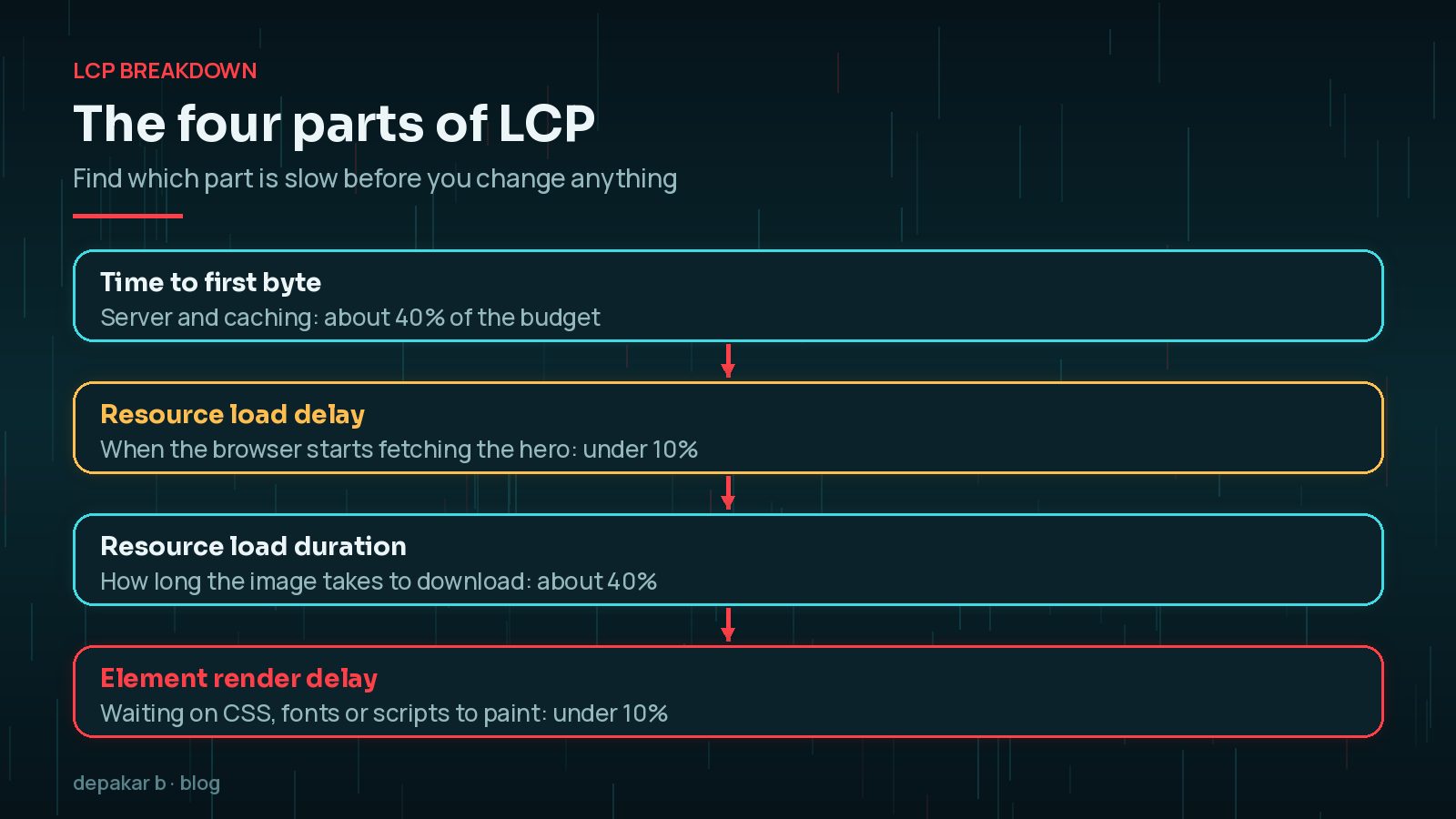
- Time to first byte: how long the server takes to send the HTML. Slow hosting or no page caching shows up here; see how to reduce TTFB in WordPress.
- Resource load delay: the gap before the browser starts downloading the LCP image. It grows when the image is hidden in CSS or JavaScript.
- Resource load duration: how long the file takes to download. Big files make this long.
- Element render delay: time between the download finishing and the element appearing, often caused by render-blocking CSS, fonts or scripts.
Fixing a slow hero image (size, format, fetchpriority)
For most sites, the hero image is where the quickest wins are. Work through this list:
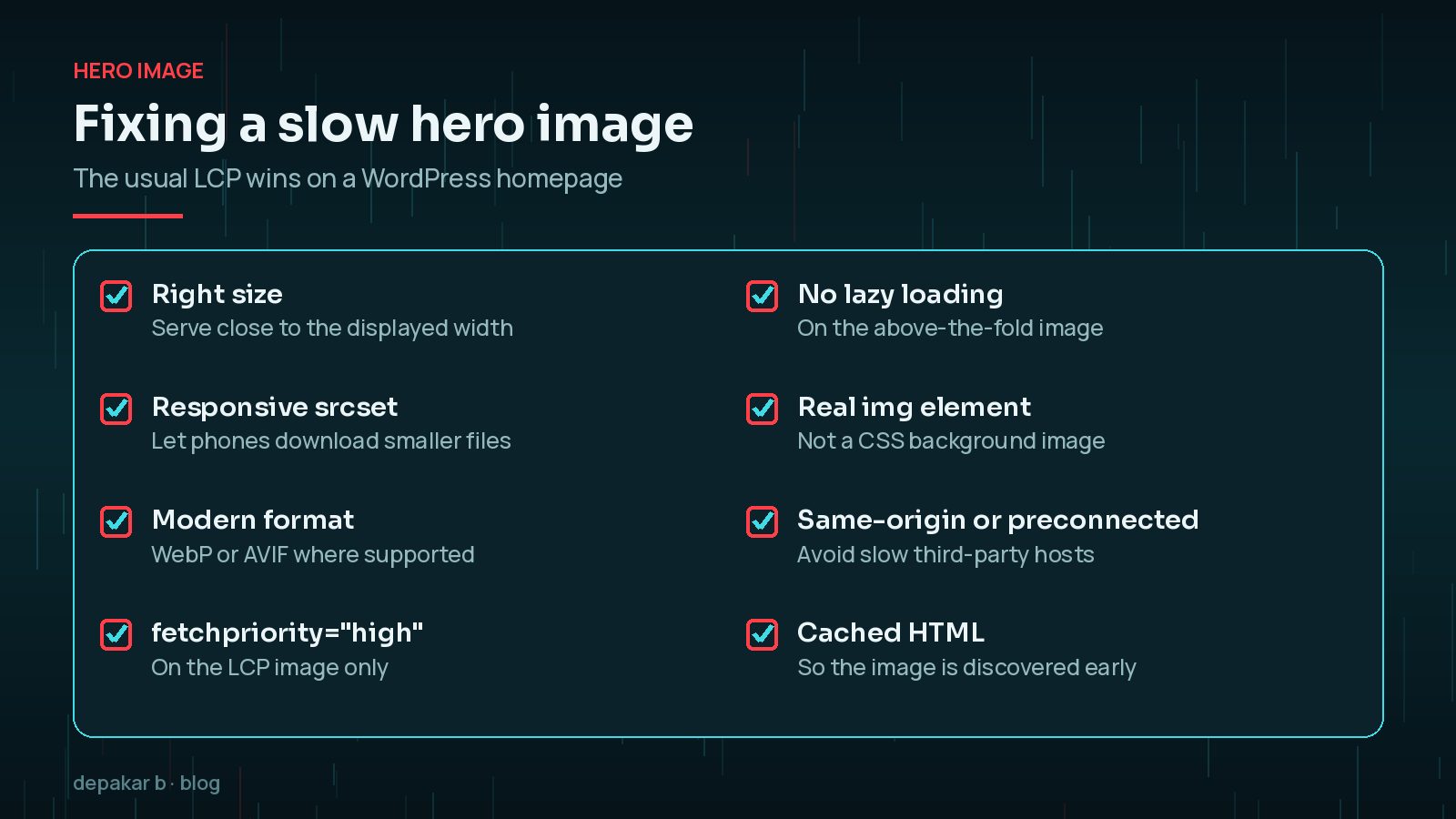
- Upload a sensible size. A 5,000-pixel photo straight from a camera is far bigger than any screen needs.
- Use a modern format. WebP and AVIF are usually much smaller than JPEG at similar quality; my guide to WordPress image optimisation with WebP and AVIF covers the options.
- Use a real image element. Background images set in CSS are discovered late, adding resource load delay.
- Give it priority. Since WordPress 6.3, core automatically adds
fetchpriority="high"to the image it judges most likely to be the LCP element. The WordPress core team reported this typically improved LCP by 5 to 10% in their testing.
fetchpriority only works for images output in the usual WordPress way. Page builders and custom hero blocks may need it set manually, and it should only go on one image per page.Lazy loading mistakes that hurt LCP
WordPress has added native lazy loading to images since version 5.5, which is great for images lower down the page. The problem is lazy loading the LCP image itself, because the browser then waits before fetching it.
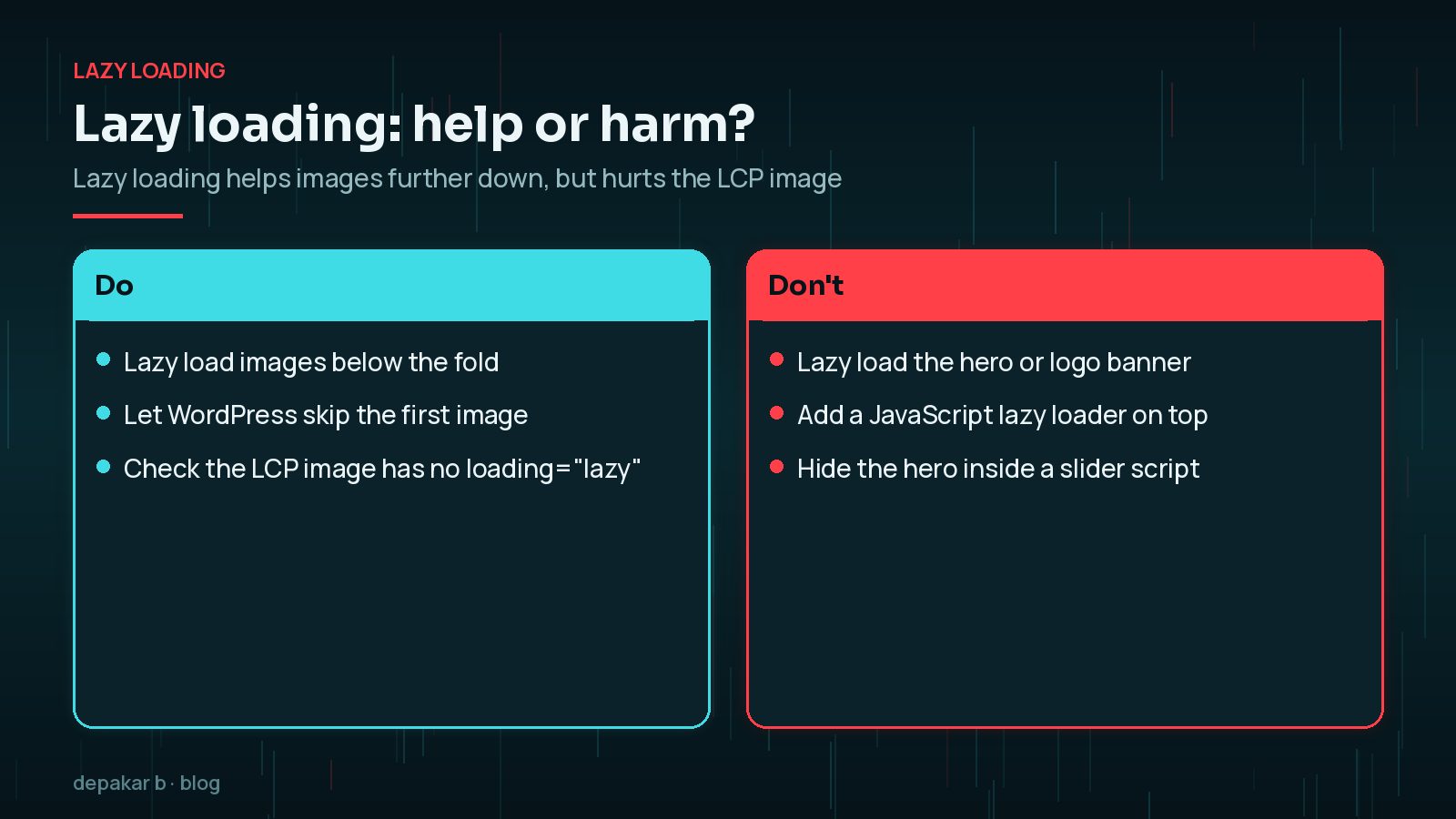
Since WordPress 5.9, core skips lazy loading for the first content image, and 6.3 improved how it decides which images to skip. Optimisation plugins and themes can override this, though, so view the page source and check that your LCP image does not have loading="lazy" or a JavaScript lazy-load class.
Fonts, sliders and render-blocking CSS
Even with a fast image, the page can be held back by other files.

- Sliders: many slider plugins hide slides until JavaScript runs. A single static hero image is usually faster and often converts just as well.
- Web fonts: if your LCP element is a heading, slow font loading can delay it. Limit font families and weights.
- Render-blocking CSS: large stylesheets from unused plugins delay the first paint. Remove plugins you no longer need before reaching for optimisation tools.
Heavy scripts also affect responsiveness; for that side, see how to fix INP in WordPress.
Checking real-user LCP in Search Console
Search Console's Core Web Vitals report uses field data from real users and groups similar URLs together. Each group is rated Good, Needs improvement or Poor, and the group's status is decided by its worst metric. Only indexed URLs appear, and low-traffic sites may see no data at all.
After making changes, use the report's validation option and give it time, because field data is collected over several weeks. For why lab scores and field data can disagree, read PageSpeed score vs Core Web Vitals.
Frequently Asked Questions
What is a good LCP score for WordPress?
web.dev defines a good LCP as 2.5 seconds or less at the 75th percentile of real visits, measured separately for mobile and desktop. Over 4 seconds is classed as poor.
Should I preload my hero image?
Usually setting fetchpriority to high on a normal image element is enough, and WordPress 6.3 and later adds it automatically in many cases. Preloading can help when the image is discovered late, for example a CSS background.
Does lazy loading improve LCP?
Not for the LCP element. Lazy loading helps images further down the page, but lazy loading the hero image delays it. WordPress skips lazy loading for the first content image by default.
Why is my LCP fine in PageSpeed but poor in Search Console?
Search Console uses real-user data from a range of devices and connections, while a lab test simulates one visit. Slower phones and networks often pull the field result down.
Will a caching plugin fix LCP?
It can improve time to first byte, which is one part of LCP. If the slow part is a large hero image or render-blocking files, caching alone will not fix it.
Final Thoughts
To improve LCP in WordPress, start by finding the element and the slow subpart, then fix the obvious things: a right-sized, modern-format hero image that loads early, no lazy loading on it, and fewer blocking files. Most sites pass after those steps without a redesign. If you would like a hand, my speed and performance service covers LCP diagnosis and fixes.
Official References
Sources checked on 29 October 2026: