
If you want to fix CLS on WordPress, you first need to see which elements move and why. Cumulative Layout Shift measures how much visible content jumps around without the visitor asking for it. It is one of Google's three Core Web Vitals, and it is also simply a matter of courtesy: nobody likes a page that moves under their finger.
The causes on WordPress are usually familiar ones: images, embeds, fonts, cookie banners, ads and sliders.
What Is CLS and What Is a Good Score?
CLS adds up individual layout shifts into a score. web.dev explains that shifts are grouped into session windows: shifts less than one second apart, up to a maximum of five seconds. The page's CLS is the largest of those windows.
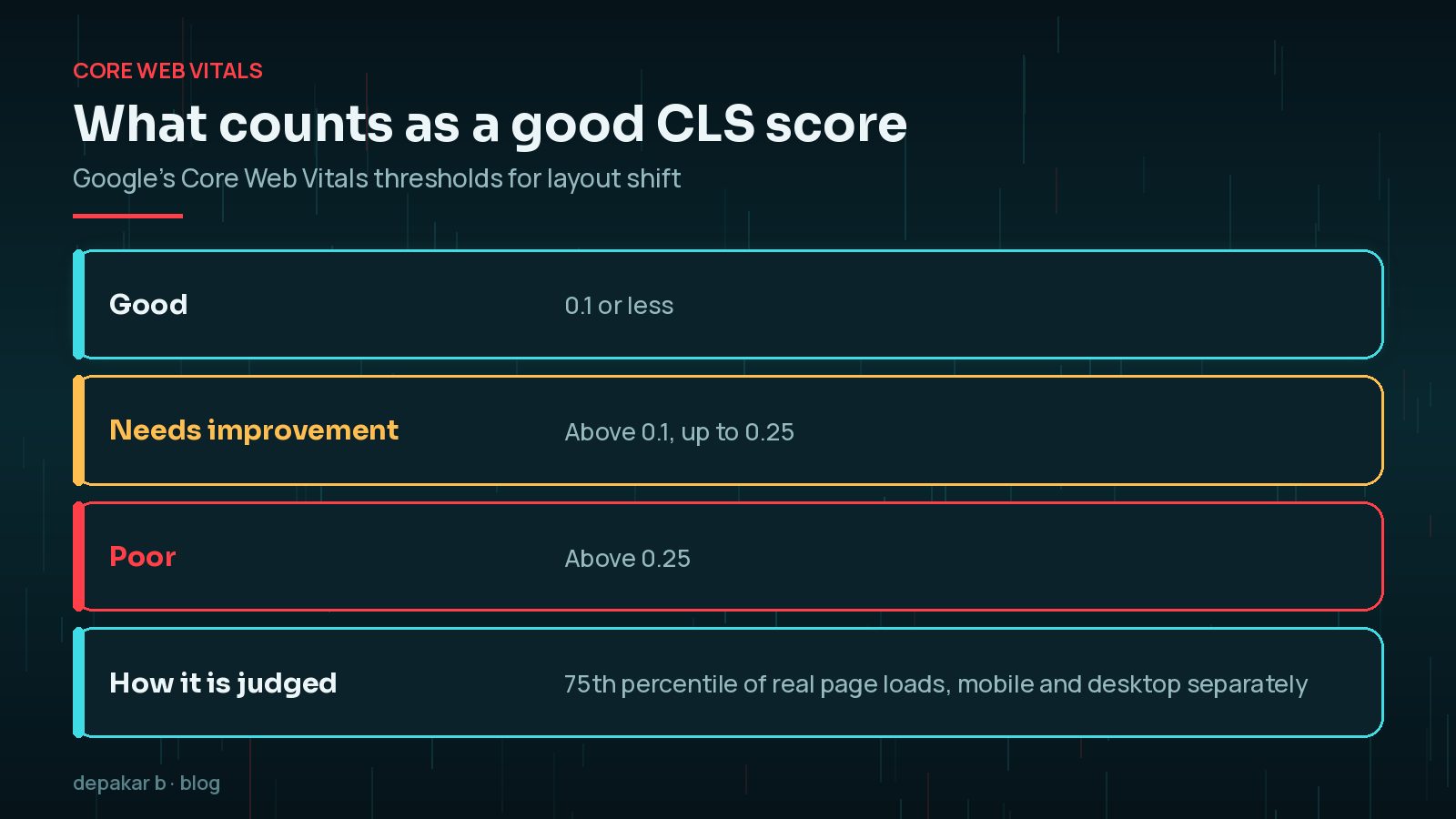
- Good: 0.1 or less.
- Needs improvement: above 0.1, up to 0.25.
- Poor: above 0.25.
Shifts within 500 milliseconds of a click, tap or key press are not counted, because the visitor expects something to change. An accordion opening when clicked is fine. A banner appearing on its own and pushing the text down is not.
How to Find the Elements That Shift
Start with real-user data, then reproduce the problem in the lab.
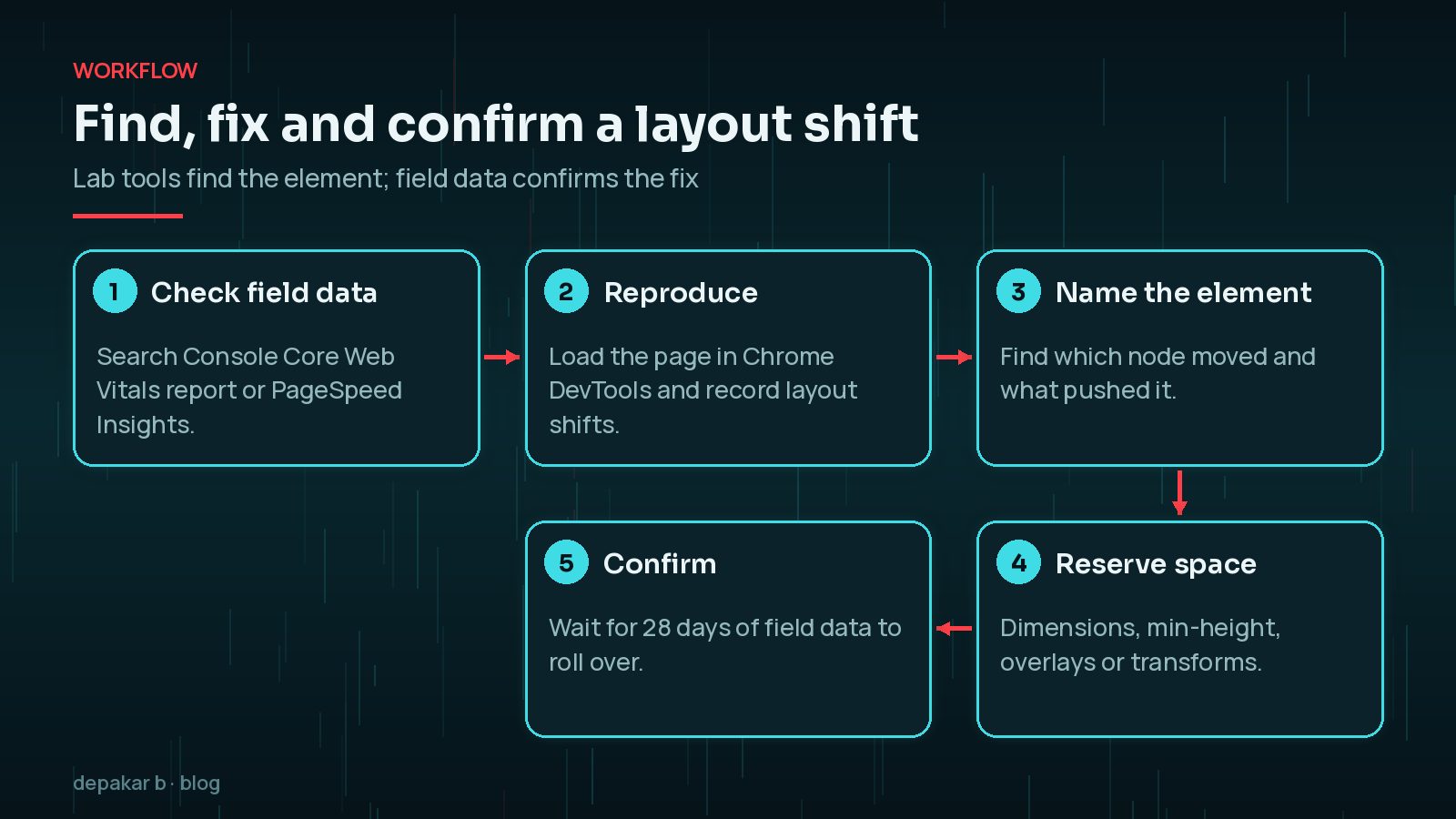
- Check field data. The Core Web Vitals report in Search Console groups URLs with CLS issues. PageSpeed Insights shows field data for a specific URL when there is enough traffic.
- Read the diagnostics. PageSpeed Insights lists the elements that contributed most to layout shift in its lab test.
- Reproduce in Chrome DevTools. Record a page load in the Performance panel and look at the layout shift entries to see which nodes moved.
- Scroll and interact. Some shifts only happen further down the page or after a few seconds, which a single lab load can miss.
Test on a mobile-sized viewport too. Narrow screens make banners and wrapped headings much more likely to push content around.
Fix CLS Caused by Images and Embeds
When an image has no width and height, the browser does not know how much space to leave until the file arrives. Text renders first, then jumps down when the image loads.

- Make sure images have
widthandheightattributes. WordPress adds them for images inserted through the editor, but theme templates, page builders and custom code sometimes leave them out. - Use CSS such as
height: autowith those attributes so images stay responsive while keeping the right aspect ratio. - For video and map embeds, wrap them in a container with a fixed
aspect-ratioormin-height. - Watch for lazy-loading scripts that swap in images without dimensions.
The same dimensions also help your Largest Contentful Paint, which I cover in improving LCP on WordPress.
Web Fonts: FOIT, FOUT and Reflow
Custom fonts can cause shifts when the fallback font is swapped for the web font and the text changes size. Headings re-wrap, buttons change width and everything below moves.
- Host fonts locally and preload the one or two most important files, so they arrive earlier.
- Consider
font-display: optionalfor body text. web.dev notes it can avoid the swap layout shift, at the cost of sometimes showing the fallback font. - Match fallback metrics with the CSS descriptors
size-adjust,ascent-overrideand related properties, so the swap barely changes the layout. - Use fewer font files. Every extra weight is another possible swap.
Cookie Banners, Ads and Late Widgets
Anything injected into the page after it starts rendering can push content down. On WordPress, plugins often add these elements with JavaScript.

- Cookie and notice banners: display them as an overlay fixed to the bottom or top of the viewport, rather than inserted above the content.
- Ads: reserve space for each slot with
min-height, ideally sized for the most likely ad. An empty reserved space is better than a jump. - Newsletter bars, review widgets and related-post blocks: reserve space for them or place them below the visible area.
Overlay rather than insert. Elements that sit on top of content, such as a fixed cookie bar, do not move anything. Elements inserted into the flow of the page push everything below them. Switching a banner from one to the other is often the quickest CLS win on a WordPress site.
Sliders, Page Builders and Animations
Hero sliders and page-builder sections often start at one height and resize once their script runs. Entrance animations can also move content if they change layout properties.
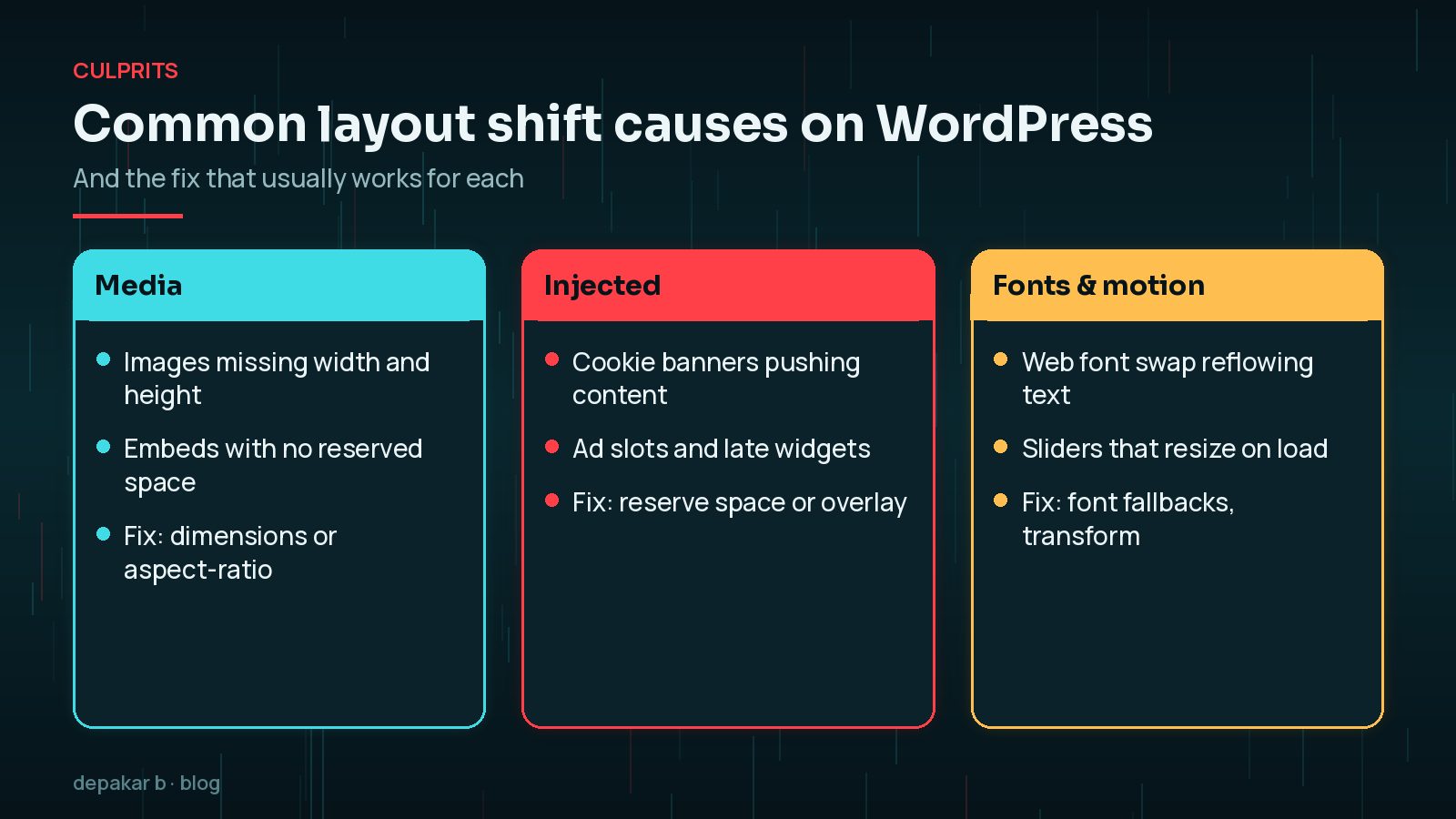
- Give sliders and carousels a fixed height or aspect ratio in CSS, so the space is reserved before the script loads.
- Animate with
transformandopacity, which web.dev recommends because they do not trigger layout changes. Avoid animatingtop,heightormargin. - Check page-builder settings for "entrance animations" on above-the-fold sections and turn them off where they shift content.
Heavy builder layouts tend to cause other speed problems too. My guide to page builders slowing WordPress explains what to look for.
Verify the Fix with Field Data
A better lab score is encouraging, but Core Web Vitals are judged on real visitors. Field data covers a rolling 28-day window, so improvements show up gradually.
- Deploy your changes and clear every cache layer.
- Retest the affected templates in PageSpeed Insights and DevTools.
- Use Validate fix in the Search Console Core Web Vitals report.
- Make pages eligible for the back/forward cache where you can, which web.dev notes avoids layout work entirely when visitors navigate back.
CLS rarely moves alone. Once it is under control, look at fixing INP on WordPress, which measures how quickly pages respond to taps and clicks. If you still run AMP pages, my notes on AMP and page experience are worth a read too.
Frequently Asked Questions
What is a good CLS score?
Google's threshold for a good experience is a CLS of 0.1 or less. Above 0.1 up to 0.25 needs improvement, and above 0.25 is poor. The score is judged at the 75th percentile of real page loads, with mobile and desktop assessed separately.
Why does PageSpeed Insights show a different CLS from Search Console?
The lab test in PageSpeed Insights measures one simulated load, mostly of the initial viewport. Field data in Search Console and the top of PageSpeed Insights comes from real Chrome users over 28 days, including shifts that happen while scrolling. Field data is what counts for Core Web Vitals.
Do layout shifts caused by clicking count towards CLS?
Shifts that happen within 500 milliseconds of a user input such as a click or key press are excluded, because the user expects the page to change. Shifts that happen without input, or later, do count.
Will a caching or optimisation plugin fix CLS?
Sometimes partly, for example by adding missing image dimensions. But most CLS comes from layout decisions such as banners, ads, sliders and fonts, which need changes to the theme, page builder settings or plugin configuration.
How long until Search Console shows the improvement?
Field data is collected over a rolling 28-day period, so improvements appear gradually. Use Validate fix in the Core Web Vitals report once you have deployed changes, and expect it to take around four weeks.
Final Thoughts
To fix CLS on WordPress, reserve space for everything before it arrives. Give images and embeds dimensions, keep fonts predictable, overlay banners rather than inserting them, and fix the height of sliders and ad slots. Then confirm with field data rather than a single lab run.
If your pages still jump and you cannot find the cause, my speed and performance service includes a template-by-template Core Web Vitals review.
Official References
Sources checked on 29 October 2026: