
Visitors do not care how a page was built. They care whether it appears quickly, responds when they tap and does not jump around. If you think your page builder slowing WordPress is the reason those things are not happening, this guide helps you check, and then decide what to do.
Why Page Builders Add Weight
A visual builder has to support almost any layout a person might drag together. To do that, it wraps content in sections, columns, containers and widget elements, each with its own classes and settings. It also loads the CSS and JavaScript needed for its features, plus fonts and icon sets.

Common sources of weight on builder sites:
- Several layers of wrapper elements around a single heading or button.
- Global CSS and JavaScript loaded on pages that use only a few widgets.
- Full icon libraries loaded for a handful of icons.
- Extra Google Font families and weights picked in different sections.
- Add-on packs that bring their own scripts for sliders, popups and animations.
None of these are unique to page builders, but builders make them easy to add without noticing.
Is a Page Builder Slowing WordPress? How to Measure Its Impact
Before you change anything, measure the pages that matter most: the homepage, your main service or product pages, and a typical blog post. Use field data from PageSpeed Insights where your site has enough traffic, because that reflects real visitors.
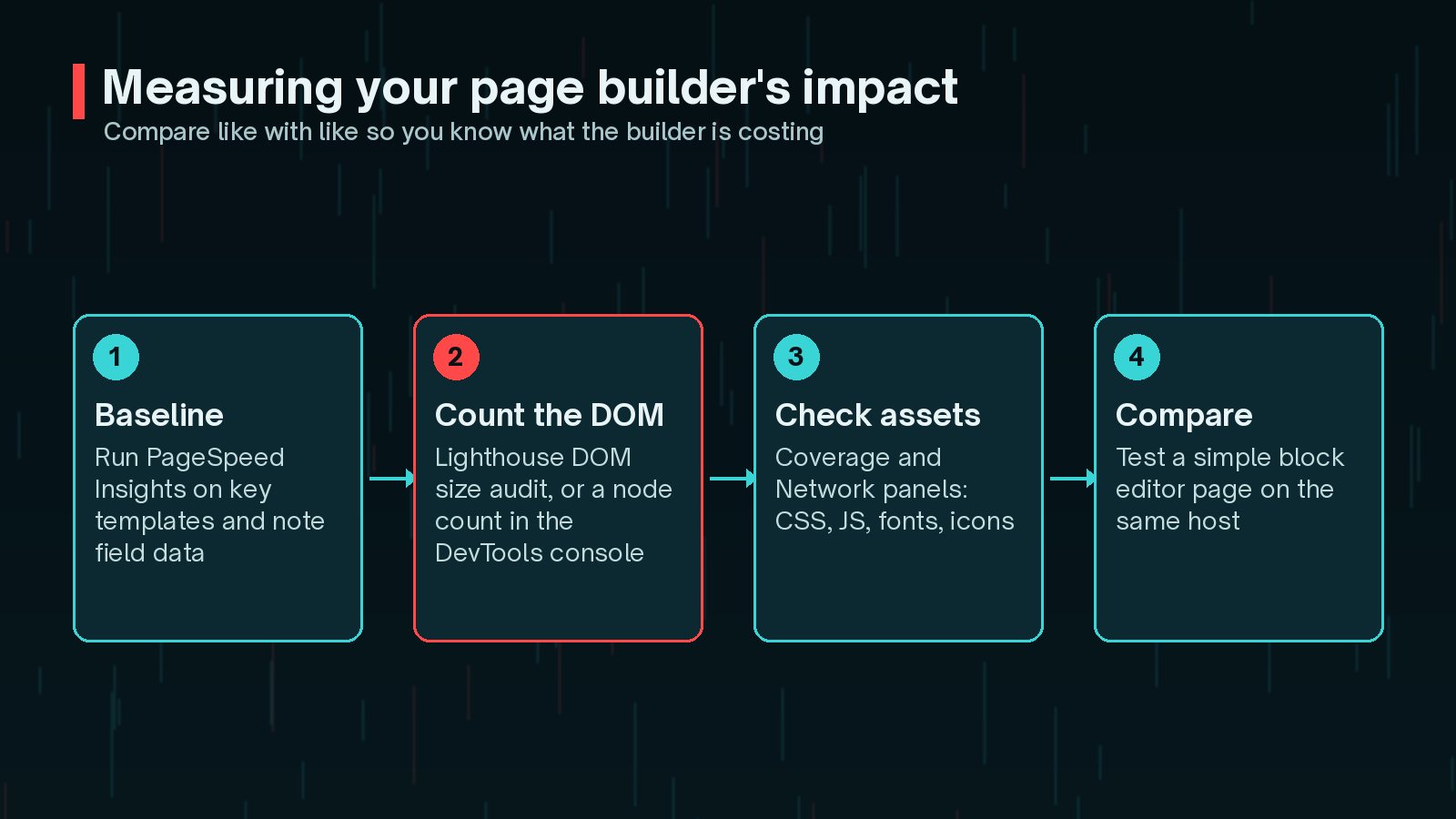
Then look at the page itself:
- DOM size: Lighthouse includes an audit for excessive DOM size. web.dev also suggests a quick count in the browser console.
- Assets: in Chrome DevTools, the Network panel shows every file loaded, and the Coverage panel shows how much CSS and JavaScript goes unused.
- Comparison: build one simple test page with the block editor on the same site and compare.
// Paste into the DevTools console on the page you are testing
      document.querySelectorAll('*').length;
Elementor's own speed-testing advice is worth borrowing too: test with other plugins deactivated, a lightweight theme and a blank canvas template. That helps you see what the builder adds on its own, rather than blaming it for something else.
Builder Settings That Help (Assets, Fonts, Icons)
Most popular builders now include performance settings. Check them before you consider anything drastic.
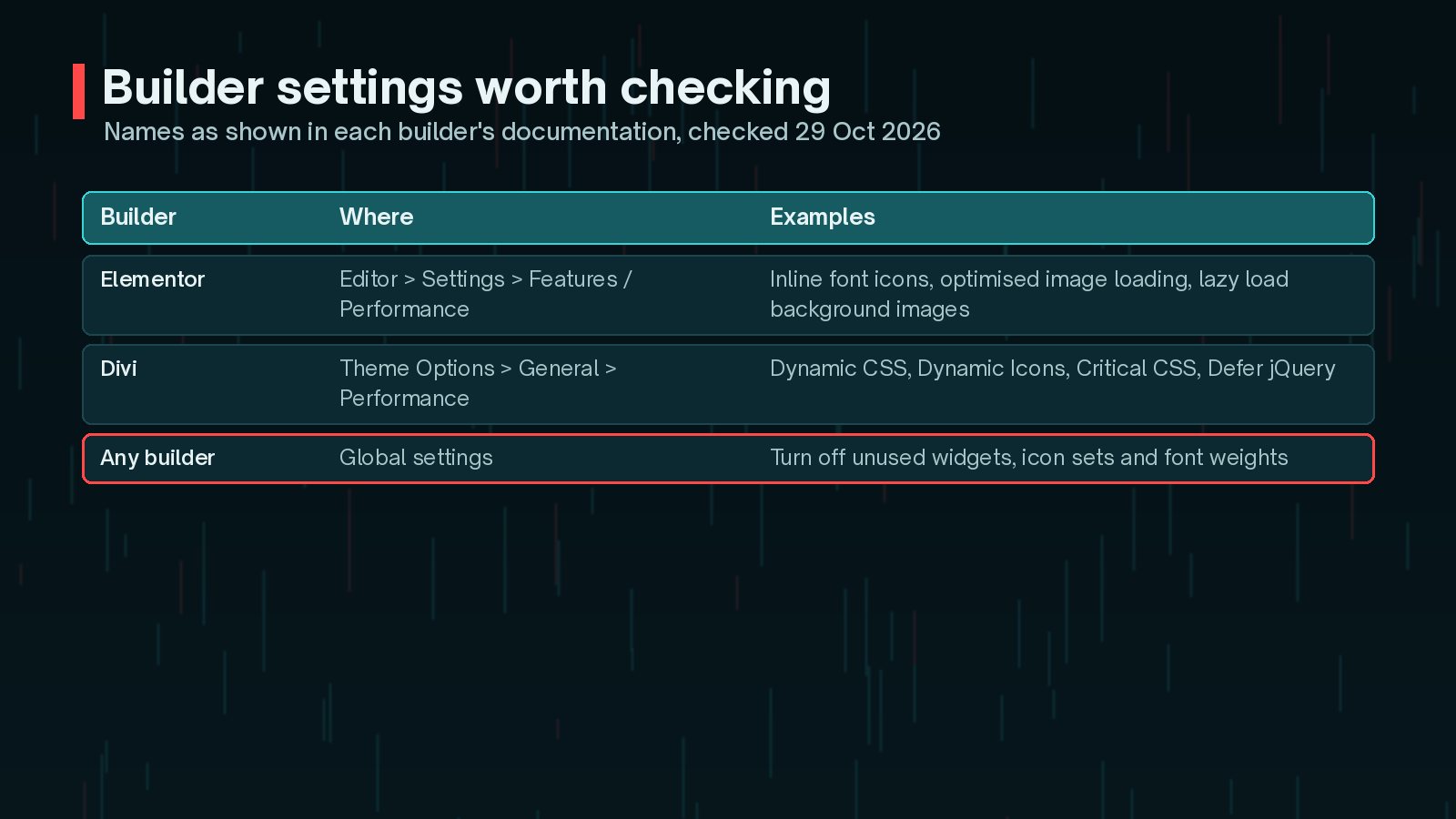
As of October 2026, Elementor's help centre lists performance features under Elementor > Editor > Settings, in the Features and Performance tabs. These include inline font icons, which use inline SVG instead of loading icon font libraries, optimised image loading, and lazy loading for background images. Element caching is listed as an experimental feature.
Divi's documentation lists performance options under Theme Options > General > Performance, including Dynamic CSS, Dynamic Icons, Critical CSS, deferring jQuery and improved Google Fonts loading. Many are enabled by default, so check that nobody has switched them off.
Whatever builder you use:
- Disable widgets and modules you never use, if the builder allows it.
- Limit yourself to one or two font families and only the weights you need.
- Avoid add-on packs that duplicate features you already have.
- Test after every change. Some optimisations can conflict with caching or other plugins.
Change one setting at a time. If you switch on five options together and something breaks, you will not know which one caused it. Test on staging, measure, then move to the next.
DOM Size, Widgets and Nested Sections
web.dev explains that a large DOM slows down rendering and makes style and layout work more expensive. It can also hurt Interaction to Next Paint (INP), the Core Web Vital that measures how quickly a page responds to clicks, taps and key presses. Lighthouse starts warning above 800 nodes and flags the DOM as excessive above 1,400.
On builder sites, DOM size usually grows through layout habits rather than content:
- Sections inside sections, used only to add spacing or a background.
- Separate mobile and desktop versions of the same block, hidden with CSS.
- Long accordion, tab or mega-menu widgets loaded on every page.
- Icon list widgets where every icon is its own nested structure.
Flattening the layout often helps. Newer builders support flexbox or grid containers that need fewer wrappers than the older section-and-column model. Use padding and gaps instead of spacer widgets, and design one responsive layout rather than duplicating sections. For more on responsiveness, see my guide to fixing INP on WordPress, and for layout shifts, fixing CLS on WordPress.
Page Builder vs Block Editor Performance
The block editor is built into WordPress. Core blocks generally output fairly lean markup, and block themes manage styles through theme.json and the Site Editor. That gives it a natural advantage, but it is not automatic.
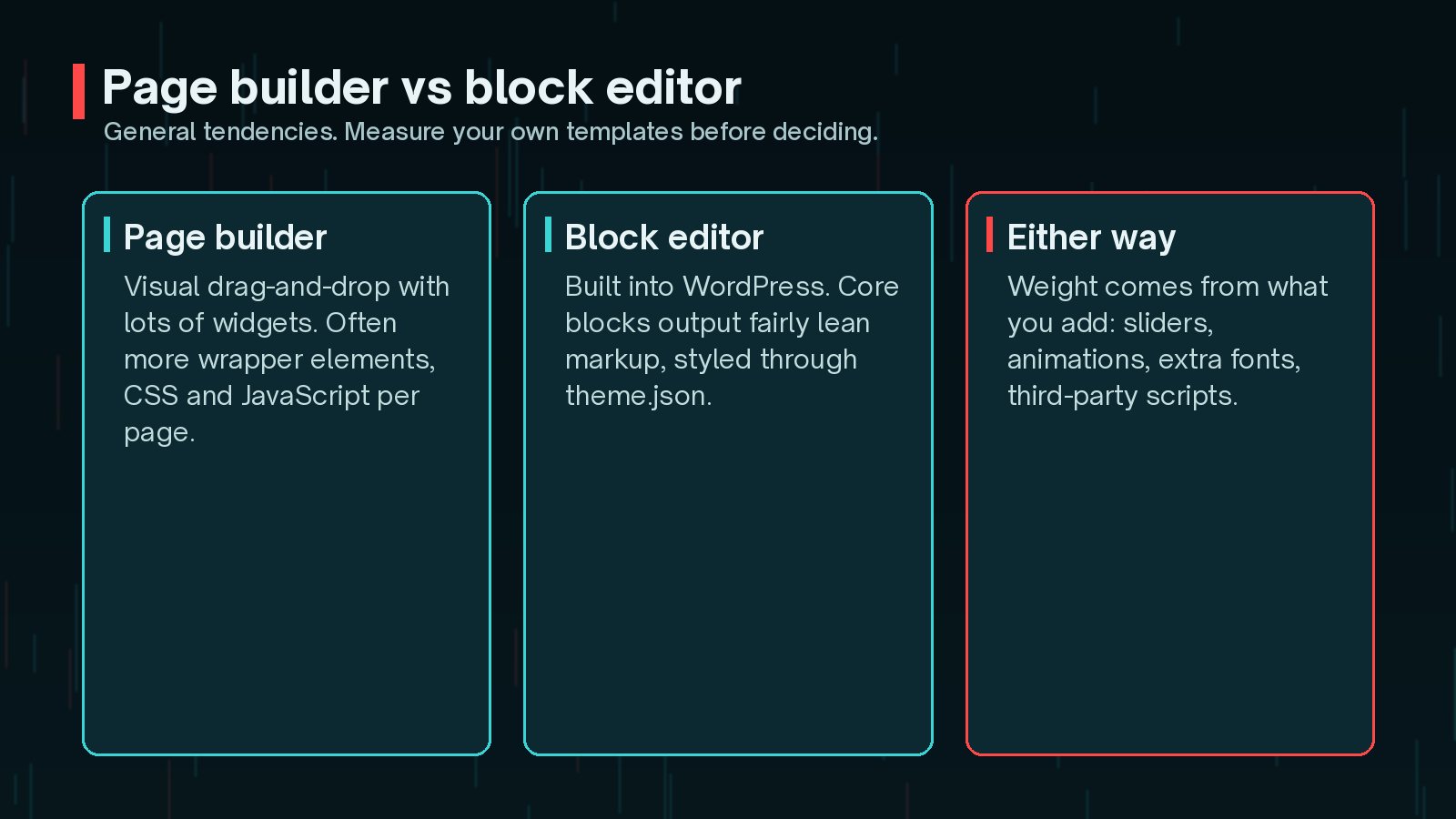
A block editor site loaded with heavy block libraries, sliders and third-party scripts can still be slow. A carefully built page builder site can be quick. The honest answer is to measure your own templates. If a block editor version of your key page is clearly faster and easier to maintain, that tells you something useful.
When to Rebuild Key Templates
You do not need to rebuild everything. Consider rebuilding a template when:
- It is one of your most visited or most important pages.
- Field data shows poor LCP or INP, even after tuning builder settings.
- The DOM is far above Lighthouse's warnings because of the layout itself.
- Editors struggle to update it without breaking something.

Start with one template, such as the homepage or a service page layout. Rebuild it with fewer elements, either in the builder with a flatter structure or with blocks. Measure the difference. If it is worth it, move on to the next.
Migrating Off a Builder Without Losing Design
Builders usually store layouts in their own format. If you simply deactivate one, pages may show raw shortcodes or lose their styling. So treat a move away from a builder as a small redesign project.
- List every page and template built with the builder, ranked by traffic.
- Capture your design system: colours, fonts, spacing, buttons and common sections.
- Recreate those as theme styles, block patterns or reusable template parts.
- Rebuild pages on a staging site, keeping URLs, titles and headings the same.
- Check redirects, internal links, forms and tracking before going live.
If you are also moving to a block theme, my guide on switching from a classic theme to a block theme covers the planning, and the website revamp checklist helps you avoid missing anything.
Frequently Asked Questions
Is Elementor or Divi always slower than the block editor?
Not always. A carefully built page in any builder can perform well, and a block editor page full of heavy plugins can be slow. In general, builders tend to output more markup and assets, so they need more care to stay fast.
How many DOM elements is too many?
web.dev explains that Lighthouse starts warning when a page has more than 800 nodes and flags it as excessive above 1,400. These are guides, not hard limits, but pages far above them usually deserve a closer look.
Will a caching plugin fix a slow page builder site?
Caching helps the server deliver pages faster, but it does not shrink the HTML, CSS and JavaScript the browser has to process. Large DOMs and heavy scripts still affect rendering and responsiveness after the page arrives.
Can I switch off a page builder and keep my design?
Not directly. Content built with a builder is usually stored in the builder's own format, so turning it off can leave broken shortcodes or unstyled content. Plan a rebuild of each template instead, starting with the most important pages.
Do I need to remove the builder from every page at once?
No. A gradual approach is often safer: rebuild the slowest, most visited templates first, measure the result, and keep the builder for pages where it still makes sense until you are ready.
Final Thoughts
A page builder slowing WordPress is a common problem, but it is usually fixable. Measure your key pages, switch on the builder's performance settings one at a time, flatten deeply nested layouts and remove what you do not use. If key templates are still slow, rebuild them one by one rather than all at once.
If you would like me to profile your builder pages and fix the slow parts, my speed and performance service does exactly that.
Official References
Sources checked on 29 October 2026: