
The WordPress Abilities API arrived in WordPress 6.9 and is getting a significant expansion in WordPress 7.2, due on 8 December 2026. If you run a business site, you do not need to write code to understand it, but you should know what it allows and who controls it.
What Is the WordPress Abilities API in Plain English?
Think of it as a menu of things your site can do, written so that both people and software can read it. Each item on the menu is an ability: a single, clearly described task such as "get site information" or "look up an order status".
The official documentation describes it as a central registry. Plugins, themes and core add abilities to it, and other parts of WordPress, other plugins or external systems such as AI agents can discover and use them.
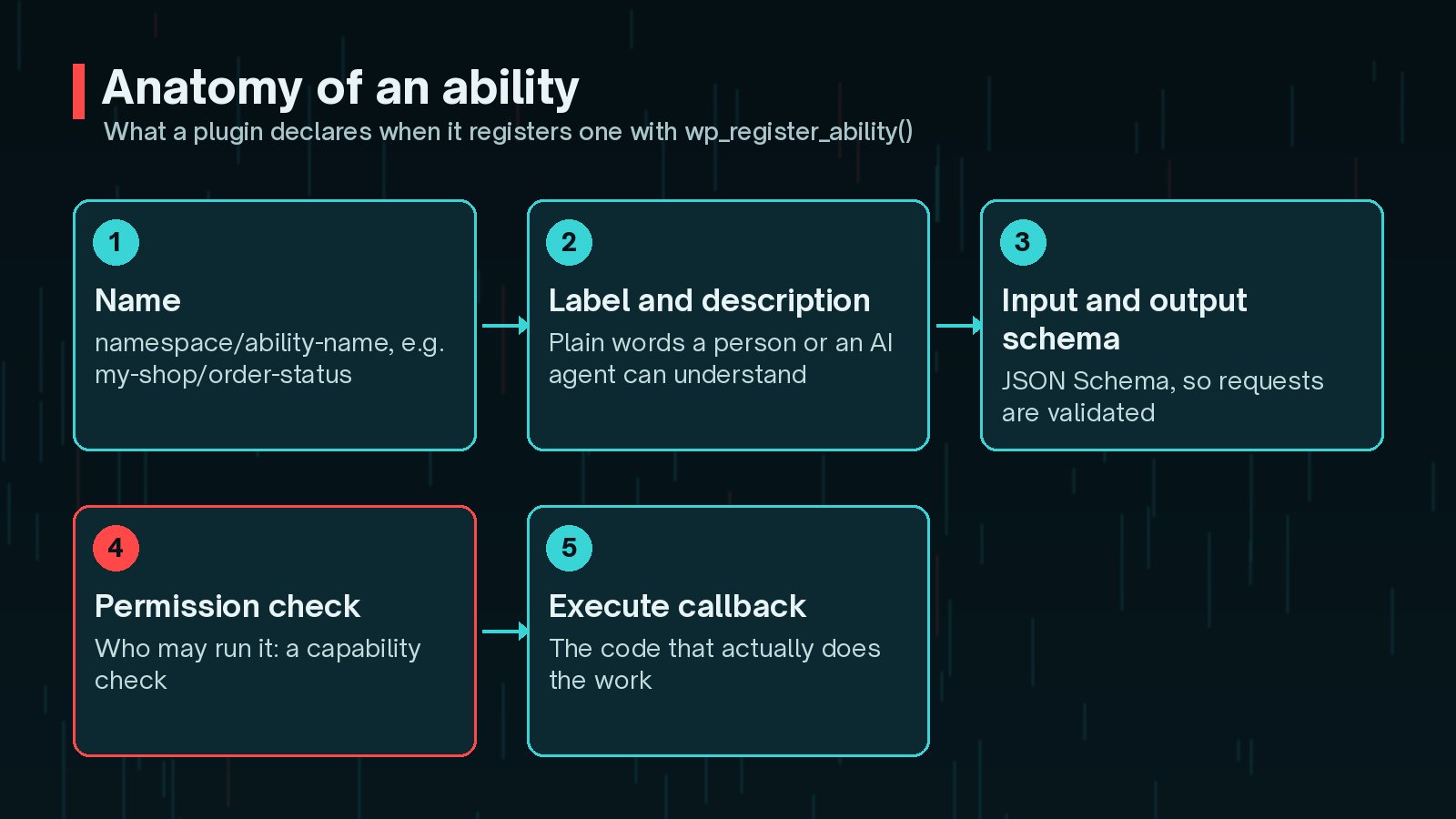
Each ability has:
- A unique name in the form
namespace/ability-name - A human-readable label and description
- Input and output definitions written in JSON Schema, so requests can be validated
- A category, such as site or user information
- A permission callback that decides whether the current user can run it
- An execute callback that does the actual work
WordPress already registers a few abilities of its own, such as core/get-site-info and core/get-environment-info.
How Do Abilities Relate to AI Agents and the MCP Adapter?
An AI agent cannot safely guess how to use your site. It needs a list of tools, a description of each and rules about inputs. That is exactly what abilities provide.
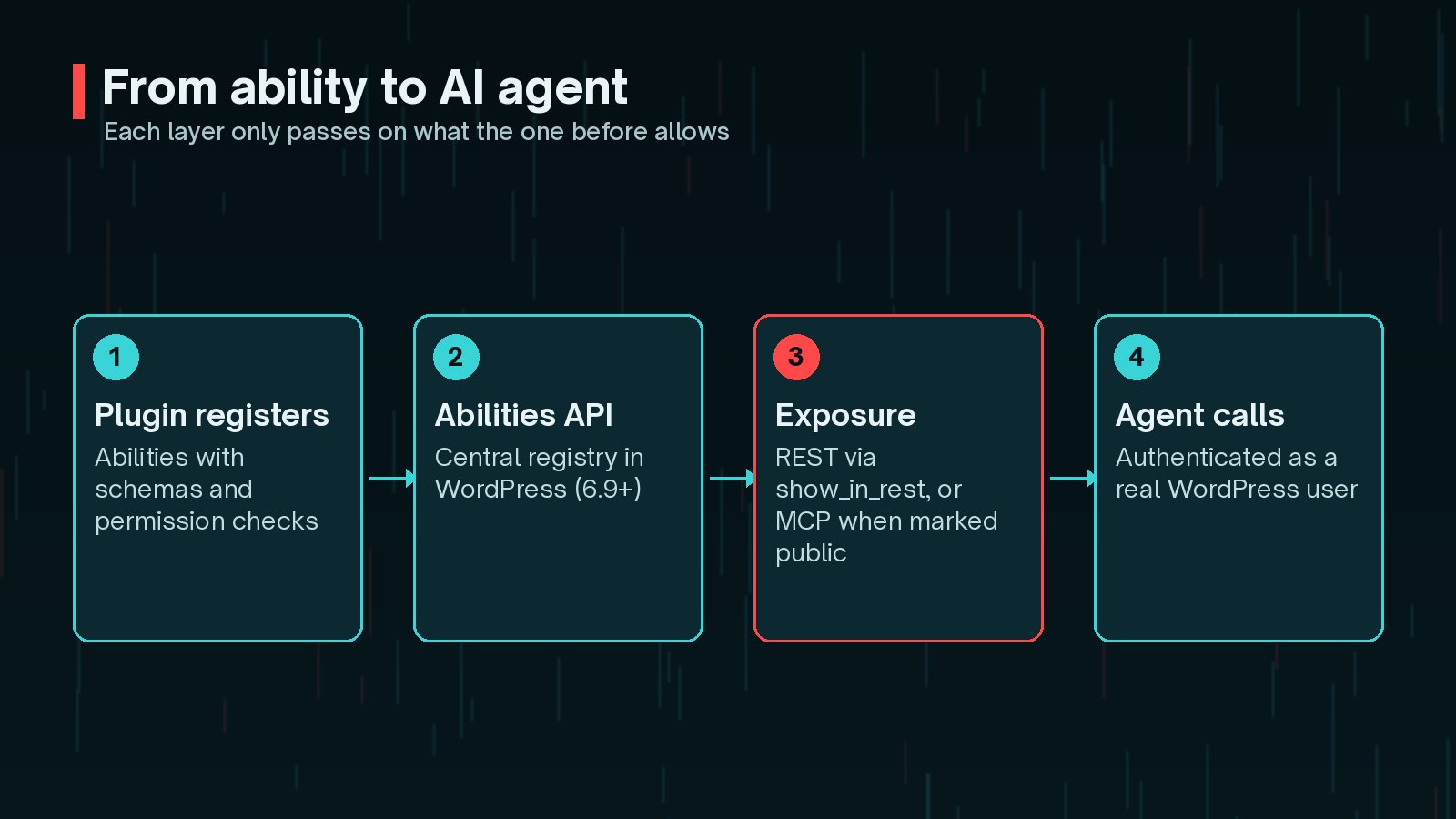
There are two main ways abilities reach the outside world:
- The REST API. Abilities have their own endpoints under
/wp-json/wp-abilities/v1. The project's REST documentation says abilities are not exposed there by default; a developer must setshow_in_restto true. All endpoints require an authenticated user. - The MCP Adapter. This plugin turns your site into a Model Context Protocol server that AI clients can connect to. It only offers abilities marked as public for MCP. I cover setup in detail in my guide to the WordPress MCP Adapter.
Either way, the agent acts as a real WordPress user, usually through an Application Password, and can never do more than that user is allowed to.
What's Changing for Abilities in WordPress 7.2?
The WordPress 7.2 Beta 1 announcement on 20 October 2026 says the release "expands the Abilities API with new capabilities for accessing and querying WordPress data", aimed at integrations, automation and AI tools. Beta 2, on 27 October, lists continued work on content querying, capability requirements, schema handling and permissions.
In the current development code, that work includes three new read-only core abilities:
core/content-query, which lists readable posts with exact-match filters such as status, author or slugcore/users-query, for looking up userscore/settings-get, for reading site settings
It also adds new ability categories for content and uncategorised abilities. Separately, the Roadmap to 7.2 says broader AI work, including write abilities and wider read-only coverage of media, taxonomies and comments, is being explored in the AI plugin first, with no guarantee of reaching core in 7.2.
Status on 29 October 2026: WordPress 7.2 is in beta. Names and behaviour can change before release. Check the 7.2 Field Guide and my WordPress 7.2 update checklist before building on these.
Which Business Tasks Make Good Abilities?

The best abilities are narrow, predictable and useful. Good candidates include:
- Lookups: order or booking status, stock levels, opening hours, the latest posts in a category.
- Reports: a summary of form entries this week, or which pages were updated recently.
- Drafting: create a draft post or product description for a human to review, never publish directly.
- Housekeeping: list plugins with pending updates or flag broken links.
Poor candidates are broad actions such as "run any database query", "change any setting" or "delete content". If a mistake would be hard to undo, keep it out of reach, or require a human to approve it.
Security: Capabilities and Permissions for Abilities
The Abilities API puts the main security decision in one place: the permission check. A well - built ability checks a specific WordPress capability, not just "is someone logged in".

Here is a cut-down version of the registration example from the official documentation, showing the parts that matter for security:
wp_register_ability( 'my-plugin/site-info', array(
          'label'               => __( 'Site Info', 'textdomain' ),
          'description'         => __( 'Returns information about this site', 'textdomain' ),
          'category'            => 'site-information',
          'execute_callback'    => 'my_plugin_get_siteinfo',
          'permission_callback' => function () {
              return current_user_can( 'manage_options' );
          },
          'meta'                => array( 'show_in_rest' => true ),
      ) );
Things to insist on:
- Least privilege. Use the narrowest capability that fits, such as
edit_postsfor drafting rather thanmanage_options. - Accurate annotations. Abilities can declare whether they are read-only, destructive or idempotent. Clients rely on these to decide when to ask a human first.
- A dedicated agent user. Run AI tools as their own low-privilege account with its own Application Password, so you can revoke access in seconds.
- Logging. Record which abilities were called and by whom.
Do You Need a Custom Plugin to Expose Abilities?
For anything specific to your business, usually yes. Core abilities cover generic site information, and popular plugins may start registering their own, but nobody else knows your booking rules, product data or approval process.
A small custom plugin is the right home for this. It keeps your abilities separate from the theme, survives redesigns and can be reviewed and tested on its own. My article on when you need a custom WordPress plugin explains how to decide. If you only want AI help writing inside the editor, the AI Connectors screen may be all you need.
Getting Started Checklist for Site Owners
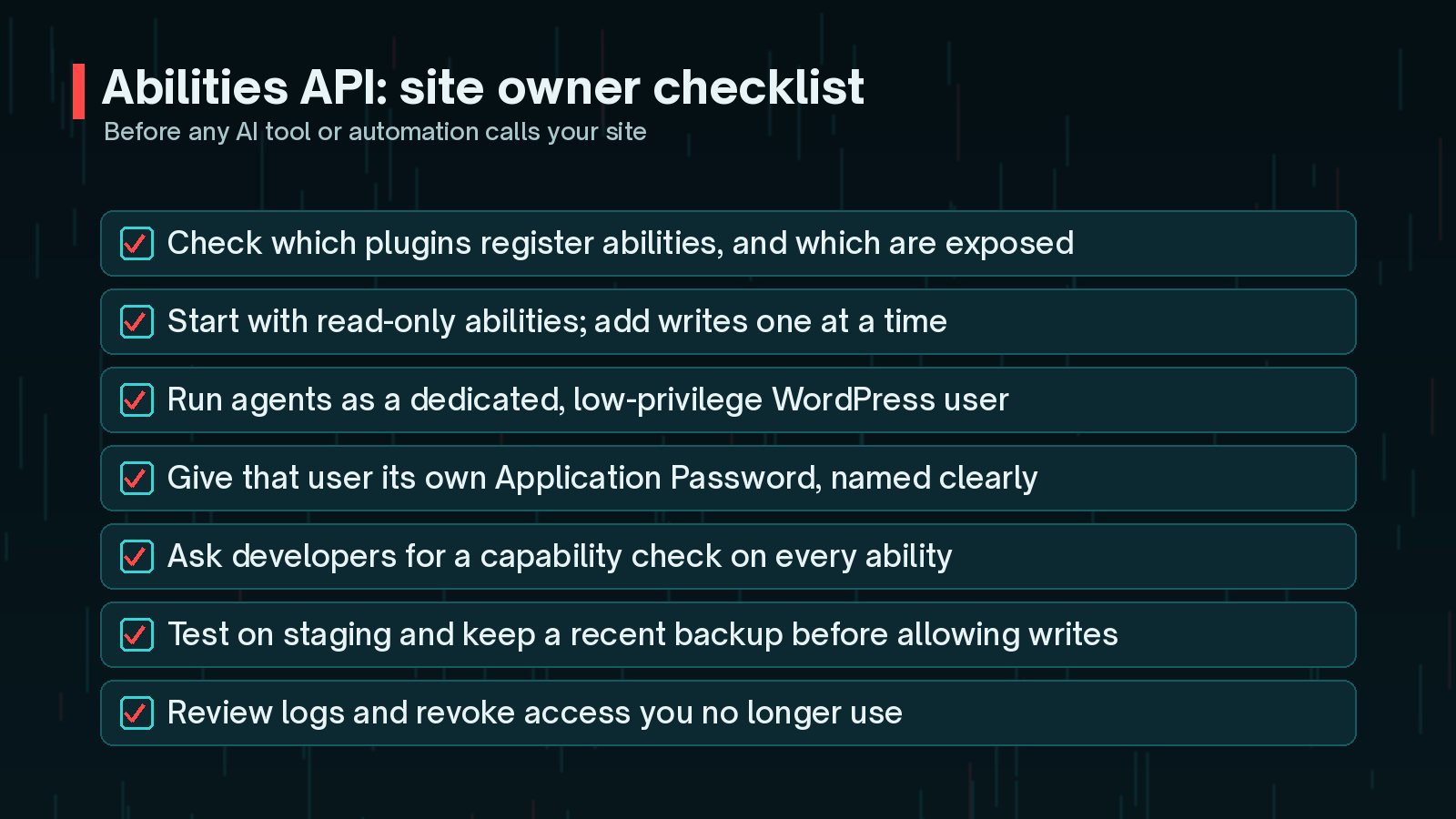
- Ask your developer which abilities are registered and which are exposed through REST or MCP.
- Start with read-only abilities and add write actions one at a time.
- Create a dedicated, low-privilege user for each agent or integration.
- Give it a clearly named Application Password, and audit those monthly.
- Require a capability check on every ability, and accurate annotations.
- Test on staging and keep a recent backup before allowing any writes.
- Review logs regularly and revoke access you no longer use.
Frequently Asked Questions
Is the WordPress Abilities API part of core?
Yes. The developer documentation says the Abilities API is available in WordPress 6.9 and above. The MCP Adapter, which connects abilities to AI agents, is a separate plugin, and some experimental abilities are developed in the AI plugin first.
Does the Abilities API expose my site to AI automatically?
No. Registering an ability does not publish it. Abilities are hidden from the REST API unless a developer sets show_in_rest, and the MCP Adapter only exposes abilities that are explicitly marked public. Every call also needs an authenticated user and passes the ability's permission check.
What does WordPress 7.2 add to the Abilities API?
The 7.2 beta announcements describe new abilities for accessing and querying WordPress data, plus work on capability requirements, schema handling and permissions. The development code adds read-only abilities for querying content, users and settings. Details can still change before the 8 December 2026 release.
Can a page builder or theme register abilities?
Yes. Any plugin or theme can register abilities with wp_register_ability() on the wp_abilities_api_init hook. Check plugin changelogs for mentions of abilities so you know what is being registered on your site.
Do I need the Abilities API if I only use AI to write content in the editor?
Probably not. Writing help inside the editor is covered by the AI Connectors screen and AI plugins. The Abilities API matters when outside tools or agents need to take actions or fetch data on your site.
Final Thoughts
The WordPress Abilities API is quiet infrastructure, but it decides how safely AI tools and integrations can work on your site. Registered abilities are not public by default, every call runs as a real user, and permission checks sit in one predictable place. Used well, that is a solid foundation.
The risk lies in how abilities are built and exposed. If you want abilities designed around your own workflows, with tight permissions and logging, my custom plugin development service is built for exactly that.
Official References
Sources checked on 29 October 2026: