
Wix and Squarespace are a good way to get online quickly. As a business grows, though, many owners want more control over design, features, hosting and SEO. A Wix to WordPress migration, or a move from Squarespace, is very doable, but it is a rebuild rather than a one-click transfer, and planning makes the difference between a smooth switch and a drop in traffic.
This guide covers why businesses move, what can and cannot be moved automatically, export and import options, rebuilding the design, keeping URLs and redirects in order, domains and forms, and the SEO checks to run after launch.
Why businesses move to WordPress
The reasons are usually practical rather than about one platform being “better”:
- Flexibility: custom layouts, functionality and integrations that a site builder does not offer.
- Ownership: WordPress is open source, so you can choose and change your host.
- Plugins: a large ecosystem for bookings, memberships, shops and CRMs.
- SEO and content control: full control over URLs, templates, structured data and performance.
Before you commit, write down what the current site does well and what is holding you back. That list becomes the brief for the new site and stops the project growing into a full redesign you did not plan for. It also helps you judge success after launch.
Moving also means taking on updates, backups and security, which a hosted builder handles for you. Factor that into the decision; my comparison of WordPress and Shopify for small businesses covers similar trade-offs.
Wix to WordPress migration: what can and can't be moved automatically
Neither platform exports a ready-to-use WordPress site. You can move content, but the design has to be rebuilt.
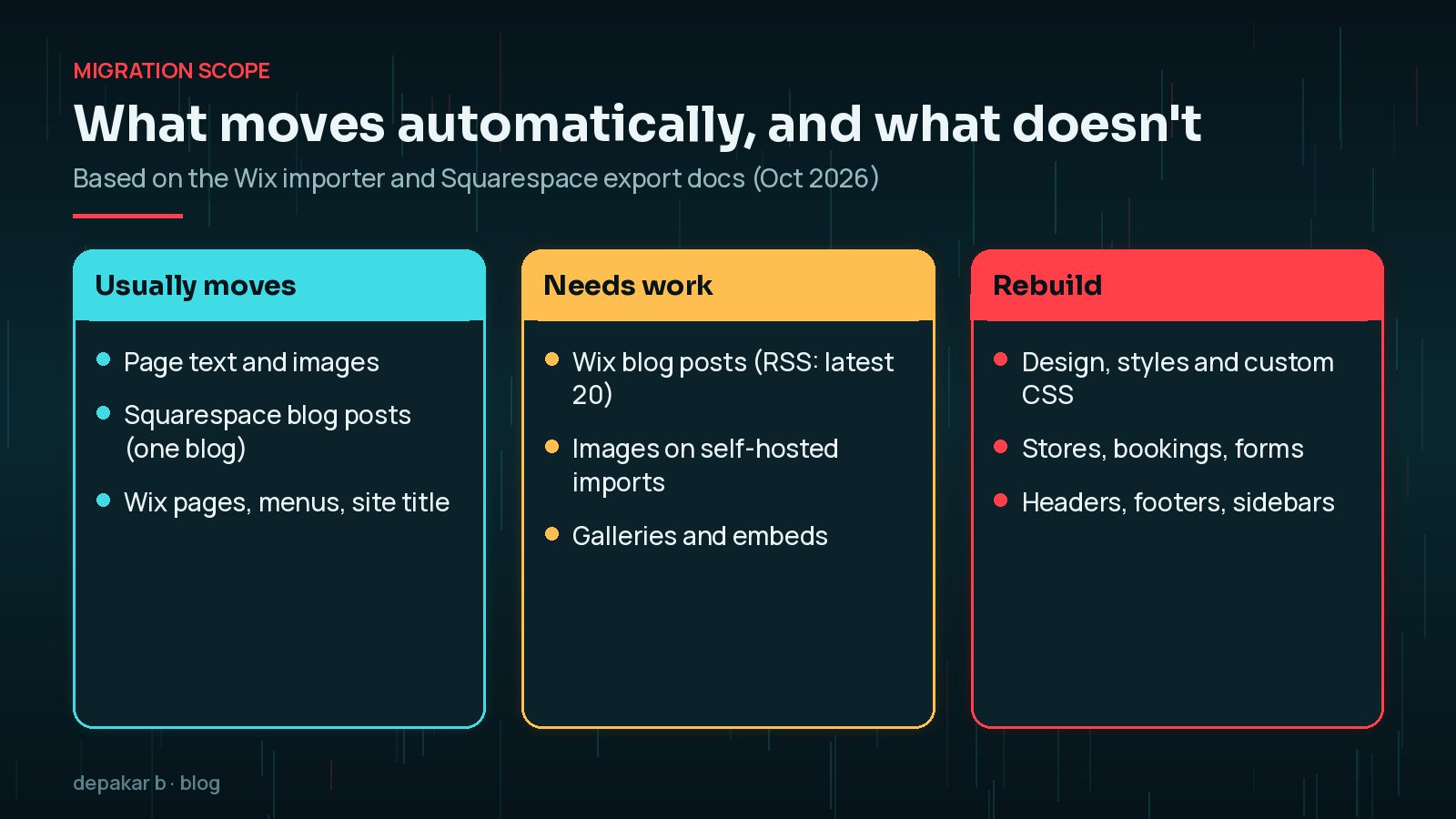
Squarespace: its export guide says the WordPress-format XML file includes layout pages, one blog page with its posts and up to 1,000 comments per post, text and image blocks, and certain gallery pages. Store pages, product blocks, album and portfolio pages, drafts, style settings, custom CSS and content in headers, footers and sidebars do not export. Only one blog page can be exported.
Wix: WordPress.com's Wix importer brings over static pages, images, menus and the site title. According to the same guide, Wix blog posts cannot be exported to other platforms; Wix's RSS feed can be used to import the 20 most recent posts with an RSS import plugin, and older posts need moving by hand. These details are as of October 2026, so check the current guides before you start.
Export and import options
There are a few routes, depending on where you are moving from and to:
- Squarespace to self-hosted WordPress: export the XML file and import it with the WordPress Importer under Tools > Import.
- Images: Squarespace warns that with the WordPress Importer on a self-hosted site, images may not move and may still point to Squarespace, breaking once you cancel. Download and re-upload them, or use a tool that copies media.
- Wix: use the WordPress.com importer, then move the site to your chosen host if needed, or copy pages manually.
- Manual copying: for small sites, copying text and images into new pages is often the cleanest option.
Rebuilding design and layouts
Your Wix or Squarespace template does not come across. This is an opportunity to improve structure and speed rather than copying the old design pixel for pixel.

- Choose a well - built block theme or a custom theme matched to your brand.
- Rebuild key templates first: home page, service pages, blog posts and contact page.
- Recreate features such as bookings, shops or galleries with maintained plugins.
- Check every page on mobile, since layouts often behave differently.
My WordPress website revamp checklist and the guide to WordPress redesign cost factors help with planning and budgeting.
Keeping URLs and setting up redirects
This is the step that protects your search traffic. Site builders often use URL patterns that differ from WordPress, for example for blog posts, so some addresses will change.
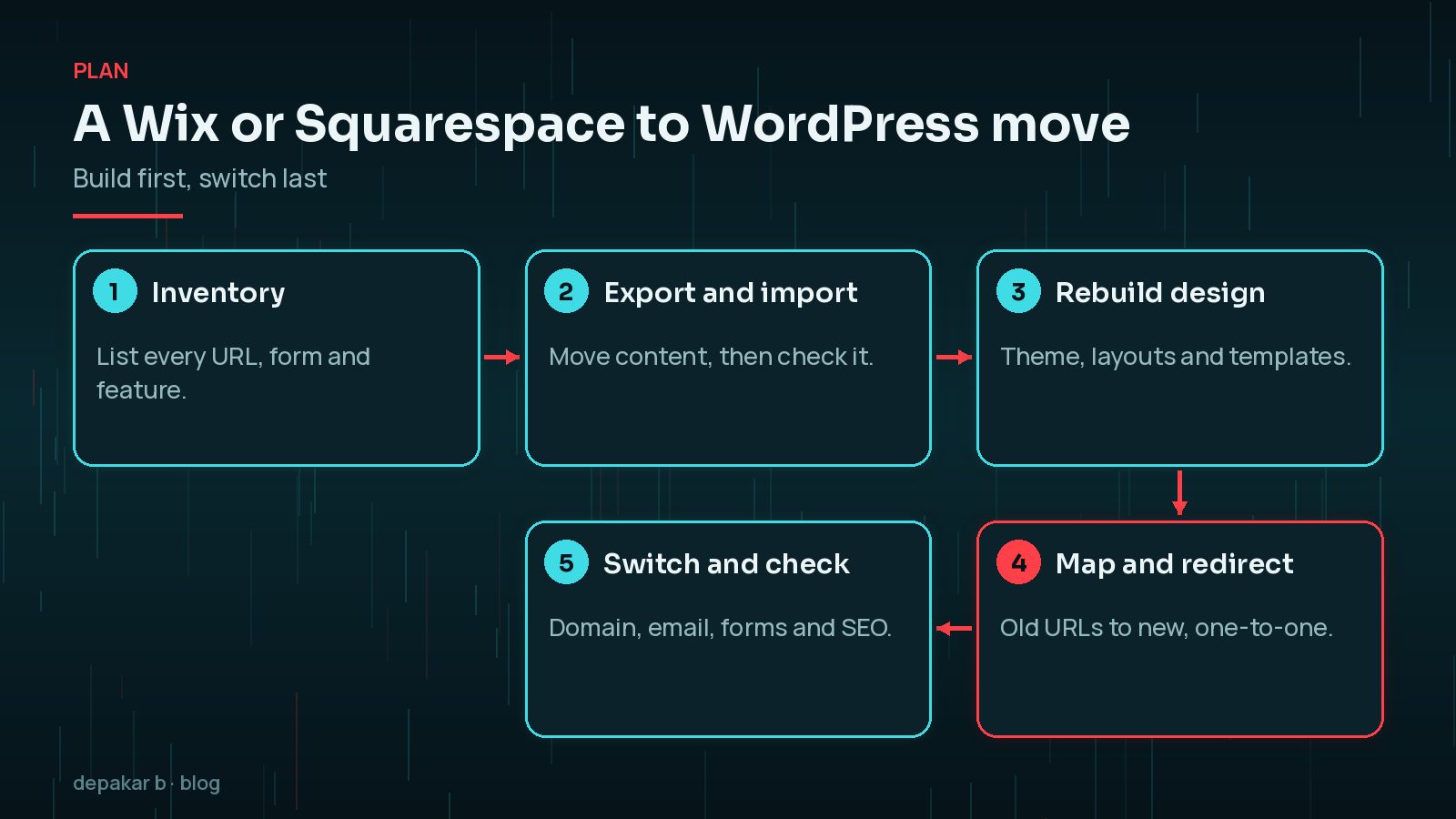
- Export a full list of current URLs from your sitemap and Search Console before you start.
- Keep the same URLs in WordPress where you can, by setting permalinks and page slugs to match.
- Where a URL must change, create a one-to-one permanent (301) redirect to the closest new page.

Google's site move guidance recommends preparing a URL mapping and setting up server-side redirects from old URLs to new ones, and notes that permanent redirects do not cause a loss in PageRank. If you keep the same domain, you do not need Search Console's Change of Address tool, which is only for moving to a new domain. For more detail, see a website redesign without losing SEO.
Domains, email and forms
Domains and email are where moves most often go wrong on launch day.
- Domain: if your domain is registered with Wix or Squarespace, decide whether to transfer it to another registrar or just point its DNS to your new host.
- Email: if your business email uses the same domain, note its DNS records, such as MX, SPF and DKIM, before changing anything, so mail keeps flowing.
- Forms: builder forms do not move. Rebuild them in WordPress and test that submissions arrive and confirmation emails send.
Post-launch SEO checks
Once the domain points to WordPress, check the essentials over the first days and weeks.
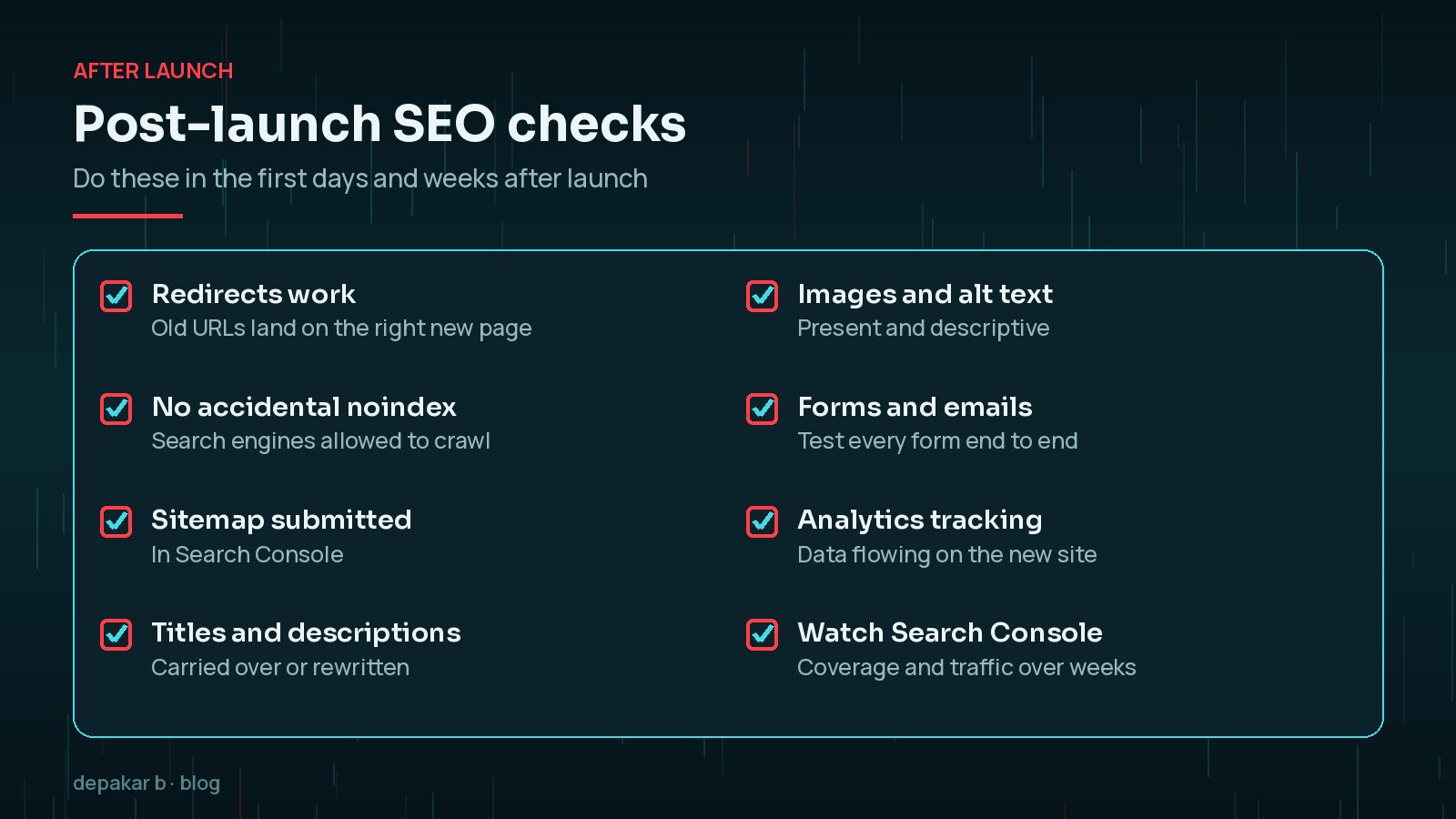
Pay particular attention to the “Discourage search engines” setting under Settings > Reading, which is often left on after building on staging. Google notes it needs to revisit old and new URLs before a move is fully processed, so expect some fluctuation and watch Search Console rather than reacting to day-to-day changes.
Frequently Asked Questions
Can I move my Wix site to WordPress automatically?
Partly. WordPress.com's Wix importer brings over pages, images, menus and the site title, but not the design, and Wix blog posts cannot be fully exported. Plan to rebuild the design and move older posts by hand.
What transfers from Squarespace to WordPress?
Squarespace's XML export includes layout pages, one blog with its posts and comments, text and image blocks and some galleries. Stores, styles, custom CSS and several page types do not export.
Will I lose my Google rankings if I move to WordPress?
Not necessarily. Keep URLs where possible, set up one-to-one permanent redirects for the rest, and check Search Console after launch. Some short-term fluctuation is normal.
Do I need to change my domain name?
No. You can keep the same domain and point it to your new host. If it is registered with Wix or Squarespace, you can transfer it or simply update its DNS.
Is WordPress harder to look after than Wix or Squarespace?
It needs more care: updates, backups and security are your responsibility or your developer's. In return you get more control over design, features and hosting.
Final Thoughts
A Wix to WordPress migration, or a move from Squarespace, is mostly about planning: know what transfers, rebuild the design properly, map every URL, and check domains, email and forms before and after launch. Done carefully, you gain flexibility without losing the traffic you have built. If you would like help planning or carrying out the move, my website revamp service covers migrations from site builders.
Official References
Sources checked on 29 October 2026: