
Plugins are one of WordPress's biggest strengths, but they depend on someone keeping them up to date. When a developer stops, you are left with an abandoned WordPress plugin running on your site: still working today, perhaps, but with nobody fixing bugs, compatibility problems or security flaws.
This guide explains how to tell a plugin is abandoned, what the closure notices on WordPress.org mean, how to judge the real risk, and how to replace the plugin without losing your settings or content.
How to tell you have an abandoned WordPress plugin
There is rarely an announcement. Instead, you see a pattern of small signs that build up over time.
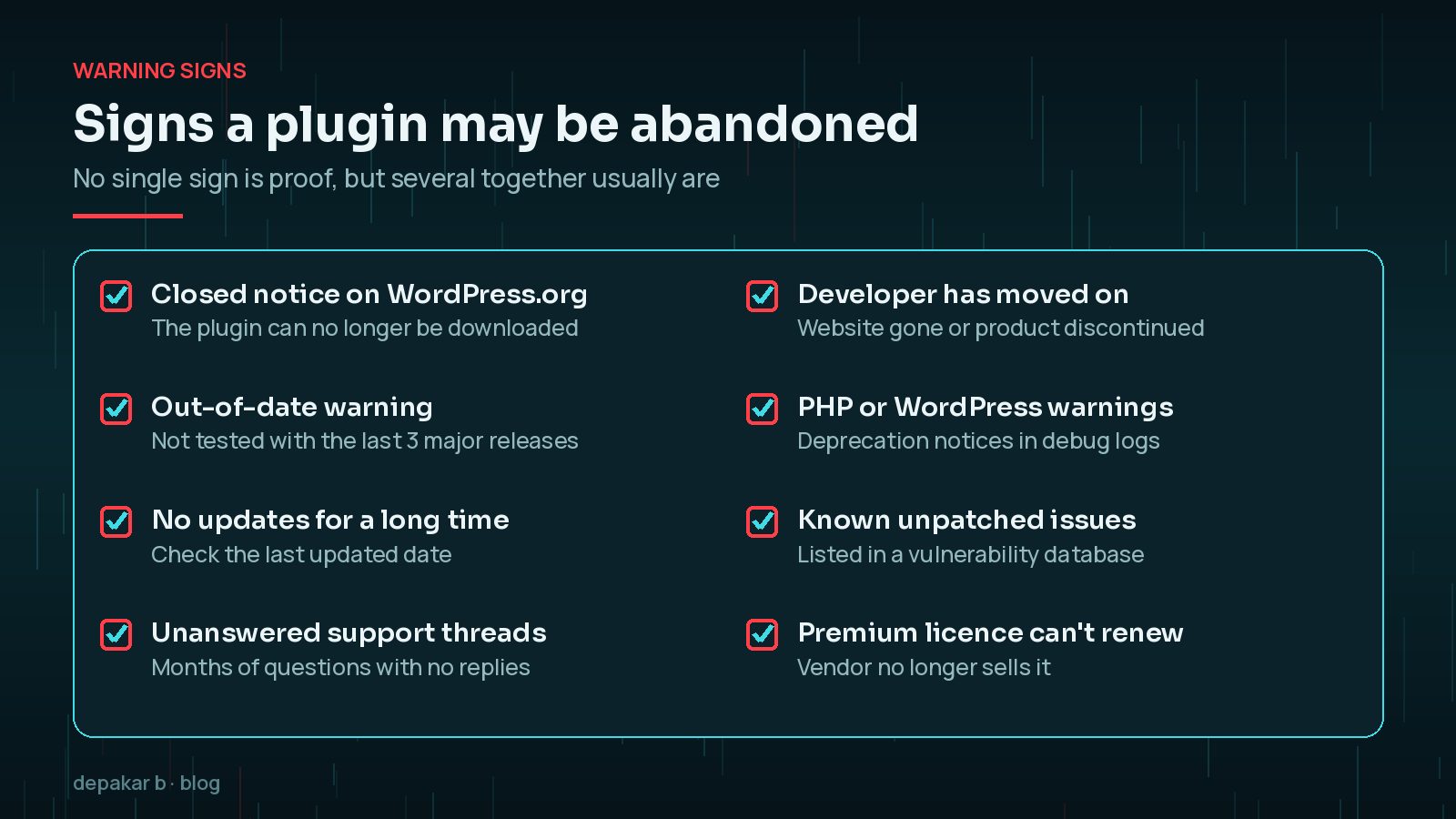
Start with the plugin's page on WordPress.org. Check the last updated date, the "tested up to" version and the support forum. Then look at your own site: Site Health and debug logs can show deprecation notices that suggest the code is falling behind newer PHP versions.
What 'closed' on WordPress.org means
When a plugin is closed on WordPress.org, it is no longer available to download and its page shows a notice. According to WordPress's plugin handbook, a closure date is shown for plugins closed since early 2018, and after 60 days the page shows the reason.
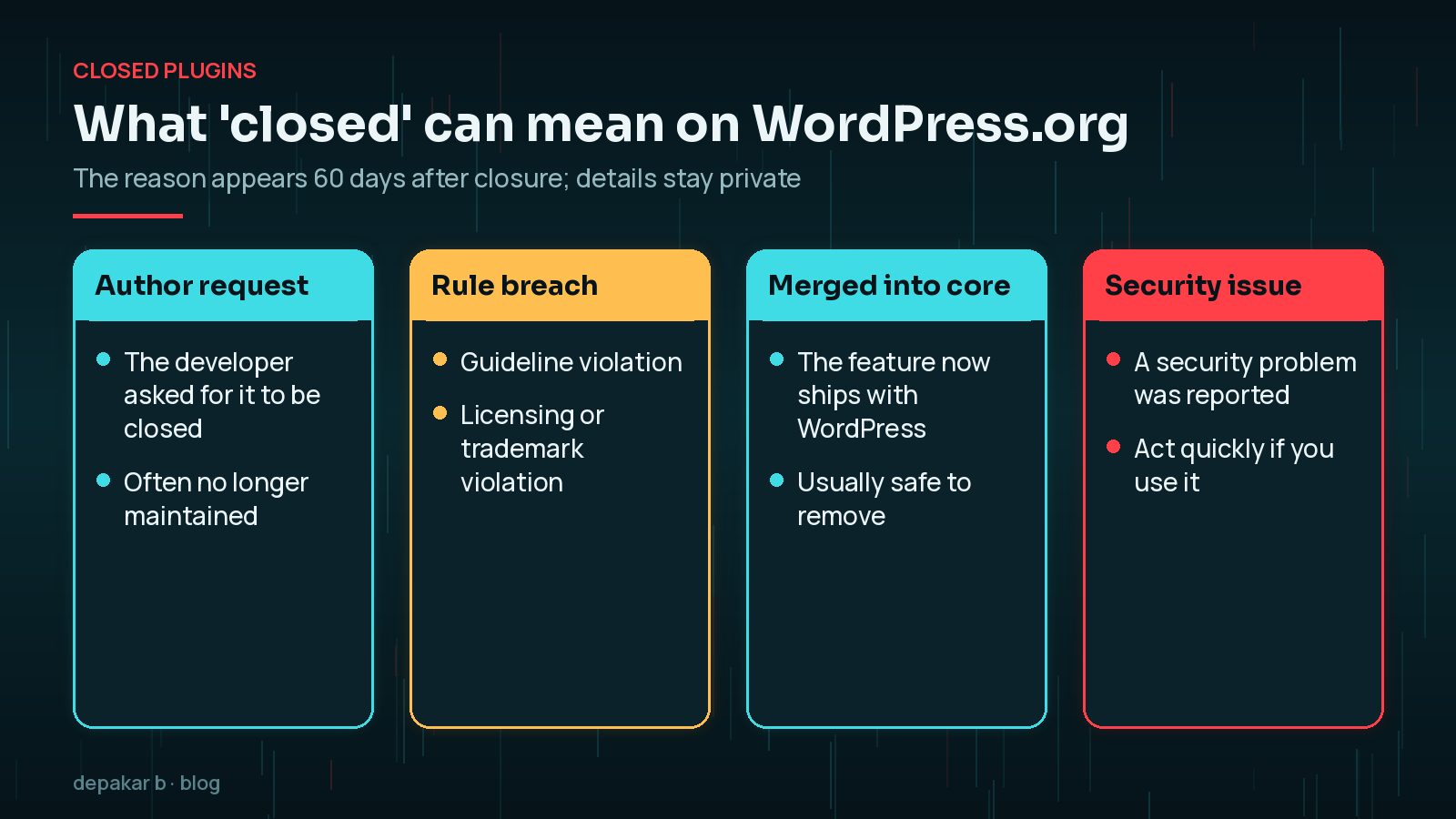
The possible reasons are: author request, guideline violation, licensing or trademark violation, merged into core, or security issue. WordPress.org does not publish further details. A separate "out of date" notice appears when a plugin has not been tested with the last three major WordPress releases.
Is an outdated plugin always a risk?
Not always. A small plugin that adds a few lines of CSS, with no settings page, no forms and no database access, may keep working safely for years. The risk grows with what the plugin is allowed to do.
- Higher risk: plugins that accept user input, handle uploads, add admin pages, manage users or connect to outside services.
- Lower risk: plugins that only change appearance or output fixed content.
- Compatibility risk: even harmless code can break when your host upgrades PHP or WordPress changes an API.
A quick way to judge it is to ask what would happen if an attacker found a flaw in this plugin tomorrow. If the answer is “they could reach customer data or admin accounts”, treat replacement as a priority. If the answer is “they could change a colour”, it can wait for planned maintenance. Either way, keep a note of every unmaintained plugin so it is reviewed at each update cycle rather than forgotten.
Check whether the plugin has any known vulnerabilities in a public database such as Patchstack's. For how the current threat picture looks, see WordPress plugin vulnerabilities in October 2026.
Finding a replacement that keeps your data
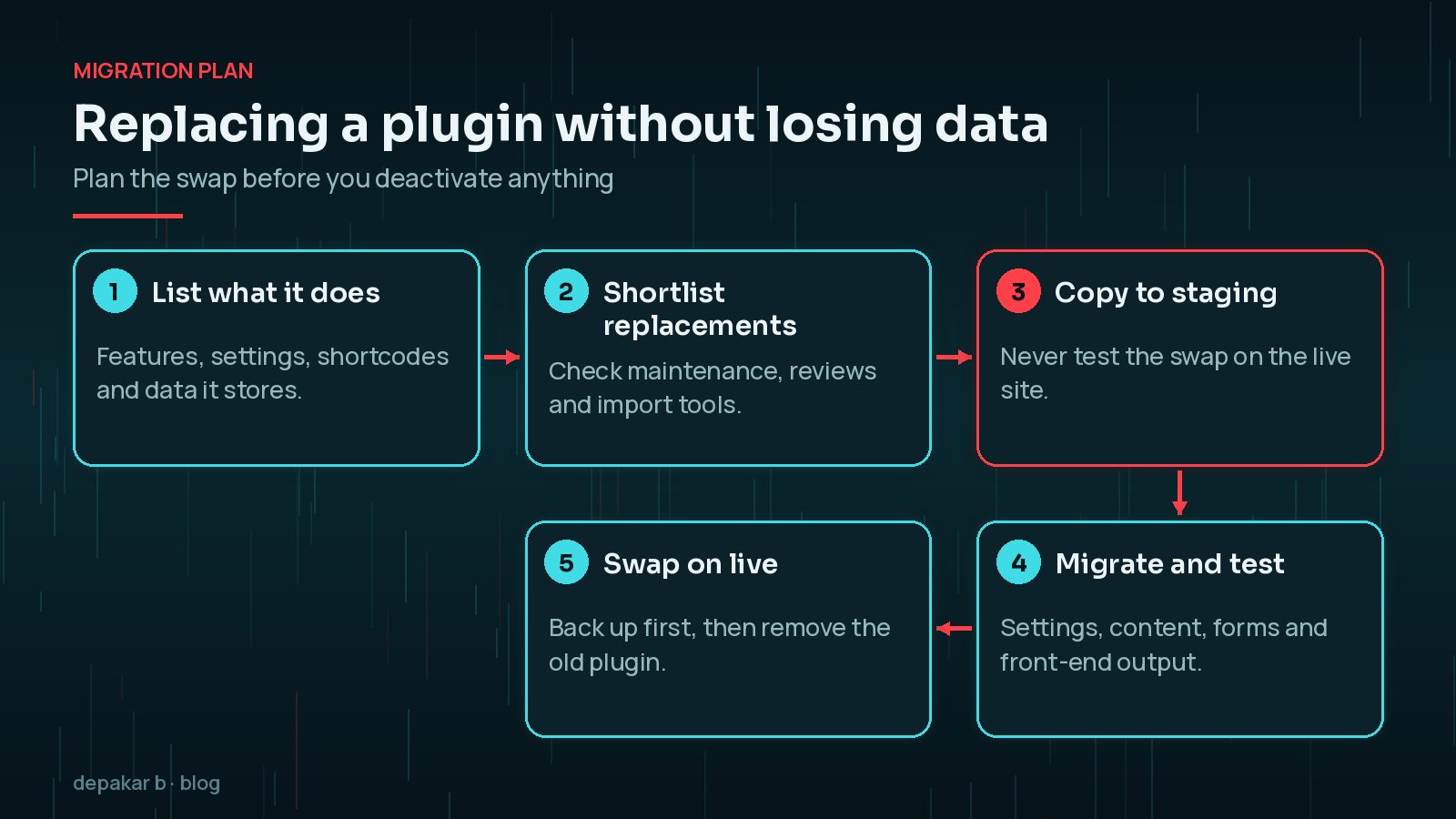
Before you search, write down exactly what the old plugin does for you. Many sites only use a fraction of a plugin's features, which widens your options.
- Look for active maintenance: recent updates, tested with the current WordPress version, and replies in the support forum.
- Check whether the replacement can import data from the old plugin. Popular plugins in a category often include importers from common competitors.
- Consider whether WordPress core or your theme now does the job; features are sometimes merged into core.
- Prefer fewer, well-maintained plugins over several small ones.
My guide on how to choose a safe WordPress plugin covers the checks in more detail.
Migrating settings, shortcodes and content
The hardest part of replacing a plugin is usually not the settings page but everything it left behind in your content.

- Shortcodes: search your posts and pages for the old plugin's shortcodes. If you remove the plugin, they show as raw text.
- Custom post types and fields: make sure the replacement can read or import them, or plan how to export and re-import.
- Stored data: form entries, booking history or logs may live in custom database tables. Export anything you need to keep.
- Settings and integrations: note API keys, email settings and webhooks so you can recreate them.
When to fork or rebuild as a custom plugin
Sometimes there is no good replacement, especially for niche features or plugins built for one business. You then have two options:
- Fork it: take over the existing code under its licence and maintain it yourself. This is quick but inherits any design problems and security debt.
- Rebuild it: write a small custom plugin that does only what you need, using current WordPress standards. This takes longer but is often simpler to maintain.
Whichever route you take, write down who is now responsible for updates. A fork nobody maintains quickly becomes another abandoned plugin, just with your name on it. Budget a little time each quarter to check it against new WordPress and PHP releases.
If the old plugin did a lot more than you use, a lean custom rebuild is usually the better long-term choice. Read when you need a custom WordPress plugin to help decide.
Testing the swap on staging
Always test a plugin replacement on a copy of the site first. A staging site lets you install the new plugin, run imports, remove the old one and click through every affected page without customers seeing anything break.

- Test forms, checkouts or bookings end to end, including emails.
- Check pages that used the old shortcodes or blocks.
- Watch the PHP error log while you click around.
- Take a full backup of the live site before repeating the swap there.
If you do not have a staging site yet, see how to set up a WordPress staging site.
Frequently Asked Questions
How long without updates means a plugin is abandoned?
There is no fixed cut-off. WordPress.org shows an out-of-date notice when a plugin has not been tested with the last three major releases. Combine that with support activity and known issues before deciding.
Is it safe to keep using a plugin that was closed on WordPress.org?
It depends on the reason. A plugin merged into core can usually just be removed, while one closed for a security issue should be deactivated or replaced quickly. Check the closure reason shown on its page.
Will deleting a plugin delete its data?
Some plugins remove their data on uninstall, while others leave tables and options behind. Export anything you need first and test removal on a staging copy.
What happens to shortcodes when I remove a plugin?
They stop working and usually appear as plain text in your pages. Search your content for them and replace them before or during the swap.
Can I take over an abandoned plugin myself?
Plugins hosted on WordPress.org must use a GPL-compatible licence, which allows you to fork the code and maintain your own copy. Give it a different name and remember you are then responsible for its security.
Final Thoughts
An abandoned WordPress plugin is not an emergency every time, but it is always a job for your list. Judge the risk by what the plugin can do, check for known vulnerabilities, and plan a replacement that keeps your data intact. Test on staging, back up, then swap. If no replacement fits, a small, well - built custom plugin can be the cleanest answer; my custom plugin development service can help with that.
Official References
Sources checked on 29 October 2026: