
You may have seen plugins and SEO tools offering to add an llms.txt file to WordPress, with claims that it helps your business appear in ChatGPT, Gemini or Google's AI answers. It is a real proposal and it is easy to add, but it is often oversold.
This guide explains what llms.txt actually is, what the major AI companies say about it, how it differs from robots.txt, and how to create one on WordPress if you decide it is worth it. It also covers the work that does more for your AI visibility.
What Is llms.txt and Where Did It Come From?
llms.txt is a proposal published on llmstxt.org by Jeremy Howard in September 2024. The idea is simple: put a Markdown file at /llms.txt that gives large language models a short, clean summary of your site and links to the pages that matter most.
The reasoning is that web pages are full of navigation, scripts and adverts, and an AI tool answering a question on demand has limited room to read. A curated Markdown file gives it the essentials without the clutter.
The proposal is clear about what it is for: helping AI tools use your content at the moment someone asks a question. It is not a set of crawling rules and does not replace robots.txt or your sitemap.

Do Google, OpenAI or Others Actually Use It?
This is where expectations need adjusting. Google's guidance on AI features in Search says plainly that you don't need to create new machine-readable files, AI text files or markup to appear in AI Overviews or AI Mode. The same SEO basics apply as for ordinary search.
Google's documentation for its crawlers and OpenAI's documentation for its bots both describe control through robots.txt, not llms.txt. Neither presents llms.txt as a ranking or citation signal.
Some AI tools and developer products do read llms.txt files, especially for software documentation, and some tools can generate them. But no major search or AI company has said it will cite you more because you have one. Treat claims otherwise with caution.
Short version: llms.txt is harmless and quick to add, but it is optional. As of 29 October 2026, Google says you don't need one for its AI features.
llms.txt vs robots.txt vs AI Crawler Controls
These three are often confused, but they do different jobs.
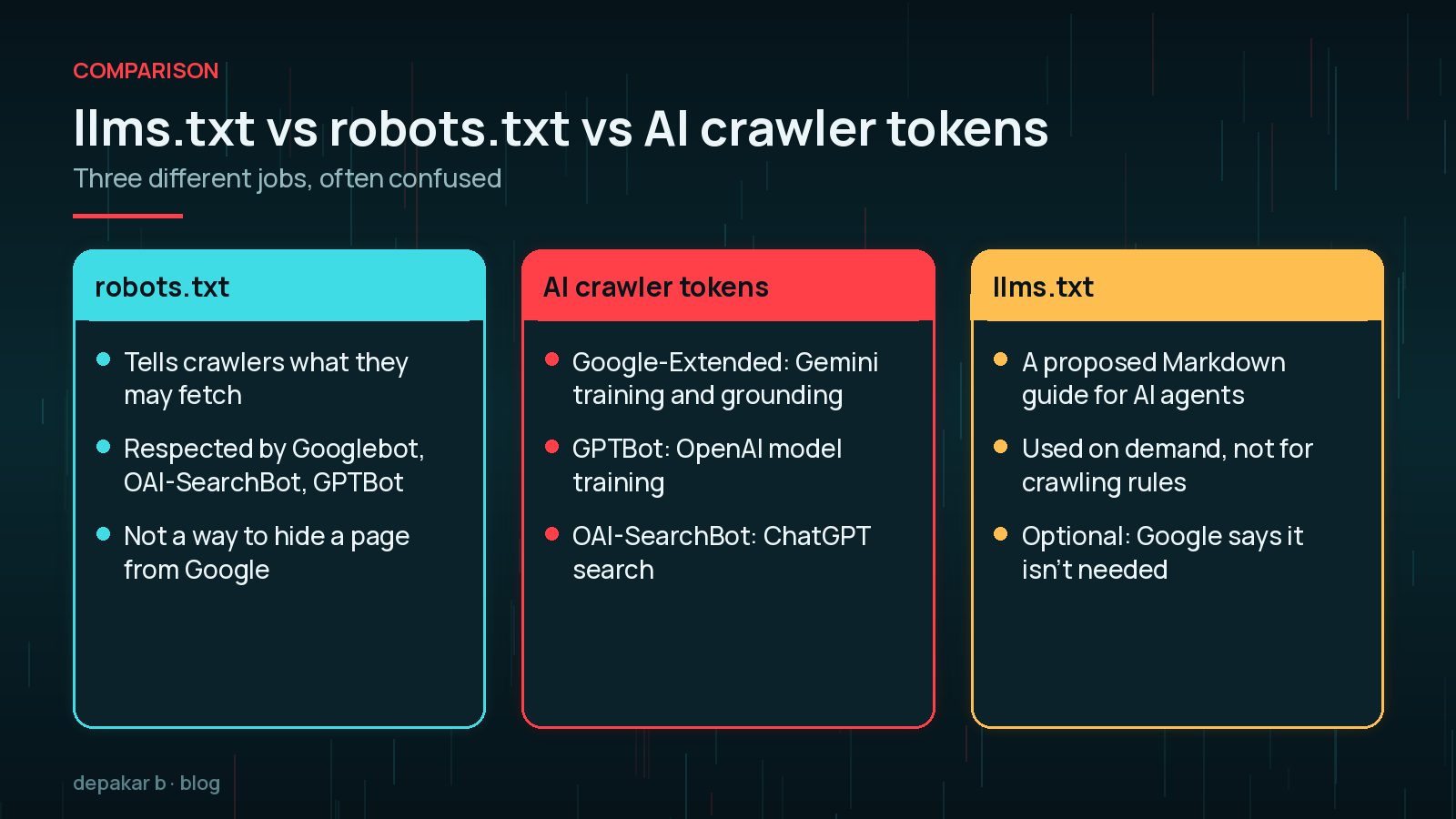
- robots.txt tells crawlers which URLs they may fetch. Googlebot, OAI-SearchBot and GPTBot all respect it. It is not a way to keep a page out of Google; use noindex for that.
- AI crawler tokens are robots.txt user agents for AI uses.
Google-Extendedcontrols whether your content is used for training and grounding Gemini models, and Google says it does not affect inclusion in Google Search. OpenAI separatesOAI-SearchBot, used for ChatGPT search, fromGPTBot, used for training. OpenAI notes thatChatGPT-Useracts for a person and robots.txt rules may not apply. - llms.txt controls nothing. It is a suggestion of what to read and in what order.
For example, to appear in ChatGPT search while opting out of model training, OpenAI's documentation allows a robots.txt like this:
User-agent: OAI-SearchBot
Allow: /

User-agent: GPTBot
Disallow: /
If you want to stay out of Google's AI features entirely, that is a different decision with real costs. My guide on opting out of Google AI Overviews covers the trade-offs.
Should a Small Business Bother?
For most small business sites, llms.txt is a five-minute nice-to-have, not a priority. Consider one if:
- Your SEO plugin can generate it with a toggle.
- You publish documentation, guides or a product people ask AI tools about.
- You've already covered the basics in the last section of this guide.
Skip it, or leave it for later, if your key pages aren't indexed, your site is slow, or your service pages don't clearly say what you do. Those problems matter far more.
How to Create llms.txt on WordPress
You have three practical options.
- Use your SEO plugin. llmstxt.org lists Yoast SEO and All in One SEO among tools that can generate the file. Check your plugin's settings for an llms.txt option, review what it produces, and remove anything you don't want listed.
- Upload a static file. Write the file yourself and upload it to your site's root folder by SFTP or your host's file manager, next to
wp-config.php. It should load athttps://yourdomain.com/llms.txt. - Serve it from code. A developer can output it from a small plugin so it updates with your content. This is only worth it on larger sites.
After adding it, open the URL in your browser to check it loads as plain text, and that a caching or security plugin isn't blocking it.
What to Include and What to Leave Out
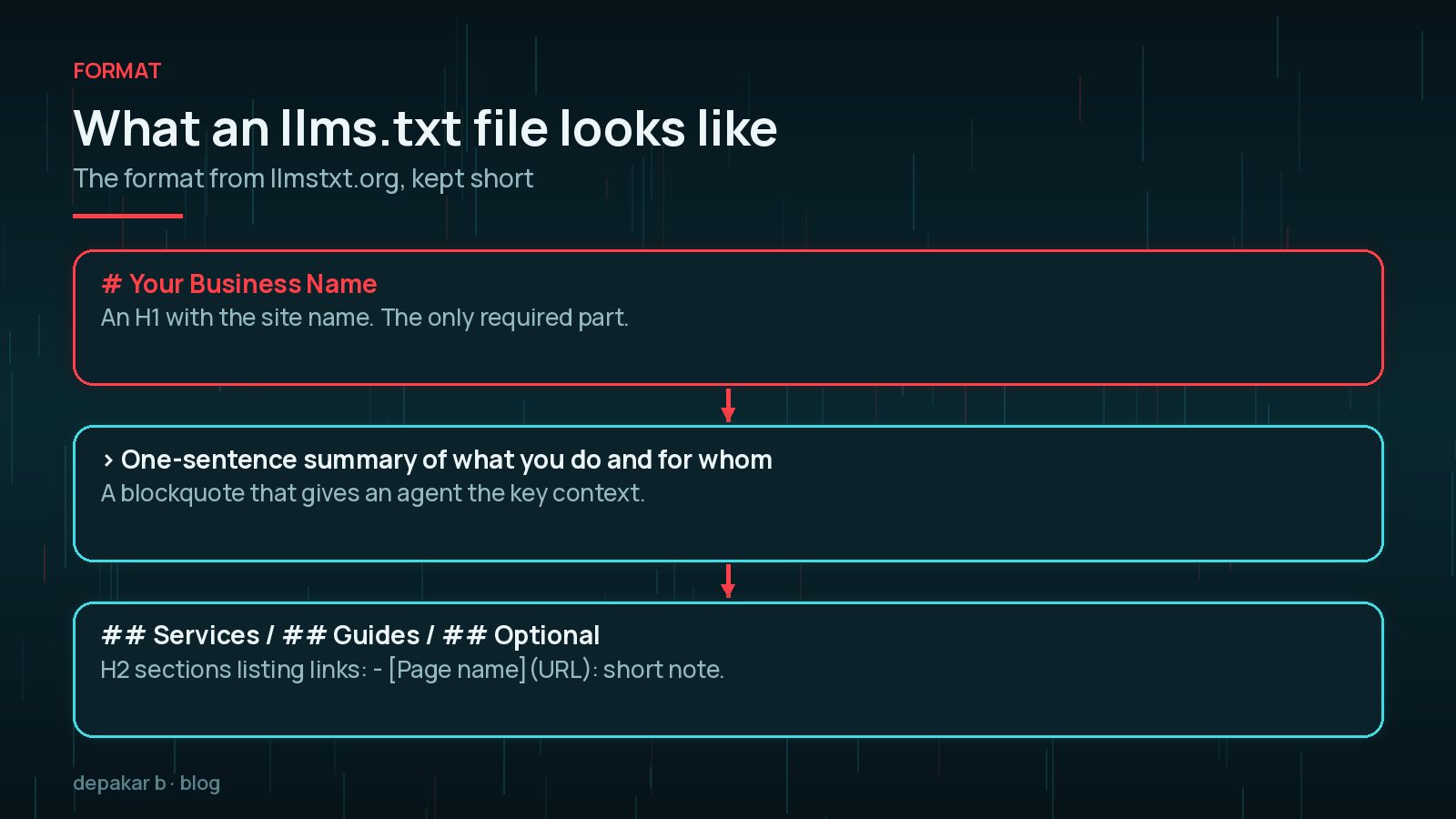
The format from llmstxt.org is plain Markdown in a set order:
- An H1 with your site or business name. This is the only required part.
- A blockquote summarising what you do and for whom.
- Optional short paragraphs with key details.
- H2 sections of links in the form
- [Page name](URL): short note. A section called "Optional" marks links a tool can skip if it is short of space.
A small business example:
# Example Plumbing Ltd

> Emergency and planned plumbing for homes and small businesses in Leeds.

## Services
- [Emergency plumbing](https://example.com/emergency/): 24-hour call-outs
- [Boiler servicing](https://example.com/boilers/): annual servicing and repairs

## Optional
- [Blog](https://example.com/blog/): maintenance guides
Leave out admin URLs, login pages, staging sites, private documents, and anything you wouldn't want quoted. Remember the file is public. Only link to pages that are already public and accurate.
Better Uses of Your Time for AI Visibility
AI search tools still mostly rely on crawlable, indexed, clearly written pages. These usually matter more than llms.txt:
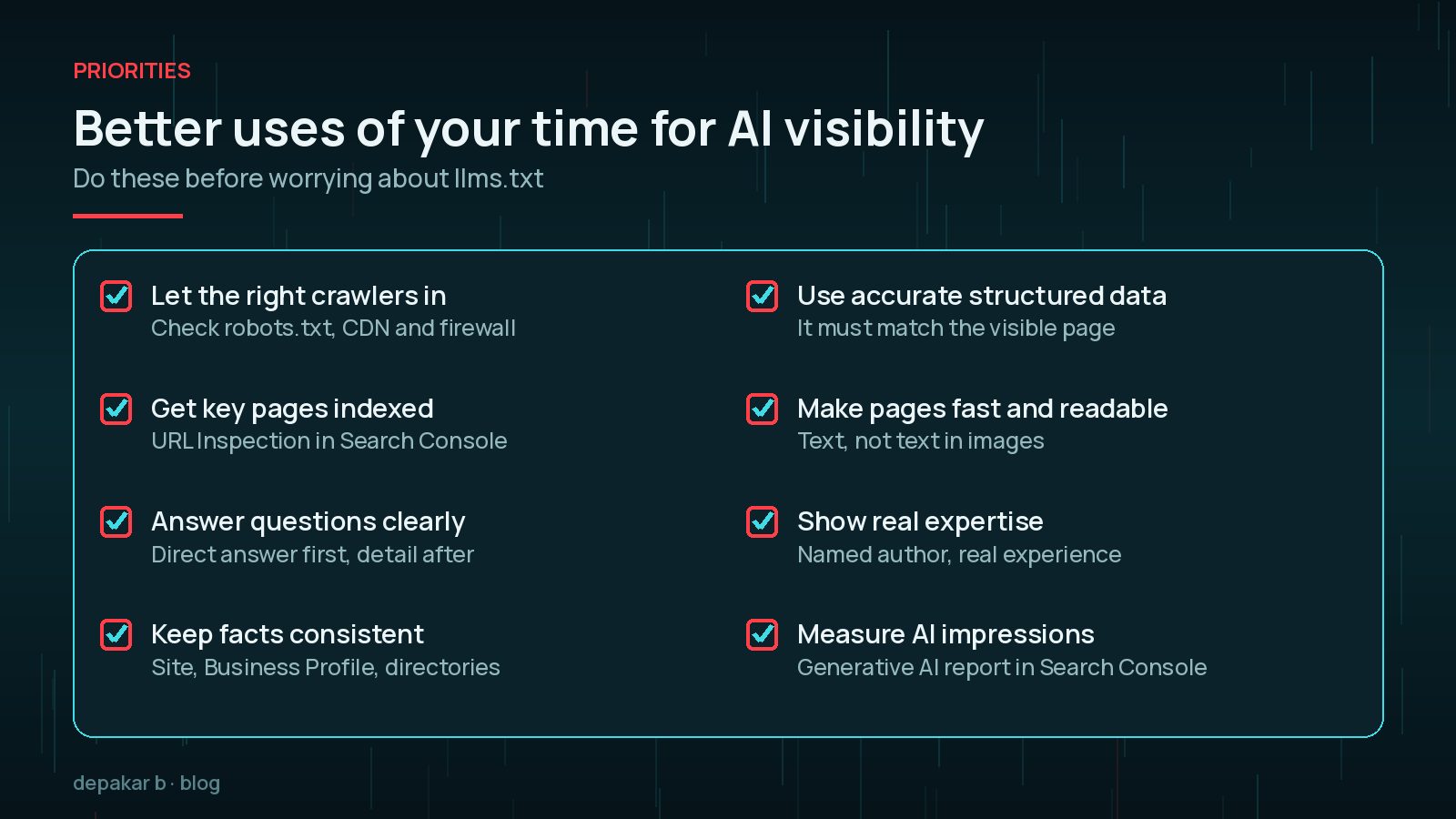
- Let the right crawlers in. Check robots.txt, your CDN and any firewall rules aren't blocking Googlebot or OAI-SearchBot by accident.
- Get key pages indexed and check them with URL Inspection.
- Answer questions clearly, with the direct answer first.
- Keep facts consistent across your site, Business Profile and directories.
- Use accurate structured data that matches the visible page.
For the wider picture, see my SEO, AEO and GEO guide, the guide to getting cited in AI Overviews and AI Mode, and the WordPress technical SEO checklist.

Frequently Asked Questions
What is llms.txt?
A proposed Markdown file at /llms.txt that summarises your site and links to its most useful pages, so AI tools can find the essentials quickly when answering a question.
Does Google use llms.txt for AI Overviews?
Google says you don't need to create new machine-readable files or AI text files to appear in its AI features. The usual SEO basics apply.
Does llms.txt block AI crawlers?
No. It doesn't control access at all. To allow or block crawlers such as GPTBot or Google-Extended, use robots.txt.
How do I add llms.txt to WordPress?
Use your SEO plugin's llms.txt option if it has one, or upload a plain Markdown file to your site's root folder so it loads at yourdomain.com/llms.txt.
Can llms.txt hurt my SEO?
There is no sign it harms search rankings. The main risk is listing pages you didn't mean to make prominent, so review it before publishing.
Final Thoughts
llms.txt is a sensible idea that costs very little to add on WordPress, but it is a proposal, not a requirement, and it won't make up for weak pages. Add it if it is easy, keep it short and accurate, and spend most of your effort on crawlable, clear, well-structured content.
If you want help with AI visibility and technical SEO, my SEO improvement service starts with the basics that matter most.
Get the fundamentals right first; llms.txt is the finishing touch, not the foundation.
Official References
Sources checked on 29 October 2026: