
Leaving WordPress for Astro or Next.js has become a common question in 2026, partly because AI coding tools can now generate a working site in an afternoon. If a tool can build you a fast static site from a prompt, why keep paying for plugin licences and maintenance?
It is a fair question. The honest answer is that the framework is rarely the hard part. Content editing, forms, SEO, hosting and long-term ownership decide whether a move works. This comparison is meant to help you decide calmly, before anyone starts rebuilding.

What Are Astro and Next.js, in Plain Terms?
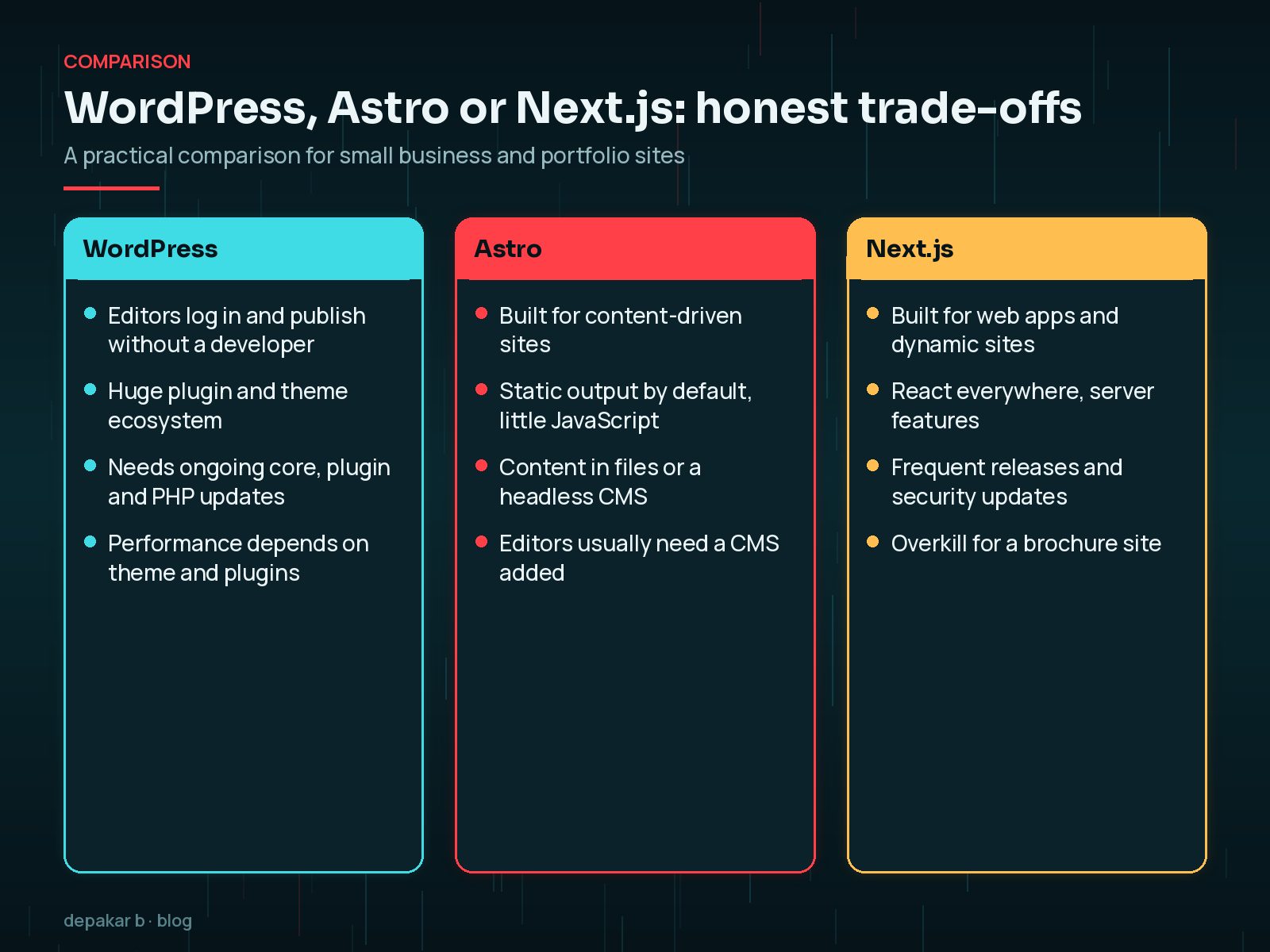
WordPress is a content management system. Editors log in, write, upload images and publish. Plugins add forms, shops, SEO tools and almost anything else. It runs on PHP and a database, so it needs regular core, plugin and server updates.
Astro describes itself as a framework for content-driven websites. It is designed to ship very little JavaScript by default and is often used to generate static pages. In January 2026, the company behind Astro joined Cloudflare; the Astro team says the framework stays open source, MIT-licensed and supports deployment targets beyond Cloudflare.
Next.js is a React framework built for web applications as well as websites. It has server rendering, caching and many app-like features. It moves quickly: the Next.js blog lists the 16.3 release in August 2026 and 16.4 in October 2026, alongside several security releases over the same months.
WordPress vs Astro vs Next.js: How Do They Compare?
| Question | WordPress | Astro | Next.js |
|---|---|---|---|
| Who edits content? | Anyone with a login | Developers, unless you add a CMS | Developers, unless you add a CMS |
| Best suited to | Content sites, shops, memberships | Content-driven sites, blogs, docs | Web apps and dynamic sites |
| Forms and integrations | Plugins | Third-party services or custom code | Custom code or services |
| Maintenance | Core, plugins, themes, PHP | Dependencies and builds | Dependencies, server runtime, frequent security releases |
| Speed out of the box | Depends on theme and plugins | Usually very fast for static pages | Fast when built carefully |
Notice that none of these columns is "no maintenance". A static Astro site has a smaller attack surface than a PHP application with a login, but it still has dependencies, a build process and hosting to look after.
Why Are People Leaving WordPress in 2026?
From what I see in client conversations, the reasons are usually practical rather than ideological:
- Plugin fatigue. Too many plugins, too many updates, and the occasional supply-chain or vulnerability scare. Recent examples are covered in the Rank Math PRO backdoor guide and this month's plugin vulnerabilities.
- Slow themes. Heavy page builders and bundled scripts make sites feel sluggish.
- AI - built prototypes. A tool generates a sleek Astro or Next.js site, and the old WordPress site suddenly looks dated.
- Hosting costs. Static hosting can be inexpensive compared with managed WordPress plans.
All of these are real. But several of them can be fixed without leaving WordPress. A theme rebuild, a plugin audit and a sensible maintenance plan often deliver most of the benefit for a fraction of the cost.
What Does an AI-Built Site Not Solve?
AI tools are good at producing pages. They are much less reliable at the parts nobody sees in a demo:
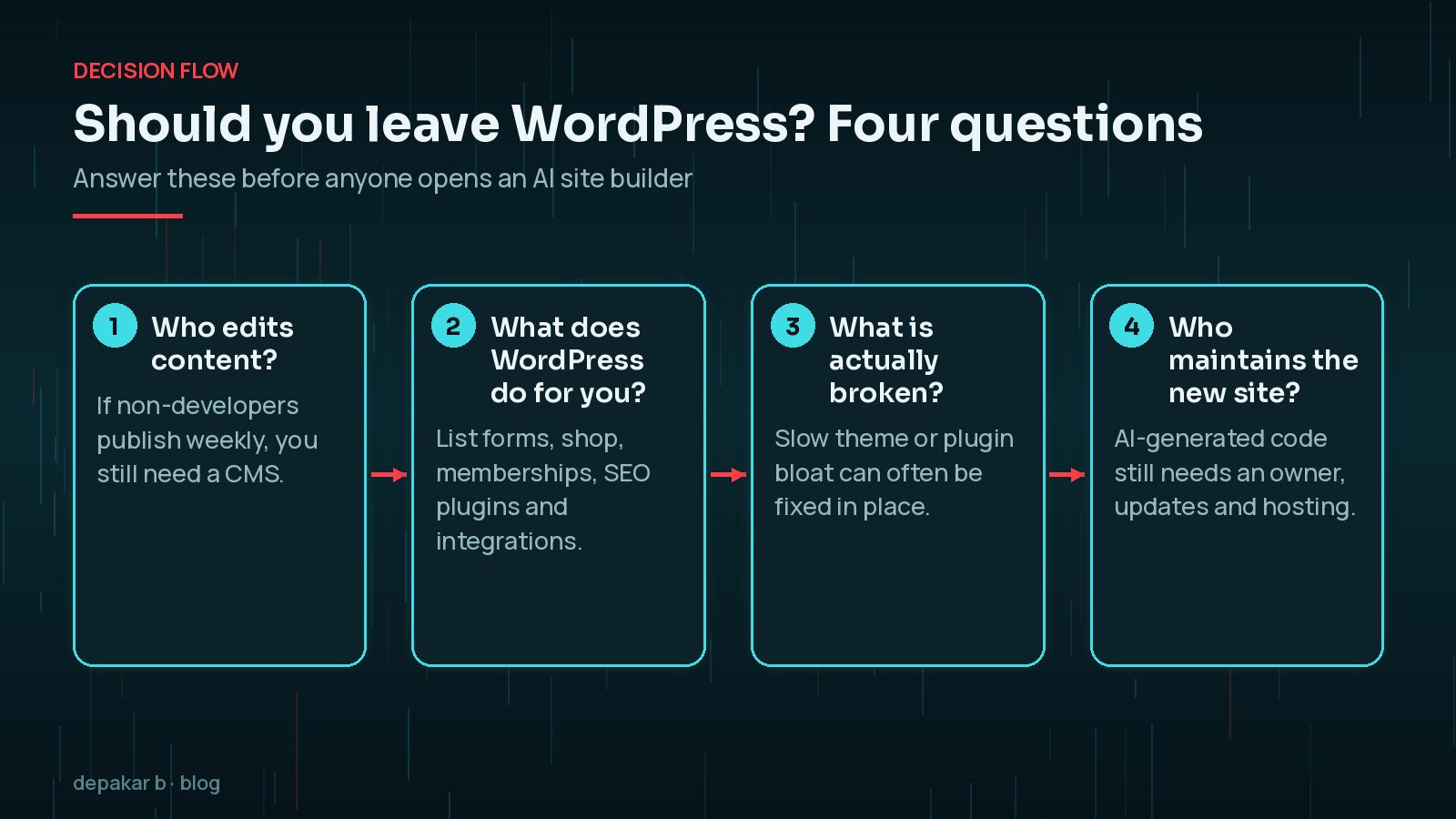
- Editing. If your team publishes weekly, someone has to own a CMS or edit code. Adding a headless CMS brings back logins, roles and another subscription.
- Forms and integrations. Contact forms, CRM hand-offs, booking tools and payment flows all need rebuilding and testing.
- Ownership. Generated code still needs someone who understands it when a dependency breaks or a security release lands.
- Accessibility and SEO detail. Headings, alt text, structured data and redirects are easy to lose in a rebuild.
When Does Moving to Astro or Next.js Make Sense?
A move can be the right call. These are the situations where I would seriously consider it:
- Astro: a brochure site, portfolio, documentation or blog where content changes occasionally and a developer (or a Git-based workflow) is comfortable handling updates.
- Next.js: a product with real application logic, such as dashboards, logged-in areas or heavy personalisation, and a team that can keep up with React and Next.js releases.
- Either: you have already trimmed WordPress down to almost nothing, and what remains is a set of mostly static pages.
And these are the situations where I would usually stay on WordPress:
- Non-technical staff publish frequently.
- The site relies on WooCommerce, memberships, LMS or complex forms.
- The budget covers a rebuild but not ongoing developer time.
For what it is worth, this portfolio is plain static HTML, which suits a developer who edits files directly. That is not the same as recommending it for a business with a marketing team.
How Do You Migrate Without Losing SEO?
If you do move, the migration plan matters far more than the framework. Most traffic losses after a rebuild come from broken URLs and missing content, not from the technology.

- Crawl the existing site and export every URL, including posts, categories and media.
- Map each old URL to its closest new URL and set up permanent (301) redirects.
- Carry over titles, meta descriptions, headings and internal links.
- Rebuild structured data such as Article, BreadcrumbList and FAQPage.
- Recreate and test every form, notification and integration.
- Move images with their alt text.
- Submit the new sitemap and watch Search Console coverage closely.
A redirect rule on Vercel, for example, can live in vercel.json:
{
  "redirects": [
    { "source": "/2024/05/old-post/", "destination": "/blog/new-post", "permanent": true }
  ]
}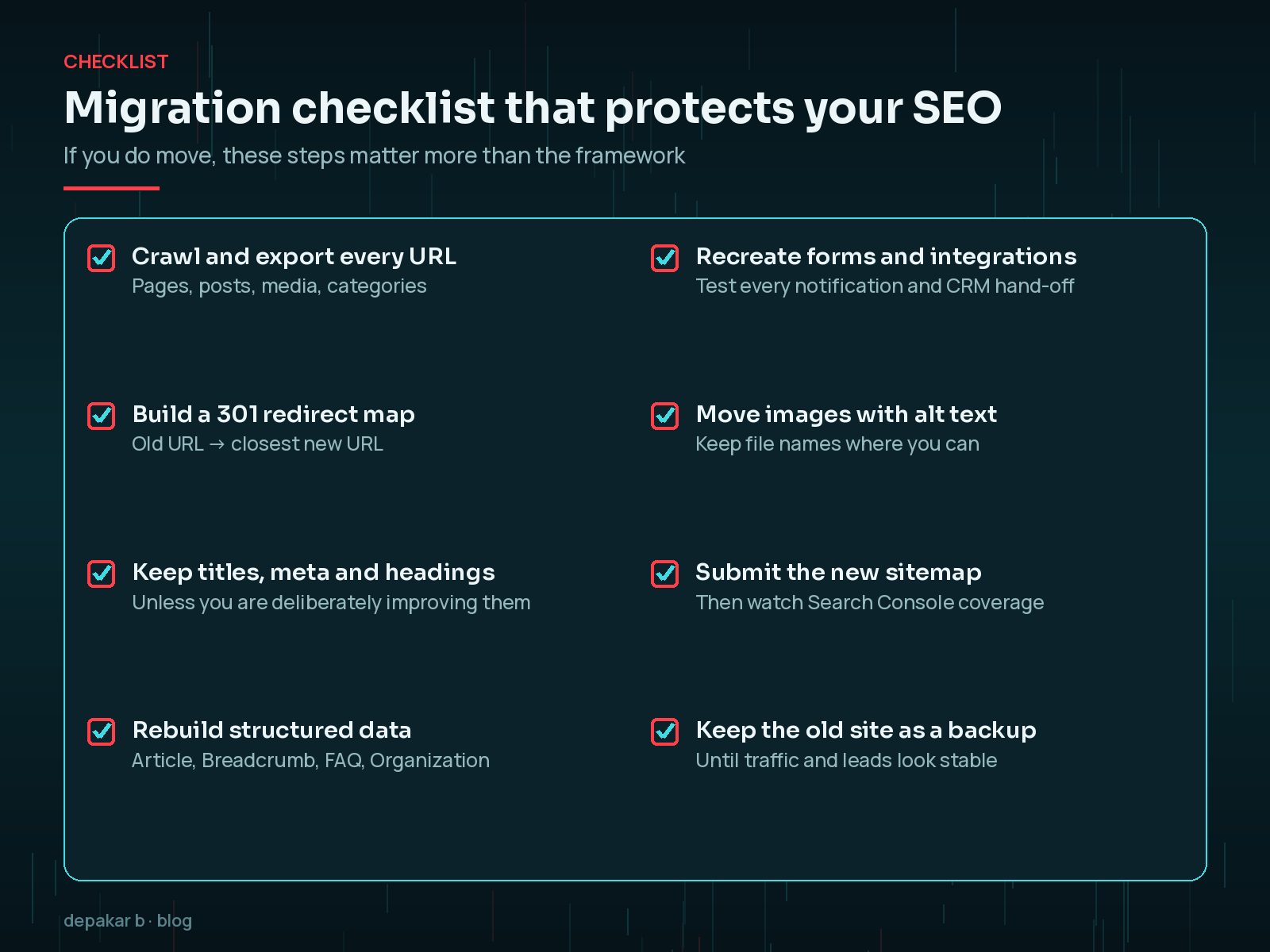
Keep the old site. Do not delete the WordPress install, database or backups until traffic and leads look stable on the new site. If something goes wrong, you want a quick way back.
For a broader plan, see the website revamp checklist.
Frequently Asked Questions
Is Astro faster than WordPress?
Astro is designed to ship little JavaScript and often outputs static pages, so it is usually very fast for content sites. A well - built WordPress site can also be fast. The theme, plugins and third-party scripts matter more than the platform name.
Is Next.js good for a small business website?
It can work, but Next.js is built for applications as much as websites, and it releases often, including security updates. For a mostly static brochure site, it is usually more framework than you need.
Can I keep WordPress as a headless CMS?
Yes. Some teams keep WordPress for editing and use Astro or Next.js for the front end. It keeps the editing experience but means maintaining two systems instead of one.
Will I lose Google rankings if I move away from WordPress?
Not necessarily. Rankings usually drop because of broken URLs, missing redirects or lost content. A careful redirect map and content audit protect most of your SEO.
Final Thoughts
Leaving WordPress for Astro or Next.js can be a good decision, but it is rarely the shortcut it looks like in an AI-generated demo. The question is not which framework is best. It is which setup your team can edit, maintain and keep secure for the next few years.
If WordPress is slow or messy, fix that first and compare honestly afterwards. If a move still makes sense, plan the migration carefully. My website revamp service covers both routes, including a no-move option.
Choose the setup you can own, not the one that demos best.
Official References
Sources checked on 29 October 2026: