
How long does it take to build a WordPress website? The honest answer is that it depends less on WordPress and more on decisions, content and feedback. The build itself is often the most predictable part. What stretches a timeline is waiting: for copy, for photos, for sign-off, or for a feature nobody mentioned at the start.
Rather than give you a made-up number, this guide explains what actually shapes a WordPress website timeline, the phases a well-run project goes through, what usually causes delays, and what you can do as the client to keep things moving.

How Long Does It Take to Build a WordPress Website? The Main Factors
These are the factors I look at before suggesting any dates:
- Number of unique page templates. Ten pages that share one layout are quicker than five pages that are all different.
- Design approach. Adapting an existing block theme is quicker than a fully custom design. WordPress's block themes let much of the layout be built with the editor itself.
- Features and integrations. Forms, bookings, memberships, CRMs and payment gateways each need building and testing.
- Content readiness. Is the copy written? Are the photos ready? Content is the most common bottleneck.
- Migration. Moving an existing site means mapping old URLs, moving content and setting up redirects.
- Number of decision-makers. One person signing off is faster than a committee.
- Accessibility and compliance needs. Meeting a standard such as WCAG takes deliberate design and testing time.
Phases of a Typical Project
Most well-run WordPress projects follow the same phases, whatever their size. Each ends with a sign-off, which makes delays easy to spot.
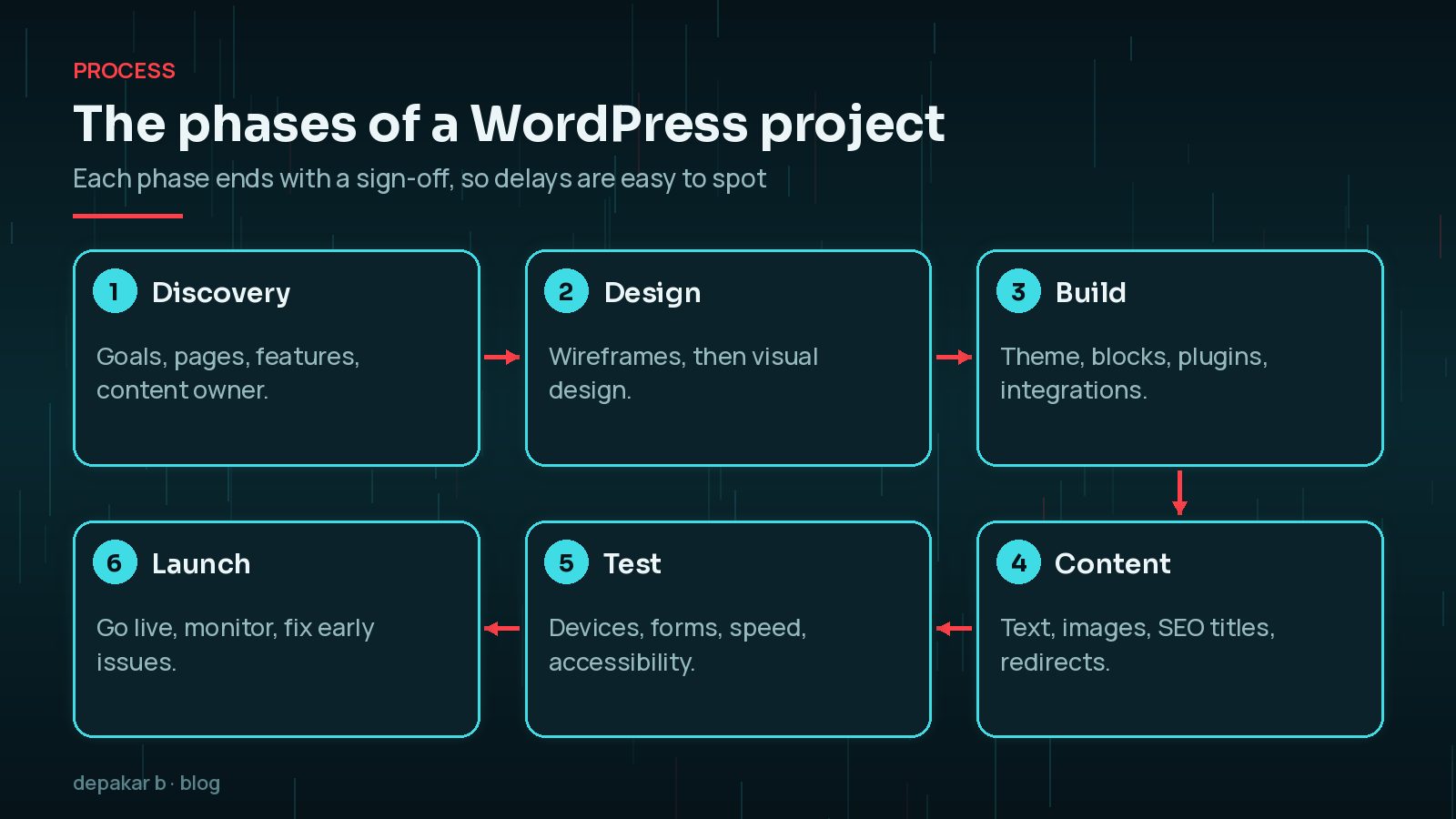
- Discovery. Goals, audience, pages, features, integrations and who owns the content. The output is a scope everyone agrees on.
- Design. Wireframes first, then visual design for the key templates.
- Build. Theme, custom blocks, plugins and integrations on a staging site.
- Content. Text, images, SEO titles and descriptions, and redirects from any old site.
- Testing. Devices, browsers, forms, speed, accessibility and, for shops, real test orders.
- Launch. Go live, check everything again and monitor closely for the first few weeks.
Some phases overlap. Content can be written while the build happens, which is one of the easiest ways to save time. I describe how I run these steps in more detail in a WordPress development process that scales.
Brochure Site vs WooCommerce vs Custom Build
The type of site changes which phases take longest.
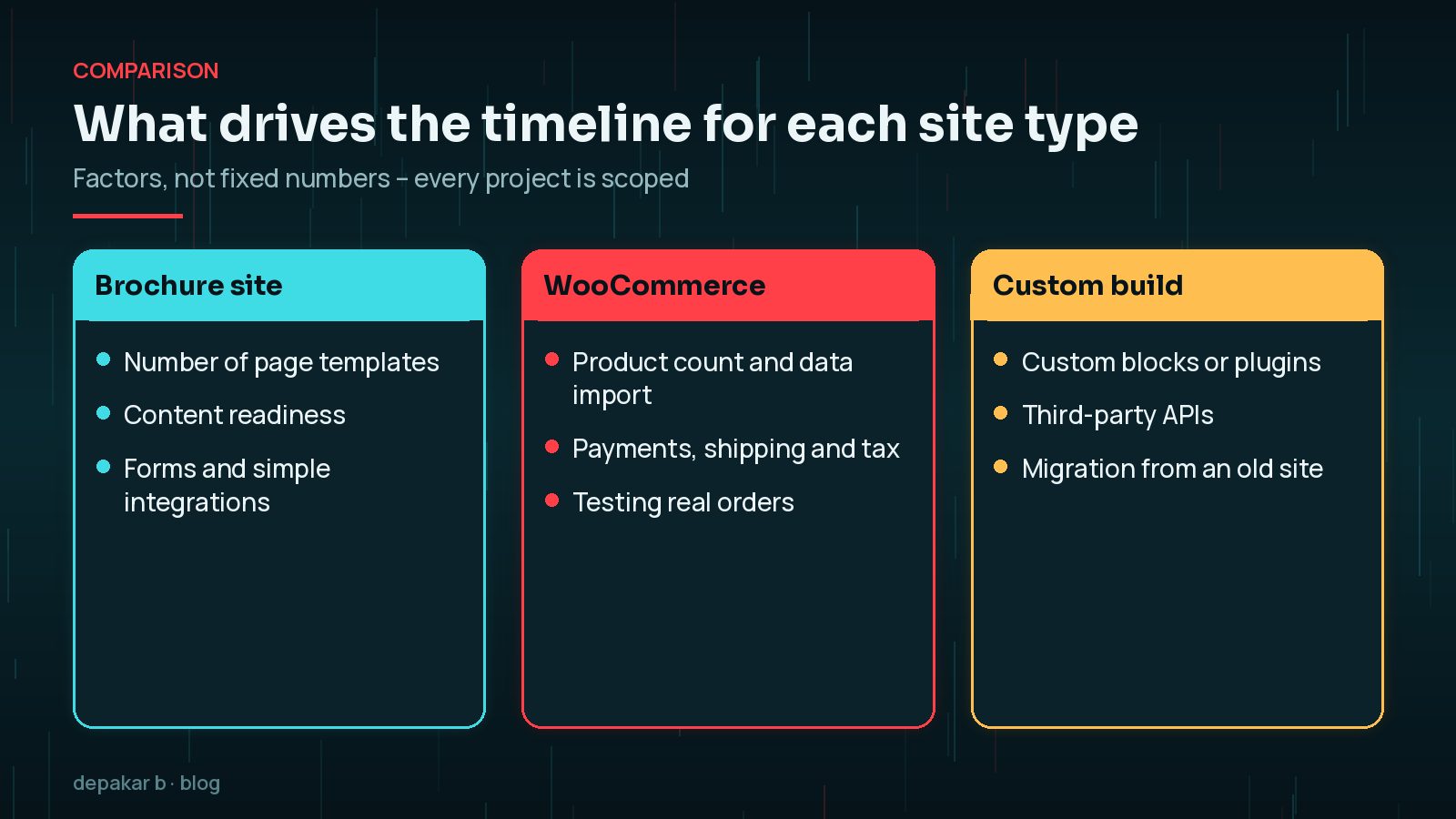
- Brochure or service site. Usually the quickest. The timeline depends mostly on the number of templates, forms and how ready the content is.
- WooCommerce store. Adds product data, payments, shipping, tax, emails and testing real orders. Importing and checking product data is often bigger than people expect.
- Custom build. Custom blocks, plugins or third-party APIs add development and testing time, and the integrations depend on other systems being ready.
As a general rule, simpler brochure sites are measured in weeks, while larger stores and custom builds are measured in months. Any developer quoting precise dates before discovery is guessing. Cost works the same way; I'll explain the factors in what shapes a WordPress website budget.
What Causes Most Delays (Content, Feedback, Scope)?

In my experience the build is rarely what holds a launch back. These are:
- Content arriving late. Design and build can finish, then the project waits weeks for copy and images.
- Slow or scattered feedback. Comments spread across emails, calls and messages, from several people who disagree.
- Scope creep. "Can we also add..." is normal, but each addition needs designing, building and testing.
- Third parties. Waiting for domain access, hosting logins, payment provider approval or API keys.
- Late surprises. A required feature discovered just before launch.
How to Speed Things Up as the Client
- Write a clear brief. It shortens discovery and avoids surprises. My guide on writing a website brief for your developer covers what to include.
- Name one decision-maker who gathers feedback from others and gives one consolidated reply.
- Start content early. Begin writing as soon as the page list is agreed.
- Agree feedback windows, for example replies within two working days.
- Separate "must have" from "phase two". Launch the essentials, then add extras.
- Choose a developer with a clear process. If you are still choosing, see how to hire a WordPress developer: 12 questions.
Where Staging, Testing and SEO Fit In
These are not extras to squeeze in at the end. They are part of the timeline from the start.
- Staging is where the site is built and reviewed, away from visitors and search engines. It should be blocked from indexing until launch.
- Testing needs its own time: phones and desktops, forms and emails, speed, and accessibility. The W3C's WCAG guidelines are the usual reference for accessibility.
- SEO starts in discovery, with page structure and keywords, and continues in content with titles, descriptions and headings. If you are replacing a site, redirects from old URLs are essential to keep rankings.
Don't skip redirects on a redesign. Launching a new site without mapping old URLs to new ones is one of the most common causes of a traffic drop after launch.
What Happens in the First 30 Days After Launch
Launch day is the start of the next phase, not the end of the project. A good first month looks like this:
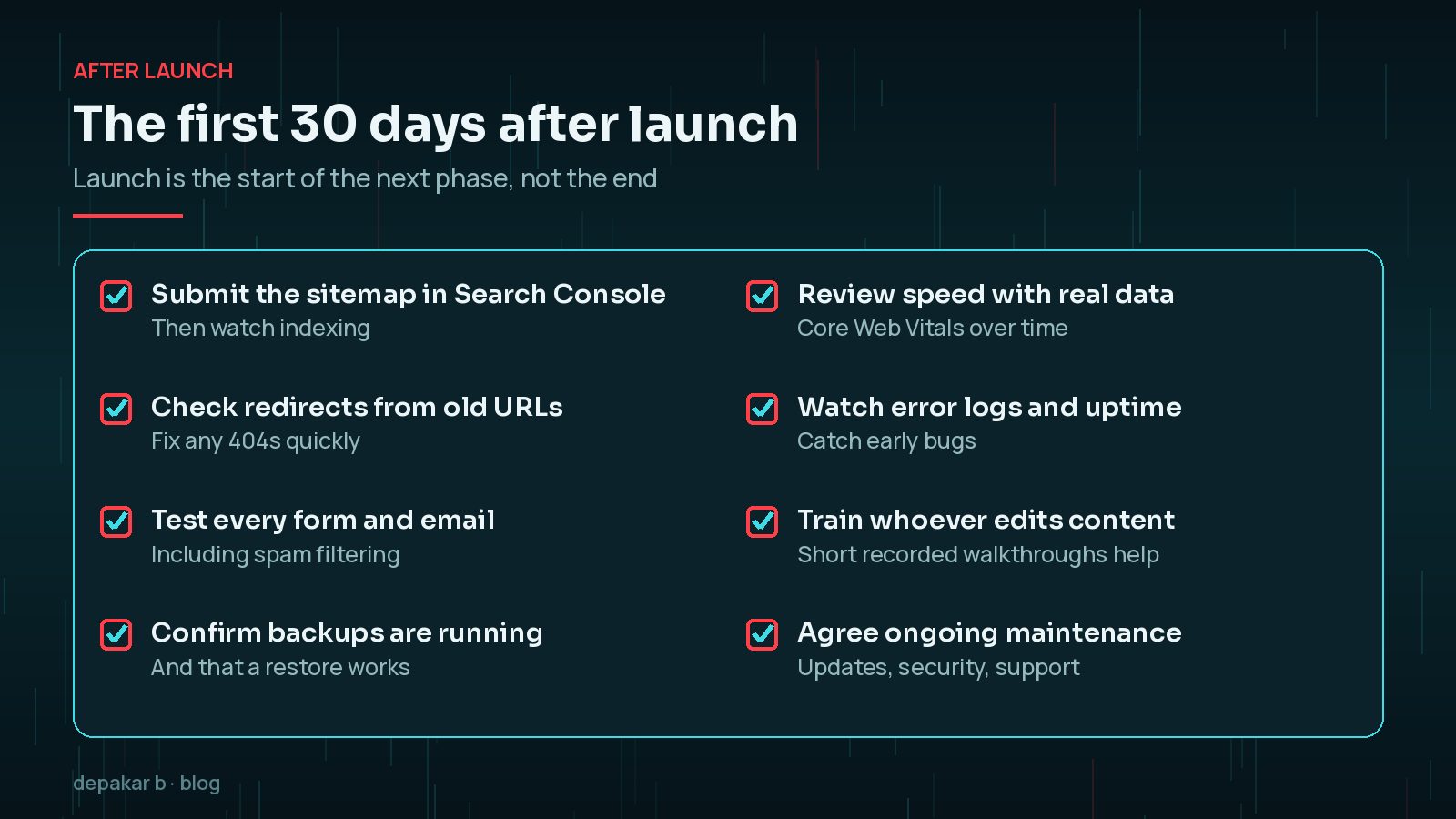
- Submit the sitemap in Google Search Console and watch indexing.
- Check redirects and fix any 404 errors.
- Test every form and email again on the live site.
- Confirm backups are running and a restore works.
- Review speed and error logs with real traffic.
- Train whoever will edit content.
- Agree ongoing maintenance: updates, security and support.
Frequently Asked Questions
How long does it take to build a WordPress website?
It depends on the number of page templates, features, integrations, content readiness and how quickly decisions are made. Simple brochure sites are generally measured in weeks; larger stores and custom builds in months. A developer should give dates after a discovery phase.
What delays a website launch most often?
Late content, slow or conflicting feedback, scope added mid-project, and waiting for third parties such as hosting, domain or payment provider access.
Is WooCommerce slower to build than a normal WordPress site?
Usually, yes. A store adds product data, payments, shipping, tax, emails and real order testing, all of which need building and checking.
Can I launch a WordPress site in phases?
Yes. Launching the essential pages and features first, then adding extras in a second phase, is often the fastest way to get a site live without cutting corners.
Do I need SEO work before launch?
Yes. Page structure, titles, descriptions and redirects from an old site should be part of the project, not added afterwards, especially if you are replacing an existing site.
Final Thoughts
How long it takes to build a WordPress website comes down to scope, content and decisions more than code. A clear brief, one decision-maker, early content and an agreed process will do more for your launch date than any shortcut.
If you are planning a new site or a rebuild and would like a phased plan with realistic dates, have a look at my WordPress development work.
Agree the scope, start content early, and treat launch as the start of the next phase.
Official References
Sources checked on 29 October 2026: