
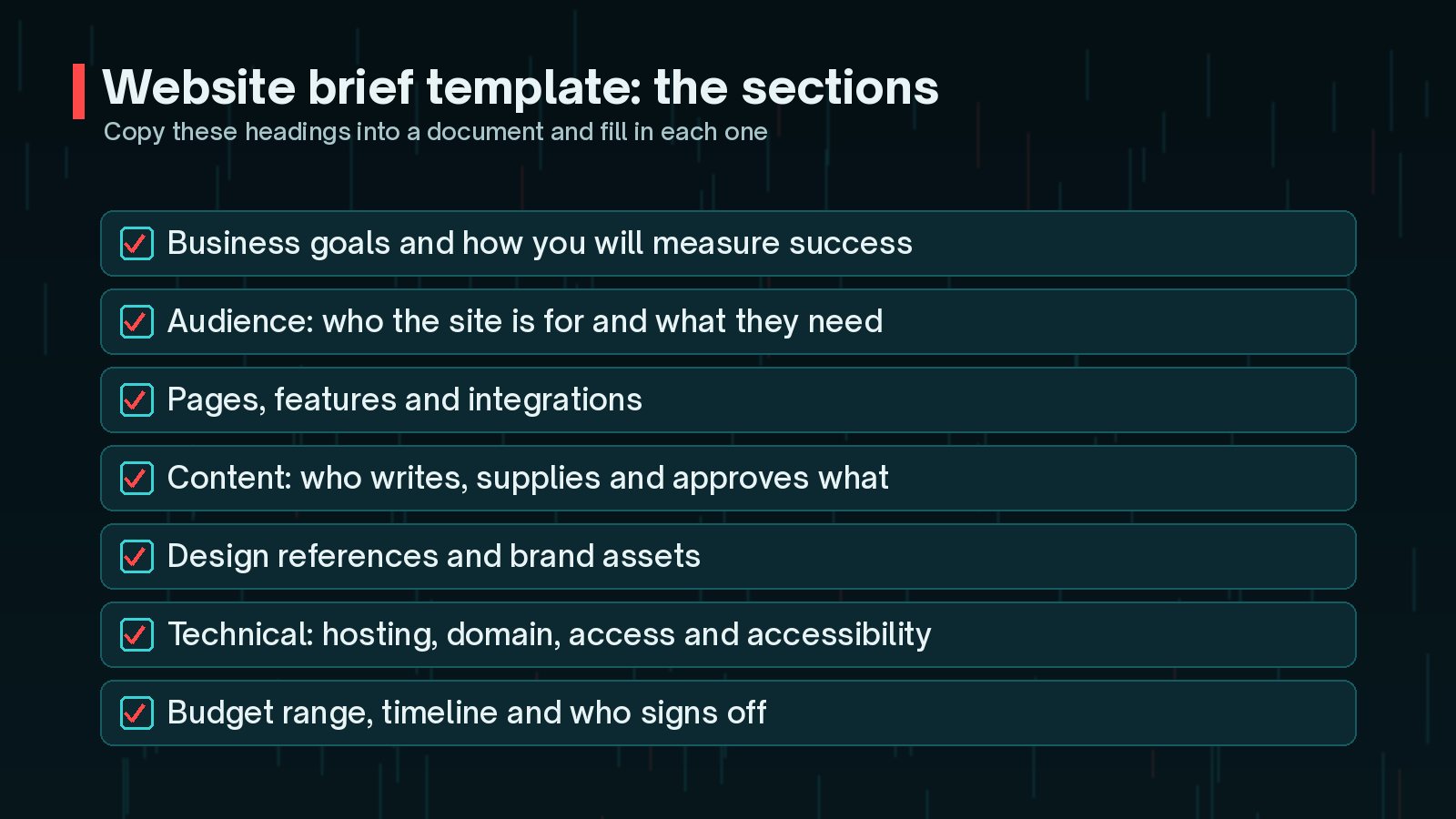
This website brief template walks you through everything a developer needs to know before quoting and planning a WordPress project. Use the headings as a checklist, write short answers under each, and you will have a document that saves time on both sides.
Why a Website Brief Template Saves Time and Money
Without a brief, a developer has to guess, or ask the same questions over several calls. Guesses lead to quotes that are too high or too low, features that were never discussed, and arguments about what was included.
A good brief helps you:
- Get quotes you can compare, because every developer is answering the same request.
- Spot gaps early, such as content nobody has written or an integration nobody has priced.
- Agree scope in writing, which makes changes easier to discuss later.
- Keep the project on track, because everyone knows what finished looks like.
If you are still choosing who to work with, my checklist for hiring a WordPress developer pairs well with this brief.
Business Goals and Audience
Start with why the site exists. This shapes every later decision, from page structure to which features are worth paying for.
- Main goal: more enquiries, online sales, bookings, recruitment or information?
- How you will measure success: form submissions, sales, calls, or time saved for your team.
- Audience: who visits, what they are looking for and what stops them acting today.
- Competitors or comparable sites: what they do well and what you want to do differently.
Google's SEO Starter Guide makes a useful point here: build the site for the people using it. If you understand your visitors' questions, you can plan pages that answer them, which helps both visitors and search.
Pages, Features and Integrations
List the pages you expect, even roughly. A simple sitemap is enough: Home, About, Services with one page each, Blog, Contact.
Then list features, separating essentials from nice-to-haves:
- Contact or quote forms, and where entries should go.
- Online shop, bookings, memberships or event registration.
- Multiple languages or locations.
- Integrations with your CRM, email marketing, payment, accounting or booking tools.
- Anything you need to edit yourself without help.
Integrations often take more time than expected, so name the actual tools. "Connect to our CRM" is hard to price. "Send quote form entries to HubSpot as contacts" is clear.
Mark each feature as must-have or nice-to-have. It gives your developer room to suggest a first phase that fits your budget, with the extras planned for later.
Content: Who Writes What
Content is easy to underestimate, and a page waiting for copy can hold up a whole launch. Decide early who writes, supplies and approves each piece, and by when.
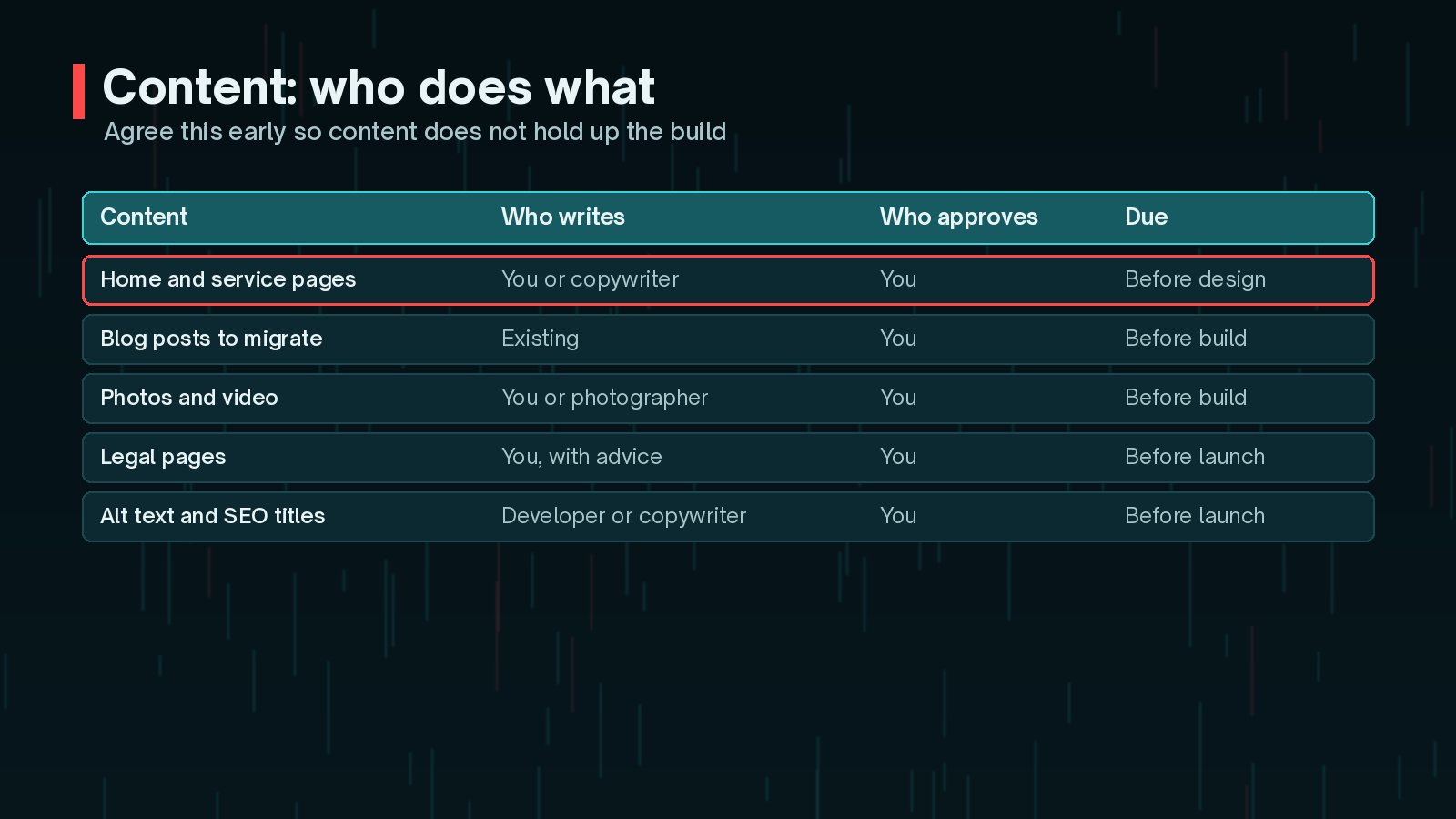
- New copy: will you write it, hire a copywriter or ask the developer to recommend one?
- Existing content: which pages and posts are moving to the new site, and which are being retired?
- Images and video: your own photos, stock images, or a photographer?
- Legal pages: privacy policy, cookie notice and terms, written by you with suitable advice.
If you are redesigning an existing site, list your most visited pages so their URLs and content can be protected during the move.
Design References and Brand Assets
Words like "modern" and "clean" mean different things to different people. Examples are much clearer.

- Sites you like: two or three links, with a note on what you like about each.
- Sites you dislike: just as useful for setting direction.
- Brand assets: logo files, colours, fonts and any brand guidelines.
- Accessibility: say that you want the site to be usable by people with disabilities. The W3C Web Accessibility Initiative has resources on planning accessibility into projects from the start.
Technical: Hosting, Domain and Access
Technical details are easy to forget and often delay a launch.

- Domain: who owns it, where it is registered and who can change DNS.
- Hosting: do you have hosting already, or do you want a recommendation? WordPress.org currently recommends PHP 8.3 or greater, MariaDB 10.11 or MySQL 8.0 or greater, and HTTPS support, as of October 2026.
- Email: where your business email is hosted, so DNS changes do not disrupt it.
- Access: how you will share logins safely, ideally with separate accounts rather than shared passwords.
- Tracking: analytics, Search Console, tag manager and any advertising pixels.
Keep ownership in your name. Your domain, hosting account and key logins should belong to your business, with the developer given access. That keeps you in control if you ever change provider.
Budget Range, Timeline and Sign-Off
These three items turn a wish list into a plan.
- Budget range: give a range rather than asking for "the best price". It lets the developer suggest what is realistic. My guide to WordPress website cost factors explains what pushes the effort up or down.
- Timeline: your ideal launch date, any fixed deadlines, and periods when you will be unavailable to review. For realistic expectations, see how long it takes to build a WordPress website.
- Sign-off: name the person who approves designs, content and launch. Projects stall when several people each think someone else is deciding.
A simple version you can copy:
WEBSITE BRIEF
      1. Business goals and success measures:
      2. Audience and what they need:
      3. Pages (rough sitemap):
      4. Features: must-have / nice-to-have
      5. Integrations (name the tools):
      6. Content: who writes, supplies, approves, by when
      7. Design references (like / dislike) and brand assets:
      8. Technical: domain, hosting, email, access, tracking
      9. Accessibility expectations:
      10. Budget range:
      11. Timeline and key dates:
      12. Who signs off:
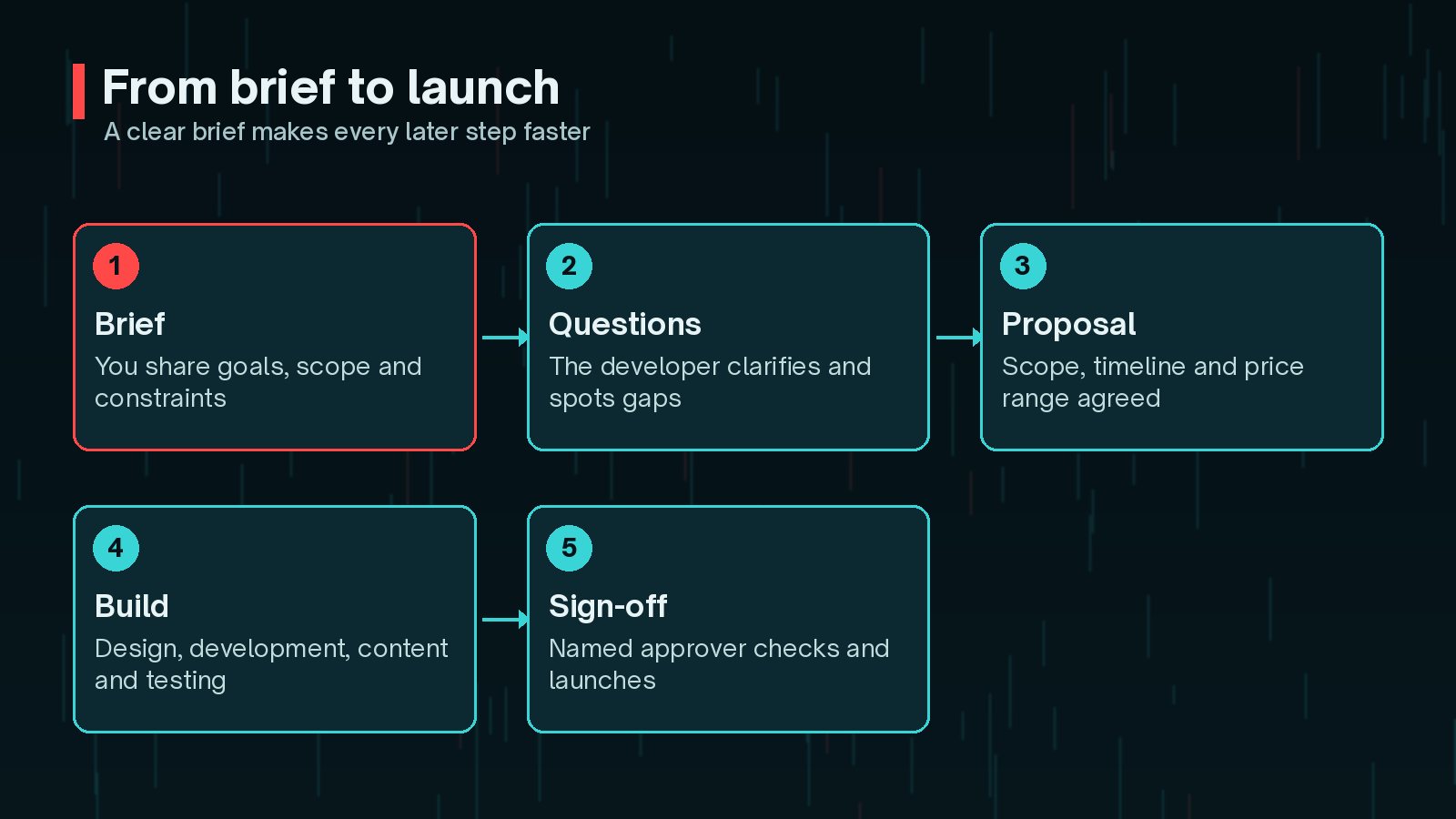
Once the brief is written, share it with every developer you are considering, and ask each of them three things: what is unclear, what they would change, and what they think is missing. Their answers tell you a lot. A developer who asks thoughtful questions about your goals, content and integrations is usually one who will plan the project carefully.
Keep the brief as a living document. When you agree changes during the project, update it, so there is always one place that describes what is being built. That makes later conversations about scope, timelines and extra work much calmer for everyone.
Frequently Asked Questions
How long should a website brief be?
Long enough to answer the questions in each section, and no longer. For a small business site, two to four pages is often plenty. Clear, specific answers matter more than length.
What if I do not know the answer to a section?
Say so. Writing 'not sure, would like advice' is far more useful than leaving it blank or guessing. A good developer will help you work it out during the questions stage.
Should I include a budget in my brief?
Yes, at least as a range. It lets the developer suggest what is realistic for that budget, rather than quoting for something you cannot afford or under-scoping what you need.
Do I need a separate requirements document?
For a small or medium site, a thorough brief usually works as the requirements document. Larger projects, with complex integrations or many stakeholders, often turn the brief into a more detailed specification after the first discussions.
Should accessibility be in the brief?
Yes. It is much easier to build accessibility in from the start than to fix it later. The W3C Web Accessibility Initiative publishes guidance on planning and managing accessibility throughout a project.
Final Thoughts
A website brief template is a simple tool with a big effect. Explain your goals and audience, list pages and features, decide who handles content, share design references, gather technical details and give a budget range, timeline and decision-maker. Your developer can then quote accurately, ask better questions and build what you actually need.
If you have a brief ready, or would like help turning ideas into one, you can work with me as your WordPress developer from planning through to launch.
Official References
Sources checked on 29 October 2026: