
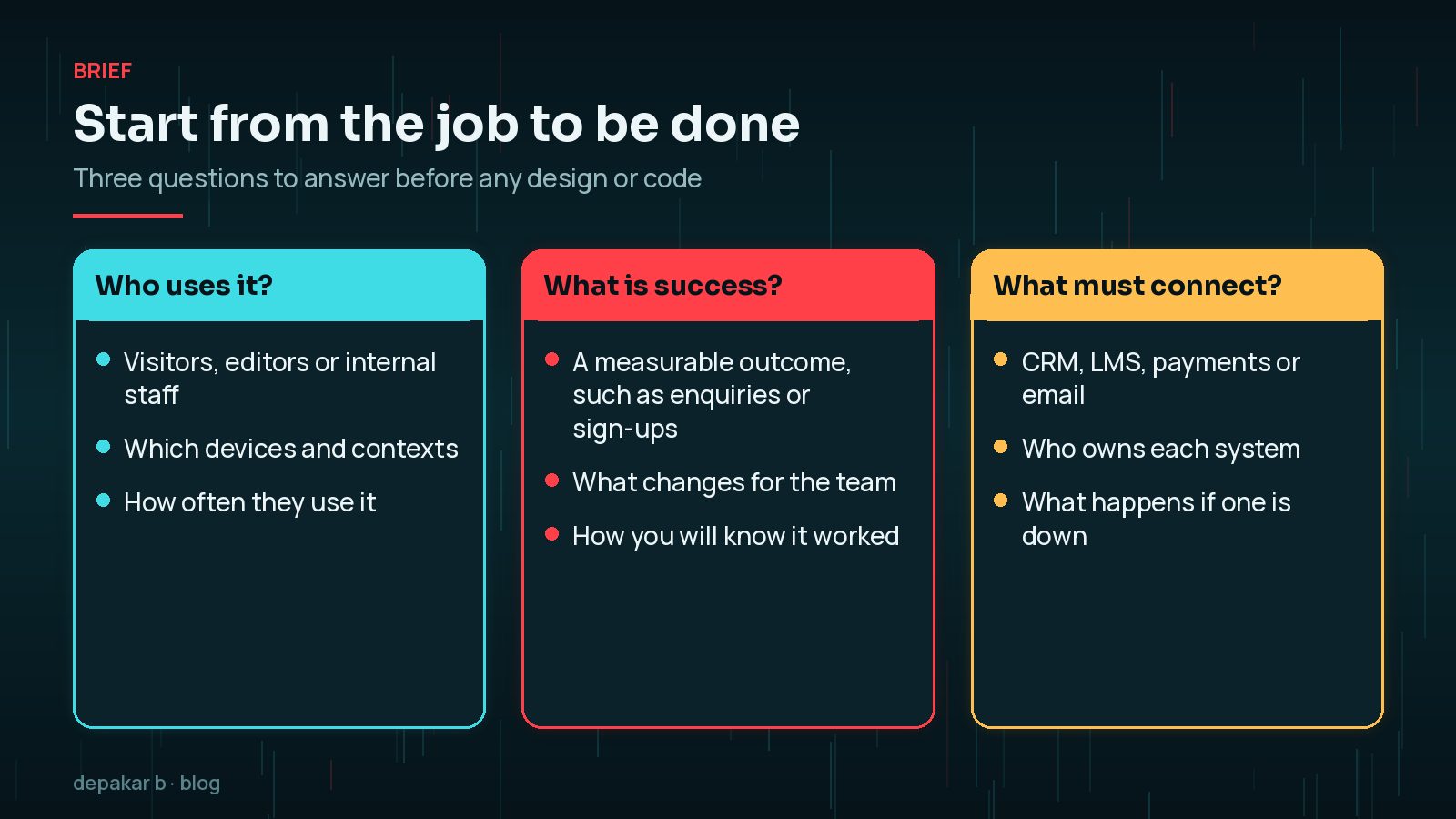
Start from the job to be done
Name the page, workflow, or integration that must work better.
- Who uses it
- What success looks like
- What systems must connect
Write the answers down in plain language before anyone opens a design tool. "Make the homepage better" is hard to build and impossible to test. "Help course visitors find the next start date and enquire from a phone in under a minute" gives designers, developers and content editors the same target, and tells you what to measure after launch.
Note the constraints at the same time: budget, deadlines, accessibility requirements, hosting limits and any systems you are not allowed to change. Constraints written down at the start are design inputs; constraints discovered halfway through are delays.
Build for change
Reusable templates and clear content models beat one-off pages.
- Components over snowflake layouts
- Sensible naming
- Document theme dependencies
In modern WordPress, building for change usually means using the tools core provides: block patterns for repeated layouts, theme.json for colours, typography and spacing, and custom post types for structured content such as courses, team members or case studies. Editors can then add new pages that stay on-brand without asking a developer each time.

Release with checks
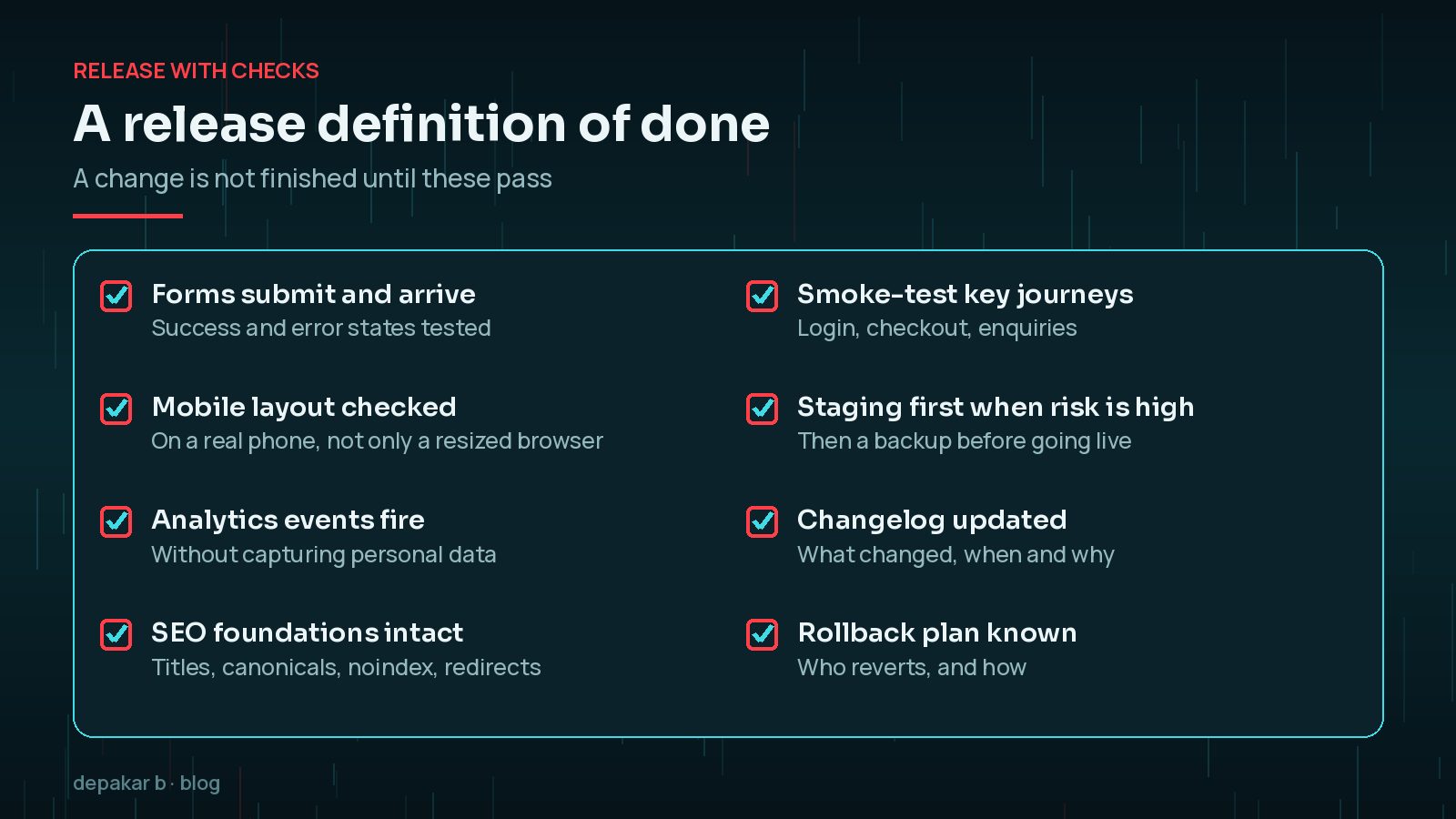
Forms, mobile, tracking, and SEO foundations belong in the release definition of done.
- Smoke-test journeys
- Confirm analytics events
- Use staging when risk is high
Agree the checklist once and reuse it for every release, however small. The value is consistency: a one-line template change can break a form or add a stray noindex rule just as easily as a large feature.
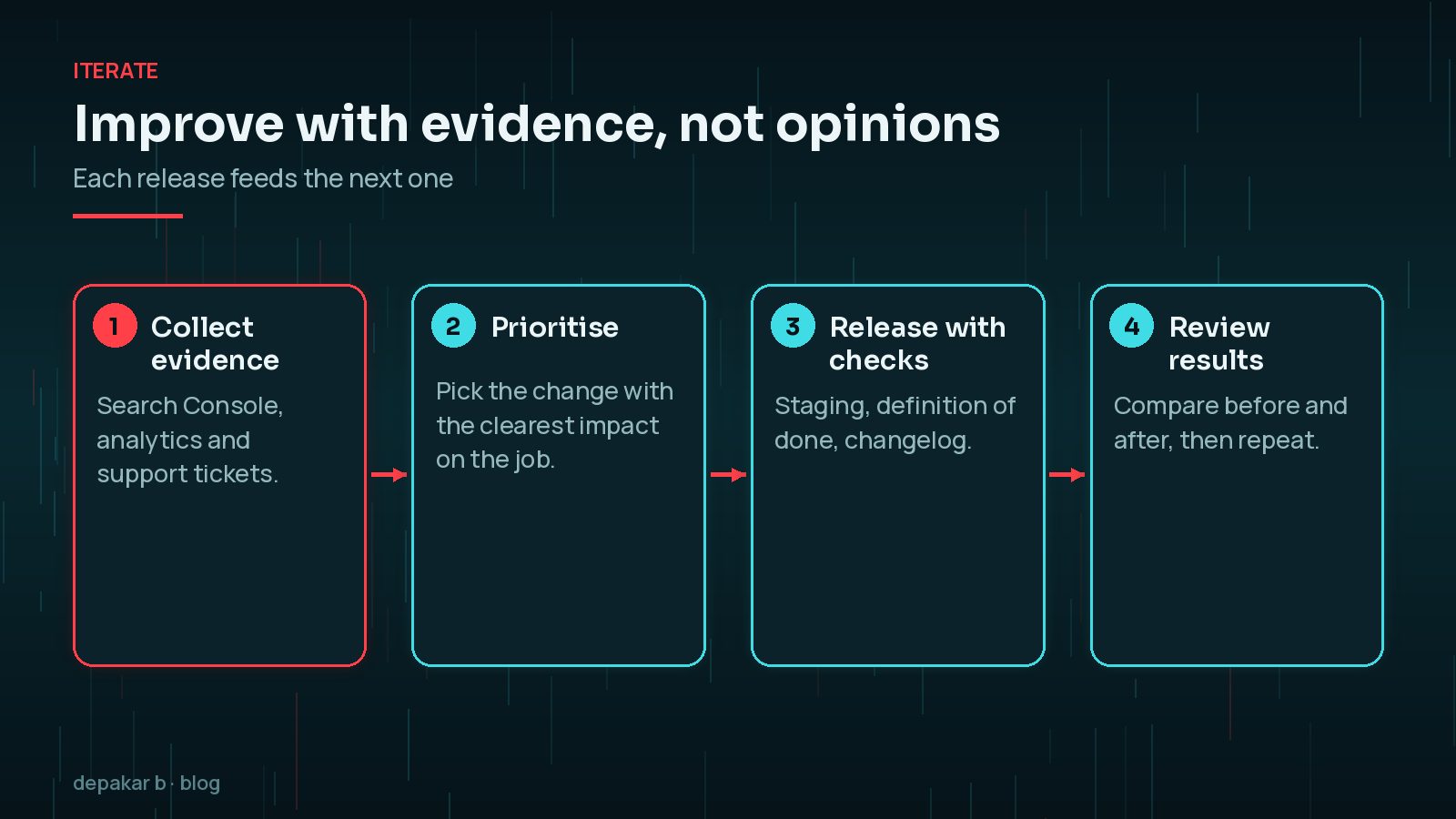
Improve with evidence
Search Console, analytics, and support tickets drive the next iteration.
- Pair with SEO and performance services when needed
- Keep a changelog
Support tickets and editor feedback are evidence too, and they are often overlooked. If editors keep asking how to build the same kind of page, that is a missing pattern. If visitors keep emailing the same question, the page that should answer it is not doing its job. Keep a simple list of these signals and review it before planning the next release.
Where this shows up in my work
See selected projects and the WordPress development service page.

Which environments does a WordPress site need?
For anything beyond a small brochure site, you want at least two places where the site runs: a staging copy where changes are tested, and the live production site. Many teams also use a local environment on a developer's machine. WordPress itself recognises this through the WP_ENVIRONMENT_TYPE setting, which can be local, development, staging or production, so plugins can behave differently in each.
- Local: where code is written and tried first, using tools such as
wp-env. - Staging: a close copy of live, ideally password-protected and set to discourage indexing.
- Production: the real site, changed only through a tested release.
How do you keep code and content changes under control?
Code and content travel in opposite directions. Code (themes, plugins, configuration) moves from local to staging to live. Content (posts, pages, orders, form entries) is created on live and copied down to staging for testing. Mixing those flows, for example by pushing a whole staging database over live, is how sites lose orders and enquiries.
- Keep themes and custom plugins in version control, so every change has a history and can be reverted.
- Follow the WordPress Coding Standards so the next developer can read the code quickly.
- Record design decisions in
theme.jsonand patterns rather than in one-off CSS. - Keep a changelog in plain language that the site owner can read, not only commit messages.
How do you hand over a site so it keeps scaling?
A process only scales if it survives a change of people. When a project moves between developers, agencies or in-house teams, the knowledge that lived in one person's head is usually what gets lost. A short handover pack prevents that:
- Where the code lives, how to deploy it, and who has access to hosting, DNS and the repository.
- A list of plugins with the reason each one is installed and who owns any paid licences.
- The patterns, blocks and post types editors should use, with a one-page guide.
- Integrations, their credentials owner, and what happens when each one fails.
- The release checklist and the latest changelog.
Keep the pack with the site owner, not only with the developer, and update it whenever something significant changes. It is the cheapest insurance a WordPress project can have.
How do you handle updates without breaking things?
Updates are where many WordPress processes fall apart, because they feel routine. Group plugin, theme and core updates into a regular window, take a backup first, apply them on staging when the change is significant, and run the same smoke tests as any other release. Major releases deserve extra care: my WordPress 7.2 update checklist walks through that process for the December release.
Security releases are the exception. When WordPress or a plugin ships a security fix, such as the WordPress 7.1.4 security update, apply it promptly and test immediately afterwards rather than waiting for the next window. The same applies to the server: PHP versions have end-of-life dates, and planning those upgrades is part of the process too. A written maintenance plan keeps all of this from depending on memory.
Frequently Asked Questions
What is a scalable WordPress development process?
It is a repeatable way of planning, building, releasing and improving a site so that new pages and features can be added without rebuilding or breaking what already exists. Clear briefs, reusable templates, staging and release checks are the core of it.
Do small WordPress sites need a staging site?
Not always for content edits, but it is worth having for theme changes, plugin updates with new features, and anything touching forms or checkout. Many hosts provide one-click staging, which makes it easy to adopt.
Should WordPress themes and plugins be in version control?
Yes, for any custom code. Version control gives you a history of every change, makes collaboration safer, and lets you roll back a bad release quickly. Content stays in the database and is backed up separately.
How often should a WordPress site be updated?
Apply security releases promptly, and group other updates into a regular schedule, such as weekly or fortnightly, with a backup first and quick checks afterwards. Major releases deserve a staging test before going live.
What should go in a release changelog?
The date, what changed in plain language, why it changed, and anything the site owner should check or know. A short entry per release is enough and saves a lot of time when something needs investigating.
Final Thoughts
A WordPress development process that scales is not about heavy tooling. It is a clear brief, reusable building blocks, separate environments, a definition of done that every release passes, and evidence that decides what to improve next. Put those habits in place early and each new page, feature or update becomes easier than the last, instead of riskier. If you want help setting this up for your own site, that is exactly the kind of work I do as part of WordPress development.
Need help applying this?
Start a build conversation on contact or explore WordPress development.
Related service: WordPress development · Contact · All articles
Official References
Sources checked on 29 October 2026: