
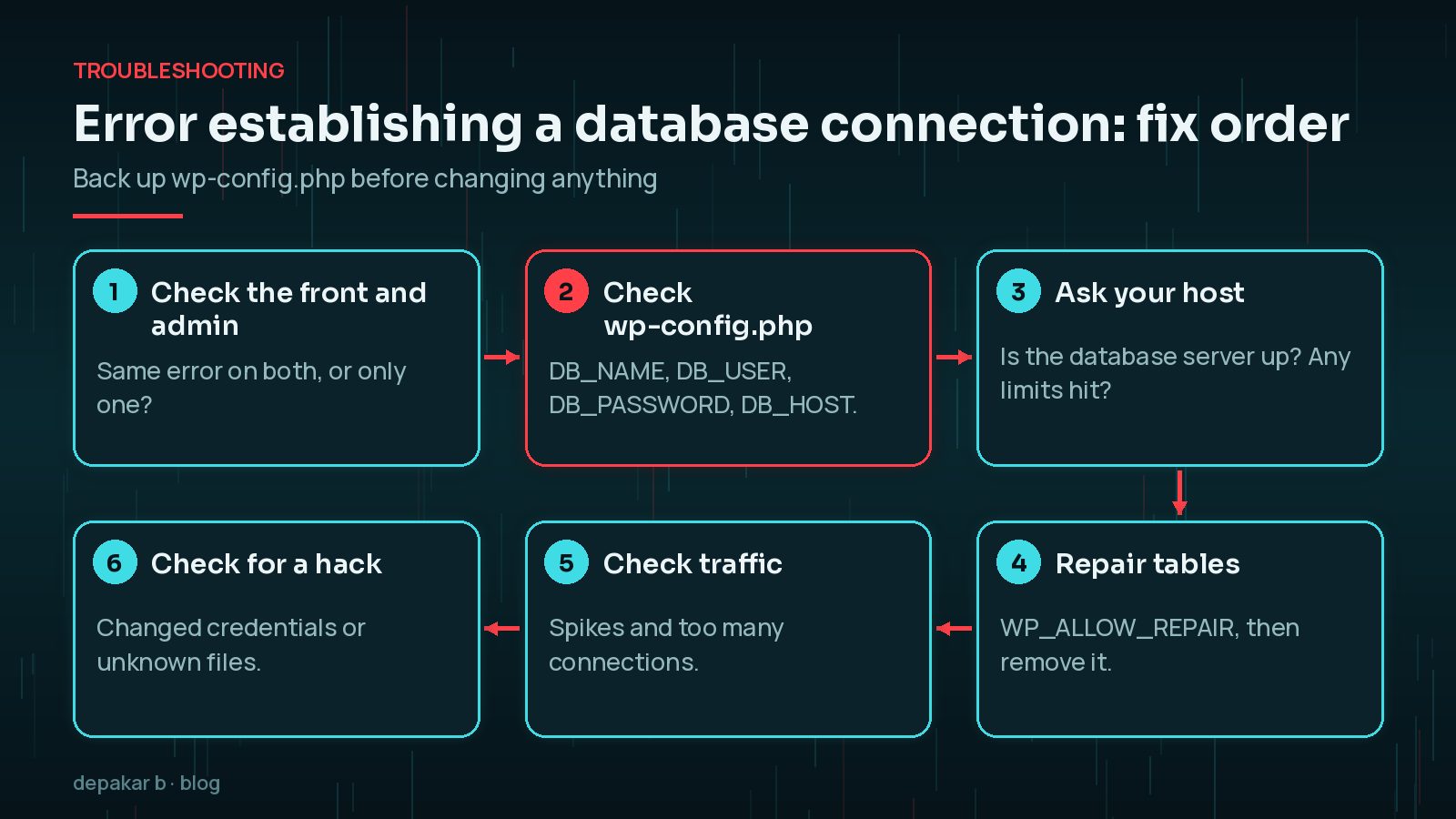
Few WordPress messages are as alarming as a blank page saying "Error establishing a database connection". Your whole site, front end and admin, can disappear at once. The good news is that the cause is usually one of a handful of things, and you can work through them in order.
This guide explains what the error means, how to check your settings, when to involve your host, how to repair tables safely, and what to do if a hack is behind it. Take a copy of wp-config.php before you change anything.
What "Error Establishing a Database Connection" Means
WordPress stores your posts, pages, settings and users in a MySQL or MariaDB database. On every page load, PHP connects to that database using the details in wp-config.php. If the connection fails, WordPress can't build the page and shows this error instead.
WordPress's own common errors guide lists three main causes:
- Incorrect
wp-config.phpinformation, such as a wrong password or database name. - Problems with your web host, such as the database server being down or a database quota being reached.
- A compromised website.
Corrupted tables and too many simultaneous connections can also cause it or similar errors. Start by noting whether the error appears on both the front end and /wp-admin/, and whether it is constant or comes and goes. Intermittent errors often point to load or host problems rather than wrong settings.
If the whole site is down and you need a calm checklist, my WordPress site down emergency checklist covers the first steps. If you see "There has been a critical error on this website" instead, that's a different problem: see fixing the WordPress critical error.
Check the wp-config.php Database Credentials
Open wp-config.php in your site's root folder through SFTP or your host's file manager. Find these four settings:
define( 'DB_NAME', 'database_name_here' );
define( 'DB_USER', 'username_here' );
define( 'DB_PASSWORD', 'password_here' );
define( 'DB_HOST', 'localhost' );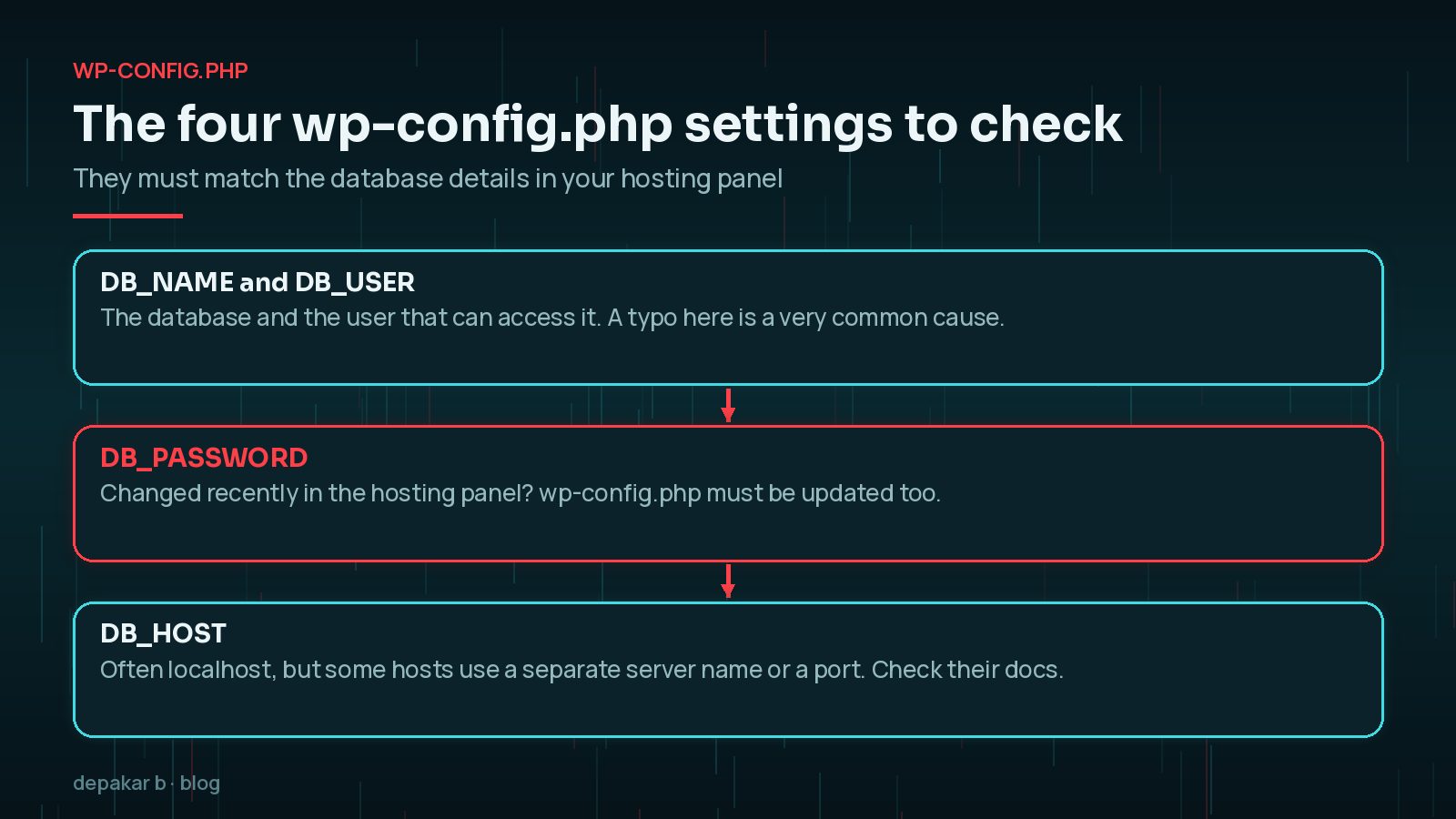
Compare each with the database details in your hosting control panel:
- DB_NAME and DB_USER. Many hosts add a prefix, such as an account name, to both. A missing prefix or typo is a common cause.
- DB_PASSWORD. If someone reset the database password in the hosting panel,
wp-config.phpmust be updated too. Watch for stray spaces and quote marks. - DB_HOST. Often
localhost, but WordPress's wp-config documentation notes it can be a different server name, or include a port or socket. Your host's documentation will say which.
Also check the user has permission to use that database. In many control panels, a database user must be explicitly added to the database.
If the site recently moved hosts or was restored, the credentials are the first thing to suspect.
Is the Database Server Down? Talking to Your Host
If the credentials are correct, the database server itself may be unavailable or overloaded. Check your host's status page, then contact support with useful details:
- When the error started and whether it is constant or intermittent.
- That you've confirmed
wp-config.phpmatches the panel. - Whether other sites on the same account are affected.
- A request to check database server status, quotas and connection limits.
On shared hosting especially, the fix may be entirely on the host's side. Asking clear questions gets you to an answer faster.
Corrupted Tables and WP_ALLOW_REPAIR
Database tables can occasionally become corrupted, for example after a server crash. WordPress has a built-in repair tool. Back up the database first if you can, then add this line to wp-config.php, above the line that says to stop editing:
define( 'WP_ALLOW_REPAIR', true );Then visit https://yourdomain.com/wp-admin/maint/repair.php and choose Repair Database, or Repair and Optimise.
Remove the line straight afterwards. WordPress's documentation notes that the repair page doesn't require you to be logged in, because it is meant for when you can't log in. Leaving it enabled lets anyone run it.
If repairs fail or tables are badly damaged, restoring a recent database backup is often safer. My guide to restoring WordPress from a backup explains how to do that without losing recent changes unnecessarily.
Traffic Spikes and Connection Limits
Each visitor's page load needs a database connection. Hosting plans limit how many connections a database user can open at once, and also limit CPU and memory. A spike in traffic, a bad bot or a slow query can use them all up, so new visitors get the connection error.

Signs this is the cause: the error comes and goes, often at busy times, and your host reports resource limits being hit. Fixes include:
- Page caching, so most visitors don't trigger database queries at all.
- A persistent object cache, such as Redis, where your host supports it.
- Blocking abusive bots at the firewall or CDN.
- Cleaning up heavy queries and bloated tables. See WordPress database optimisation and autoload.
- Moving to a plan with higher limits if your site has simply outgrown it.
When a Hack Causes Database Errors
WordPress lists a compromised website as one cause. Attackers sometimes change wp-config.php, add their own database users, or overload the server with malicious scripts. Warning signs include:
- Database credentials you didn't change have changed.
- Unknown files in the site root or
wp-content/uploads. - Unknown admin users once the site is back.
- Spam pages or redirects.
If you suspect a hack, don't just restore the old password and move on. Clean the site fully, change every password, and find how the attacker got in.
Preventing It Next Time
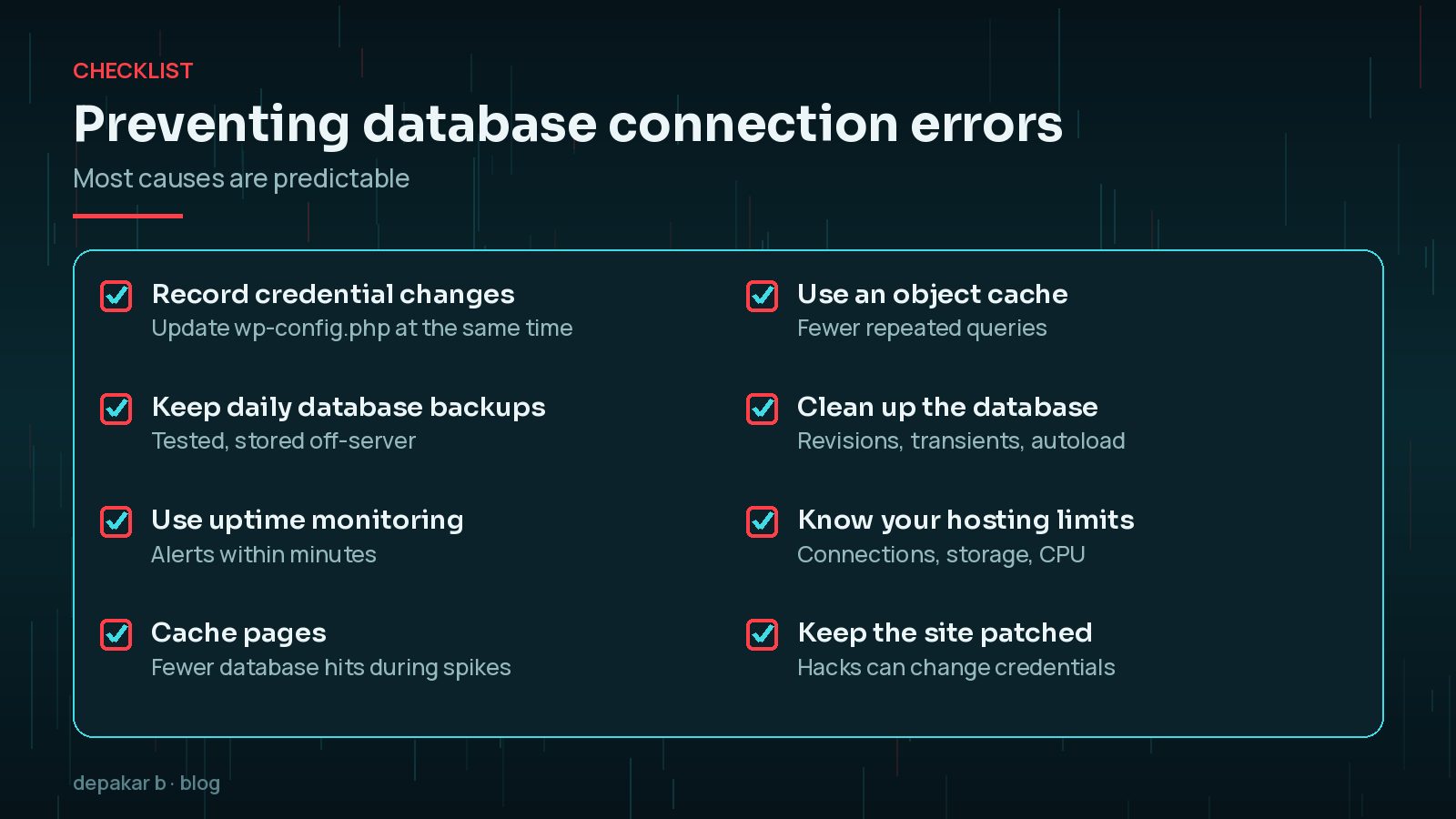
- Record credential changes and update
wp-config.phpat the same time. - Keep daily database backups, stored off the server and tested.
- Use uptime monitoring so you hear within minutes, not days.
- Cache pages to reduce database load during spikes.
- Know your hosting limits for connections, storage and CPU.
- Keep WordPress, plugins and themes patched, because hacks can change credentials.
Frequently Asked Questions
What causes error establishing a database connection in WordPress?
Usually incorrect database details in wp-config.php, a problem on the hosting side such as the database server being down or a quota being reached, or a compromised site. Corrupted tables and traffic spikes can also cause it.
How do I fix error establishing a database connection?
Check DB_NAME, DB_USER, DB_PASSWORD and DB_HOST in wp-config.php against your hosting panel, then ask your host whether the database server is up, then repair tables or restore a backup if needed.
Is it safe to use WP_ALLOW_REPAIR?
Yes, briefly. Back up first, add the line, run the repair at /wp-admin/maint/repair.php, then remove the line. The repair page doesn't require a login, so don't leave it enabled.
Why does the database error come and go?
Intermittent errors often mean the database is hitting connection or resource limits during busy periods or bot traffic. Caching and talking to your host usually help.
Will I lose my content?
Usually not. The error means WordPress can't connect, not that the data is gone. Take a backup before making changes so you can recover if anything goes wrong.
Final Thoughts
"Error establishing a database connection" looks serious, but it usually comes down to credentials, the host, damaged tables, load or a hack. Work through them in that order, keep a copy of wp-config.php, and remove WP_ALLOW_REPAIR when you're done.
If your site is down and you need help now, my site down recovery service can diagnose and fix it.
Check the credentials, talk to your host, repair carefully, and prevent the next one.
Official References
Sources checked on 29 October 2026: