
You open Search Console, go to the Page indexing report and find a long list under Crawled - currently not indexed. Some of those URLs are pages you care about. The good news is that this status is not an error and not a penalty. It is Google telling you it has seen the page and does not think it needs to be in the index yet.
This guide explains what that means, how it differs from "Discovered", and the order in which to fix things on a WordPress site.
What Does "Crawled - Currently Not Indexed" Mean?
Google's Page indexing report describes it plainly: the page was crawled by Google but not indexed. It may or may not be indexed in the future, and there is no need to resubmit the URL for crawling.
In other words, Googlebot fetched the page, could read it, and decided not to store it for now. Nothing is broken in the way a 404 or a server error is broken. The decision sits in the step after crawling, where Google weighs the content against everything else it knows.
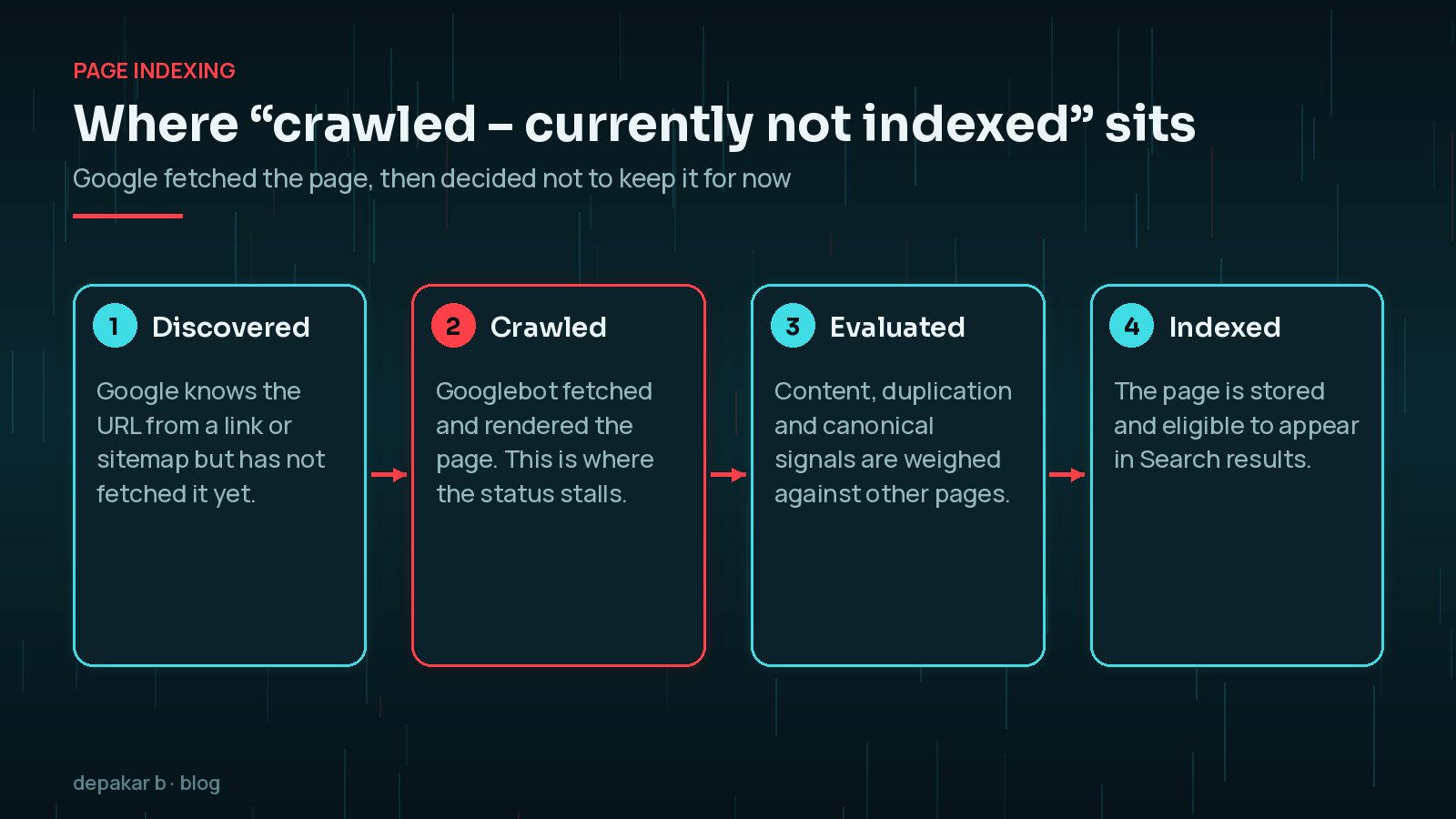
Seeing a few URLs here is normal on any site. It becomes a problem when important pages, such as service pages, key articles or product pages, sit in the list for weeks.
Crawled vs Discovered: What Is the Difference?
The two statuses sound similar but point to different causes.
- Discovered - currently not indexed: Google knows the URL exists but has not fetched it yet. Google says this usually happens when it wanted to crawl the URL but expected that doing so would overload the site, so it rescheduled. The last crawl date is empty.
- Crawled - currently not indexed: Google has fetched the page. The question is no longer access, it is value.
A long "Discovered" list tends to point at server capacity, crawl paths or a very large number of low-value URLs. A long "Crawled" list points at the pages themselves: duplication, thin content or weak signals that they matter.

Technical Problem or Quality Problem?
Before you rewrite anything, rule out a technical fault. A page that renders blank for Googlebot, or quietly points its canonical somewhere else, will never be judged on its words.
Open the URL in the URL Inspection tool and run a live test. Then check:
- The rendered HTML and screenshot show the full main content, not just a header and footer.
- The page returns a 200 status and is not blocked by robots.txt.
- There is no stray
noindexleft from a staging site or an SEO plugin setting. - The canonical tag points to the page itself, not a category, the home page or a parameter version.
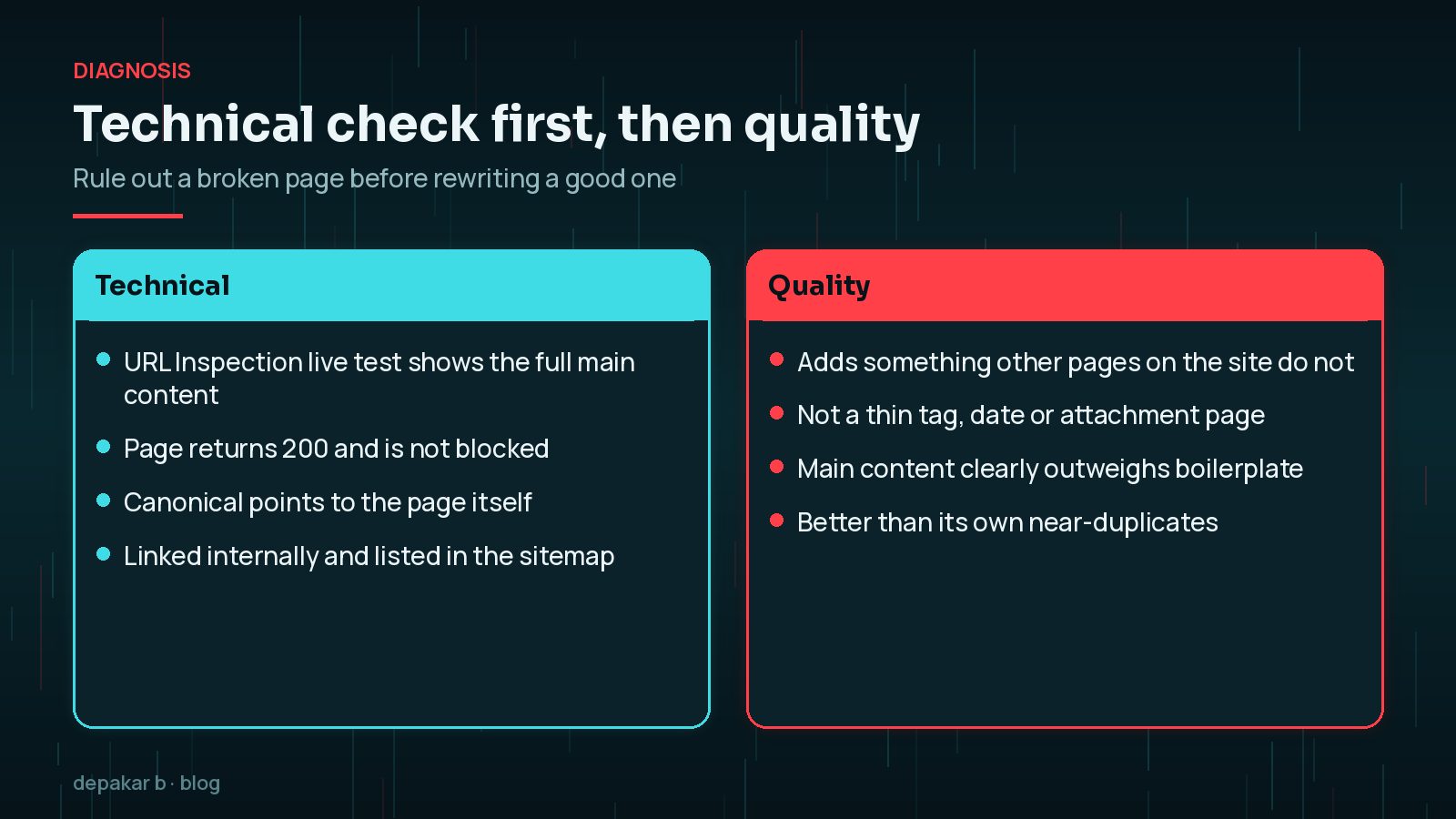
If all four pass, you are almost certainly looking at a quality or duplication decision. My WordPress technical SEO checklist covers the wider site-level checks if several of these fail at once.
Archives, Tags and Thin Pages in WordPress
WordPress creates many URLs automatically. Each one is a page Google can crawl, and many of them repeat content that already lives elsewhere.
- Tag archives with one or two posts each.
- Date and author archives on sites with a single author, which list the same posts in a different order.
- Attachment pages that show a single image on its own URL.
- Paginated archives such as page 4 of a category.
- Near-duplicate landing pages where only a town or product name changes.
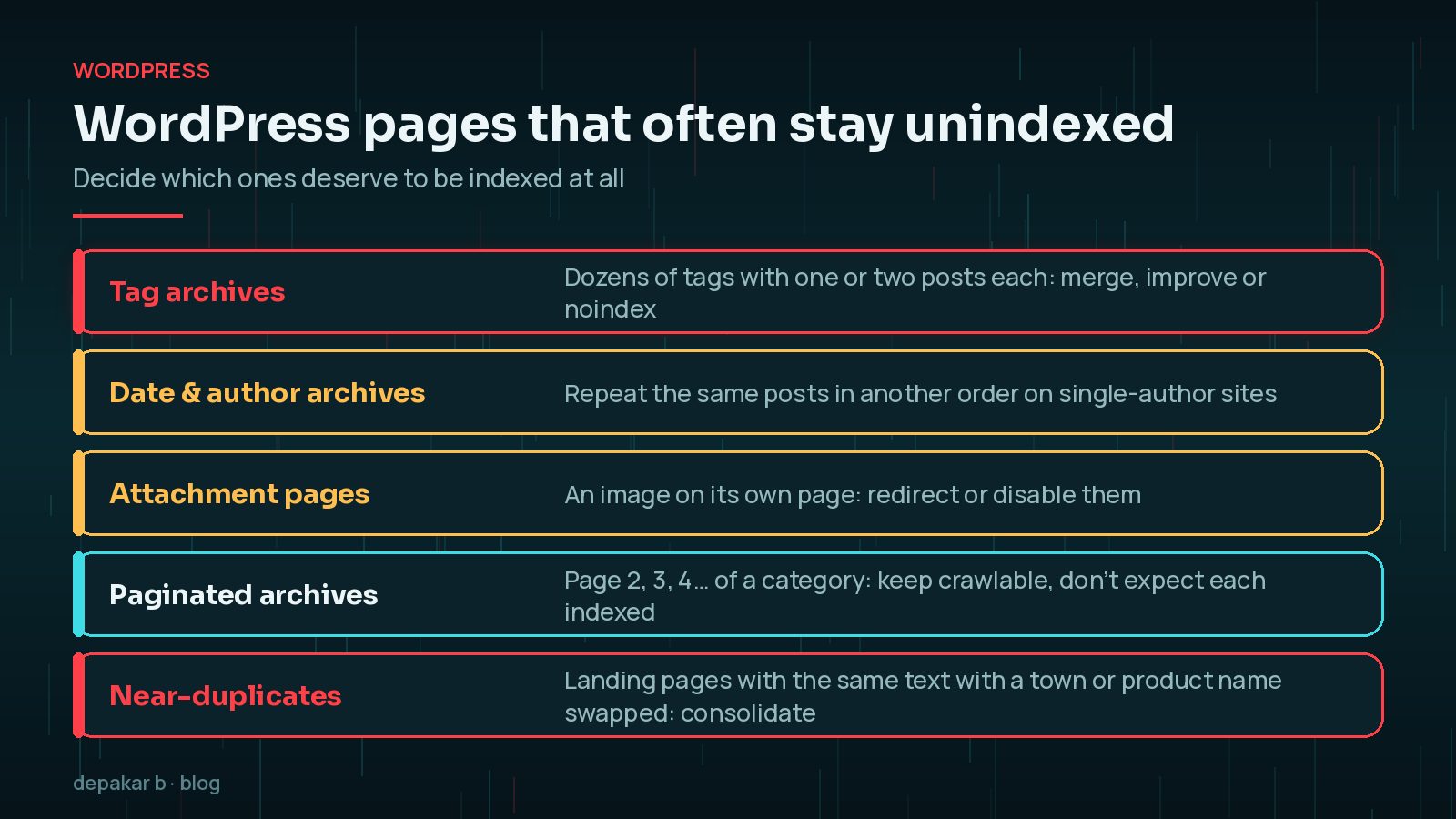
It is reasonable for Google to skip many of these. The fix is to decide deliberately. Keep the archives that genuinely help visitors, give them an introduction and a clear purpose, and noindex, redirect or remove the rest. Where pages overlap, my guide to duplicate content and canonical tags in WordPress explains how to point Google at the version you want.
Not every URL should be indexed. A smaller set of strong, distinct pages usually serves you better than a large index padded with thin archives. Clearing out low-value URLs also makes the important ones easier to spot.
How to Improve Pages Google Crawled but Did Not Index
For the pages you do want indexed, ask the same question Google is asking: what does this page offer that others do not?
- Check for overlap. Search your own site for the topic. If two posts cover the same ground, merge them into one stronger page and 301 redirect the weaker URL.
- Answer the real question. Lead with the answer, then the detail, examples and steps a reader needs.
- Make the main content dominant. Sidebars, related-post widgets and long footers should not outweigh the article itself.
- Add what only you can add. Your own process, screenshots or worked examples are worth more than a paraphrase of other articles.
- Update genuinely. Changing a date without changing the content does not help.

If you are not sure which changes move the needle, my article on technical SEO improvements that matter separates the high-impact work from the busywork.
Internal Links and Sitemaps: Show Google What Matters
Google finds pages through links from pages it already knows and through sitemaps. Both also hint at importance. A post that is only linked from page 7 of an archive looks less important than one linked from your main guides.
- Link to key pages from relevant, well-visited posts using descriptive anchor text.
- Link from your service pages to the guides that support them, and back again.
- Keep orphan pages, with no internal links at all, to a minimum.
- Make sure your XML sitemap lists only canonical, indexable URLs. Remove noindexed archives, redirects and attachment URLs.
Google notes that a site of roughly 500 pages or fewer that is well linked internally may not need a sitemap at all, but on WordPress one is generated for you anyway, so it is worth keeping clean. My WordPress internal linking strategy goes into structure in more depth.
When to Request Indexing (and When Not To)
The Request Indexing button in URL Inspection is useful, but limited. There is a daily quota, and Google says that if you have many URLs you should submit a sitemap instead. You also cannot request indexing for a page the live test reports as not indexable.
A sensible order is:
- Fix technical issues and improve the page.
- Add internal links from relevant pages.
- Run a live test to confirm Google sees the improved version.
- Request indexing for that one important URL.
- For a group of fixed pages, use Validate fix in the Page indexing report.
Validation typically takes up to about two weeks, and sometimes much longer. Requesting indexing repeatedly for an unchanged page does not speed things up.
Frequently Asked Questions
Should I click Request Indexing for every crawled but not indexed page?
No. Google says there is no need to resubmit these URLs for crawling, and URL Inspection has a daily limit on indexing requests. Improve the page first, then request indexing for a handful of important URLs. For many pages, keep your sitemap accurate instead.
How long does it take for a page to move out of this status?
There is no fixed timescale. When you use Validate fix in the Page indexing report, Google says validation typically takes up to about two weeks and sometimes much longer. Unimportant pages may never be indexed, and that can be fine.
Is 'Crawled - currently not indexed' a penalty?
No. It is a normal status in the Page indexing report, not a manual action. Manual actions have their own report in Search Console. This status simply means Google fetched the page and has not added it to the index for now.
Should I noindex my tag and date archives?
Only if they add nothing. A small number of well-used, well-described tag pages can be helpful. Dozens of tags with one post each usually are not, so merge them, improve the useful ones and noindex or remove the rest.
Does a sitemap guarantee indexing?
No. A sitemap helps Google discover and recrawl URLs, but indexing still depends on whether Google thinks the page is worth keeping. Treat it as a list of your best canonical pages, not a request to index everything.
Final Thoughts
"Crawled - currently not indexed" is Google telling you a page has not yet earned its place. Start by ruling out rendering, canonical and noindex problems. Then be honest about which WordPress archives deserve to exist, strengthen or merge the pages you care about, and support them with internal links and a clean sitemap.
If important pages have been stuck for months and you would like a second pair of eyes, my SEO improvement service starts with exactly this kind of indexing review.
Official References
Sources checked on 29 October 2026: