
WordPress duplicate content is rarely the disaster it sounds like. In most cases it is a housekeeping job: decide which URL should represent each piece of content, tell search engines clearly, and stop creating thin copies you do not need. This guide shows you where the duplicates come from and what to do about each one.
Where WordPress Duplicate Content Comes From
A fresh WordPress install can make the same content reachable at several addresses. Some of these are features, and some are accidents of configuration.
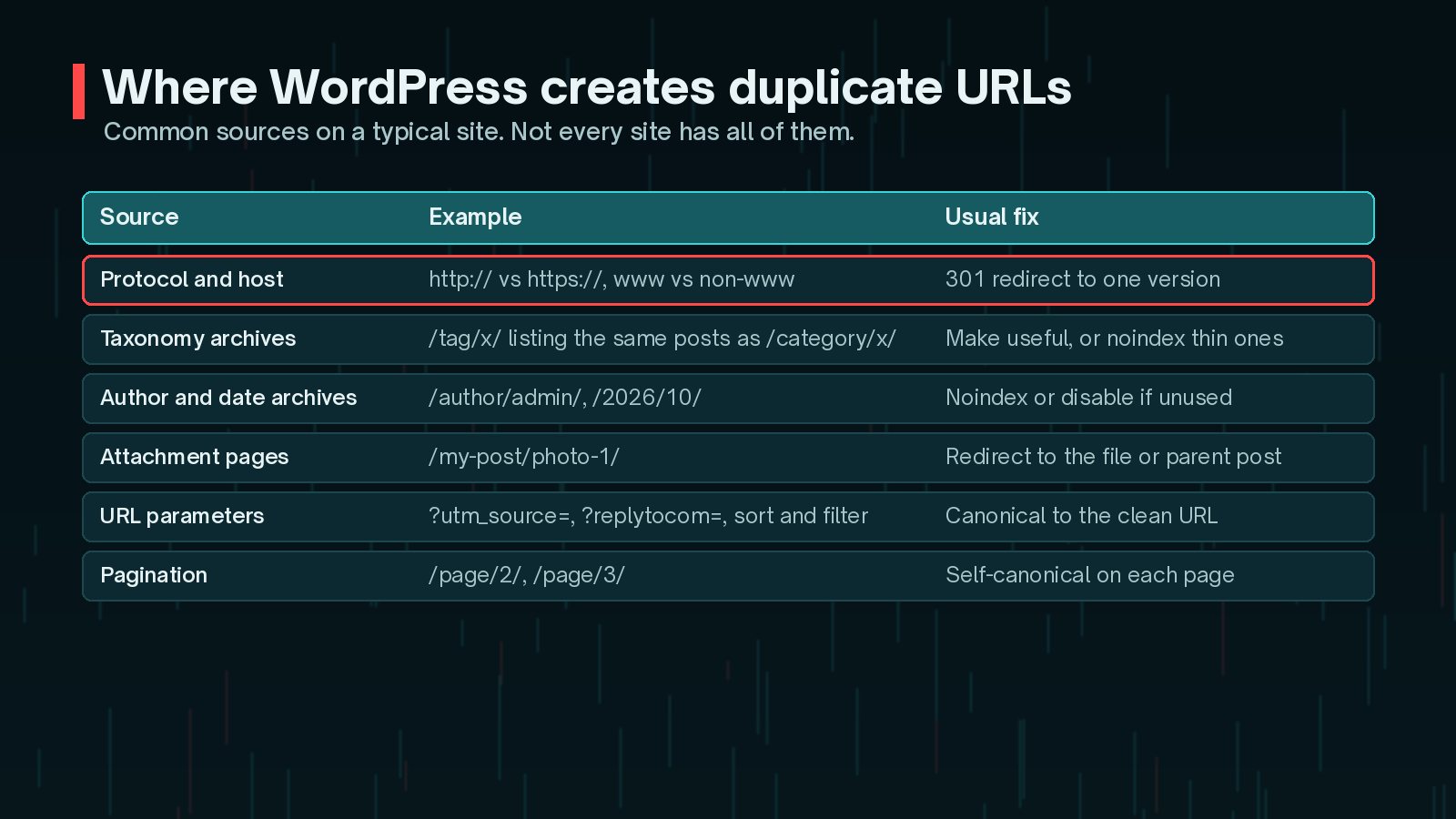
- Protocol and host variants:
http://andhttps://, orwwwand non-www, all serving the same page. - Archives: categories, tags, author pages and date archives that list the same posts in different combinations.
- Attachment pages: a separate page for each uploaded image, often with almost no content.
- Parameters: tracking tags such as
?utm_source=, comment reply links and sorting or filtering options. - Staging or demo copies left open to crawlers, which Google's documentation lists as a common accidental variant.
Does Duplicate Content Cause a Penalty?
Google is direct about this. Its canonicalisation documentation says some duplicate content on a site is normal and is not a violation of its spam policies. Google groups similar pages together and picks one to show, which it calls the canonical.
The real problems are quieter:
- Links and other signals can be split across several versions of the same page.
- Google may choose a different URL from the one you want people to see.
- Crawl time goes on duplicates instead of new or updated pages.
- Your analytics are harder to read when one article lives at several URLs.
Copying other sites' content, or mass-producing near-identical pages to rank, is a different issue covered by spam policies. Normal WordPress archives are not that.
Canonical Tags Explained
A canonical tag is a line in the page's <head> that says which URL is the preferred version:
<link rel="canonical" href="https://example.com/blog/my-post/" />Google treats it as a strong hint, not an order. According to Google Search Central, you can signal your preferred URL in several ways, which work best together:
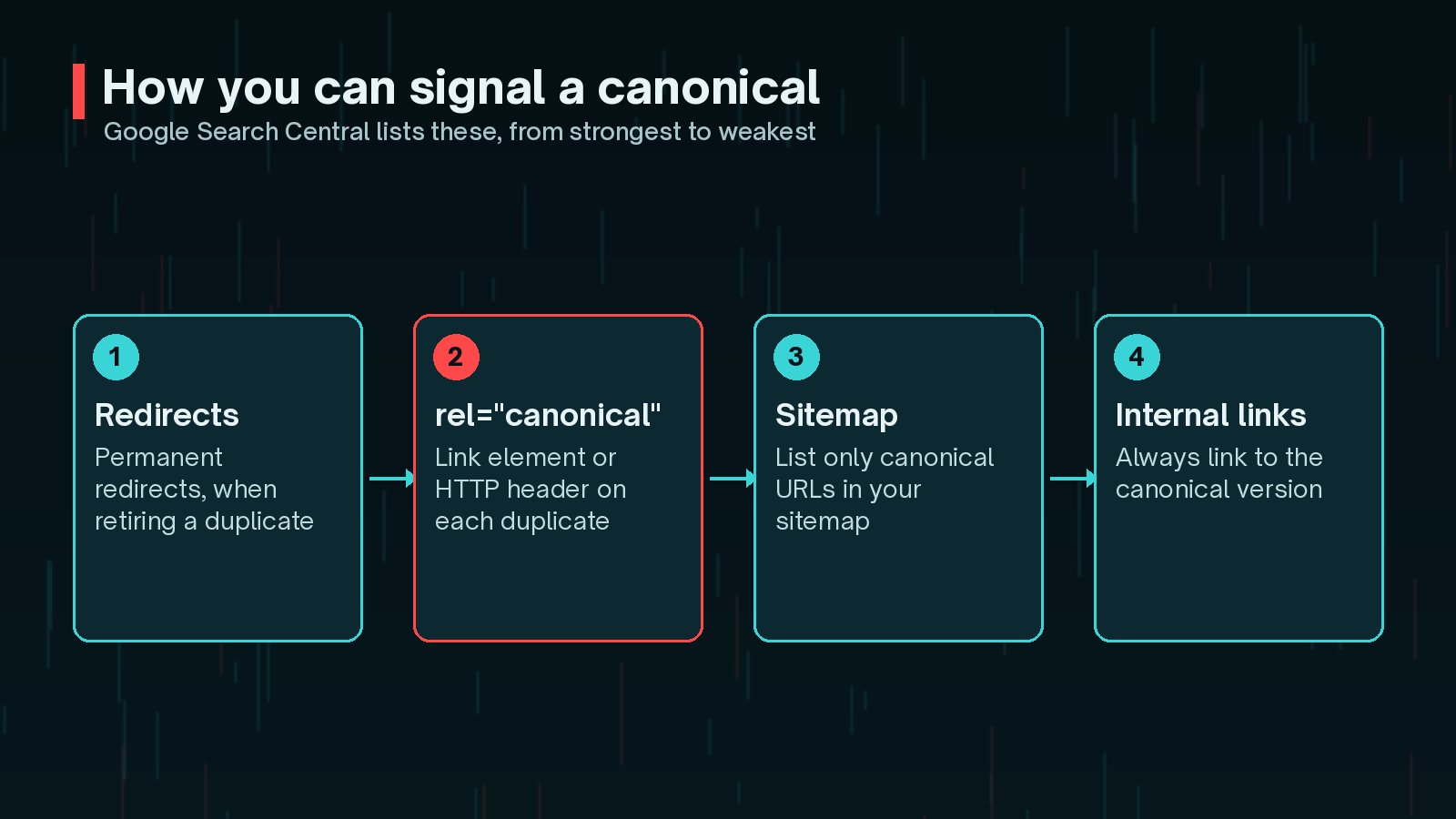
- Redirects: a permanent redirect, used when you are retiring a duplicate.
- rel="canonical": on the page or as an HTTP header for files such as PDFs.
- Sitemaps: list only canonical URLs. This is a weaker signal.
- Internal links: Google recommends linking to the canonical URL rather than a duplicate.
Google also recommends a self-referencing canonical on the canonical page itself. WordPress core already outputs one for single posts and pages through rel_canonical(). SEO plugins usually extend this to archives and let you override it per page.

Tags, Categories, Author and Date Archives
Archives are where most WordPress duplicate content comes from. Each archive is a list of excerpts that also appear elsewhere. Whether to keep them indexed depends on whether they help a searcher.
- Categories: usually worth keeping indexed if you have a small, sensible set. Add a short introduction to each, so it is more than a list.
- Tags: often the problem. Hundreds of tags with one or two posts each create thin pages. Merge or delete unused tags, or noindex the archive.
- Author archives: on a single-author site, the author archive is often a copy of the blog index. Noindex it or turn it off.
- Date archives: rarely useful for search. Most sites noindex or disable them.

To keep a page out of Google's index, use a noindex rule, either as a meta tag or an HTTP header. Google's noindex documentation stresses one detail: the page must not be blocked in robots.txt, or Google will never see the rule.
<meta name="robots" content="noindex, follow" />One more caution from Google: do not use noindex to choose a canonical between duplicates within a site. It removes the page from search completely. Use rel="canonical" for that.
Pagination, Parameters and Attachment Pages
Pagination: paginated archives such as /page/2/ are not duplicates of page one. Google's pagination guidance says not to use the first page of a sequence as the canonical for later pages. Give each page its own self-referencing canonical instead.
Parameters: URLs with tracking or sorting parameters should canonicalise to the clean URL. Avoid adding tracking parameters to your own internal links, because they create new URLs for Google to crawl.
Attachment pages: since WordPress 6.4, new installations redirect attachment pages to the file itself. Older sites that upgraded kept the old behaviour, controlled by the wp_attachment_pages_enabled option. If your site is older, check whether thin attachment pages are still live and indexed, and redirect them if they are.
Fix the host first. Make sure every variant of your domain, http or https, www or not, redirects permanently to one version. It is the simplest fix and removes a whole layer of duplicates at once.
Fixing 'Duplicate Without User-Selected Canonical'
This status appears in Search Console's Page indexing report. Google's help page explains it: the page is a duplicate, it does not declare a canonical, and Google has picked another page as canonical. Google says this is not an error but working as intended.
Work through it like this:
- Use URL Inspection to see which URL Google chose as canonical.
- If Google's choice is right, there is nothing to fix. You can add a canonical tag to make it explicit.
- If Google chose the wrong URL, add a canonical to your preferred version, update internal links and keep only that URL in the sitemap.
- If the page should not be a duplicate at all, make its content clearly different.
A related status, "Duplicate, Google chose different canonical than user", means you declared a canonical but Google disagreed. Compare the two pages. Often an internal link, redirect or sitemap entry is sending a mixed message. For other indexing statuses, see my guide to Crawled - currently not indexed.
Checking Your Canonicals at Scale
For more than a few pages, use a crawler that reports canonical tags, robots directives and status codes. Then compare what you declared with what Google chose.
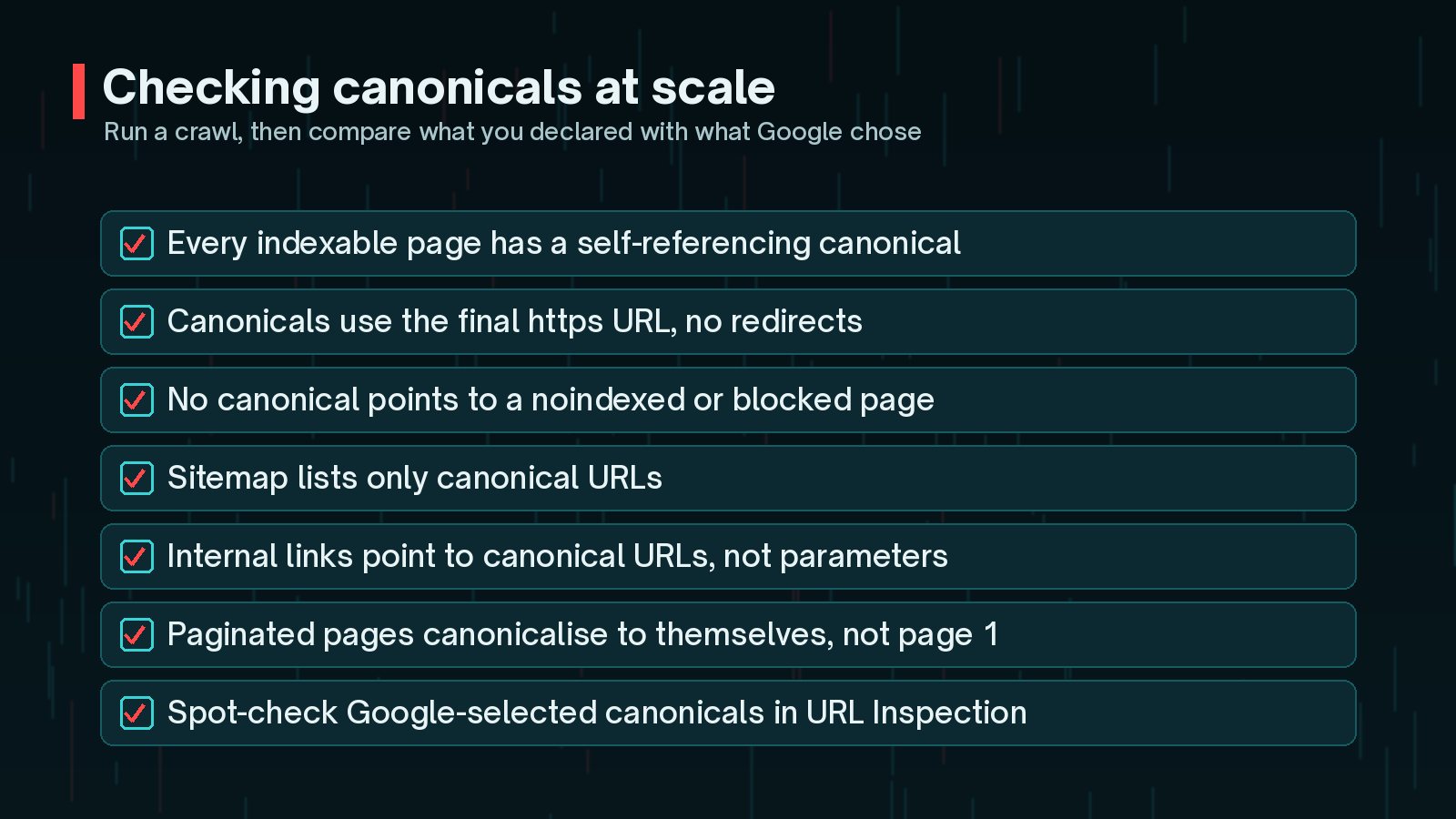
- Every indexable page should have a self-referencing canonical to its final https URL.
- No canonical should point to a redirect, a 404, or a noindexed page.
- The sitemap and the canonicals should list exactly the same URLs.
- Internal links should point to canonical URLs. My internal linking strategy guide covers this in more depth.
Canonicals are one part of technical SEO. My WordPress technical SEO checklist puts them alongside sitemaps, robots rules and site structure.
Frequently Asked Questions
Will duplicate content get my WordPress site penalised?
Usually not. Google's documentation says some duplicate content on a site is normal and is not a violation of its spam policies. The real costs are diluted signals, wasted crawling and the wrong URL showing in search. Deliberately copying content to manipulate rankings is a different matter.
Should I noindex tag pages?
It depends on whether they are useful. Tag archives with a handful of posts and no introduction usually add little, so many sites noindex them or stop creating so many tags. A tag page that works like a well-curated topic hub can be worth keeping indexed.
Does WordPress add canonical tags by default?
Yes, for single posts and pages. WordPress core outputs a rel=canonical link for singular content. Archives, such as categories and tags, usually get canonical tags from an SEO plugin or the theme, so check your own pages.
Is 'Duplicate without user-selected canonical' an error?
Not necessarily. Google's Page indexing help says it is working as intended when the page really is a duplicate. Act on it only if Google chose the wrong canonical, or if the page should not be a duplicate in the first place.
Can I use robots.txt to stop duplicate URLs being indexed?
Google advises against using robots.txt for canonicalisation. Blocked URLs can still be indexed without their content, and Google cannot see a canonical or noindex on a page it is not allowed to crawl.
Final Thoughts
WordPress duplicate content is normal and usually manageable. Redirect every host variant to one version, keep self-referencing canonicals on indexable pages, noindex or remove thin archives, and let paginated pages canonicalise to themselves. Then check Search Console now and then to confirm Google agrees with you.
If you would like an audit of your canonicals, archives and indexing, my SEO improvement service covers it from crawl to fixes.
Official References
Sources checked on 29 October 2026:
- Google Search Central: How to specify a canonical URL
- Google Search Central: What is canonicalization
- Search Console Help: Page indexing report
- Google Search Central: Block search indexing with noindex
- Google Search Central: Pagination and incremental page loading
- WordPress Developer Reference: rel_canonical()
- Make WordPress Core: Changes to attachment pages (6.4)