
This is a practical guide to WordPress webhooks automation: what is worth automating, how webhooks actually work, and how to choose between Zapier, Make and a small custom plugin. It also covers the part most tutorials skip, which is keeping automations secure and reliable.
What WordPress Webhooks Automation Can Do for Your Site
Good candidates are tasks that happen often, follow the same steps every time and do not need judgement. Common examples:
- Sending form entries to a CRM, spreadsheet or helpdesk.
- Notifying a team chat when a WooCommerce order is placed or refunded.
- Adding new customers to an email list, if they agreed to it.
- Sharing new posts to social channels or a newsletter tool.
- Creating draft posts from another system, for review before publishing.
Zapier's WordPress integration page, for example, lists workflows such as sharing new posts elsewhere and creating WordPress posts from form submissions. Make's WordPress integration includes triggers for new posts, comments, media, users, categories and tags.
Keep people in the loop for anything that publishes publicly or changes money, such as refunds or prices.
Webhooks Explained Simply
A webhook is an automatic message sent when something happens. WooCommerce's documentation describes it as an event notification sent to a URL of your choice. Instead of another app asking your site "anything new?" every few minutes, your site tells it straight away.
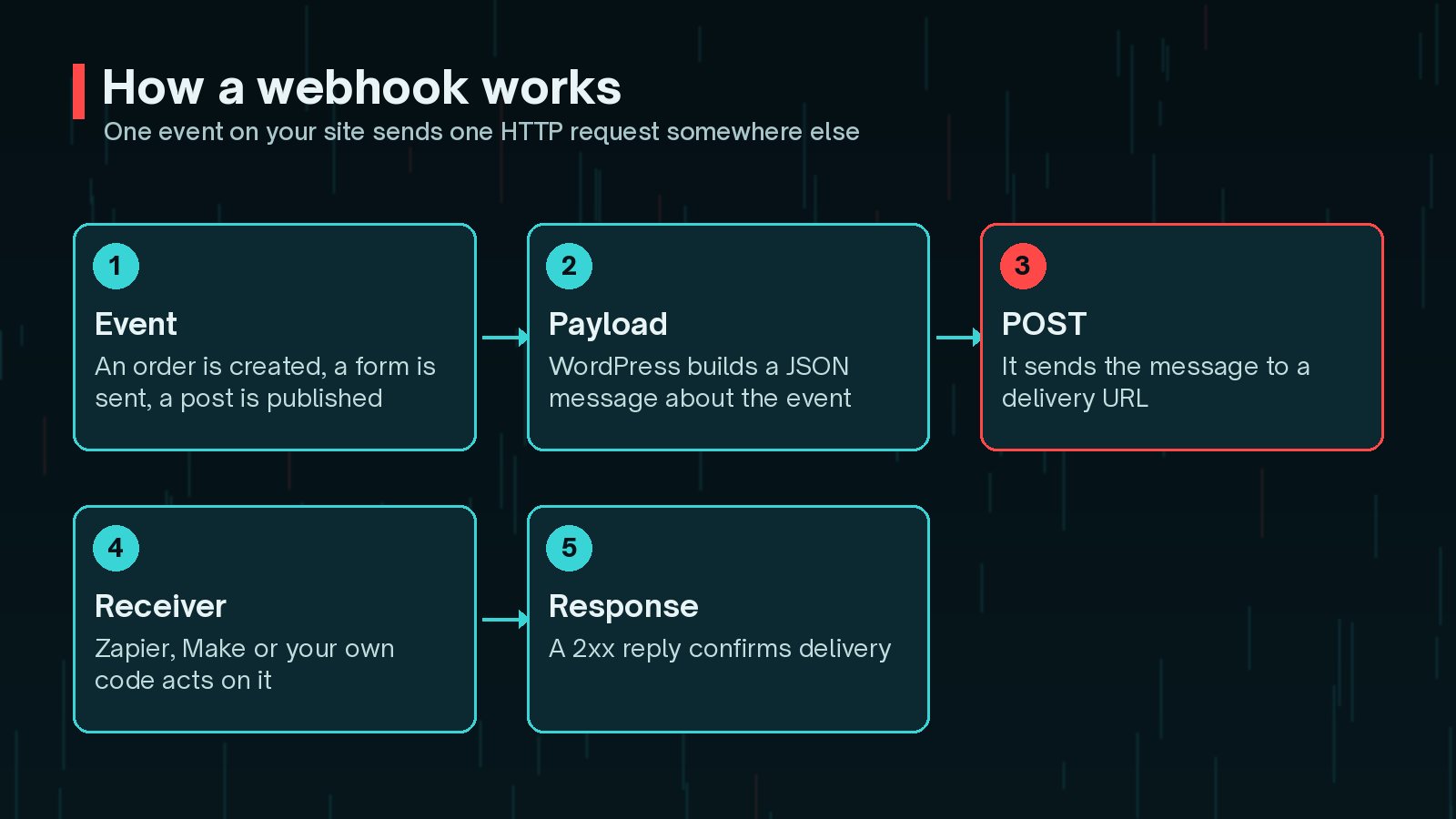
- Event: something happens, such as a new order or form entry.
- Payload: the site builds a message, usually JSON, describing it.
- Delivery: the message is sent as an HTTP POST to a delivery URL.
- Response: the receiver replies. A 2xx status means it arrived.
The alternative is polling, where a service checks for new data on a schedule. Zapier's WordPress page notes that it checks for new data every 15 minutes on its Free plan, as of October 2026. That is fine for a weekly report, but slow for order alerts.
Zapier vs Make vs a Custom Plugin
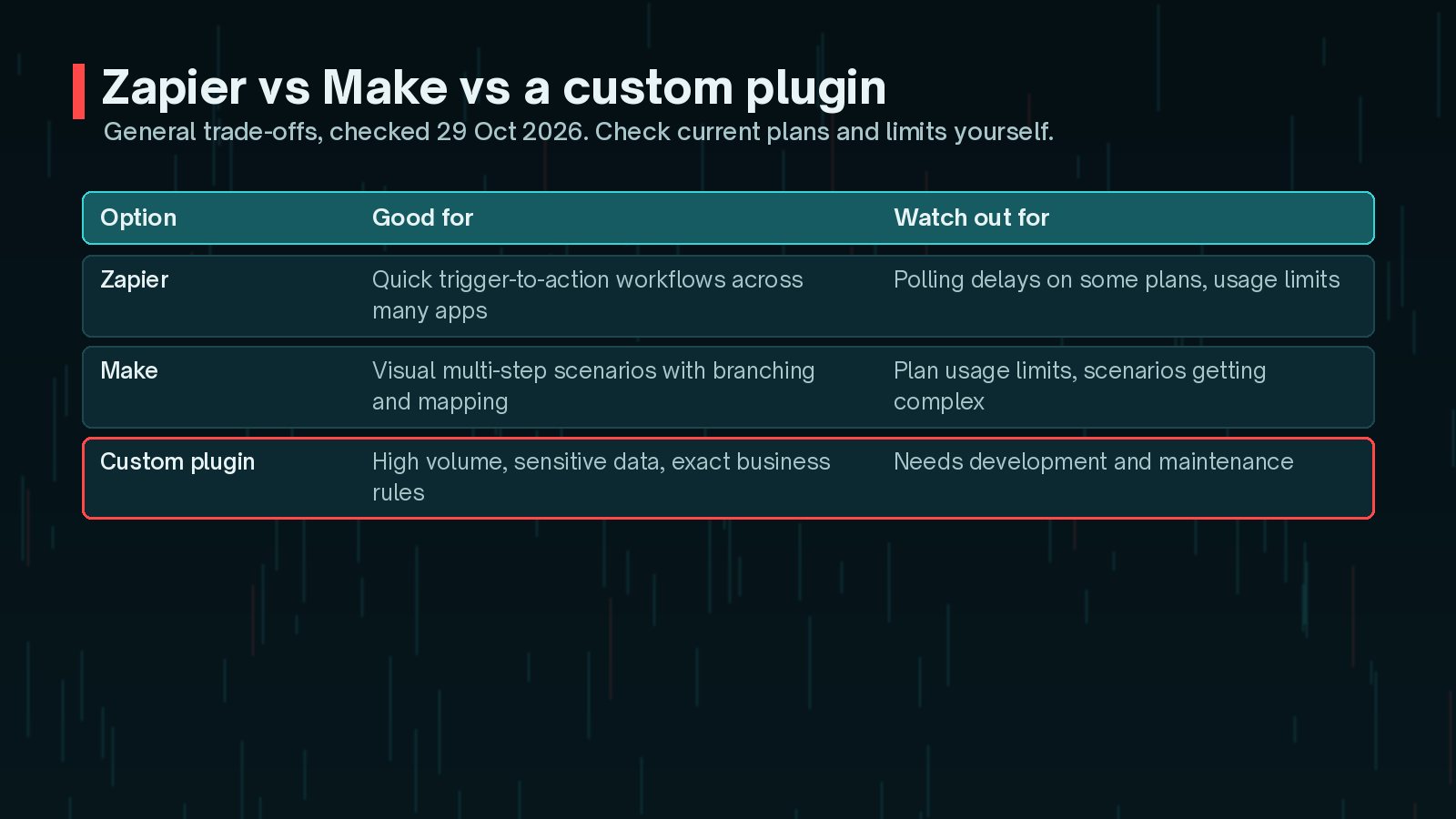
Zapier is built around simple workflows: a trigger is the event that starts it, and actions are what it does next. It connects to a very large number of apps and is quick to set up.
Make uses visual scenarios made of modules, with mapping to pass data between steps. It suits multi-step flows with branches, filters and data transformation.
A custom plugin sends or receives requests directly with the WordPress HTTP API. It takes development time, but gives you full control over data, logging, retries and cost at higher volumes. My guide to the WordPress REST API for integrations covers the receiving side.

A practical rule: start with Zapier or Make to prove the workflow is useful. Move to custom code when volume, sensitivity or complexity make the platform awkward.
WooCommerce Webhooks
WooCommerce has webhooks built in. According to its documentation, you create them under WooCommerce > Settings > Advanced > Webhooks and choose:
- Status: active, paused or disabled.
- Topic: events for orders, products, coupons and customers, or a specific WooCommerce action.
- Delivery URL: where the payload is sent.
- Secret: used to sign each delivery so the receiver can check it is genuine.
A few details are worth knowing:
- WooCommerce sends a ping to the delivery URL the first time you save an active webhook.
- It disables a webhook automatically after more than five consecutive delivery failures. A failure is any response other than 2xx, 301 or 302.
- The developer documentation says deliveries are processed in the background by default, and include headers such as
X-WC-Webhook-Topic,X-WC-Webhook-SignatureandX-WC-Webhook-Delivery-ID. - WooCommerce keeps delivery logs, which you can filter by the webhooks-delivery source.
Watch for silently disabled webhooks. If the receiving service is down for a while, WooCommerce may switch the webhook to disabled. Check the status and logs regularly, or monitor the receiver for missing events.
Securing Webhooks and API Keys
A webhook URL that accepts anything is an open door. So is an API key pasted into a theme file.

When WooCommerce has a secret, it sends a base64-encoded HMAC-SHA256 signature of the payload. A receiver can verify it like this:
$raw       = file_get_contents( 'php://input' );
      $signature = $_SERVER['HTTP_X_WC_WEBHOOK_SIGNATURE'] ?? '';
      $expected  = base64_encode( hash_hmac( 'sha256', $raw, MY_WEBHOOK_SECRET, true ) );

      if ( ! hash_equals( $expected, $signature ) ) {
          http_response_code( 401 );
          exit;
      }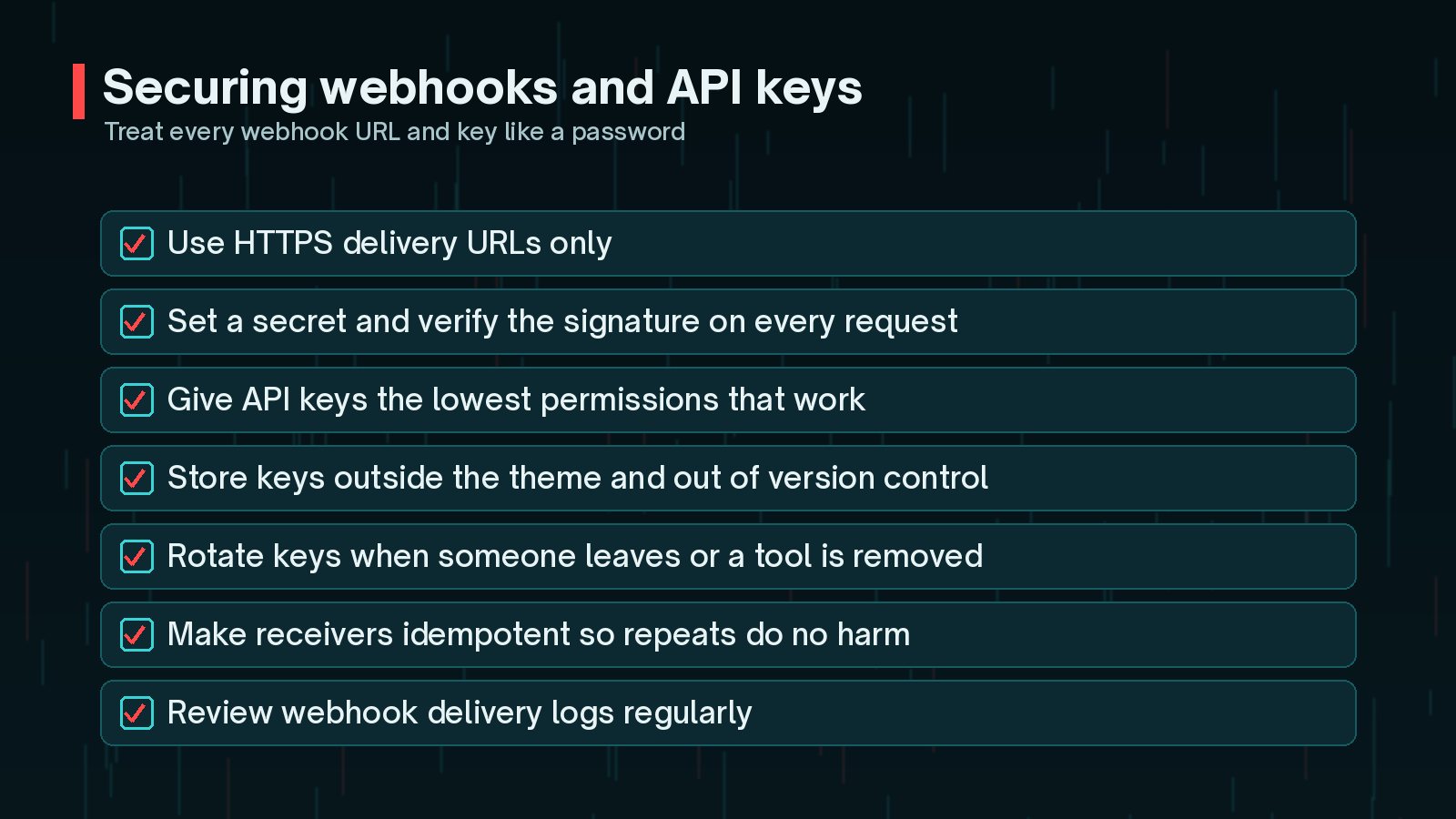
- Use HTTPS for every delivery URL.
- Give API keys and application passwords the lowest permissions that work.
- Store secrets in configuration, such as
wp-config.phpconstants, not in the theme or in version control. - Remove keys and connections when a tool or person no longer needs them.
If you are connecting AI tools as well, my guide to setting up WordPress AI connectors safely covers permissions in the same spirit.
Handling Failures and Duplicates
Networks fail, services go down and timeouts happen. Reliable automation plans for this.
- Make receivers idempotent: processing the same event twice should do no harm. Store the order ID or delivery ID and skip ones you have already handled.
- Reply quickly: acknowledge the webhook first, then do slow work in the background, so the sender does not time out and retry.
- Log every delivery: success or failure, with a timestamp and an ID.
- Alert a person when failures repeat, rather than letting them pile up.
When your own plugin sends data out, the WordPress HTTP API returns a WP_Error or a response code you can check. Queue a retry when it fails. I describe the same pattern for forms in my WordPress CRM integration guide.
When Automation Should Become Custom Code
Automation platforms are excellent for getting started. Consider moving a workflow into a custom plugin when:
- Monthly usage is high enough that platform costs keep climbing.
- The workflow handles personal or sensitive data you would rather not pass through another service.
- The logic has grown into many branches and workarounds.
- The business depends on it and you need proper logging, retries and tests.
A small plugin with one clear job is often simpler to maintain than a sprawling scenario nobody fully understands.
Frequently Asked Questions
Does WordPress have webhooks built in?
WordPress core does not include a webhooks settings screen, but WooCommerce does, under WooCommerce > Settings > Advanced > Webhooks. For other events, such as form submissions or new posts, you can use a plugin, an automation platform's WordPress integration, or a small custom plugin that sends requests.
Is Zapier or Make better for WordPress?
Neither is better for everyone. Zapier is quick for simple trigger-to-action workflows, while Make's visual scenarios suit multi-step flows with branching and data mapping. Compare current plan limits, the apps you use and how quickly each workflow needs to run.
Why does my automation sometimes run twice?
Webhooks and polling integrations can deliver the same event more than once, for example after a timeout or a retry. Design the receiving step to check whether it has already processed that event, using an ID such as the order number or a delivery ID.
Are webhooks secure?
They can be. Use HTTPS, set a secret so the receiver can verify each request, keep API keys private and give them the lowest permissions that work. WooCommerce signs its webhooks with an HMAC-SHA256 signature when a secret is set.
When should I replace Zapier or Make with custom code?
Consider it when volumes are high, the data is sensitive, the logic has become complicated, or the workflow is business-critical and needs proper logging and retries. A small, well-tested plugin can be cheaper and more reliable over time.
Final Thoughts
WordPress webhooks automation saves real time when you pick the right jobs, secure every connection and plan for failures and duplicates. Start with Zapier or Make to prove a workflow, use WooCommerce's built-in webhooks for store events, and move to custom code when volume, sensitivity or complexity demand it.
If you need a reliable, well-logged automation built around your own workflow, my custom plugin development service can design and build it.
Official References
Sources checked on 29 October 2026: