Custom WordPress pages
Building clean, responsive page layouts for desktop, tablet, and mobile learning journeys.
A compliance learning training provider where important workplace education needs clear journeys, useful registration flows, and dependable delivery across devices.
Compliance content can be complex, but the digital experience should not be. eLearnPOSH is approached as a focused learning journey where page structure, responsive behaviour, useful forms, and clear calls to action work together.
My work supports the development and ongoing improvement of WordPress pages and learning-facing content, with attention to AMP, content hierarchy, performance, technical quality, and the business workflows around registration and communication.
These are live eLearnPOSH screens. Each part of the site is shown once: the desktop view, or the tablet view when that is the capture that shows the section.
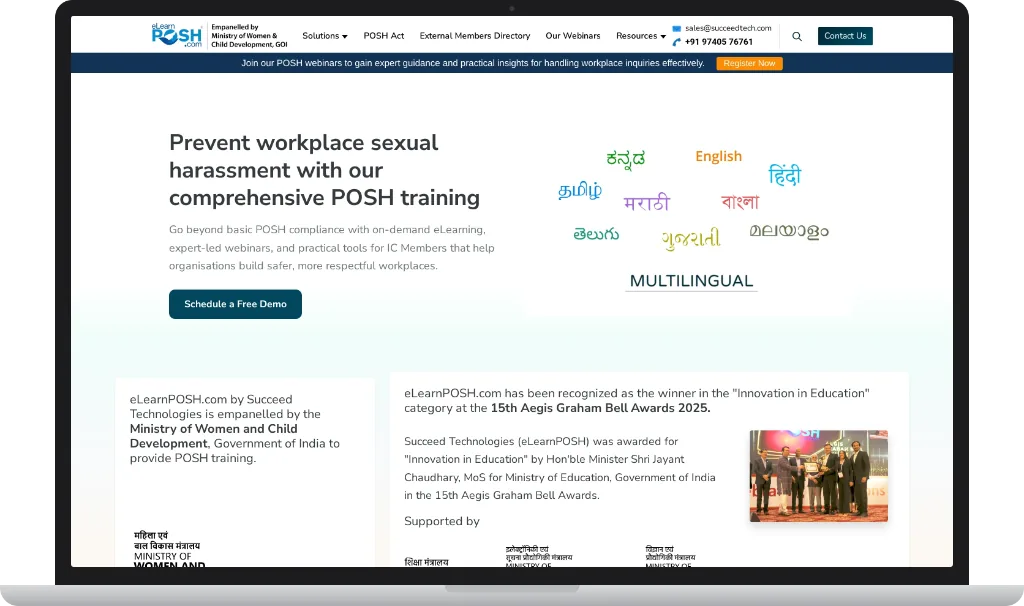
On a laptop the header carries the eLearnPOSH mark, the Ministry of Women and Child Development empanelment line, Solutions, POSH Act, External Members Directory, webinars, and resources, plus sales contact and search. A webinar banner sits under that, with Register Now. The hero then asks organisations to go beyond basic compliance: on-demand eLearning, expert-led webinars, and tools for Internal Committee members. Schedule a Free Demo is the main action.
Language names are part of the hero, not a footnote: English plus Kannada, Tamil, Marathi, Hindi, Bengali, Telugu, Gujarati, and Malayalam, under the word Multilingual. Below that, the page states the empanelment in English and Hindi, and notes the 15th Aegis Graham Bell Awards 2025 recognition in Innovation in Education. On a narrower screen the same story stacks, with the language cloud under the headline.
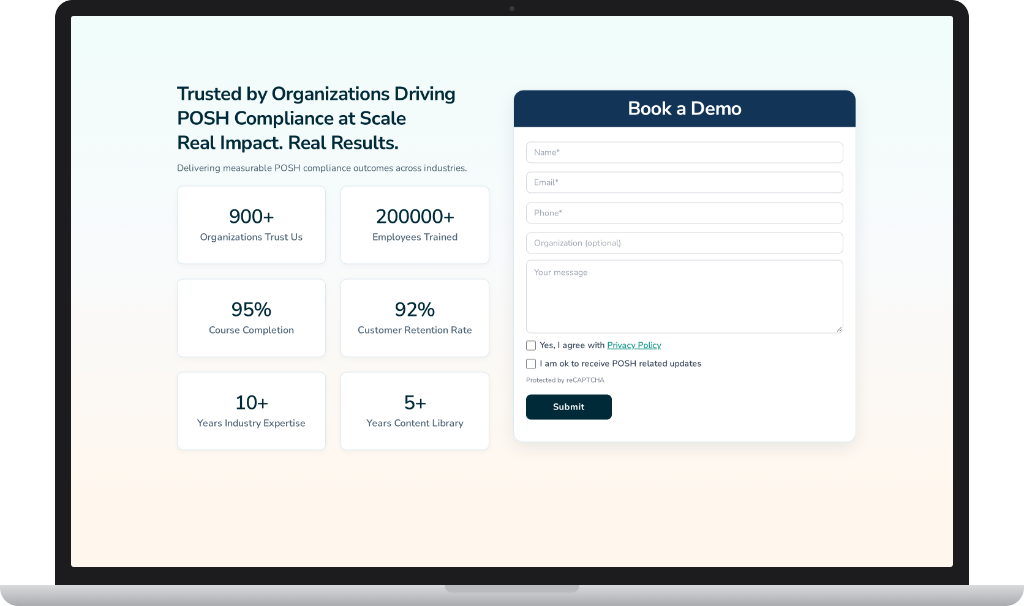
Book a Demo asks for name, email, and phone, with organisation optional and a message field. Two checkboxes stay separate: agreement with the Privacy Policy, and permission to receive POSH related updates. The form says it is protected by reCAPTCHA.
The figures beside it are the ones printed on the page: 900+ organisations, 200000+ employees trained, 95% course completion, 92% customer retention, 10+ years of industry expertise, and a 5+ year content library. The form does not send people away from that proof.
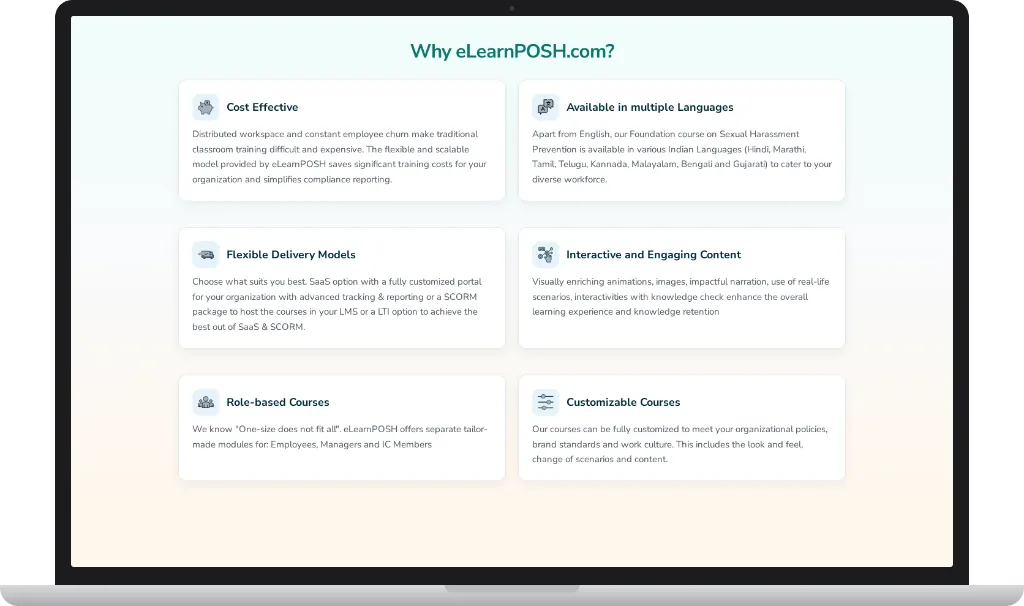
Why eLearnPOSH.com is a grid on a wide screen: cost, languages, flexible delivery, interactive content, role-based courses, and customisable courses. Cost talks about distributed teams and employee churn versus classroom training. Languages lists the Foundation course beyond English. Delivery offers a custom portal, a SCORM package for an existing LMS, or an LTI option.
Content points to animation, real-life scenarios, and knowledge checks. Role-based courses split employees, managers, and IC members. Custom courses cover look, feel, and scenarios. On a narrower screen those cards stack in one column so each reason can be read in full.
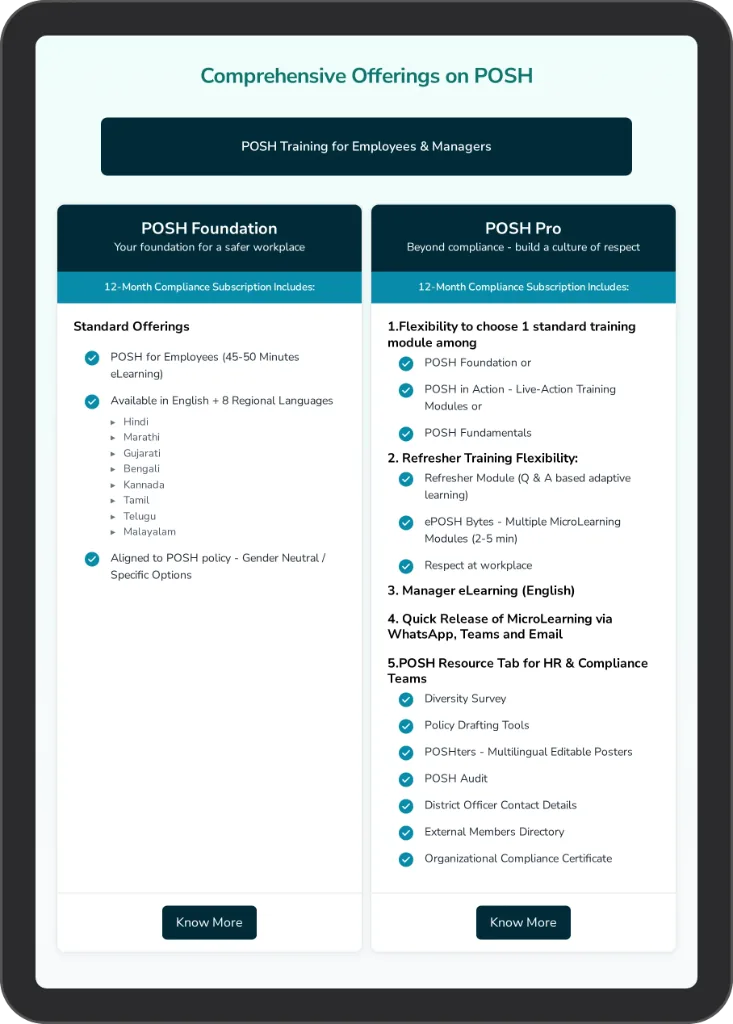
Both plans are labelled as a 12-month compliance subscription. POSH Foundation is the base: a 45-50 minute employee eLearning course, English plus eight regional languages, and alignment to a gender-neutral or organisation-specific POSH policy.
POSH Pro adds a choice of standard module, refresher and microlearning options, manager eLearning, quick release of short lessons through WhatsApp, Teams, and email, and an HR resource tab. That tab lists a diversity survey, policy drafting tools, posters, the POSH audit, district officer contacts, the external members directory, and an organisational compliance certificate. Each column ends with Know More.
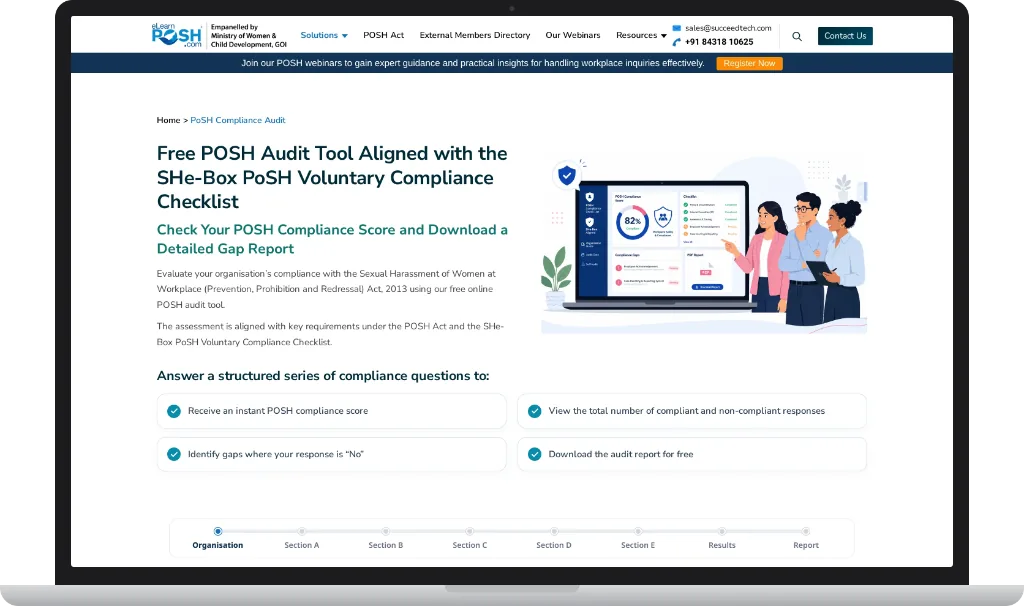
The audit is titled against the SHe-Box PoSH Voluntary Compliance Checklist. The page says an organisation can check its score under the Sexual Harassment of Women at Workplace Act, 2013, see compliant and non-compliant answers, identify gaps where the answer is No, and download the report.
A stepped trail runs from Organisation through Sections A to E, then Results and Report. A privacy notice says the information entered in the form is not stored or reused if someone only wants the report by email. On a wide screen the illustration sits beside the copy. On a narrower screen it moves below the headline, and the menu collapses to an icon.
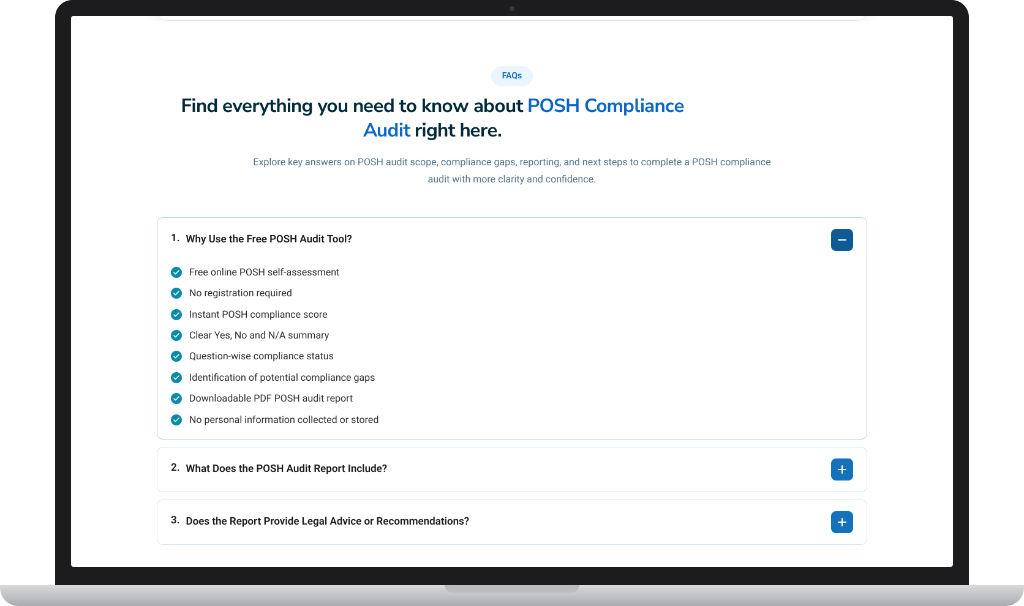
The first question is open: why use the free POSH audit tool. The answer lists a free online self-assessment, no registration, an instant score, a Yes / No / N/A summary, question-level status, gap identification, a downloadable PDF, and no personal information collected or stored.
The next questions, about what the report includes and whether it is legal advice, stay closed until someone opens them. On a narrower screen the same accordion uses the full width, and the heading wraps onto two lines instead of being cut off.
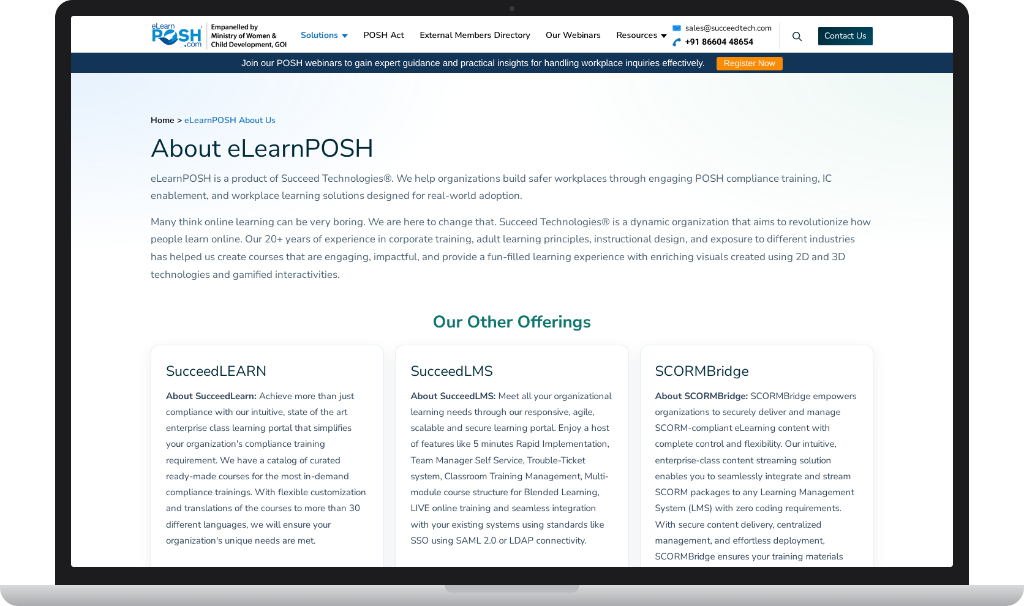
The about page says eLearnPOSH is a Succeed Technologies product for safer workplaces through POSH training, IC enablement, and workplace learning. It also says the courses use adult-learning practice, instructional design, and 2D and 3D visuals rather than a long policy document on screen.
On a narrower screen that introduction fills the view, so the product explanation can be read before the other offers appear.
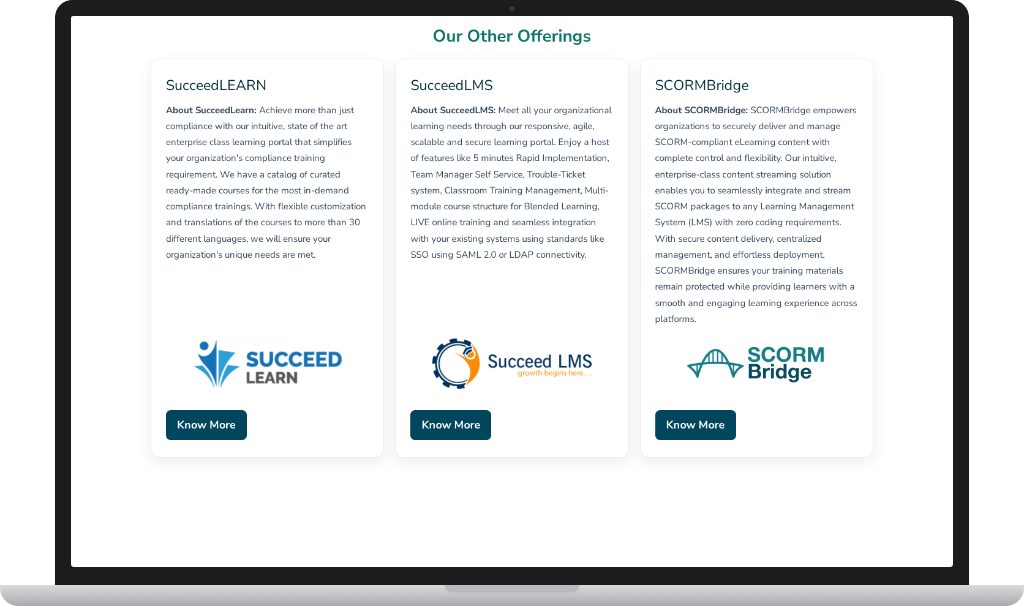
Our Other Offerings introduces SucceedLEARN, SucceedLMS, and SCORMBridge. SucceedLEARN is the compliance learning portal and catalogue, including translation into more than 30 languages. SucceedLMS is the organisation-wide portal, with blended learning, live training, and SAML or LDAP sign-in. SCORMBridge is the way to stream SCORM packages into another LMS without custom code.
On a wide screen the three cards sit in a row. On a tablet SucceedLEARN and SucceedLMS sit side by side and SCORMBridge moves to the next row.
Building clean, responsive page layouts for desktop, tablet, and mobile learning journeys.
Creating AMP experiences that keep essential compliance-learning content clear, fast, and usable on mobile devices.
Supporting registration-focused landing pages and pathways that help people discover, register for, and access webinar sessions.
Building custom form journeys with appropriate fields, admin notifications, user confirmations, and clear lead handling.
Preparing form submissions and data flows so information can move into an ERP or internal process where the required connection is available.
Supporting subscription experiences and a structured path for bulk communication to opted-in subscribers.
Developing focused page and form experiences that support POSH audit or compliance-related requirements.
Technical SEO, semantic content hierarchy, responsive refinements, and practical implementation choices for better page experience.
Testing, production checks, content updates, and iterative refinement as training and campaign requirements change.
Clear layouts, focused calls to action, and responsive sections help users focus on what they need to learn rather than working around the interface.
Semantic content hierarchy, technical SEO, useful page copy, and clear topic structure support SEO, AEO, and GEO-oriented improvement work.
Maintainable WordPress implementation supports new pages, content formats, forms, campaign paths, integrations, and reporting needs.
AMP development, performance-aware implementation, responsive image decisions, and clean templates help keep key pages efficient.
Registration, form confirmation, subscription, and newsletter journeys create a more reliable path from interest to useful follow-up.
Reusable page patterns and clean responsive components help the platform remain coherent as new compliance content is added.
eLearnPOSH strengthened my hands-on experience in AMP development, custom plugin and form workflows, ERP integration planning, webinar registration portals, subscription communication, POSH audit journeys, and clear compliance-learning UX.
Creating reliable, responsive WordPress experiences for compliance learning content and the registration, enquiry, and communication journeys around it.
AMP provides a lean way to deliver important pages on mobile while keeping essential content and the user journey available.
Yes. Dedicated registration pages can collect the necessary information, send confirmations, and pass data into the selected webinar or internal workflow.
Yes, where the ERP exposes a suitable API or import workflow. The form can be structured so fields and submissions are prepared for reliable handoff.
Subscription forms and compliant opt-in journeys provide a clearer basis for sending relevant updates or bulk communications to subscribers.
Yes. Reusable page patterns, maintainable WordPress development, and clear content structure make it easier to add future courses, campaigns, forms, and integrations.